Fabric API Needed by Transmog [Fabric] Transmog 1.8.1+26.2
requiredMatching file found Matched file: [26.2] Fabric API 0.160.0+26.2
CurseForge · Minecraft mod
Change the appearance of your items without modifying their behavior/stats!
Quick answer
Transmog [Fabric] Transmog 1.8.1+26.2 targets 26.2 with Fabric. The project page does not say whether this file belongs on the client, dedicated server, or both. All 1 required mods have matching files.
Where it goes
The project page does not say whether this file belongs on the client, dedicated server, or both.
The source does not explicitly classify this release as client-only or server-only.
[Fabric] Transmog 1.8.1+26.2. Change the file and its required mods may change too.
Install Fabric API first. We found matching files for this game-version and loader setup. 2 come through another mod in the chain.
2 extra mods were pulled in by other dependencies. Indented rows show who needs each one. We only count dependency files that match this setup. A file for another loader does not fill the gap.
Before you install it
Built for Transmog [Fabric] Transmog 1.8.1+26.2. Pick another file and the loader, install side or required mods may change.
Use [Fabric] Transmog 1.8.1+26.2. It targets 26.2 with Fabric; another release may have different loader, side or dependency requirements.
Install Fabric API first. We found matching files for this game-version and loader setup. 2 come through another mod in the chain.
The project page does not say whether this file belongs on the client, dedicated server, or both.
Use the “Get this file” button beside [Fabric] Transmog 1.8.1+26.2. It opens that exact file at the source.
About this project
A Minecraft mod to solve the long-standing issue of not looking cool enough.
Transmog allows you to change the appearance of items without modifying their behavior at all!
It works on armor, weapons, tools and anything else you can imagine!
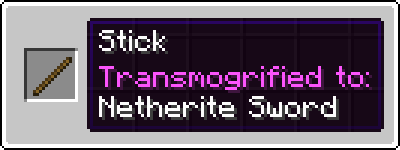
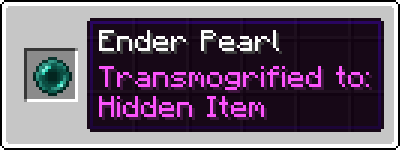
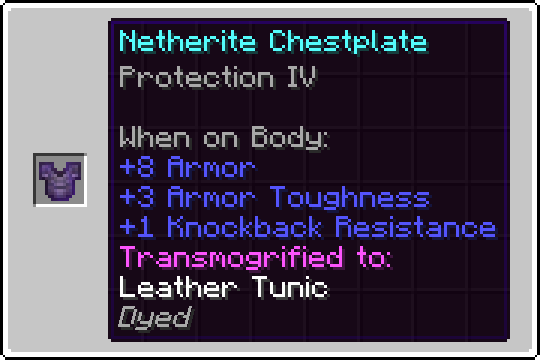
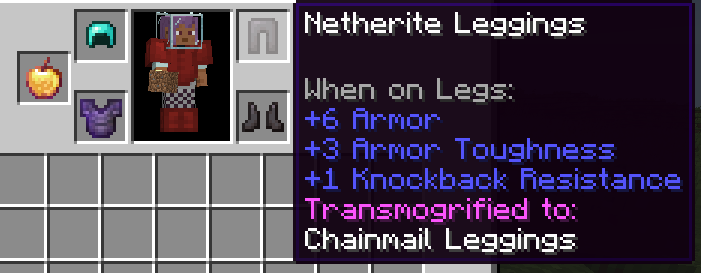
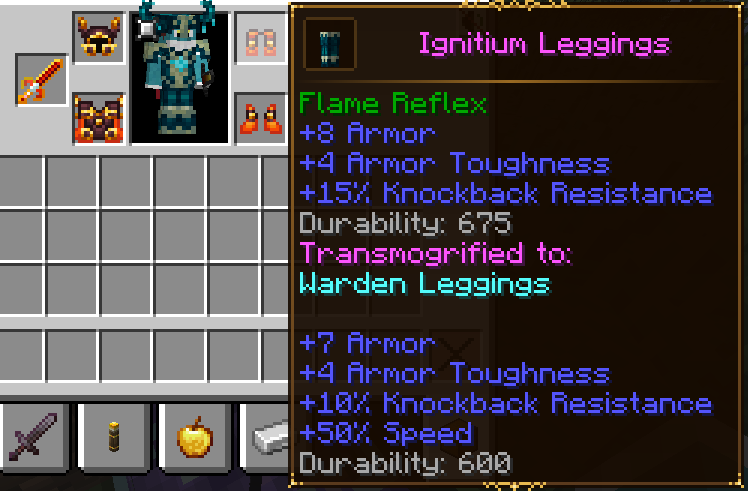
For more examples, look at the images tab!
Required to craft the Transmogrification Table. Also allows you to make your items invisible!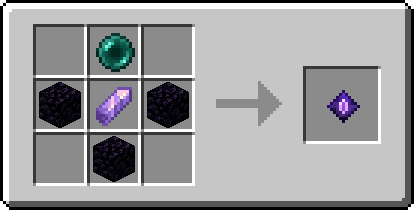
The main block added by this mod, used to transmogrify items.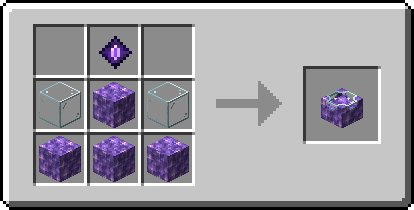
Place the transmogrification table in the world and right-click it, the transmogrification UI will open: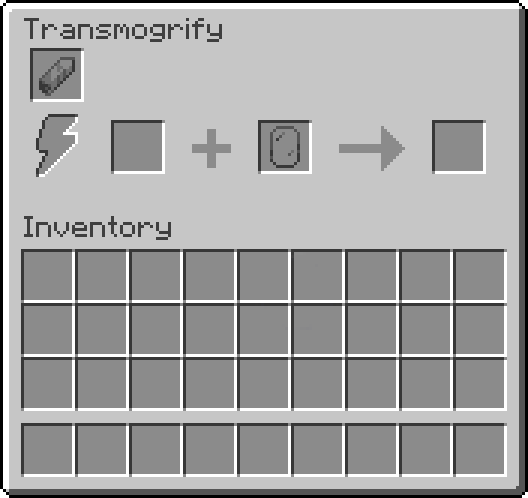
From left to right, the slots are:
For most items, the appearance slot will serve as the direct appearance for the target item, the only exceptions to this are:
To remove the transmogrification from an item, place it in the transmogrification table without an appearance item.
Project description from CurseForge.
Pick your setup
Choose the version and loader you play, then open the matching release.
Showing the newest 12 of 20 game versions. Older files are in the list below.
Check the dependencies, then try the file in a copied instance before changing a world you care about.
Recent files
transmog-fabric-1.8.1+26.2.jar
8 Sept 2026
transmog-neoforge-1.8.1+26.2.jar
8 Sept 2026
transmog-forge-1.8.1+26.2.jar
8 Sept 2026
transmog-fabric-1.8.0+26.2.jar
8 Aug 2026
transmog-neoforge-1.8.0+26.2.jar
8 Aug 2026
transmog-forge-1.8.0+26.2.jar
8 Aug 2026
transmog-fabric-1.8.0+26.1.jar
21 May 2026
transmog-neoforge-1.8.0+26.1.jar
21 May 2026
transmog-forge-1.8.0+26.1.jar
21 May 2026
transmog-neoforge-1.7.2+1.21.11.jar
7 Feb 2026
transmog-forge-1.7.2+1.21.11-all.jar
7 Feb 2026
transmog-fabric-1.7.2+1.21.11.jar
7 Feb 2026
Looking for an older file? The official CurseForge project page is in Resources.
 mod
modA vanilla+ expansion that introduces lead ore, customizable leaded glass & more. Includes compatibility with Create & Farmer's Delight!
 mod
modJEI/REI/EMI plugin that displays information on all potion and status effects
 mod
modA drone that follows and shoots at any time, and streams the captured footage to OBS Studio.