Minecraft version
Back to mods 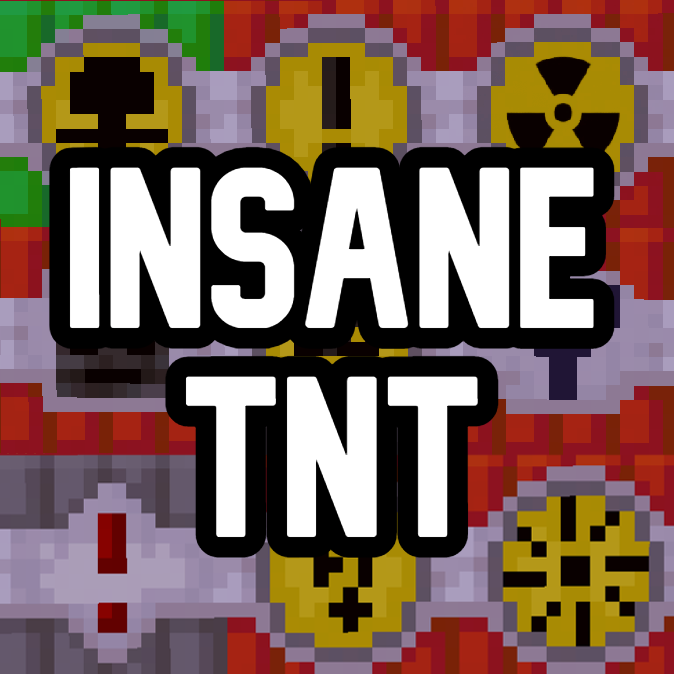
CurseForge · Minecraft mod
Insane TNT
Adds lots of new TNT types, from huge explosions to showers of fire!
Choose a version Pick your version below, then grab the matching file.
Quick answer
Which Insane TNT release should I use?
Latest stable file Insane TNT 1.21.1 v1.4.1 (Neoforge)
Game version 1.21.1
Loader NeoForge
Insane TNT 1.21.1 v1.4.1 (Neoforge) targets 1.21.1 with NeoForge. The project page does not say whether this file belongs on the client, dedicated server, or both. No extra mods listed for this file.
Where it goes
Is Insane TNT required on the client, server, or both?
The project page does not say whether this file belongs on the client, dedicated server, or both.
Client Source doesn’t say
Dedicated server Source doesn’t say
Loader for this release NeoForge
Required install it here Optional supported, not mandatory Not supported do not install here Source doesn’t say do not assume
The source does not explicitly classify this release as client-only or server-only.
What else does Insane TNT 1.21.1 v1.4.1 (Neoforge) need?
Insane TNT 1.21.1 v1.4.1 (Neoforge). Change the file and its required mods may change too.
This file does not list any required mods. Do not add a library just because a different file uses it.
This file does not list any required or optional mods.
Before you install it
Add Insane TNT without breaking your instance.
Built for Insane TNT 1.21.1 v1.4.1 (Neoforge). Pick another file and the loader, install side or required mods may change.
- 01
Stick to this file
Use Insane TNT 1.21.1 v1.4.1 (Neoforge). It targets 1.21.1 with NeoForge; another release may have different loader, side or dependency requirements.
- 02
Bring the mods it needs
This file does not list any required mods. Do not add a library just because a different file uses it.
- 03
Put it on the correct side
The project page does not say whether this file belongs on the client, dedicated server, or both.
- 04
Pick the file you checked
Use the “Get this file” button beside Insane TNT 1.21.1 v1.4.1 (Neoforge). It opens that exact file at the source.
About this project
What does Insane TNT add?
Adds lots of new TNT types, from huge explosions to showers of fire, lightning and more!
The larger TNTs may lag computers and crash multiplayer servers, don't go straight to setting a huge one off, test the smaller ones to see what your PC can handle.
All of these are craftable in survival, although I may need to work on the balancing.
List of new TNTs:
Sponge TNT
Slime TNT
Night TNT
Arrow TNT
Volcano TNT
Super Volcano TNT
YTNT
Small TNT
Big Chungus TNT
Gay TNT
BNT
Gay TNT
Meteor TNT
Wither TNT
Magic Slime TNT
Glitch TNT
Spread TNT
Mini Nuke
Nuke
Crystal TNT
Virus TNT
Respawn TNT
Storm TNT
Super Storm TNT
Mega Nuke
Super Spread TNT
High Explosive TNT
Lightning TNT
Focused Lightning TNT
Sunstorm TNT
Titan Nuke
Anvil TNT
Kraken Nuke
Ultra Nuke Super
Sunstorm TNT
Chungus Nuke
Buff TNT World Dissolver
Ultra World Dissolver
Transformation TNT
Note (April 2025) While mod has been recently ported to 1.21.1, unlike most of my mods this one is still on Mcreator, it's just meant to be a silly little mod to test out rather than something to put in modpacks so didn't think it would be worth recoding it.
Copyright claims will be sent to websites attempting to reupload this without permission.
Want to enjoy my mod with friends? Choose BisectHosting for your server needs! New customers can use code Dreamcritting to save 25% on their first month off any gaming server.
Project description from CurseForge.
Pick your setup
Insane TNT by Minecraft version and loader
Choose the version and loader you play, then open the matching release.
Minecraft version
1.20.1
3 loader buildsMinecraft version
1.19.2
1 loader buildMinecraft version
1.18.2
1 loader buildCheck the dependencies, then try the file in a copied instance before changing a world you care about.
Recent files
Insane TNT versions and loaders
Insane TNT 1.21.1 v1.4.1 (Neoforge)
Insane tnt 1.21.1 v1.4.1 (Forge).jar
5 Apr 2025
Client Source doesn’t say Server Source doesn’t say Dependencies No extras listed Listed on Release listing
Check the 1.21.1 · NeoForge setup NeoForge1.21.1 release
Insane TNT 1.20.1 version 1.4 (Fabric)
Insane tnt 1.20.1 version 1.4 Fabric.jar
14 Dec 2023
Client Source doesn’t say Server Source doesn’t say Dependencies No extras listed Listed on Release listing
Check the 1.20.1 · Fabric setup Fabric1.20.1 release
Insane TNT 1.20.1 version 1.4 (Forge)
Insane tnt 1.20.1 version 1.4.jar
4 Dec 2023
Client Source doesn’t say Server Source doesn’t say Dependencies No extras listed Listed on Release listing
Check the 1.20.1 · NeoForge setup NeoForge1.20.1Forge release
Insane TNT 1.19.2 version 1.3
Insane tnt 1.19.2 version 1.3.jar
6 Nov 2023
Client Source doesn’t say Server Source doesn’t say Dependencies No extras listed Listed on Release listing
Check the 1.19.2 · Forge setup 1.19.2Forge release
Insane TNT 1.19.2 version 1.2
Insane tnt 1.19.2 version 1.2.jar
5 Jun 2023
Client Source doesn’t say Server Source doesn’t say Dependencies No extras listed Listed on Release listing
Check the 1.19.2 · Forge setup 1.19.2Forge release
Insane TNT 1.19.2 version 1.1
Insane tnt 1.19.2 version 1.1.jar
27 May 2023
Client Source doesn’t say Server Source doesn’t say Dependencies No extras listed Listed on Release listing
Check the 1.19.2 · Forge setup 1.19.2Forge release
Insane TNT 1.19.2 version 1.0.1
Insane TNT 1.19.2 version 1.0.1.jar
5 May 2023
Client Source doesn’t say Server Source doesn’t say Dependencies No extras listed Listed on Release listing
Check the 1.19.2 · Forge setup 1.19.2Forge release
Insane TNT 1.18.2
Insane TNT 1.18.2.jar
5 May 2023
Client Source doesn’t say Server Source doesn’t say Dependencies No extras listed Listed on Release listing
Check the 1.18.2 · Forge setup 1.18.2Forge release
Insane TNT 1.19.2
Insane TNT 1.19.2.jar
3 May 2023
Client Source doesn’t say Server Source doesn’t say Dependencies No extras listed Listed on Release listing
Check the 1.19.2 · Forge setup 1.19.2Forge release
Looking for an older file? The official CurseForge project page is in Resources.
 mod
mod CurseForge · Minecraft
The best metals
The mod adds tin, bronze, and unique crafts.
 mod
mod CurseForge · Minecraft
MythicArsenal
Adds a collection of mythic weapons with unique abilities and dynamic skill cool-downs.
 mod
mod CurseForge · Minecraft
Mebahel's Creatures - Draugr Invasion
This mod introduces a full bestiary of Draugrs inspired by Skyrim, a boss with advanced AI, powerful magical items, shared multiplayer chests, new structures, and a raid system that turns the player into the hunted.