Minecraft version
Back to mods 
CurseForge · Minecraft mod
Pebble's Custom Command Messages
Create custom command that prompts custom messages
Choose a version Pick your version below, then grab the matching file.
Quick answer
Which Pebble's Custom Command Messages release should I use?
Latest stable file pebbles-shortcut-commands-1.0.0.jar
Game version 1.19.2, 1.19.1
Loader Fabric
Pebble's Custom Command Messages pebbles-shortcut-commands-1.0.0.jar targets 1.19.2, 1.19.1 with Fabric. The project page does not say whether this file belongs on the client, dedicated server, or both. No extra mods listed for this file.
Where it goes
Is Pebble's Custom Command Messages required on the client, server, or both?
The project page does not say whether this file belongs on the client, dedicated server, or both.
Client Source doesn’t say
Dedicated server Source doesn’t say
Loader for this release Fabric
Required install it here Optional supported, not mandatory Not supported do not install here Source doesn’t say do not assume
The source does not explicitly classify this release as client-only or server-only.
What else does Pebble's Custom Command Messages pebbles-shortcut-commands-1.0.0.jar need?
pebbles-shortcut-commands-1.0.0.jar. Change the file and its required mods may change too.
This file does not list any required mods. Do not add a library just because a different file uses it.
This file does not list any required or optional mods.
Before you install it
Add Pebble's Custom Command Messages without breaking your instance.
Built for Pebble's Custom Command Messages pebbles-shortcut-commands-1.0.0.jar. Pick another file and the loader, install side or required mods may change.
- 01
Stick to this file
Use pebbles-shortcut-commands-1.0.0.jar. It targets 1.19.2, 1.19.1 with Fabric; another release may have different loader, side or dependency requirements.
- 02
Bring the mods it needs
This file does not list any required mods. Do not add a library just because a different file uses it.
- 03
Put it on the correct side
The project page does not say whether this file belongs on the client, dedicated server, or both.
- 04
Pick the file you checked
Use the “Get this file” button beside pebbles-shortcut-commands-1.0.0.jar. It opens that exact file at the source.
About this project
What does Pebble's Custom Command Messages add?

A simple mod that allows admin to create assign custom commands to custom messages. The messages must be added through a command.json file in config/pebbles-command-shortcut. Here's an example config, you can do multiple lines of messages like in the example:
[
  {
    "command": "hello",
    "messages": [
      {
        "message": "Hello, <player>!"
      },
      {
        "message": "Welcome, <rainbow><player></rainbow>! /rtp to get start!"
      }
    ]
  },
  {
    "command": "goodbye",
    "messages": [
      {
        "message": "Goodbye, <player>!"
      },
      {
        "message": "See you later, <rainbow><player></rainbow>!"
      }
    ]
  },
  {
    "command": "vote",
    "messages": [
      {
        "message": "<green>Vote for our server <click:open_url:'https://linktr.ee/dynastyminecraft'><underlined>here</underlined></click> and <blue>gain</blue> <bold>some</bold> <italic><yellow>pebbles</yellow></italic></green>!"
      }
    ]
  },
  {
    "command": "ping",
    "messages": [
        {
            "message": "Pong!"
        }
    ]
  }
]
The codeblock looks a bit messy but if you put it in a normal editor (Notepad++, VSCode etc.) it will look palatable.
Project description from CurseForge.
Pick your setup
Pebble's Custom Command Messages by Minecraft version and loader
Choose the version and loader you play, then open the matching release.
Minecraft version
1.19.1
1 loader buildCheck the dependencies, then try the file in a copied instance before changing a world you care about.
Recent files
Pebble's Custom Command Messages versions and loaders
pebbles-shortcut-commands-1.0.0.jar
23 Apr 2023
Client Source doesn’t say Server Source doesn’t say Dependencies No extras listed Listed on Release listing
Check the 1.19.2 · Fabric setup Fabric1.19.21.19.1 release
Looking for an older file? The official CurseForge project page is in Resources.
 mod
CurseForge · Minecraft
Samurai Dynasty: Legends of Feudal Japan
Feudal Japan RPG: katana combos and parries, ninja parkour, dragon-wing elytra you wear over full armor, sakura forests, shrines and pagodas, and oni, tengu and kitsune to fight or befriend.
 mod
CurseForge · Minecraft
Motion Capture Gui
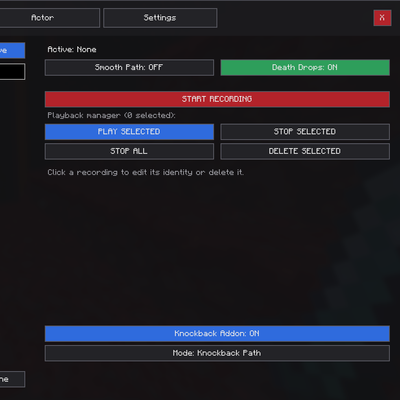
A GUI-powered Minecraft motion capture mod. Record and save player movements and actions, then replay recordings individually or launch multiple selected recordings together with one click. Customize character models, names, skins, and playback settings.
 mod
CurseForge · Minecraft
Breed faster Happy Ghasts
Breed faster Happy Ghasts, boost flight speed with Speed Potions or Snowballs, and inspect mount stats with a Book and Quill.