Mod Menu Needed by Chat Notify v3.103.1+26.2-Fabric
requiredMatching file found Matched file: v20.0.1 for 26.2
CurseForge · Minecraft mod
Plays a ping sound when your name is mentioned, with options to create custom alerts.
Quick answer
Chat Notify v3.103.1+26.2-Fabric targets 26.2 with Fabric. The project page does not say whether this file belongs on the client, dedicated server, or both. All 3 required mods have matching files.
Where it goes
The project page does not say whether this file belongs on the client, dedicated server, or both.
The source does not explicitly classify this release as client-only or server-only.
v3.103.1+26.2-Fabric on 26.2 Fabric. Every mod below is checked against that same setup.
Install Mod Menu, Fabric API, Text Placeholder API first. We found matching files for this game-version and loader setup. 2 come through another mod in the chain.
2 extra mods were pulled in by other dependencies. Indented rows show who needs each one. We only count dependency files that match this setup. A file for another loader does not fill the gap.
Before you install it
Built for Chat Notify v3.103.1+26.2-Fabric on 26.2 Fabric. Pick another file and the loader, install side or required mods may change.
Use v3.103.1+26.2-Fabric. It targets 26.2 with Fabric; another release may have different loader, side or dependency requirements.
Install Mod Menu, Fabric API, Text Placeholder API first. We found matching files for this game-version and loader setup. 2 come through another mod in the chain.
The project page does not say whether this file belongs on the client, dedicated server, or both.
Use the “Get this file” button beside v3.103.1+26.2-Fabric. It opens that exact file at the source.
About this project
Plays a ping sound when your name is mentioned, with options to create custom alerts.
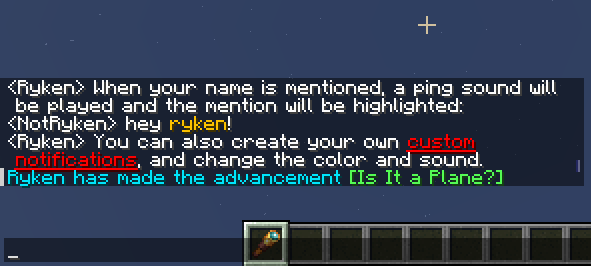
Notifications, each of which has one or more Triggers.When you open the options screen, you'll see a list of notifications. You can set the notification trigger, color and sound here.
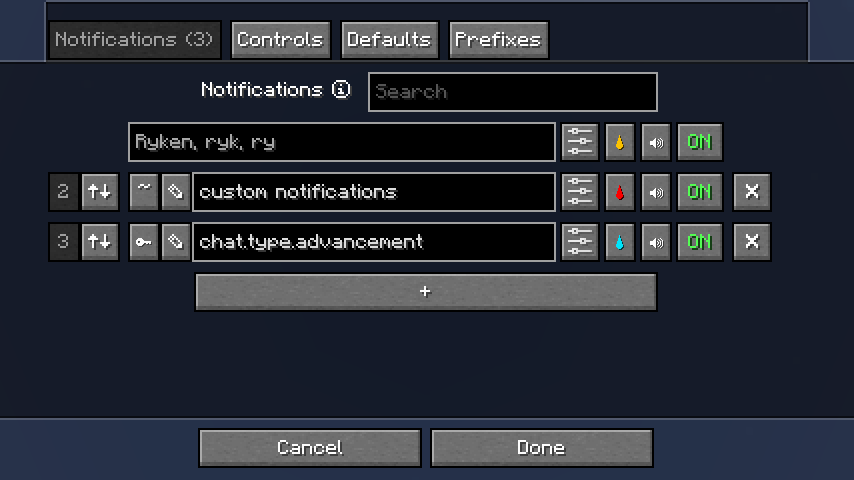
To change the trigger type, click the ~ button to the left of the text field.
hello will match messages containing HELLO), and they don't match partial words (so a trigger rock will match rock! but not rocket or rock932).chat.type.text or chat.type.advancement.task). You can use a key-type trigger to match all messages of that type.Click the ✎ button to the left of the text field to open the trigger editor.
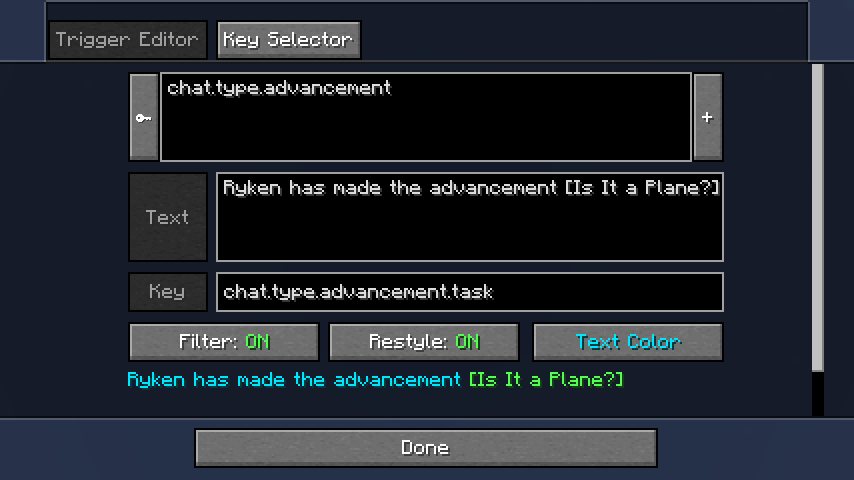
In the trigger editor, recent chat messages will be displayed in a list (most recent first). Use the Filter and Restyle buttons to preview the effect of your trigger.
Click on a message to view the text and translation key (if any) so you can copy them.
Additionally, some common keys are available for selection in the Key Selector.
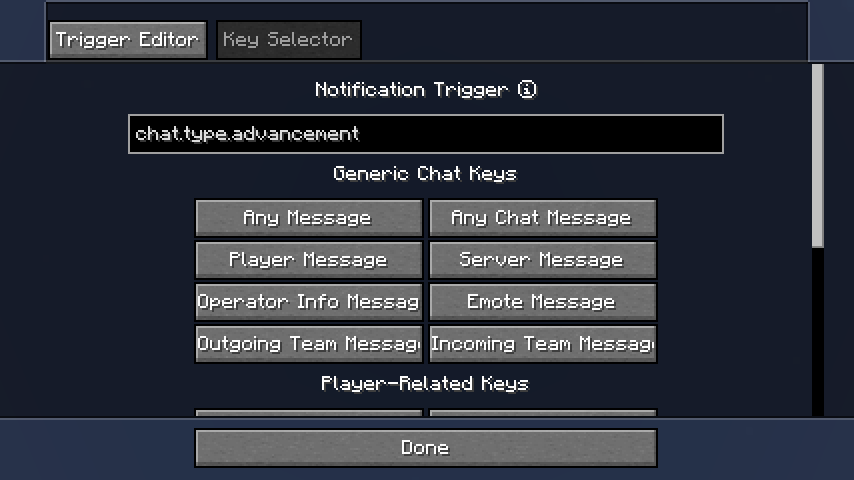
If you want to add more triggers, go back to Notifications and click on the options button to the left of the color button. You'll now see a list of triggers, which you can edit as desired.
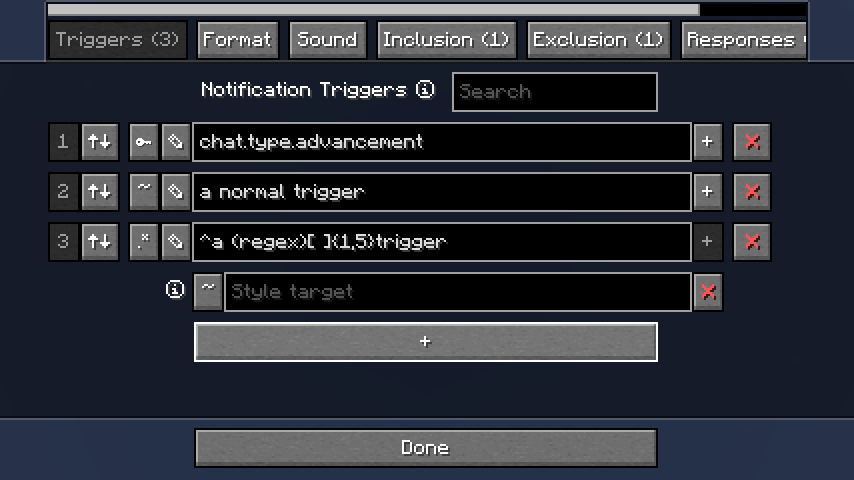
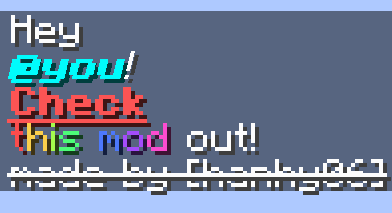
Sometimes for key-type and regex-type triggers you may want to highlight a different part of the message to what the trigger matches.
Adding a style target allows you to specify what part of the message should be highlighted. If the style target doesn't match the message, the trigger will be used as normal.
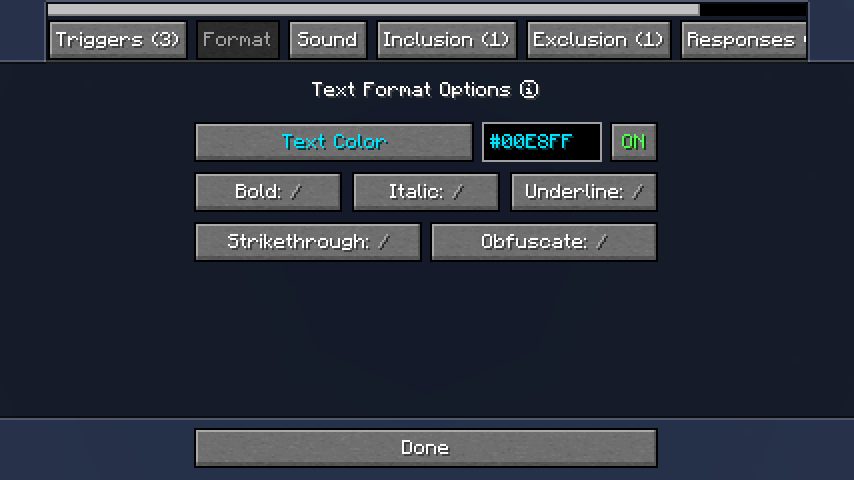
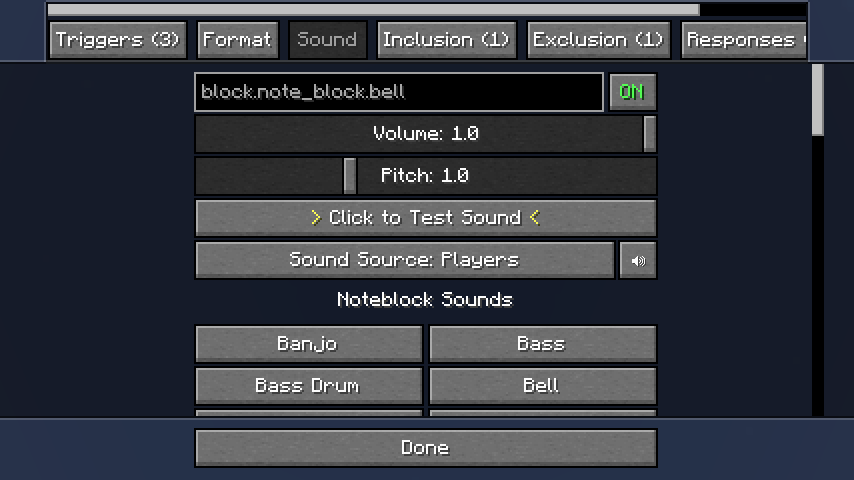
All built-in and resourcepack sounds can be used (click on the text field). Additionally, some sounds are available for quick selection.
The sound source controls which of Minecraft's volume control sliders will affect the notification sound, in addition to the volume control slider provided here.
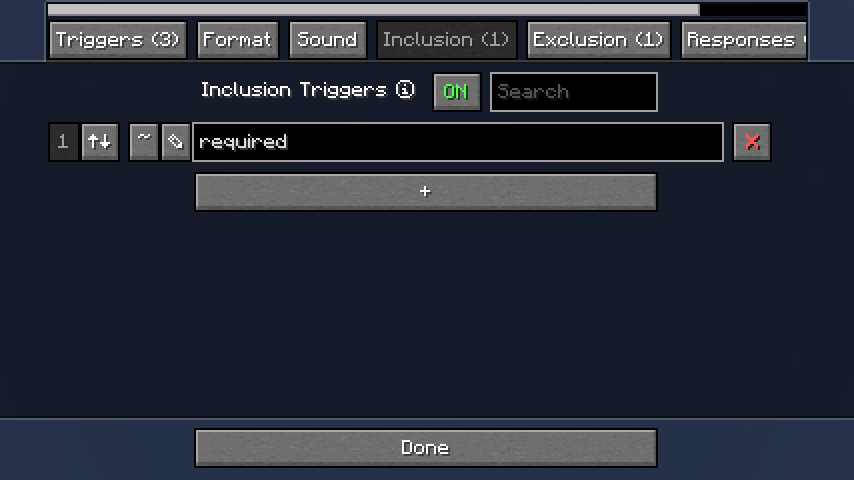
Inclusion triggers do nothing by themselves, but if a trigger from the Triggers list matches a message, ChatNotify will check all the triggers in this list and only activate the notification if they all match.
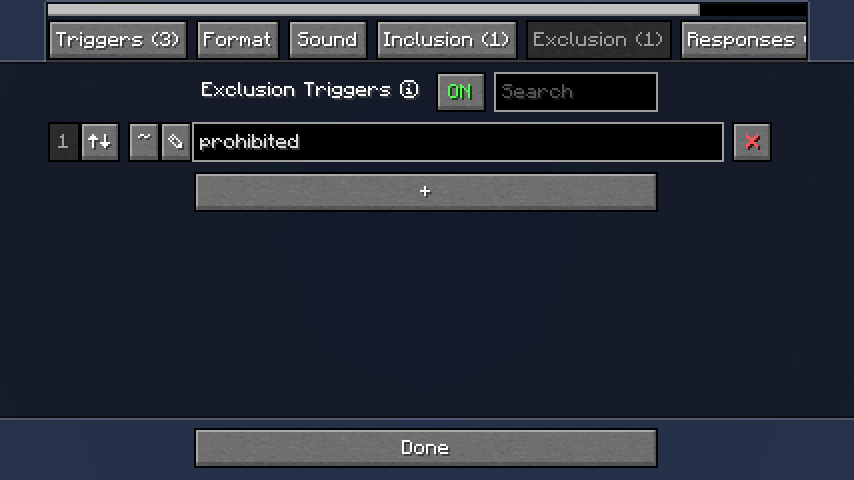
Exclusion triggers are the reverse of Inclusion triggers; before activating a notification, ChatNotify will check all the triggers in this list and only proceed with activation if none of them match the message.
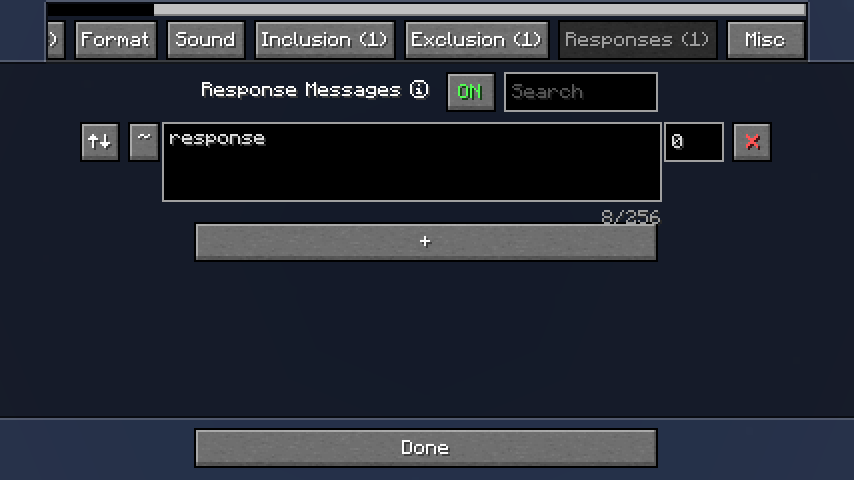
Response messages will be sent in chat when the notification is activated.
Use with caution, as you can easily make a notification send a response which triggers the notification again in a loop, which will spam chat and then crash the game.
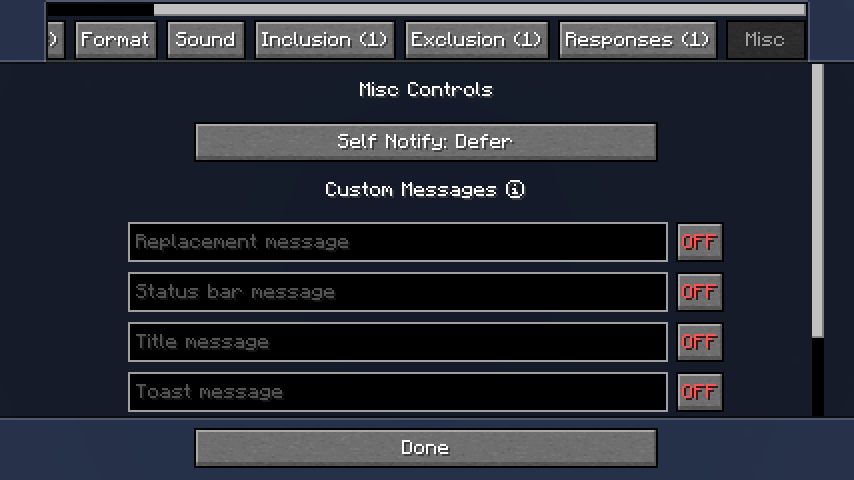
These are special ways of showing notifications, as an alternative to the normal 'play a sound and highlight the message'.
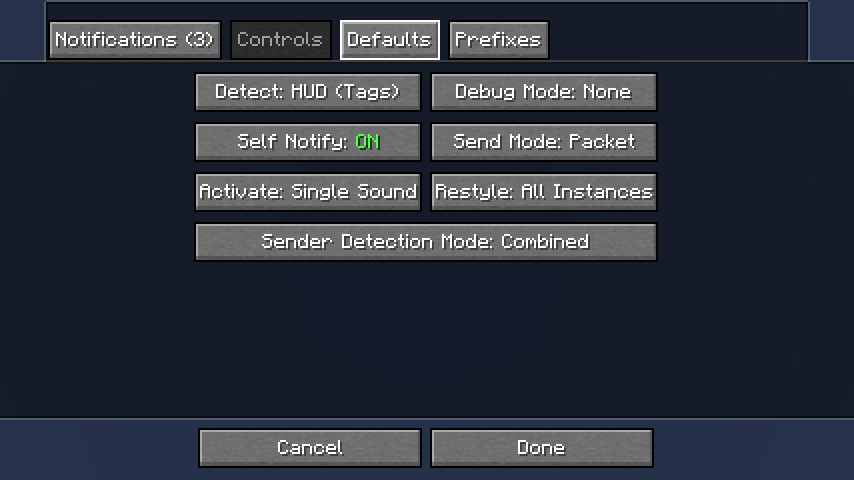
These options apply to all notifications, and control various aspects of ChatNotify's behavior. You should not generally need to change them (you can if you want, of course), but the Detect and Send Mode options can be useful in certain cases of conflict with other mods.
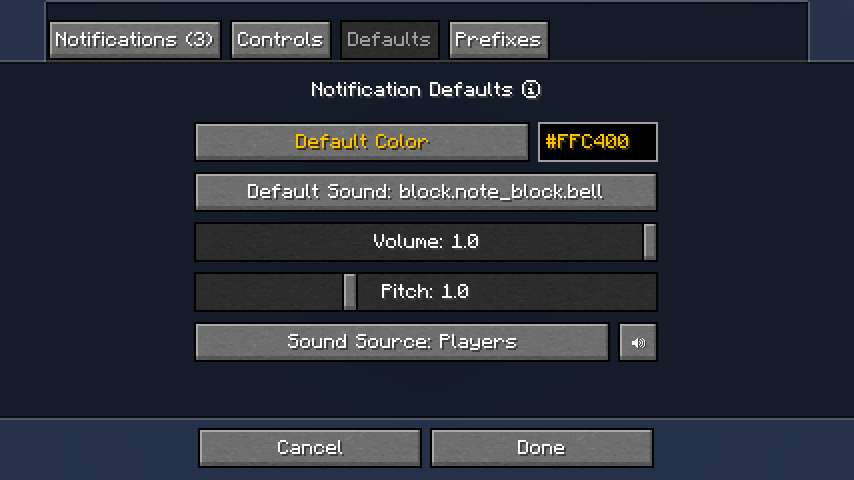
If you want new notifications to have a particular color or sound by default, you can set that here.
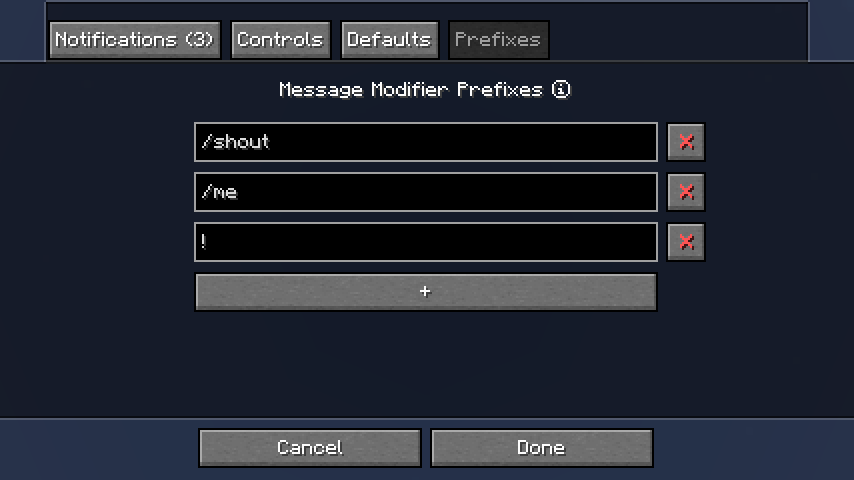
When ChatNotify is not using Chat Heads to detect the message sender, it will store your sent messages and compare them to incoming messages to determine which messages were sent by you. If you're on a server that modifies your messages, that system may not work properly, so prefixes can help.
If you're still being notified on every message that you send (because it contains your name) try installing Chat Heads and setting Sender Detection Mode to Combined in the Controls tab.
<details> <summary>Special Widgets</summary>
ChatNotify uses a range of custom GUI widgets which behave differently to normal Minecraft.
🌢) and sound (🔊) status buttons on the options screen support right-click to toggle status.CTRL+Z to undo and CTRL+Y to redo edits. Note that edit history will be erased whenever the GUI is refreshed, which often happens when you click on a different widget.</details>
<details> <summary>Chat Height Slider</summary>
Chat Settings) to increase the maximum value to 500px.</details>
Fabric: Fabric API, ModMenu
NeoForge: None
If you encounter issues, please report on Discord or GitHub.
Project description from CurseForge.
Pick your setup
Choose the version and loader you play, then open the matching release.
Showing the newest 12 of 25 game versions. Older files are in the list below.
Check the dependencies, then try the file in a copied instance before changing a world you care about.
Recent files
chatnotify-fabric-3.103.1+26.2.jar
2 Aug 2026
chatnotify-fabric-3.103.1+26.2.jar
2 Aug 2026
chatnotify-fabric-3.103.0+26.2.jar
20 Jun 2026
chatnotify-fabric-3.103.0+26.2.jar
20 Jun 2026
chatnotify-fabric-3.3.0-beta.1+26.2-pre-2.jar
31 May 2026
Looking for an older file? The official CurseForge project page is in Resources.
 mod
modEnhance Minecraft chat with item and inventory showcases, mentions, and formatting.
 mod
modImproves soundtrack playback in biomes, adds an Intelligent Playback System in Mountain and Cave biomes — something that was so missing in Minecraft. Check out the description to see what else the mod improves.
 mod
modAuto-block with a shield in either hand, within a 180-degree arc, with server-set durability cost. Fabric + NeoForge, MC 26.x.


