Minecraft version
Back to mods 
CurseForge · Minecraft mod
The Toolkits
A utility bundle for modded minecraft, including recipe dumping, nbt inspection etc
Choose a version Pick your version below, then grab the matching file.
Quick answer
Which The Toolkits release matches 1.19?
Best match for your filters the-toolkits-1.19.2-1.8.1.jar
Game version 1.19
Loader Forge
The Toolkits the-toolkits-1.19.2-1.8.1.jar targets 1.19 with Forge. The project page does not say whether this file belongs on the client, dedicated server, or both. No extra mods listed for this file.
Where it goes
Is The Toolkits required on the client, server, or both?
The project page does not say whether this file belongs on the client, dedicated server, or both.
Client Source doesn’t say
Dedicated server Source doesn’t say
Loader for this release Forge
Required install it here Optional supported, not mandatory Not supported do not install here Source doesn’t say do not assume
The source does not explicitly classify this release as client-only or server-only.
What else does The Toolkits the-toolkits-1.19.2-1.8.1.jar need?
the-toolkits-1.19.2-1.8.1.jar on 1.19. Every mod below is checked against that same setup.
This file does not list any required mods. Do not add a library just because a different file uses it.
This file does not list any required or optional mods.
Before you install it
Add The Toolkits without breaking your instance.
Built for The Toolkits the-toolkits-1.19.2-1.8.1.jar on 1.19. Pick another file and the loader, install side or required mods may change.
- 01
Stick to this file
Use the-toolkits-1.19.2-1.8.1.jar. It targets 1.19 with Forge; another release may have different loader, side or dependency requirements.
- 02
Bring the mods it needs
This file does not list any required mods. Do not add a library just because a different file uses it.
- 03
Put it on the correct side
The project page does not say whether this file belongs on the client, dedicated server, or both.
- 04
Pick the file you checked
Use the “Get this file” button beside the-toolkits-1.19.2-1.8.1.jar. It opens that exact file at the source.
About this project
What does The Toolkits add?
Link Item
Quark has a shift-T command that can link an item to chat, but it cannot be used in JEI ingredient and bookmark overlay. This mod adds a new shortcut (configurable, default shift-/) that can be used in all these cases. The text is also clickable, which will open the inventory (so is JEI) and input the search term for you. You need to set resource id search to "REQUIRE_PREFIX" in order for the search to work.
open JEI command
/the-toolkits jei search_term
This command is used in the implementation of the link-item function. You may find this useless.
print item nbt
This command print nbt of item to chat. You hold the item and run this command, that's it. You need to be OP to use this OP command.
/the-toolkits nbt get
print player attributes
This command prints player attributes like speed. There are two types of attributes (syncable and dirty). I don't know the difference between them, so I just print them all. This command can be useful, e.g. when you want to understand how apotheosis works, since in apotheosis many effects are implemented by injecting new attributes in the player. You need to be OP to use this command.
/the-toolkits attributes get
recipe dump
This is a newly added feature, currently only available in 1.16.5 and will be ported into higher version in the future. Recipes can be categorized by Serializer, whose name is a resource id, like "minecraft:crafting_shaped" or "create:mechanical_crafting". The first part is "namespace", and the second is "path". This command takes parameters based on this concept.
List all namespaces:
/the-toolkits recipe list
List all paths under this namespace:
/the-toolkits recipe ns list
List all recipes id under this ns:path:
/the-toolkits recipe ns path list
Randomly print one recipe under this ns:path:
/the-toolkits recipe ns path random
Dump recipes under this category (in the form of json), watch the output to see where the result is stored:
/the-toolkits recipe ns path dump
This command may not work well for all type of recipe and will/need to be improved. Read below for the reason.
Let's talk a bit more about the implementation.
It works mostly on IRecipe interface so the basic info are dumped by calling various getter function.
For shaped crafting its a bit special. Shaped crafting have a width/height field which is not presented in the IRecipe interface, and without the height/width you will not able to know how to craft with only the other exported data. So for shaped crafting it takes as a special case and will do a type cast to also export the height and width info. Other recipes kind like create's mechanical crafting seems to inherit from shaped crafting class so will have a height/width too, which is handy and I guess will also benefit some other mods with similar behavior.
For other kind of recipes that needs more fields to "restore" needs to be handled case by case just like the shaped crafting type.
entity inspection command
Wonder what is lagging your world? After you use mods like spark to have an idea of what contributes the most of the lag, do you want to know the location of them? This command helps you dump every entity's location of a given entity type (you can use classname, name or registry name). This will be useful if you are the OP of a server and want to inspect where exactly is causing the lag. (recommend to be used with spark or other profiler mods)
/the-toolkits entity summary classname/name/registry_name # have a summary of all the entities count
/the-toolkits entity locations classname/name/registry_name name # dump the locations of them
Similar command exists for block_entity as well, replace entity with block_entity and let the suggestion guides you to dump locations of block entities.
Project description from CurseForge.
Pick your setup
The Toolkits by Minecraft version and loader
Choose the version and loader you play, then open the matching release.
Minecraft version
1.19
1 loader buildMinecraft version
1.18.2
1 loader buildMinecraft version
1.16.5
1 loader buildCheck the dependencies, then try the file in a copied instance before changing a world you care about.
Recent files
The Toolkits versions and loaders
the-toolkits-1.19.2-1.8.1.jar
12 Apr 2024
Client Source doesn’t say Server Source doesn’t say Dependencies No extras listed Listed on Release listing
Check the 1.19 · Forge setup Forge1.19 release
Looking for an older file? The official CurseForge project page is in Resources.
 mod
CurseForge + Modrinth · Minecraft
Open In Inventory
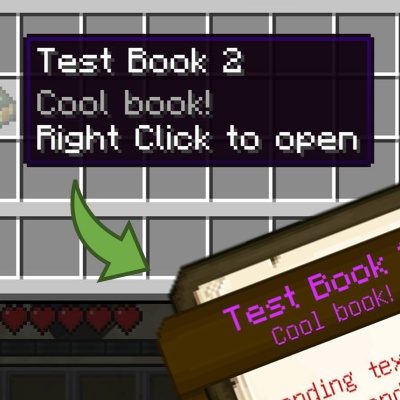
Open guidebooks, backpacks, handhelds and more with a single click in inventory
 mod
CurseForge · Minecraft
No Trade Cycling, Just Pick
Stop rerolling villagers. Press Pick trade and select any 2 trades its profession can offer (max-level enchanted books included). Fast trade and saves time.
 mod
CurseForge · Minecraft
Chat Items: Show Items, Inventory & Ender Chest in Chat
Type [item], [armor], [inv] or [ender] in chat to link held items, armor, Shulker Boxes, Bundles, inventory & Ender chest. Server-side — vanilla clients supported!