Minecraft version
Back to mods 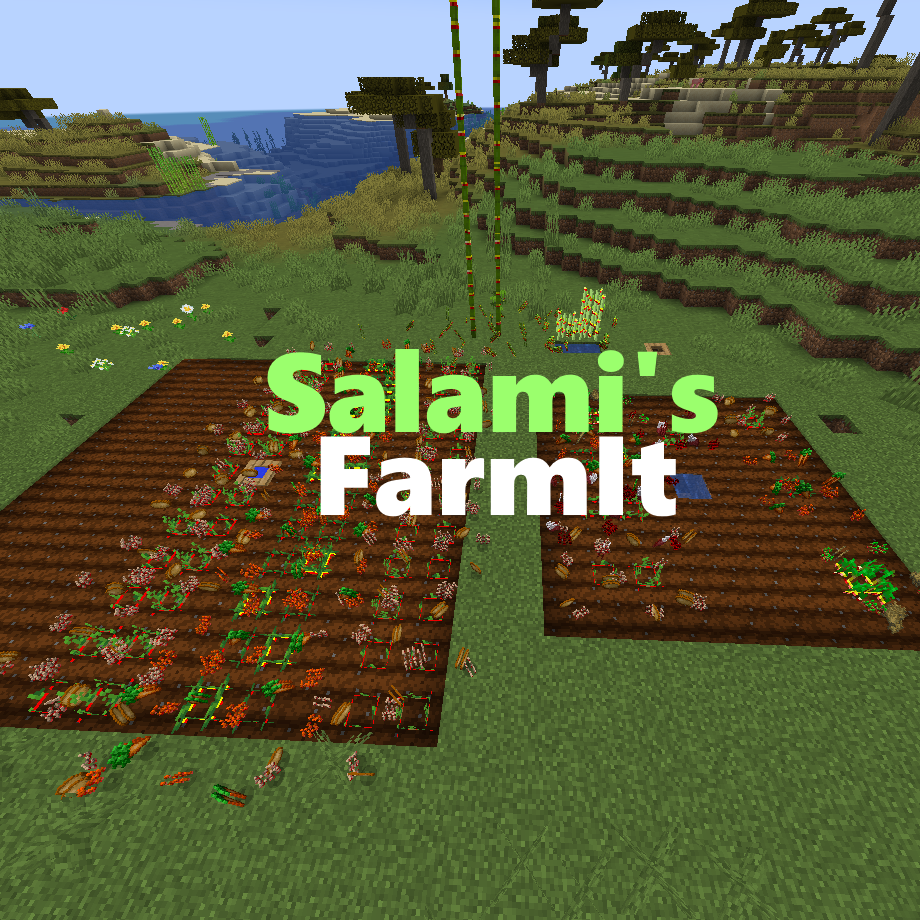
CurseForge · Minecraft mod
FarmIt
Make farming the driving force in your world with this vanilla style farming mod that will increase yields and help you to automate your garden.
Choose a version Pick your version below, then grab the matching file.
Quick answer
Which FarmIt release matches 1.19.4?
beta file Farm It
Game version 1.19.4
Loader Forge
FarmIt Farm It targets 1.19.4 with Forge. The project page does not say whether this file belongs on the client, dedicated server, or both. No extra mods listed for this file.
Where it goes
Is FarmIt required on the client, server, or both?
The project page does not say whether this file belongs on the client, dedicated server, or both.
Client Source doesn’t say
Dedicated server Source doesn’t say
Loader for this release Forge
Required install it here Optional supported, not mandatory Not supported do not install here Source doesn’t say do not assume
The source does not explicitly classify this release as client-only or server-only.
What else does FarmIt Farm It need?
Farm It on 1.19.4. Every mod below is checked against that same setup.
This file does not list any required mods. Do not add a library just because a different file uses it.
This file does not list any required or optional mods.
Before you install it
Add FarmIt without breaking your instance.
Built for FarmIt Farm It on 1.19.4. Pick another file and the loader, install side or required mods may change.
- 01
Stick to this file
Use Farm It. It targets 1.19.4 with Forge; another release may have different loader, side or dependency requirements.
- 02
Bring the mods it needs
This file does not list any required mods. Do not add a library just because a different file uses it.
- 03
Put it on the correct side
The project page does not say whether this file belongs on the client, dedicated server, or both.
- 04
Pick the file you checked
Use the “Get this file” button beside Farm It. It opens that exact file at the source.
About this project
What does FarmIt add?
A stand-alone farming mod that add many new items and blocks that extend vanilla farming. New crops, new tools, new ways to farm, whether you enjoy automating or building a homestead experience this will assist you in your goals.
Crops:
- New crops and foods such as: Radish, Tomato, Grape
- New ways to farm; automatic crops
- New types of crops; Vine crops
Automatic Crops:
- Will harvest themselves when they reach maturity
- Require a gold ingot and a redstone dust to turn the regular seed into an automatic seed
- Crop no longer drops seeds as the process of adding biotic enhancements left the plant damaged.
- You can get the crop back in seed form by manually breaking the crop
Tools:
- Scythe (Harvest all harvestable crops in 5x5 radius)
- Sickle (Harvest and replace seed for that crop immediately)
Coming Soon:
Vine Crops:
- Grows the same as jungle vines but bears fruits such as tomatoes and grapes
- This crop does not drop its own seeds when harvested, the seeds are instead extracted from the fruits with a knife, with higher tiers of knife determining the quantity of seeds extracted.
Custom crop generation:
- Tomatoes, Radish and Grapes spawning naturally in the overworld
- Crafting recipes to automate these new crops
Irrigation:
- Water Tank
- Big Bucket (holds 4x buckets of water)
Tool Improvements
- Trowel (Plant seeds in a 5x5 radius on farmland)
- Knife (Strip auto seeds of their redstone and gold (returns the standard seed and half of the gold and redstone required to craft), Clone plants (have a 80/20 chance to either get a free seed (80) or destroy the crop (20))) - Currently this item exists but can only be used in the same way that a sword would be used
Personal Storage:
- Seed Case (Hold 9 different types of seeds stacking infinitely)
- Basket (Hold 9 different types of crops stacking infinitely)
Trees:
- Fruit Trees
- Tea
- Treesap
- Rubber
- Dyed Rubber
Drinks
- Fruit juice (also refills a small amount of hunger when player drinks)
Project description from CurseForge.
Pick your setup
FarmIt by Minecraft version and loader
Choose the version and loader you play, then open the matching release.
Check the dependencies, then try the file in a copied instance before changing a world you care about.
Recent files
FarmIt versions and loaders
Farm It
farmit-0.22-1.19.4.jar
21 May 2023
Client Source doesn’t say Server Source doesn’t say Dependencies No extras listed Listed on Release listing
Check the 1.19.4 · Forge setup 1.19.4Forge beta
Farm It
farmit-0.2-1.19.4.jar
21 May 2023
Client Source doesn’t say Server Source doesn’t say Dependencies No extras listed Listed on Release listing
Check the 1.19.4 · Forge setup 1.19.4Forge beta
Farm It
farmit-0.1.0-1.19.4.jar
15 May 2023
Client Source doesn’t say Server Source doesn’t say Dependencies No extras listed Listed on Release listing
Check the 1.19.4 · Forge setup 1.19.4Forge beta
Looking for an older file? The official CurseForge project page is in Resources.
 mod
CurseForge · Minecraft
Animal Loot+
Mob Loot+ Adds new drops to mobs that normally give you nothing.
 mod
CurseForge · Minecraft
TNT Expansion (+300 new craftable TNT)
300 craftable TNTs, from harmless mini TNTs to nukes, black holes, a TNT x100,000 and THE ABSOLUTE CORRUPTION OF ALL EXISTENCE (power -∞). Build your own at the Workbench and see every TNT in 3D in the guide book.
 mod
CurseForge · Minecraft
Smeltworks: Furnaces & Kitchens
14 animated furnaces with speed, fuel and output trade-offs, a kitchen with new dishes and a workbench that builds them in front of you.