Minecraft version
Back to mods 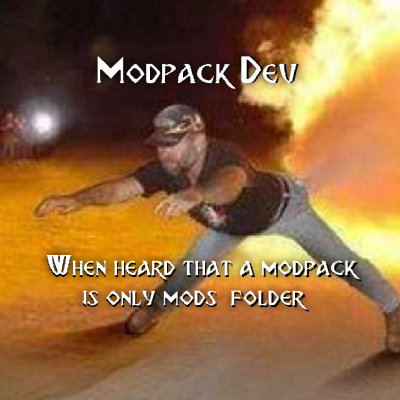
CurseForge · Minecraft mod
When will you install the modpack properly?
Notification to the player that the modpack is not only Mods folder.
Choose a version Pick your version below, then grab the matching file.
Quick answer
Which When will you install the modpack properly? release should I use?
Latest stable file wwyimp 1.0
Game version 1.19.2
Loader Forge
When will you install the modpack properly? wwyimp 1.0 targets 1.19.2 with Forge. The project page does not say whether this file belongs on the client, dedicated server, or both. No extra mods listed for this file.
Where it goes
Is When will you install the modpack properly? required on the client, server, or both?
The project page does not say whether this file belongs on the client, dedicated server, or both.
Client Source doesn’t say
Dedicated server Source doesn’t say
Loader for this release Forge
Required install it here Optional supported, not mandatory Not supported do not install here Source doesn’t say do not assume
The source does not explicitly classify this release as client-only or server-only.
What else does When will you install the modpack properly? wwyimp 1.0 need?
wwyimp 1.0. Change the file and its required mods may change too.
This file does not list any required mods. Do not add a library just because a different file uses it.
This file does not list any required or optional mods.
Before you install it
Add When will you install the modpack properly? without breaking your instance.
Built for When will you install the modpack properly? wwyimp 1.0. Pick another file and the loader, install side or required mods may change.
- 01
Stick to this file
Use wwyimp 1.0. It targets 1.19.2 with Forge; another release may have different loader, side or dependency requirements.
- 02
Bring the mods it needs
This file does not list any required mods. Do not add a library just because a different file uses it.
- 03
Put it on the correct side
The project page does not say whether this file belongs on the client, dedicated server, or both.
- 04
Pick the file you checked
Use the “Get this file” button beside wwyimp 1.0. It opens that exact file at the source.
About this project
What does When will you install the modpack properly? add?
■ Tired of players constantly installing your modpack incorrectly and ruining all your work on configuring configs? Now players will be aware of what they idiots installed wrong!
■ How do make it work? Open your modpack, enter the world, back to menu and open "wwyitmp_client.json" in config folder. Change "showMessage": true to "showMessage": false. Save. This setting will be saved in your configs and if some genius forgets to move the Config folder, he will see this message in chat:

■ Created by NoCube in Mcreator. Owned by Black Aures. Made for Play as Dragon: Gothic Edition modpack.
Project description from CurseForge.
Pick your setup
When will you install the modpack properly? by Minecraft version and loader
Choose the version and loader you play, then open the matching release.
Check the dependencies, then try the file in a copied instance before changing a world you care about.
Recent files
When will you install the modpack properly? versions and loaders
wwyimp 1.0
wwyimp_1.0.0_forge_1.19.2.jar
25 May 2023
Client Source doesn’t say Server Source doesn’t say Dependencies No extras listed Listed on Release listing
Check the 1.19.2 · Forge setup 1.19.2Forge release
Looking for an older file? The official CurseForge project page is in Resources.
 mod
mod CurseForge · Minecraft
Bye?Pregen!
Reduce MSPT spikes and server freezes caused by chunk generation and speed it up.
 mod
mod CurseForge · Minecraft
Phrix, Phrox
A mod about curses and the like.
 mod
mod CurseForge · Minecraft
CobbleGacha Expanded (Cobblemon Gacha System)
CobbleGacha Expanded is a Cobblemon gacha mod featuring rotating limited banners, rate-up Pokémon, pity and 50/50 guarantees, pull history, and configurable server-side banner management.