Minecraft version
Back to mods 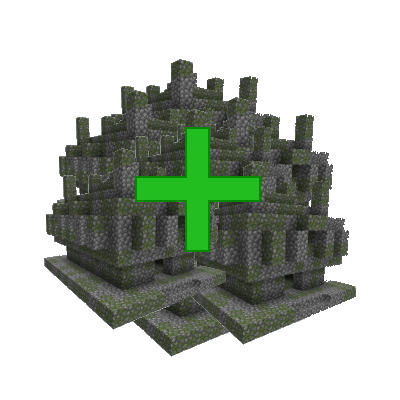
CurseForge · Minecraft mod
Many More Structures
Generates more of every Structure
Choose a version Pick your version below, then grab the matching file.
Quick answer
Which Many More Structures release should I use?
Latest stable file manymorestructuresreforged-1.20.1-1.3.0.jar
Game version 1.20.1
Loader Forge
Many More Structures manymorestructuresreforged-1.20.1-1.3.0.jar targets 1.20.1 with Forge. The project page does not say whether it belongs on the client. The project page does not say whether it belongs on the dedicated server. No extra mods listed for this file.
Where it goes
Is Many More Structures required on the client, server, or both?
The project page does not say whether it belongs on the client. The project page does not say whether it belongs on the dedicated server.
Client Source doesn’t say
Dedicated server Source doesn’t say
Loader for this release Forge
Required install it here Optional supported, not mandatory Not supported do not install here Source doesn’t say do not assume
The source does not explicitly classify this release as client-only or server-only.
What else does Many More Structures manymorestructuresreforged-1.20.1-1.3.0.jar need?
manymorestructuresreforged-1.20.1-1.3.0.jar. Change the file and its required mods may change too.
This file does not list any required mods. Do not add a library just because a different file uses it.
This file does not list any required or optional mods.
Before you install it
Add Many More Structures without breaking your instance.
Built for Many More Structures manymorestructuresreforged-1.20.1-1.3.0.jar. Pick another file and the loader, install side or required mods may change.
- 01
Stick to this file
Use manymorestructuresreforged-1.20.1-1.3.0.jar. It targets 1.20.1 with Forge; another release may have different loader, side or dependency requirements.
- 02
Bring the mods it needs
This file does not list any required mods. Do not add a library just because a different file uses it.
- 03
Put it on the correct side
The project page does not say whether it belongs on the client. The project page does not say whether it belongs on the dedicated server.
- 04
Pick the file you checked
Use the “Get this file” button beside manymorestructuresreforged-1.20.1-1.3.0.jar. It opens that exact file at the source.
About this project
What does Many More Structures add?
This is an updated version of my old "Many More Structures" Mod, which due to changes made in 1.20 to the underlying structure generation of Minecraft, required a complete rewrite.
For versions 1.18.2 and 1.19.2 do to: Many More Structures (Prior... - Mods - Minecraft - CurseForge
The following is for the 1.1.* versions:
With this mod installed and with the config set to anything more than 1, many more of all the vanilla structures will generate.
And by more, I mean that at level 5 there is almost no ground in places. And the end is hard to fly through due to the cities.
Though at level 5 your world will also be nay unpassable due to the structure count. So, I recommend only going to level 4.
The following is for the 1.2.* versions:
The config file is overhauled. there is now an option to change the density of all structures and another option to change the density of individual structures.
I highly recommend using a Pre-generation mod while using this one.
I have found that "Worldgen" by caeruleusDraconis works really well. It can be found here:
https://modrinth.com/mod/world-gen
Project description from CurseForge.
Pick your setup
Many More Structures by Minecraft version and loader
Choose the version and loader you play, then open the matching release.
Minecraft version
1.20.3
1 loader buildMinecraft version
1.20.2
1 loader buildMinecraft version
1.20.1
2 loader buildsMinecraft version
1.20
1 loader buildMinecraft version
1.19.4
1 loader buildCheck the dependencies, then try the file in a copied instance before changing a world you care about.
Recent files
Many More Structures versions and loaders
manymorestructuresreforged-1.20.1-1.3.0.jar
4 Jun 2024
Client Source doesn’t say Server Source doesn’t say Dependencies No extras listed Listed on Release listing
Check the 1.20.1 · Forge setup 1.20.1Forge release
manymorestructuresreforged-1.20.1-1.20.1-1.2.0.jar
5 May 2024
Client Source doesn’t say Server Source doesn’t say Dependencies No extras listed Listed on Release listing
Check the 1.20.1 · Forge setup 1.20.1Forge release
manymorestructuresreforged-1.20.1-1.20.1-0.0.1.jar
5 May 2024
Client Source doesn’t say Server Source doesn’t say Dependencies No extras listed Listed on Release listing
Check the 1.20.1 · Forge setup 1.20.1Forge release
morestructuresmod-1.20.4-1.3.0.jar
31 Mar 2024
Client Source doesn’t say Server Source doesn’t say Dependencies No extras listed Listed on Release listing
Check the 1.20.4 · Fabric setup Fabric1.20.4 release
morestructuresmod-1.20.3-1.3.0.jar
31 Mar 2024
Client Source doesn’t say Server Source doesn’t say Dependencies No extras listed Listed on Release listing
Check the 1.20.3 · Fabric setup Fabric1.20.3 release
morestructuresmod-1.20.2-1.3.0.jar
31 Mar 2024
Client Source doesn’t say Server Source doesn’t say Dependencies No extras listed Listed on Release listing
Check the 1.20.2 · Fabric setup 1.20.2Fabric release
morestructuresmod-1.20.1-1.3.0.jar
31 Mar 2024
Client Source doesn’t say Server Source doesn’t say Dependencies No extras listed Listed on Release listing
Check the 1.20.1 · Fabric setup Fabric1.20.1 release
morestructuresmod-1.20-1.3.0.jar
31 Mar 2024
Client Source doesn’t say Server Source doesn’t say Dependencies No extras listed Listed on Release listing
Check the 1.20 · Fabric setup Fabric1.20 release
morestructuresmod-1.19.4-1.3.0.jar
31 Mar 2024
Client Source doesn’t say Server Source doesn’t say Dependencies No extras listed Listed on Release listing
Check the 1.19.4 · Fabric setup 1.19.4Fabric release
MoreStructuresMod-1.20.4-1.2.0.jar
morestructuresmod-1.20.4-1.2.0.jar
29 Feb 2024
Client Source doesn’t say Server Source doesn’t say Dependencies No extras listed Listed on Release listing
Check the 1.20.4 · Fabric setup Fabric1.20.4 release
MoreStructuresMod-1.20.3-1.2.0.jar
morestructuresmod-1.20.3-1.2.0.jar
29 Feb 2024
Client Source doesn’t say Server Source doesn’t say Dependencies No extras listed Listed on Release listing
Check the 1.20.3 · Fabric setup Fabric1.20.3 release
MoreStructuresMod-1.20.2-1.2.0.jar
morestructuresmod-1.20.2-1.2.0.jar
29 Feb 2024
Client Source doesn’t say Server Source doesn’t say Dependencies No extras listed Listed on Release listing
Check the 1.20.2 · Fabric setup 1.20.2Fabric release
Looking for an older file? The official CurseForge project page is in Resources.
 mod
mod CurseForge · Minecraft
CommandUnLimite
A universal Forge and Fabric Minecraft mod that removes all in-game command limits, including effect level caps, item give counts, and fill volume restrictions.
 mod
mod CurseForge · Minecraft
ElementalCraft: Reactions
ElementalCraft: Reactions adds unique elemental reactions (fire, frost, thunder, nature) to Minecraft combat, inspired by Divinity: Original Sin 2 and Baldur's Gate 3.
 mod
mod CurseForge · Minecraft
Swords Of Legends
A mod if you want some extras to play with in creative!