Minecraft version
Back to mods 
CurseForge · Minecraft mod
Freeze Observers
Adds a simple gamerule to temporarily stop observers from emitting power
Choose a version Pick your version below, then grab the matching file.
Quick answer
Which Freeze Observers release should I use?
Latest stable file Freeze Observers 1.0.0 (1.20.2)
Game version 1.20.2
Loader Fabric
Freeze Observers 1.0.0 (1.20.2) targets 1.20.2 with Fabric. The project page does not say whether this file belongs on the client, dedicated server, or both. No extra mods listed for this file.
Where it goes
Is Freeze Observers required on the client, server, or both?
The project page does not say whether this file belongs on the client, dedicated server, or both.
Client Source doesn’t say
Dedicated server Source doesn’t say
Loader for this release Fabric
Required install it here Optional supported, not mandatory Not supported do not install here Source doesn’t say do not assume
The source does not explicitly classify this release as client-only or server-only.
What else does Freeze Observers 1.0.0 (1.20.2) need?
Freeze Observers 1.0.0 (1.20.2). Change the file and its required mods may change too.
This file does not list any required mods. Do not add a library just because a different file uses it.
This file does not list any required or optional mods.
Before you install it
Add Freeze Observers without breaking your instance.
Built for Freeze Observers 1.0.0 (1.20.2). Pick another file and the loader, install side or required mods may change.
- 01
Stick to this file
Use Freeze Observers 1.0.0 (1.20.2). It targets 1.20.2 with Fabric; another release may have different loader, side or dependency requirements.
- 02
Bring the mods it needs
This file does not list any required mods. Do not add a library just because a different file uses it.
- 03
Put it on the correct side
The project page does not say whether this file belongs on the client, dedicated server, or both.
- 04
Pick the file you checked
Use the “Get this file” button beside Freeze Observers 1.0.0 (1.20.2). It opens that exact file at the source.
About this project
What does Freeze Observers add?
Freeze Observers
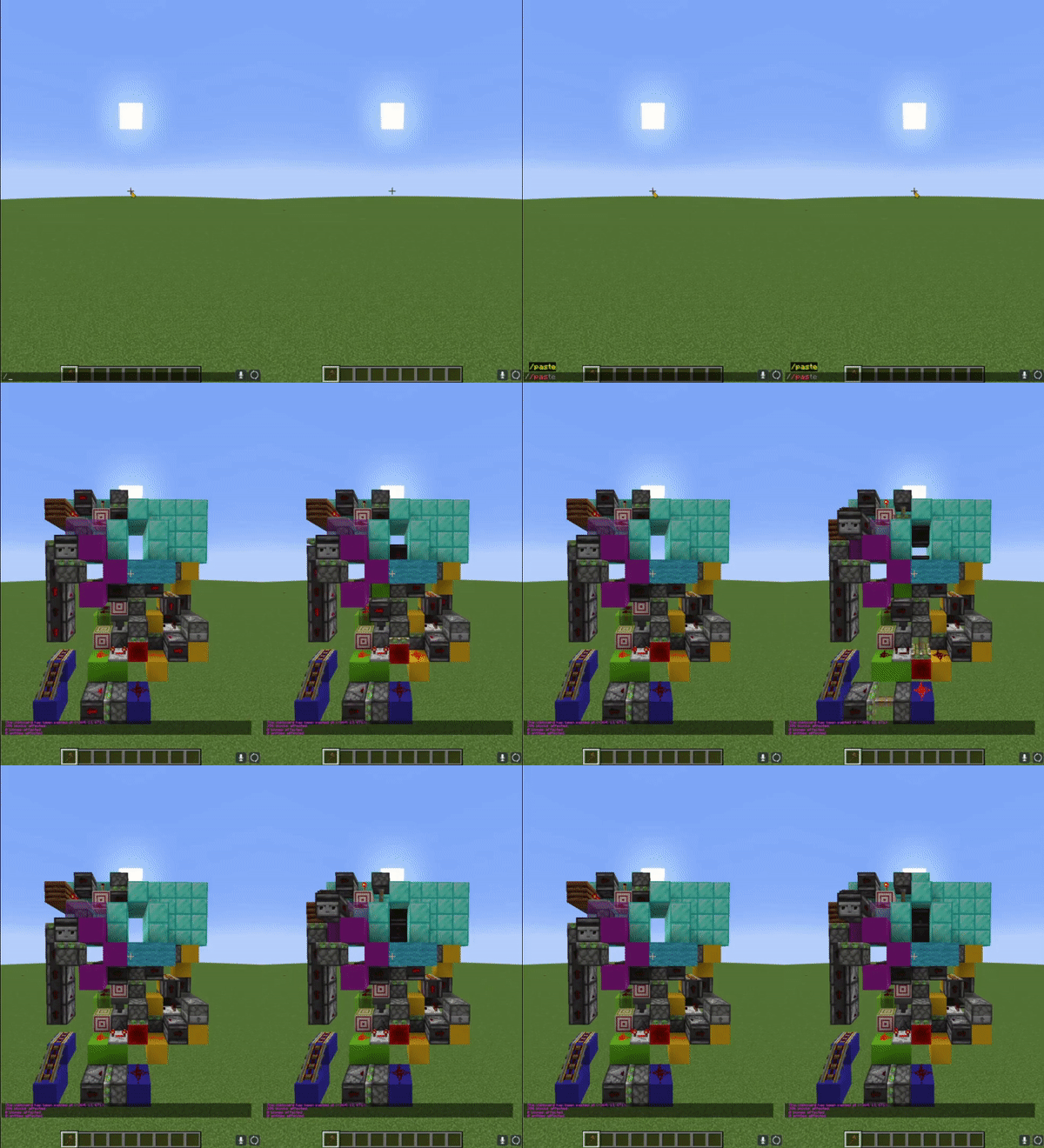
This simple fabric mod for Minecraft that implements a new gamerule that toggles the functionality of observers by preventing them from sending a redstone signal. This is super helpful when building with observers to stop them from accidentally triggering pistons, droppers, and other redstone components before they're ready.
How do I use this?
Use the following command
/gamerule freezeObservers true
to stop observers from emitting a redstone signal.
This mod is compatible with World Edit and Litematica, making it easy to copy and paste redstone without triggering or updating any observers.
How it works
This mod is really simple, and just makes observers always output a signal of 0 when the gamerule is enabled. This means observers themselves will no longer give any output, but are still detected by other observers and other block update detectors.
This is a vanilla compatible mod, meaning only the server host needs to have the mod installed for players to use this.
Installation Instructions (Single Player Worlds)
- Go to the FabricMC website and download the latest installer
- Run the JAR, a window will pop up. Choose the correct version of Minecraft and loader, and click on "Install".
- A new game version and profile will be created in the launcher's menu, which you can now use to launch Fabric.
- Go to Modrinth or Curseforge and download Fabric API.
- Place the Fabric API Jar and the mod Jar into your "mods" folder
- Run the newly installed profile from step 3
Project description from CurseForge.
Pick your setup
Freeze Observers by Minecraft version and loader
Choose the version and loader you play, then open the matching release.
Minecraft version
1.20.1
1 loader buildCheck the dependencies, then try the file in a copied instance before changing a world you care about.
Recent files
Freeze Observers versions and loaders
Freeze Observers 1.0.0 (1.20.2)
freeze-observers-1.20.2-1.0.0.jar
28 Sept 2023
Client Source doesn’t say Server Source doesn’t say Dependencies No extras listed Listed on Release listing
Check the 1.20.2 · Fabric setup 1.20.2Fabric release
Freeze Observers 1.0.0
freeze-observers-1.0.0.jar
27 Jul 2023
Client Source doesn’t say Server Source doesn’t say Dependencies No extras listed Listed on Release listing
Check the 1.20.1 · Fabric setup Fabric1.20.1 release
Looking for an older file? The official CurseForge project page is in Resources.
 mod
CurseForge + Modrinth · Minecraft
NEEPMeat
A tech mod with pipes, computers, guns, rusty machinery and meat.
 mod
CurseForge + Modrinth · Minecraft
Jodek's Mob Heads
Mobs can drop their head when killed by a player, easy drop rate config, drop messages, advancement collection and more
 mod
Modrinth · Minecraft
Neo ECO Prototype
Storage, computation and crafting extensions for Neo ECO AE Extension, with KubeJS integration for custom infinite matrices.