Refined Storage Needed by RS Insert Export Upgrade rsinsertexportupgrade-fabric-1.21.1-2.1.1.jar
requiredMatching file found Matched file: v2.0.9
CurseForge · Minecraft mod
Adds a Insert & Export & Block Picker Upgrade for Refined Storage
Quick answer
RS Insert Export Upgrade rsinsertexportupgrade-fabric-1.21.1-2.1.1.jar targets 1.21.1 with Fabric. The project page does not say whether this file belongs on the client, dedicated server, or both. All 2 required mods have matching files.
Where it goes
The project page does not say whether this file belongs on the client, dedicated server, or both.
The source does not explicitly classify this release as client-only or server-only.
rsinsertexportupgrade-fabric-1.21.1-2.1.1.jar. Change the file and its required mods may change too.
Install Refined Storage, Fabric API first. We found matching files for this game-version and loader setup.
We only count dependency files that match this setup. A file for another loader does not fill the gap.
Before you install it
Built for RS Insert Export Upgrade rsinsertexportupgrade-fabric-1.21.1-2.1.1.jar. Pick another file and the loader, install side or required mods may change.
Use rsinsertexportupgrade-fabric-1.21.1-2.1.1.jar. It targets 1.21.1 with Fabric; another release may have different loader, side or dependency requirements.
Install Refined Storage, Fabric API first. We found matching files for this game-version and loader setup.
The project page does not say whether this file belongs on the client, dedicated server, or both.
Use the “Get this file” button beside rsinsertexportupgrade-fabric-1.21.1-2.1.1.jar. It opens that exact file at the source.
About this project
If you want to put this mod in your modpack, feel free to use it :)
This mod adds a Insert & Export & Block Picker Upgrade for Refined Storage.
The insert upgrade takes items in specific slots of your inventory and dumps them into your network.
Open up your wireless grid and add the insert or export or block picker upgrade in the slot on the right. 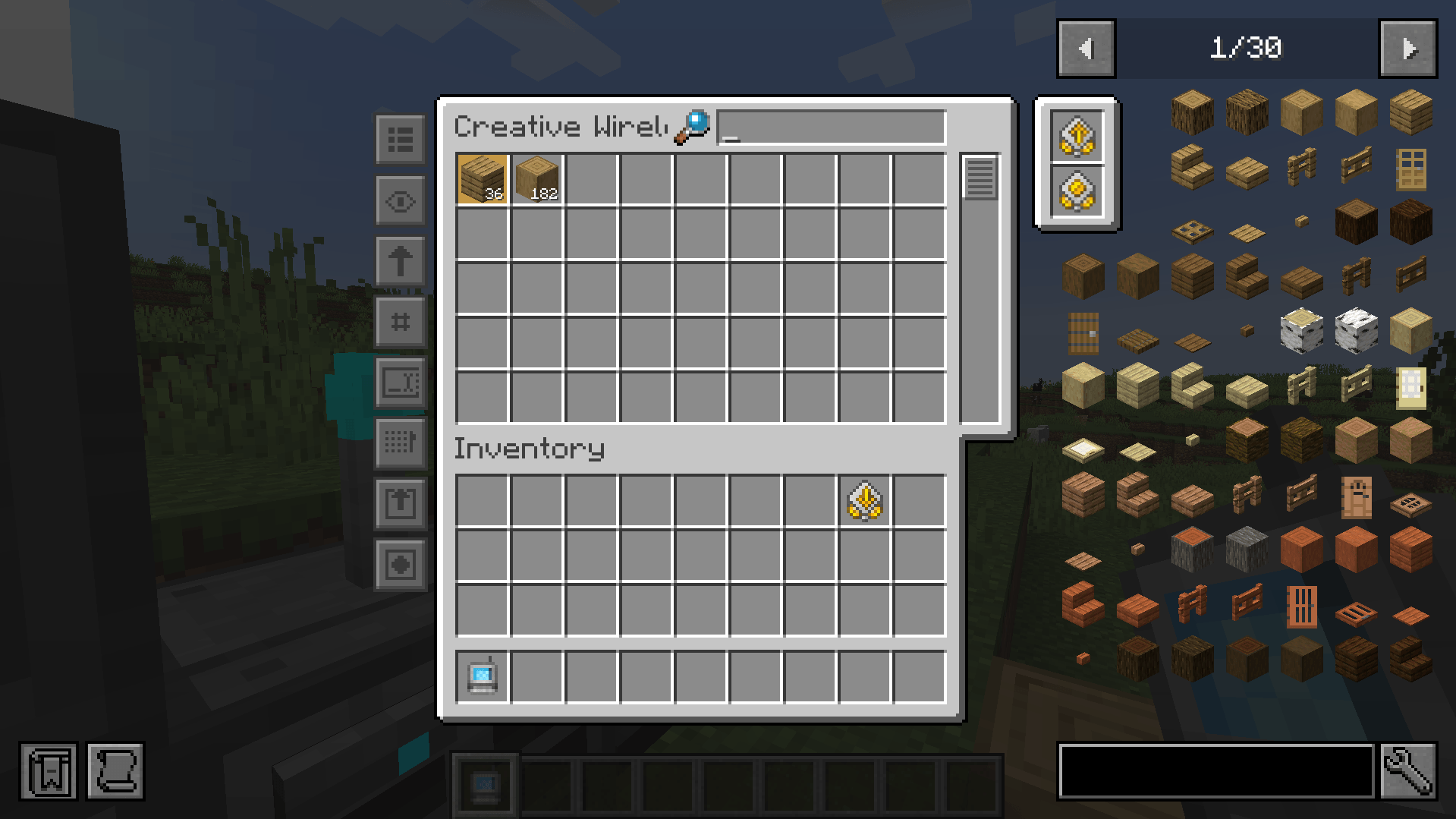
To configure it, click on one of the new left side buttons.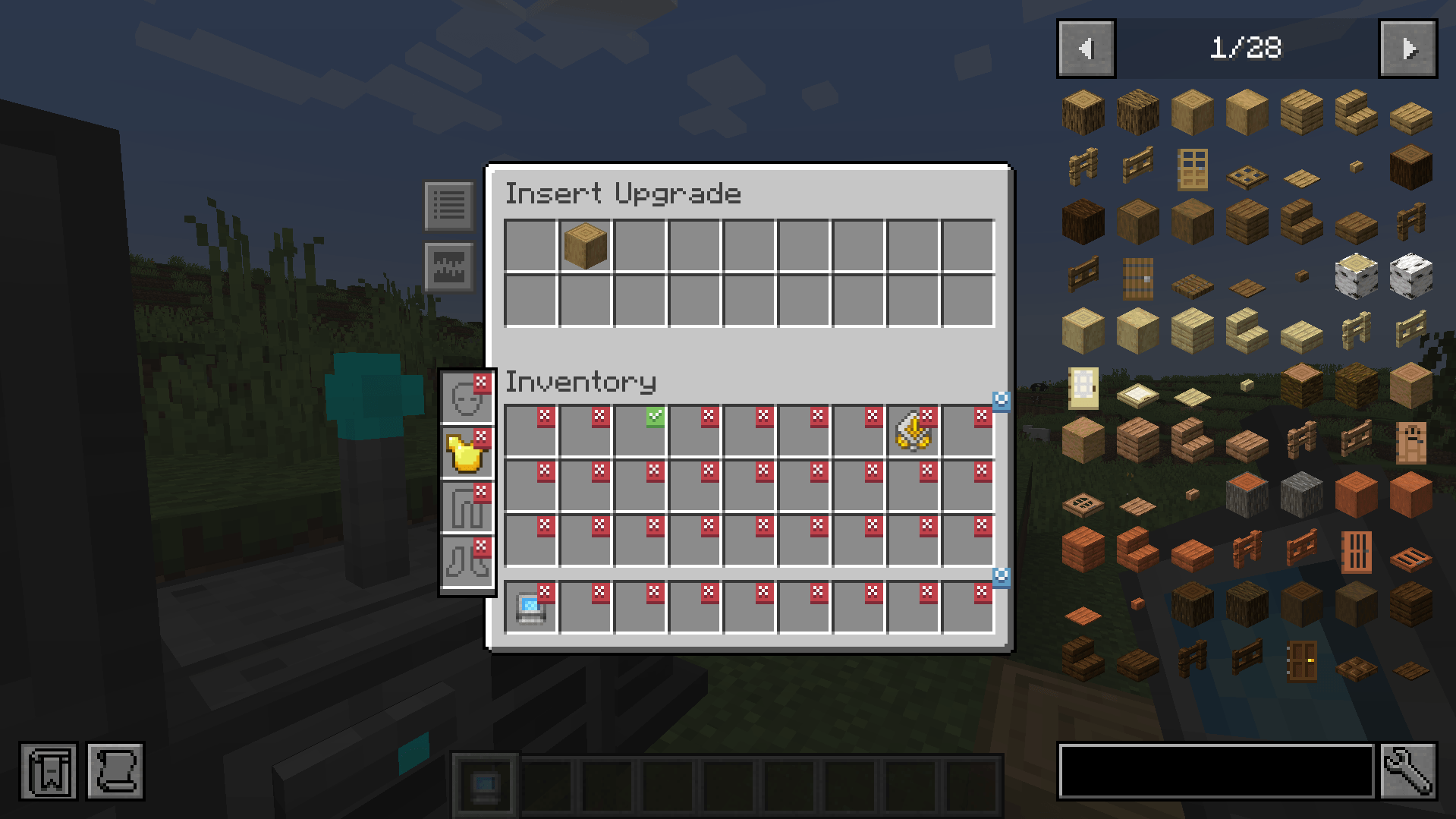
Clicking on slots makes a checkmark. Any item in the slot that has a checkmark will get imported to your network. You can whitelist or blacklist items by adding them to the filters at the top.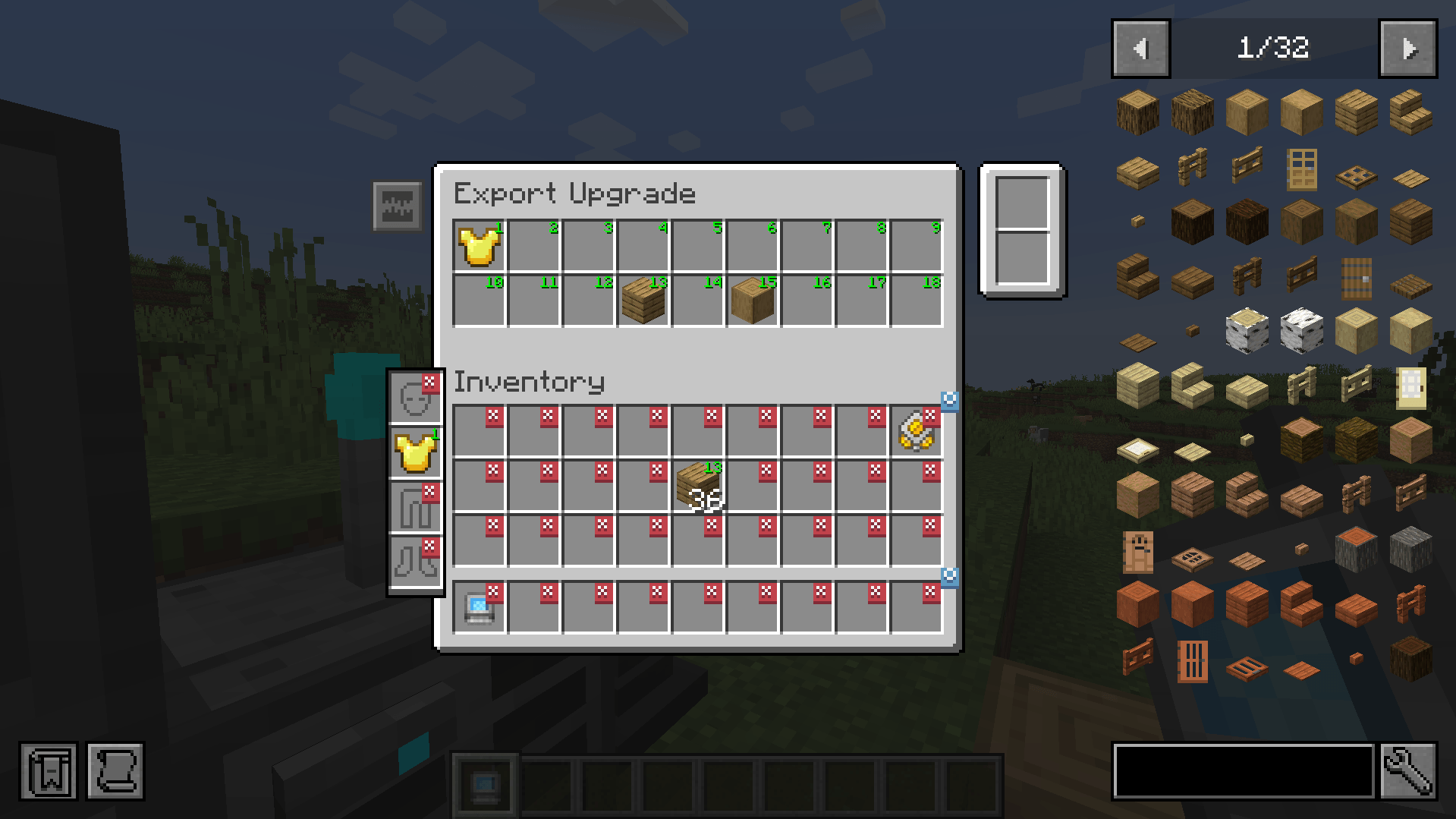
The export upgrade works exactly the same but will pull items from your network into your inventory. To specify what items, drag the item from JEI into one of the slots at the top and click on a slot in your inventory to change it to the desired number. Right clicking clears back to X.
The Block Picker Upgrade lets you extract the block you are currently looking at directly from your Network. Simply aim at a block and press the "Pick Block" keybind. If the matching block is available in your network, it will be extracted into your inventory.
Insert upgrade recipe:
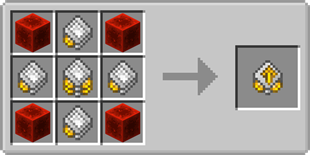
Export upgrade recipe:
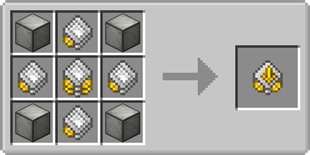

Project description from CurseForge.
Pick your setup
Choose the version and loader you play, then open the matching release.
Check the dependencies, then try the file in a copied instance before changing a world you care about.
Recent files
11 Sept 2026
11 Sept 2026
4 Sept 2026
4 Sept 2026
3 Sept 2026
3 Sept 2026
19 May 2024
14 May 2024
10 May 2024
12 Feb 2024
25 Oct 2023
24 Oct 2023
Looking for an older file? The official CurseForge project page is in Resources.
 mod
modAdds devices for farming ores.
 mod
modCobbleMarket is a player-to-player trading market mod for Cobblemon (Fabric&NeoForge).
 mod
modAdded a SubLevel-adapted chunk loader for Aeronautics, several useful changes, and new blocks, such as a chair that outputs redstone signals based on the player's view angle.