Deimos Needed by Craft Slabs Back Into Blocks neoforge-26.2-3
requiredMatching file found Matched file: 26.2-neoforge-2.8

Modrinth · Minecraft mod
A fully configurable mod that lets you craft slabs back into blocks
Quick answer
Craft Slabs Back Into Blocks neoforge-26.2-3 targets 26.2 with NeoForge. Do not install it on the client. It must be installed on the dedicated server. All 1 required mods have matching files.
Where it goes
Do not install it on the client. It must be installed on the dedicated server.
This file is marked server-only.
neoforge-26.2-3 on 26.2. Every mod below is checked against that same setup.
Install Deimos first. We found matching files for this game-version and loader setup.
We only count dependency files that match this setup. A file for another loader does not fill the gap.
Before you install it
Built for Craft Slabs Back Into Blocks neoforge-26.2-3 on 26.2. Pick another file and the loader, install side or required mods may change.
Use neoforge-26.2-3. It targets 26.2 with NeoForge; another release may have different loader, side or dependency requirements.
Install Deimos first. We found matching files for this game-version and loader setup.
Do not install it on the client. It must be installed on the dedicated server.
Use the “Get this file” button beside neoforge-26.2-3. It opens that exact file at the source.
About this project




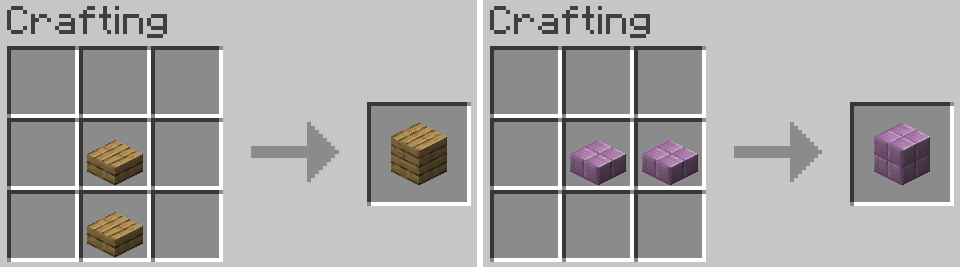
This fully configurable mod lets you craft slabs back into full blocks, allowing you to reuse slabs you no longer need. To do this, simply place two slabs on top of each other in the crafting table. If a crafting recipe already exists for stacking two slabs, you can craft the full block by placing two slabs side by side in the crafting grid.
You can configure this mod directly in-game or by editing the JSON file located at config/slabstoblocks.json in your profile folder. Please note that any changes will require restarting Minecraft to take effect.
"slabname, blockname, pattern(not necessary)"Few examples:
"minecraft:smooth_stone_slab, minecraft:smooth_stone",
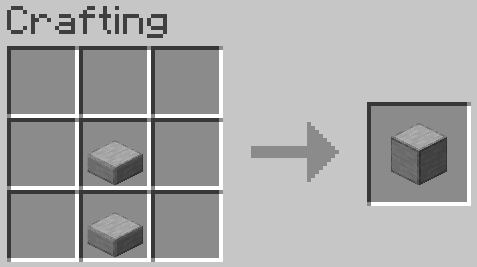
"minecraft:cut_copper_slab, minecraft:cut_copper, -",
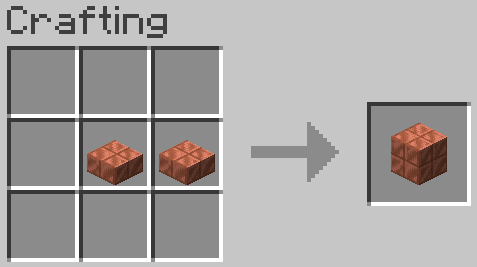
"minecraft:smooth_stone_slab, minecraft:smooth_stone, /",
This is not part of the default config it is just an example of what you can do with it
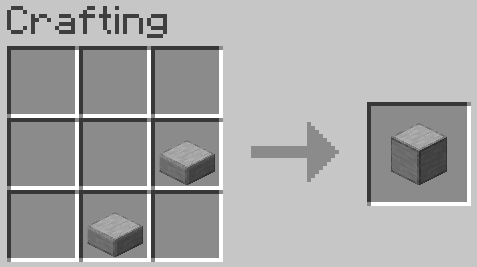




Project description from Modrinth.
Pick your setup
Choose the version and loader you play, then open the matching release.
Showing the newest 12 of 30 game versions. Older files are in the list below.
Check the dependencies, then try the file in a copied instance before changing a world you care about.
Recent files
slabstoblocks-neoforge-26.2-3.jar
5 Sept 2026
slabstoblocks-forge-26.2-3.jar
5 Sept 2026
slabstoblocks-fabric-26.2-3.jar
5 Sept 2026
Looking for an older file? The official Modrinth project page is in Resources.
 mod
A configurable visual representation of your reach and hit distances
 mod
Farming automation mod with planters, machines, modules, and power gen.
 mod
Customize the totem of undying pop animation — offset, scale, opacity, duration, flip, and more.