Kotlin for Forge Needed by PvP Flag 2.0.2+1.21.1
requiredMatching file found Matched file: 5.12.0

Modrinth · Minecraft mod
More immersive PvP toggle, allowing players to show they are peaceful, not other way around (Project Zomboid-esque style)
Quick answer
PvP Flag 2.0.2+1.21.1 targets 1.21.1 with NeoForge. Installation on the client is optional. Installation on the dedicated server is optional. All 2 required mods have matching files.
Where it goes
Installation on the client is optional. Installation on the dedicated server is optional.
The source marks this as usable on both the client and server.
2.0.2+1.21.1. Change the file and its required mods may change too.
Install Kotlin for Forge, bad packets first. We found matching files for this game-version and loader setup.
We only count dependency files that match this setup. A file for another loader does not fill the gap.
Before you install it
Built for PvP Flag 2.0.2+1.21.1. Pick another file and the loader, install side or required mods may change.
Use 2.0.2+1.21.1. It targets 1.21.1 with NeoForge; another release may have different loader, side or dependency requirements.
Install Kotlin for Forge, bad packets first. We found matching files for this game-version and loader setup.
Installation on the client is optional. Installation on the dedicated server is optional.
Use the “Get this file” button beside 2.0.2+1.21.1. It opens that exact file at the source.
About this project
Allows players to enter "PvP" mode.
Skull marks PvP flag enabled. People with PvP flag disabled (no skull) can not damage you as long as you don't have it enabled as well. In all other cases PvP works.
Default keybind: K
Version 2 came out (sorry for the wait lol)
Now we have:
- Adjustable pending timeout, cancled when doing damage or receiving damage
- Server config, no more gamerule setup
- Fabric NeoForge support, at least 1.20.1
If you don't get how PvP works with this mod refer to table below:
| Enemy's skull | Your skull | Can attack happen? |
|---|---|---|
| ENABLED | ENABLED | YES |
| ENABLED | DISABLED | YES |
| DISABLED | ENABLED | YES |
| DISABLED | DISABLED | NO |
Like in Project Zomboid.
Need more classic enable disable logic? You can change it in server config.
On server check world/serverconfig/pvpflag-server.toml
Yes, this file can be customized per-world
If you are hosting local save, check save directory
People with PvP disabled will not take damage at all. Refer to the table below:
| Enemy's skull | Your skull | Can attack happen? |
|---|---|---|
| ENABLED | ENABLED | YES |
| ENABLED | DISABLED | NO |
| DISABLED | ENABLED | NO |
| DISABLED | DISABLED | NO |
Skull texture:

Project description from Modrinth.
Pick your setup
Choose the version and loader you play, then open the matching release.
Check the dependencies, then try the file in a copied instance before changing a world you care about.
Recent files
pvpflag-neoforge-2.0.2+1.21.1.jar
24 May 2026
pvpflag-fabric-2.0.2+1.21.1.jar
24 May 2026
pvpflag-forge-2.0.1+1.19.2.jar
24 May 2026
pvpflag-fabric-2.0.1+1.19.2.jar
24 May 2026
pvpflag-forge-2.0.1+1.19.4.jar
24 May 2026
pvpflag-fabric-2.0.1+1.19.4.jar
24 May 2026
pvpflag-forge-2.0.1+1.20.1.jar
24 May 2026
pvpflag-fabric-2.0.1+1.20.1.jar
24 May 2026
pvpflag-forge-2.0.0+1.20.1.jar
24 May 2026
pvpflag-fabric-2.0.0+1.20.1.jar
24 May 2026
pvpflag-1.3.0+1.20.4.jar
31 Jan 2024
pvpflag-1.3.0+1.20.3.jar
31 Jan 2024
Looking for an older file? The official Modrinth project page is in Resources.
 mod
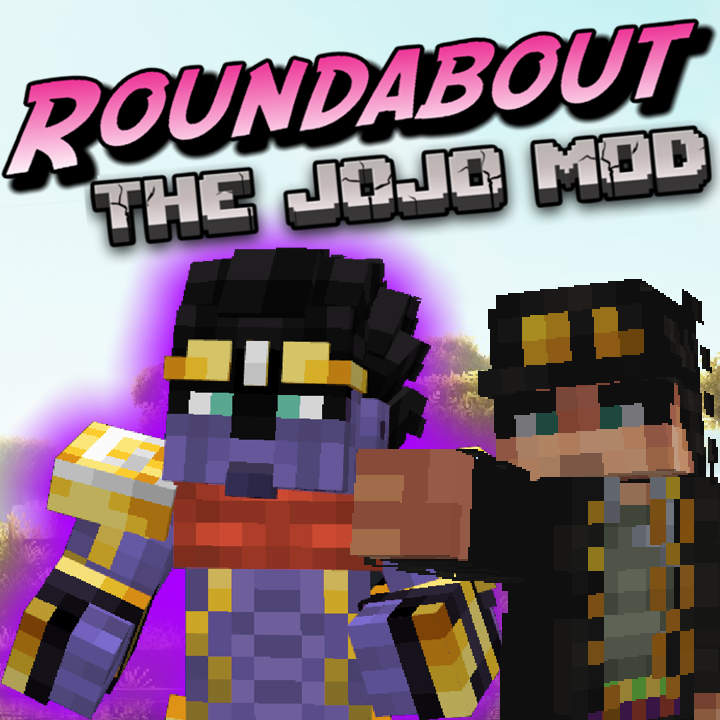
modA Jojo's Bizarre Adventure mod that interprets the world and power system of the anime into the world of Minecraft. ( JJBA )
 mod
modTrading cards you can find and collect
 mod
modAdds Silver and Necromium tiers from Caverns & Chasms to Jaam's Weaponry.