Minecraft version
Back to mods 
CurseForge · Minecraft mod
Retro Machines
Play retro consoles within minecraft
Choose a version Pick your version below, then grab the matching file.
Quick answer
Which Retro Machines release should I use?
beta file retro-machines-0.0.1.jar
Game version 1.20.1
Loader Fabric
Retro Machines retro-machines-0.0.1.jar targets 1.20.1 with Fabric. The project page does not say whether this file belongs on the client, dedicated server, or both. No extra mods listed for this file.
Where it goes
Is Retro Machines required on the client, server, or both?
The project page does not say whether this file belongs on the client, dedicated server, or both.
Client Source doesn’t say
Dedicated server Source doesn’t say
Loader for this release Fabric
Required install it here Optional supported, not mandatory Not supported do not install here Source doesn’t say do not assume
The source does not explicitly classify this release as client-only or server-only.
What else does Retro Machines retro-machines-0.0.1.jar need?
retro-machines-0.0.1.jar. Change the file and its required mods may change too.
This file does not list any required mods. Do not add a library just because a different file uses it.
This file does not list any required or optional mods.
Before you install it
Add Retro Machines without breaking your instance.
Built for Retro Machines retro-machines-0.0.1.jar. Pick another file and the loader, install side or required mods may change.
- 01
Stick to this file
Use retro-machines-0.0.1.jar. It targets 1.20.1 with Fabric; another release may have different loader, side or dependency requirements.
- 02
Bring the mods it needs
This file does not list any required mods. Do not add a library just because a different file uses it.
- 03
Put it on the correct side
The project page does not say whether this file belongs on the client, dedicated server, or both.
- 04
Pick the file you checked
Use the “Get this file” button beside retro-machines-0.0.1.jar. It opens that exact file at the source.
About this project
What does Retro Machines add?
Retro Machines
Retro machines is a Minecraft mod that includes a full Gameboy Emulator that can be used to play your favorite games within Minecaft!
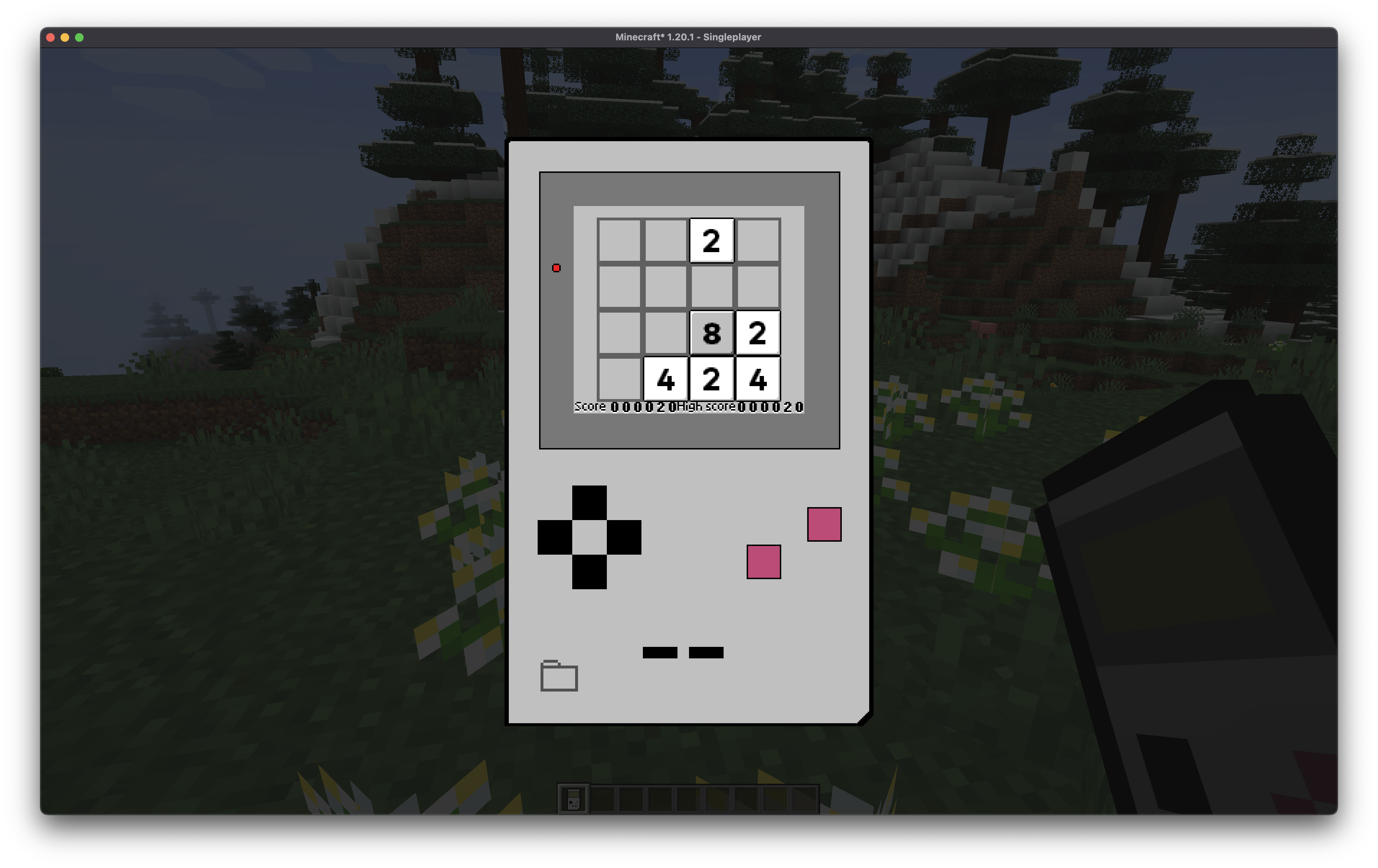
Note: This mod does not contain any proprietary or copyrighted material such as game ROMs. A free an open source 2048 game is included, the source code can be found on the following github page: Sanqui/2048-gb.
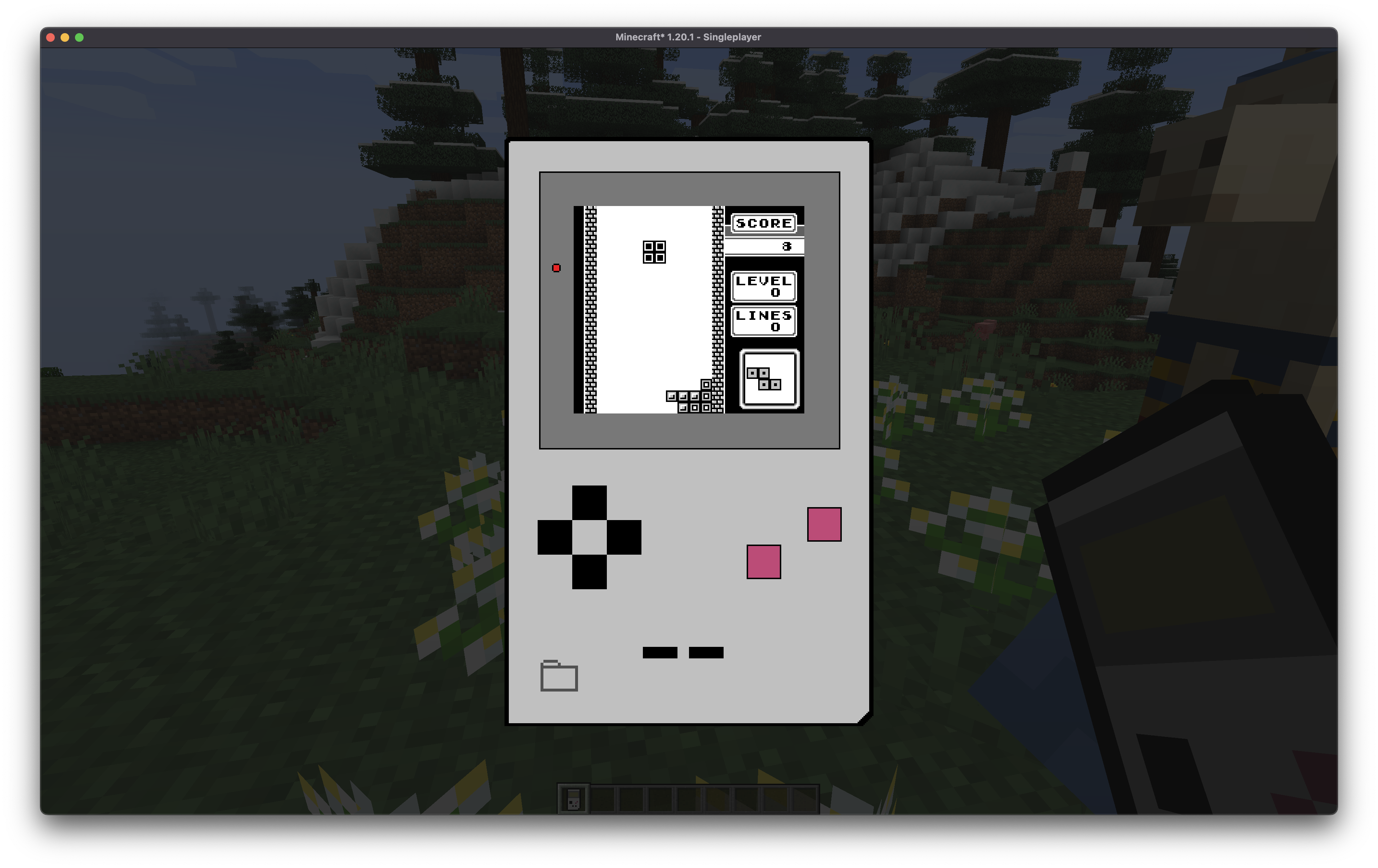
Custom ROMs can be loaded by either clicking the "Open ROM" buttom, or dragging a ROM into the Minecraft window.
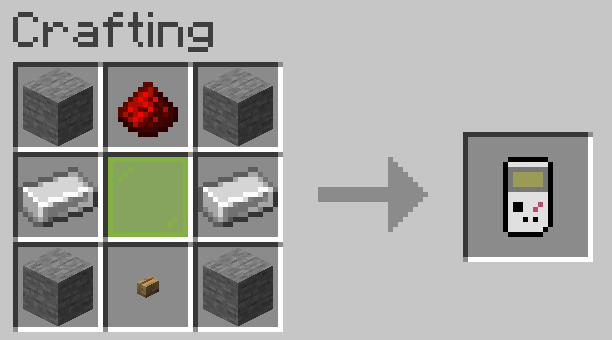
This mod includes a modified version of the open source mvdnes/rboy Gameboy Emulator, built to be embedded within a Minecaft mod.
This mod was created in a couple of days, and is currently only a prototype to prove the idea is possible, I have some more ideas for this mod in the future:
- Improved audio, including using the Minecraft audio system
- Link cable support between players on a server
- More included games
- Other consoles and retro hardware.
- Improved textures (let me know if you can help!)
Project description from CurseForge.
Pick your setup
Retro Machines by Minecraft version and loader
Choose the version and loader you play, then open the matching release.
Check the dependencies, then try the file in a copied instance before changing a world you care about.
Recent files
Retro Machines versions and loaders
retro-machines-0.0.1.jar
17 Aug 2023
Client Source doesn’t say Server Source doesn’t say Dependencies No extras listed Listed on Release listing
Check the 1.20.1 · Fabric setup Fabric1.20.1 beta
Looking for an older file? The official CurseForge project page is in Resources.
 mod
CurseForge + Modrinth · Minecraft
Intentional Pickup
A simple mod that makes mobs only pickup items that are intentionally dropped by players.
 mod
CurseForge · Minecraft
HousingStudio
A client-side QOL tool for Hypixel Housing that turns the in-game menus for coding into a clean easy to understand web gui.
 mod
CurseForge · Minecraft
NULLzone
Introduces a multiblock structure that keeps monsters from spawning in inside the defined area.