Minecraft version
Back to mods 
CurseForge · Minecraft mod
Cobblemon Challenge
A simple way to challenge your friends and rivals to flat-level pokemon battles in Cobblemon.
Choose a version Pick your version below, then grab the matching file.
Quick answer
Which Cobblemon Challenge release should I use?
Latest stable file Cobblemon Challenge 2.5.0 (Neoforge) - Cobblemon 1.8.1
Game version 1.21.1
Loader NeoForge
Cobblemon Challenge 2.5.0 (Neoforge) - Cobblemon 1.8.1 targets 1.21.1 with NeoForge. The project page does not say whether this file belongs on the client, dedicated server, or both. No extra mods listed for this file.
Where it goes
Is Cobblemon Challenge required on the client, server, or both?
The project page does not say whether this file belongs on the client, dedicated server, or both.
Client Source doesn’t say
Dedicated server Source doesn’t say
Loader for this release NeoForge
Required install it here Optional supported, not mandatory Not supported do not install here Source doesn’t say do not assume
The source does not explicitly classify this release as client-only or server-only.
What else does Cobblemon Challenge 2.5.0 (Neoforge) - Cobblemon 1.8.1 need?
Cobblemon Challenge 2.5.0 (Neoforge) - Cobblemon 1.8.1. Change the file and its required mods may change too.
This file does not list any required mods. Do not add a library just because a different file uses it.
This file does not list any required or optional mods.
Before you install it
Add Cobblemon Challenge without breaking your instance.
Built for Cobblemon Challenge 2.5.0 (Neoforge) - Cobblemon 1.8.1. Pick another file and the loader, install side or required mods may change.
- 01
Stick to this file
Use Cobblemon Challenge 2.5.0 (Neoforge) - Cobblemon 1.8.1. It targets 1.21.1 with NeoForge; another release may have different loader, side or dependency requirements.
- 02
Bring the mods it needs
This file does not list any required mods. Do not add a library just because a different file uses it.
- 03
Put it on the correct side
The project page does not say whether this file belongs on the client, dedicated server, or both.
- 04
Pick the file you checked
Use the “Get this file” button beside Cobblemon Challenge 2.5.0 (Neoforge) - Cobblemon 1.8.1. It opens that exact file at the source.
About this project
What does Cobblemon Challenge add?
Cobblemon Challenge
Cobblemon Challenge is an extremely simple plugin for Cobblemon that makes challenging your friends and rivals to flat-level Pokemon battles
easier! Use the /challenge command to send a battle request to a nearby trainer, which they will be able to either accept or deny. This is a server-side plugin that only needs to be installed on the Server.
Easy Flat-Level PVP:
Tired of levelling all your pokemon to level 100 for competitive battling? Wait no longer. With one simple command, you can challenge others to a PVP match where all your pokemon are set to a specific level. This change is non-permanent is will not persist outside the battle. Any held items consumed in a challenge will also have no actual effect on a pokemon's held item:
/challenge <username> level <level>
Challenges specified player to a lvl X battle where X can be 1-100.
Example:
/challenge TurtleHoarder level 100 - challenges TurtleHoarder to a level 100 battle
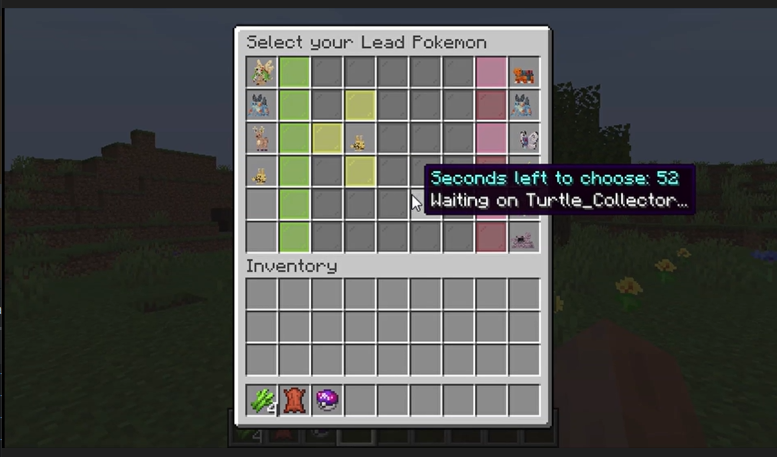
Lead Pokemon & Team Preview GUI:
Select your lead pokemon to send out first and preview both your team and the enemy team [If enabled].
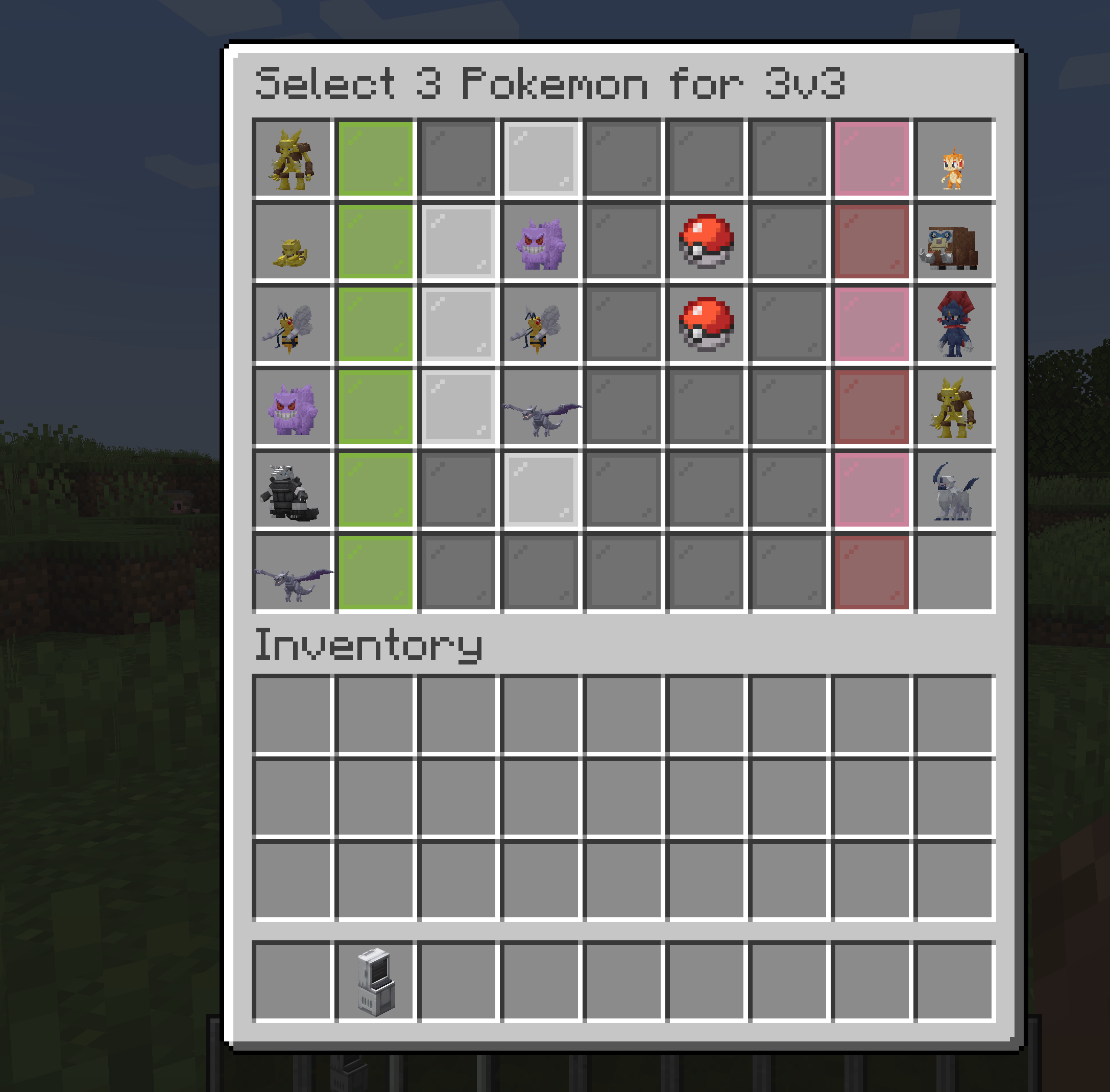
(As of 2.0) Challenge to 3v3, 1v1, etc.:
You can challenge other players to limited pokemon battles where you select the pokemon from your party to battle. You can use commands similar to below:
/challenge3v3 <username> level <level>
/challenge1v1 <username> level <level>
Double battles are also supported via the /challengedouble command:
/challengedouble <username> level <level>
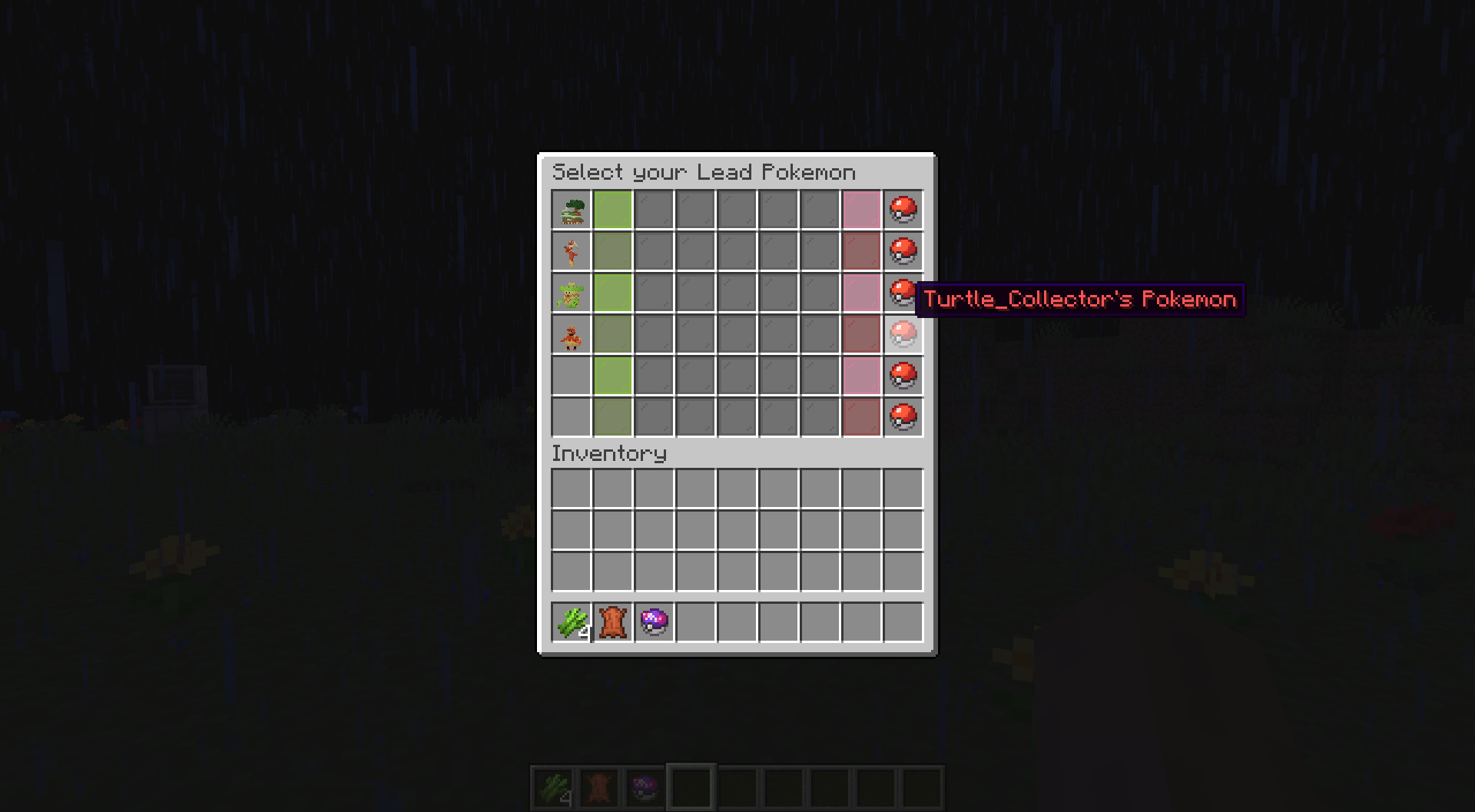
Hide your Pokemon if you desire:
Don't want your rival to know your team? Just use the nopreview option to keep your team hidden!
Example: /challenge TurtleHoarder level 100 nopreview - Will hide your team from the other challenger until the battle begins.
Cobblemon Compatibility Versions:
Please use the following versions for your Cobblemon Server. Using incompatible versions will likely cause your game to crash during battles!
- Cobblemon 1.8.1 -> Challenge 2.5.0
- Cobblemon 1.6.0 -> Challenge 1.2.0 / Challenge 2.0.0+
- Cobblemon 1.5.0 -> Challenge 1.1.8
- Cobblemon 1.4.1 -> Challenge 1.1.7
Commands:
/challenge <username> - Challenges specified player to a lvl 50 pokemon battle. They may accept or deny this challenge.
/challenge <username> level <level> - Challenges specified player to a lvl X battle where X can be 1-100.
Example: /challenge TurtleHoarder level 100 - challenges TurtleHoarder to a level 100 battle
Configurations:
These server settings can be changed by altering the values in the config file located in the config folder of your server:
challengeDistanceRestriction - The value that determines if challenges are restricted by distance. Set to **false** if you would
want no restrictions on distance. This value is set to **true** by default.
maxChallengeDistance - If challengeDistanceRestriction is set to **true**, then this value defines the max distance
that a challenge can be sent. This is set to 50 blocks by default.
defaultChallengeLevel - The value that determines the level of a challenge if there is not level specified by the challenger.
This is set to 50 by default for lvl 50 battles.
challengeExpirationTime - The value that determines how long a challenge should be pending before it expires. This is
set to 60000 milliseconds / 1 minute by default.
challengeCooldownTime - The value that determines how long a player must wait before sending a consecutive request. This value is
set to 5000 milliseconds / 5 seconds by default, though players will need to wait until their existing challenge expires before sending another one.
Project description from CurseForge.
Pick your setup
Cobblemon Challenge by Minecraft version and loader
Choose the version and loader you play, then open the matching release.
Minecraft version
1.20.1
2 loader buildsMinecraft version
1.19.2
2 loader buildsCheck the dependencies, then try the file in a copied instance before changing a world you care about.
Recent files
Cobblemon Challenge versions and loaders
Cobblemon Challenge 2.5.0 (Neoforge) - Cobblemon 1.8.1
cobblemonchallenge-neoforge-2.5.0.jar
27 Sept 2026
Client Source doesn’t say Server Source doesn’t say Dependencies No extras listed Listed on Release listing
Check the 1.21.1 · NeoForge setup 1.21.1NeoForge release
Cobblemon Challenge 2.5.0 (Fabric) - Cobblemon 1.8.1
cobblemonchallenge-fabric-2.5.0.jar
27 Sept 2026
Client Source doesn’t say Server Source doesn’t say Dependencies No extras listed Listed on Release listing
Check the 1.21.1 · Fabric setup Fabric1.21.1 release
Cobblemon Challenge 2.4.0 (Fabric) - Cobblemon 1.7
cobblemonchallenge-fabric-2.4.0.jar
23 Nov 2025
Client Source doesn’t say Server Source doesn’t say Dependencies No extras listed Listed on Release listing
Check the 1.21.1 · Fabric setup Fabric1.21.1 release
Cobblemon Challenge 2.4.0 (Neoforge) - Cobblemon 1.7
cobblemonchallenge-neoforge-2.4.0.jar
23 Nov 2025
Client Source doesn’t say Server Source doesn’t say Dependencies No extras listed Listed on Release listing
Check the 1.21.1 · NeoForge setup 1.21.1NeoForge release
Cobblemon Challenge 2.3.0 (Fabric) - Cobblemon 1.6.1
cobblemonchallenge-fabric-2.3.0.jar
29 Oct 2025
Client Source doesn’t say Server Source doesn’t say Dependencies No extras listed Listed on Release listing
Check the 1.21.1 · Fabric setup Fabric1.21.1 release
Cobblemon Challenge 2.3.0 (Neoforge) - Cobblemon 1.6.1
cobblemonchallenge-neoforge-2.3.0.jar
29 Oct 2025
Client Source doesn’t say Server Source doesn’t say Dependencies No extras listed Listed on Release listing
Check the 1.21.1 · NeoForge setup NeoForge1.21.1 release
Cobblemon Challenge 2.2.0 (Neoforge) - Cobblemon 1.6.1
cobblemonchallenge-neoforge-2.2.0.jar
3 Aug 2025
Client Source doesn’t say Server Source doesn’t say Dependencies No extras listed Listed on Release listing
Check the 1.21.1 · NeoForge setup NeoForge1.21.1 release
Cobblemon Challenge 2.2.0 (Fabric) - Cobblemon 1.6.1
cobblemonchallenge-fabric-2.2.0.jar
3 Aug 2025
Client Source doesn’t say Server Source doesn’t say Dependencies No extras listed Listed on Release listing
Check the 1.21.1 · Fabric setup Fabric1.21.1 release
Cobblemon Challenge 2.1.0 (Fabric) - Cobblemon 1.6.1
cobblemonchallenge-fabric-2.1.0.jar
28 Jan 2025
Client Source doesn’t say Server Source doesn’t say Dependencies No extras listed Listed on Release listing
Check the 1.21.1 · Fabric setup Fabric1.21.1 release
Cobblemon Challenge 2.1.0 (NeoForge) - Cobblemon 1.6.1
cobblemonchallenge-neoforge-2.1.0.jar
28 Jan 2025
Client Source doesn’t say Server Source doesn’t say Dependencies No extras listed Listed on Release listing
Check the 1.21.1 · NeoForge setup NeoForge1.21.1 release
Cobblemon Challenge 2.0.1 (Neoforge) - For Cobblemon 1.6
cobblemonchallenge-neoforge-2.0.1.jar
19 Jan 2025
Client Source doesn’t say Server Source doesn’t say Dependencies No extras listed Listed on Release listing
Check the 1.21.1 · NeoForge setup NeoForge1.21.1 release
Cobblemon Challenge 2.0.1 (Fabric) - For Cobblemon 1.6
cobblemonchallenge-fabric-1.21.1-2.0.1.jar
19 Jan 2025
Client Source doesn’t say Server Source doesn’t say Dependencies No extras listed Listed on Release listing
Check the 1.21.1 · Fabric setup Fabric1.21.1 release
Looking for an older file? The official CurseForge project page is in Resources.
 mod
CurseForge + Modrinth · Minecraft
Journey Recruits
Shows the territories from the Recruits mod on JourneyMap
 mod
CurseForge + Modrinth · Minecraft
Diversity!
Introduces a wide range of features to enhance the gameplay experience. From quality of life improvements to new mob behaviors and random sh*t, this mod offers a little bit of everything. The mod is designed to work on server-side as well!
 mod
CurseForge · Minecraft
Economy (Elementary RPG)
A lightweight RPG economy with physical coins, a persistent wallet, player payments, and fully configurable rewards