BoxLib Needed by MCShare [NeoForge 1.21.5] v6.0.1
requiredMatching file found Matched file: [NeoForge 1.21.5] v17.0.2
CurseForge · Minecraft mod
Never open the .minecraft folder to import worlds again!
Quick answer
MCShare [NeoForge 1.21.5] v6.0.1 targets 1.21.5, 1.21.4 with NeoForge. The project page does not say whether this file belongs on the client, dedicated server, or both. All 1 required mods have matching files.
Where it goes
The project page does not say whether this file belongs on the client, dedicated server, or both.
The source does not explicitly classify this release as client-only or server-only.
[NeoForge 1.21.5] v6.0.1. Change the file and its required mods may change too.
Install BoxLib first. We found matching files for this game-version and loader setup.
We only count dependency files that match this setup. A file for another loader does not fill the gap.
Before you install it
Built for MCShare [NeoForge 1.21.5] v6.0.1. Pick another file and the loader, install side or required mods may change.
Use [NeoForge 1.21.5] v6.0.1. It targets 1.21.5, 1.21.4 with NeoForge; another release may have different loader, side or dependency requirements.
Install BoxLib first. We found matching files for this game-version and loader setup.
The project page does not say whether this file belongs on the client, dedicated server, or both.
Use the “Get this file” button beside [NeoForge 1.21.5] v6.0.1. It opens that exact file at the source.
About this project
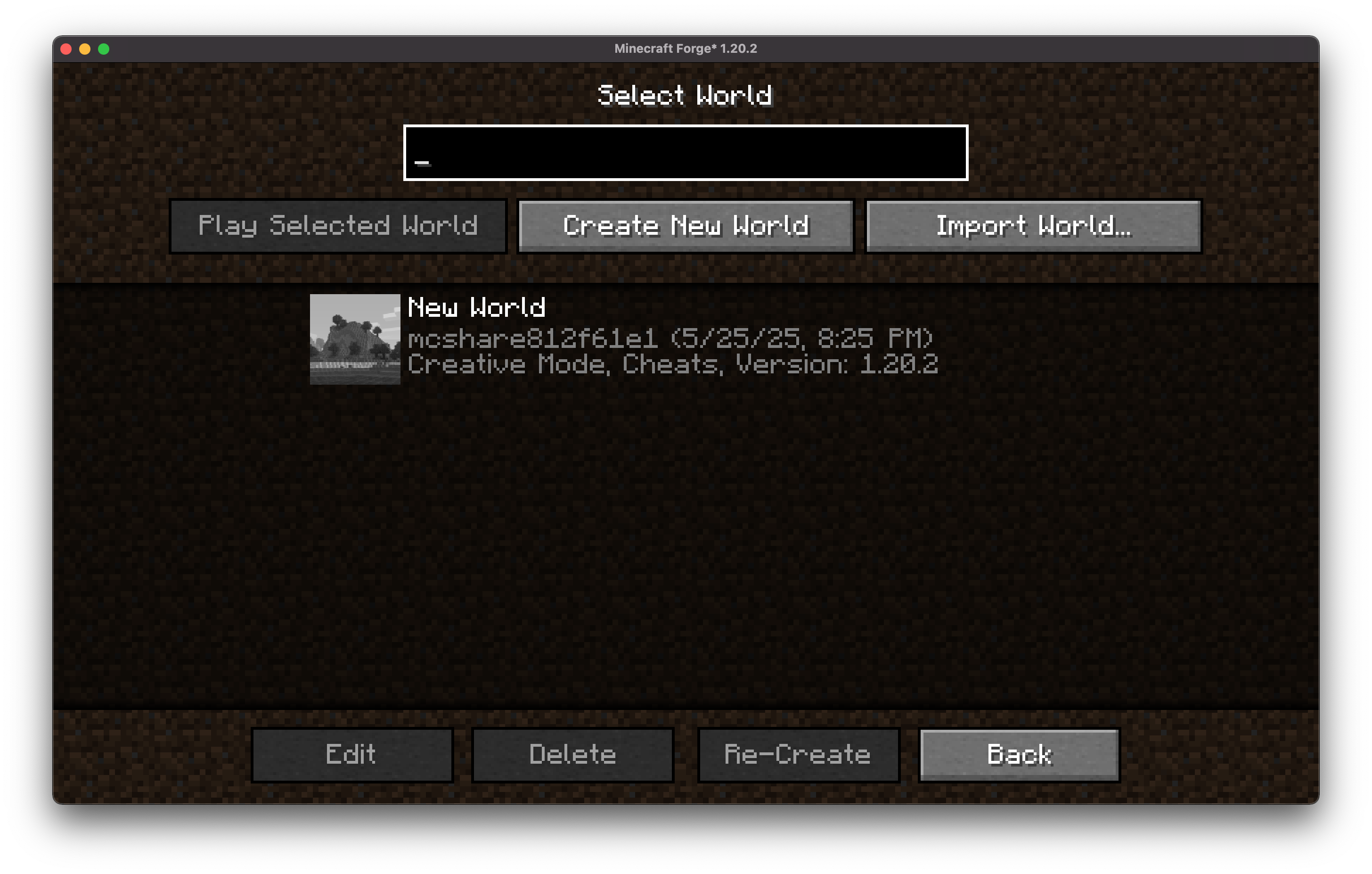
MCShare is a powerful yet simple Minecraft mod that makes sharing your Minecraft worlds fast, secure, and user-friendly. With just a few clicks, you can export your world, encrypt it for safety, and share it as a single file with others—no more digging through directories or worrying about corrupted saves!
Mod Menu is recommended for configuration purposes.
This mod requires BoxLib a Client-side library mod developed by me.
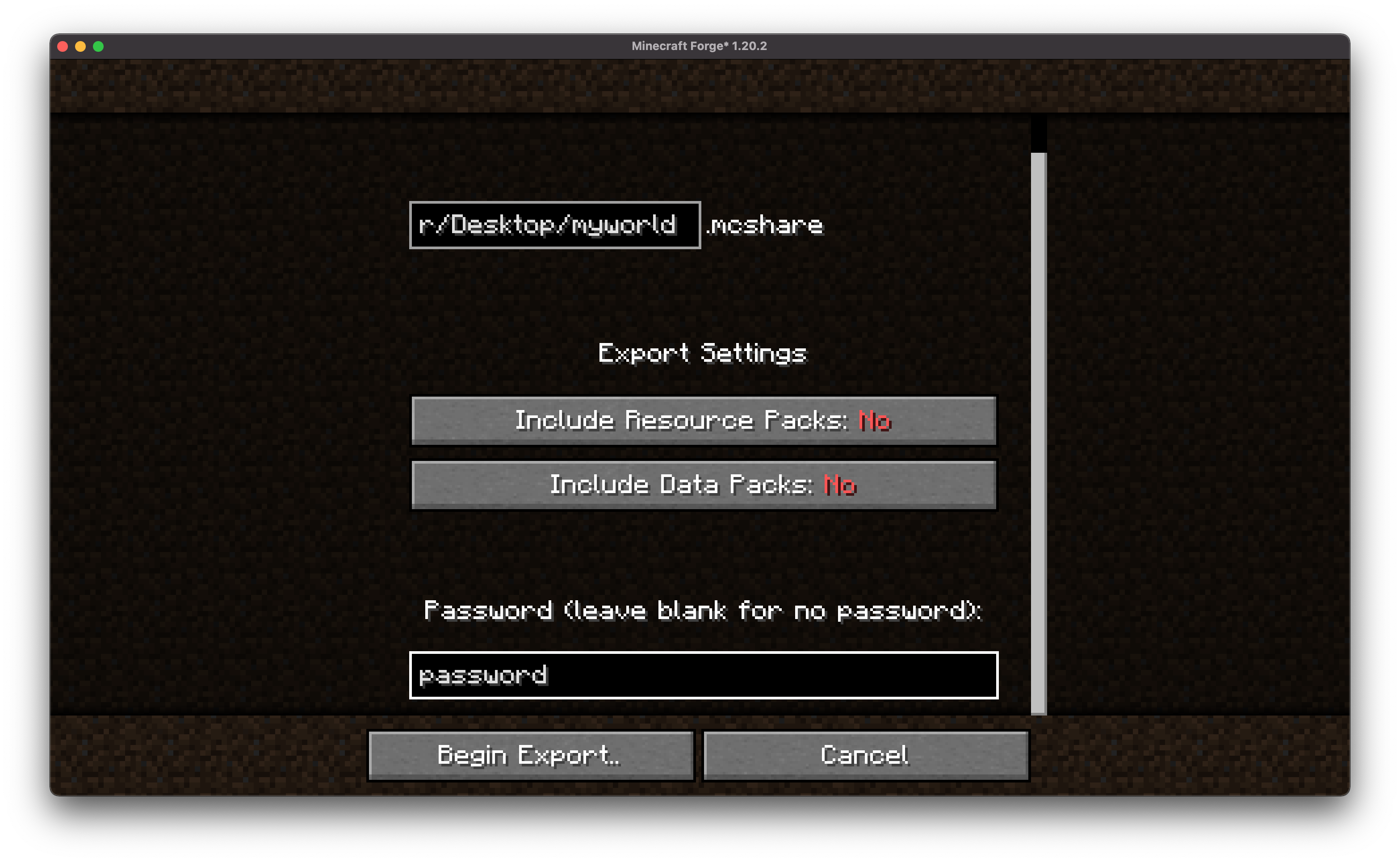
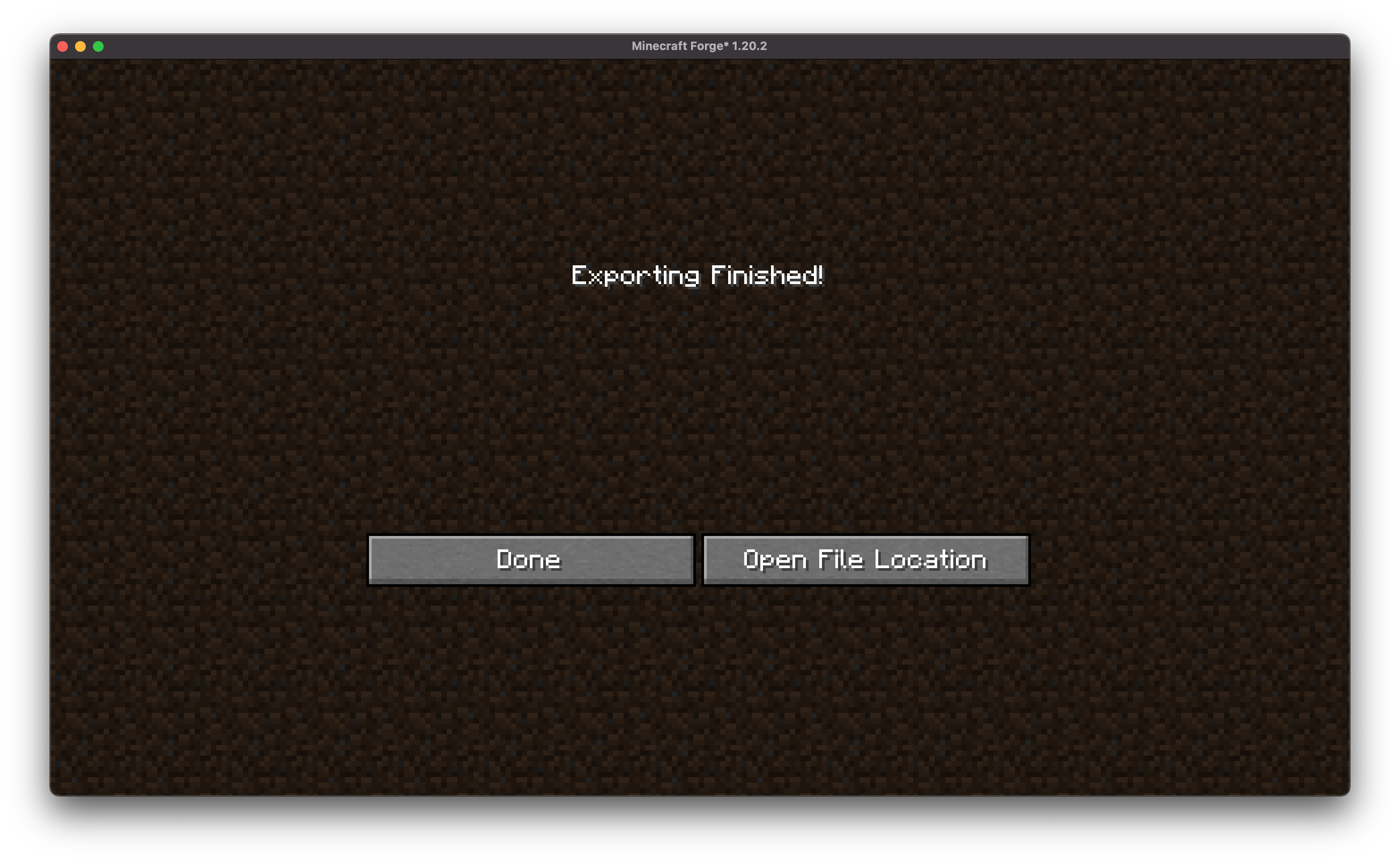
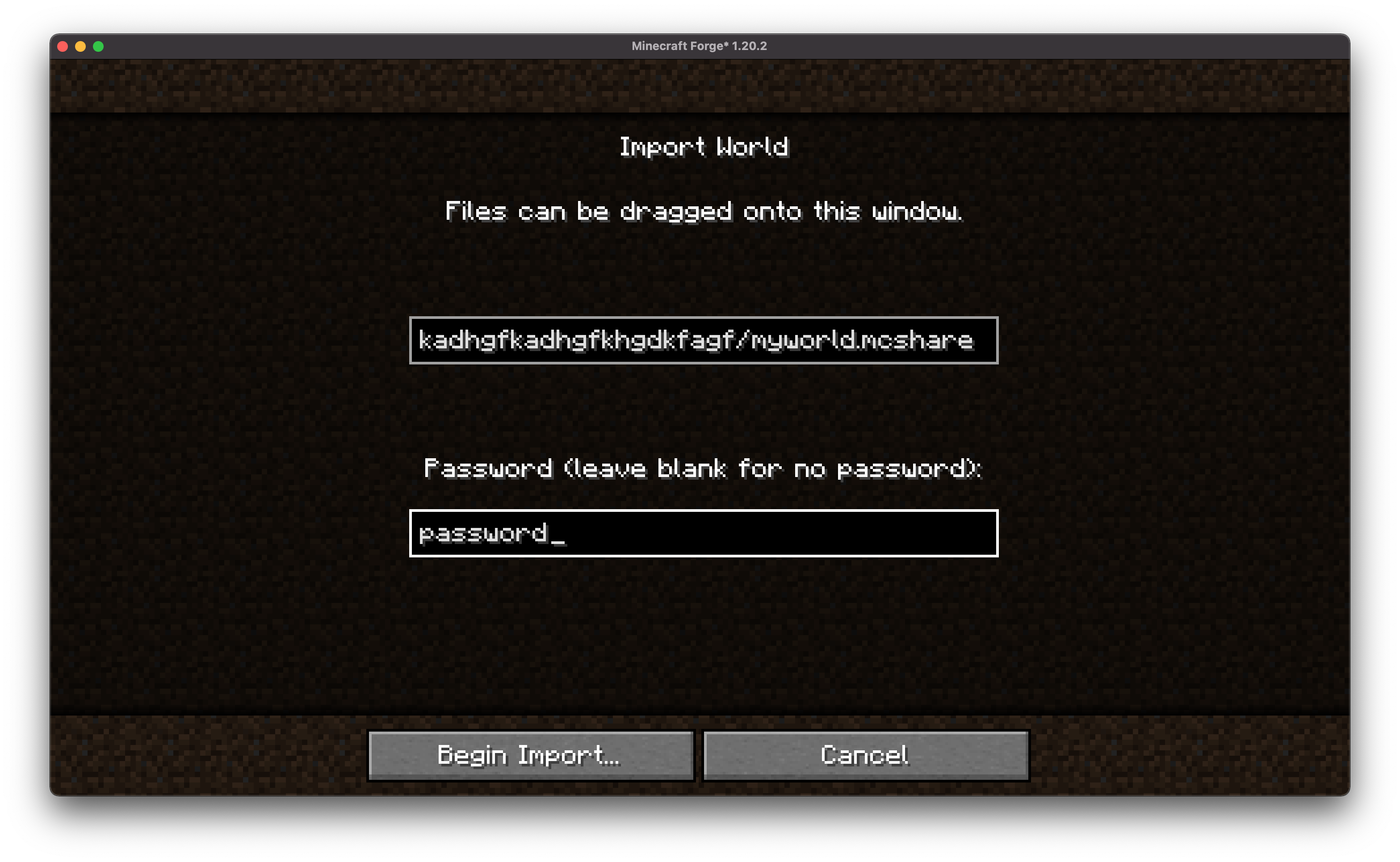
🔄 Import with Ease
Anyone with the mod can import a shared world with just one drag-and-drop action or command.
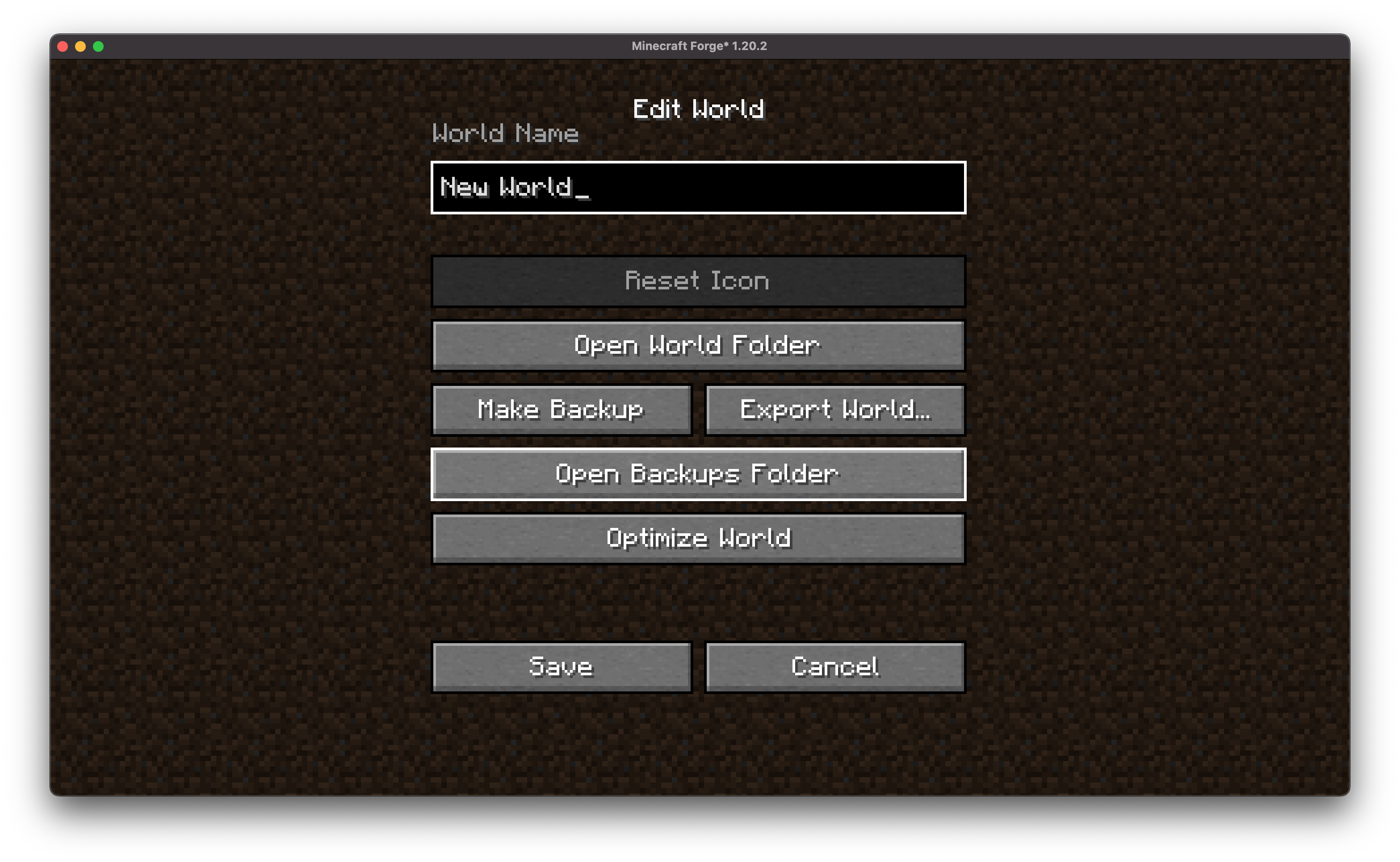
.zip, allowing you to import backups created by all types of programs!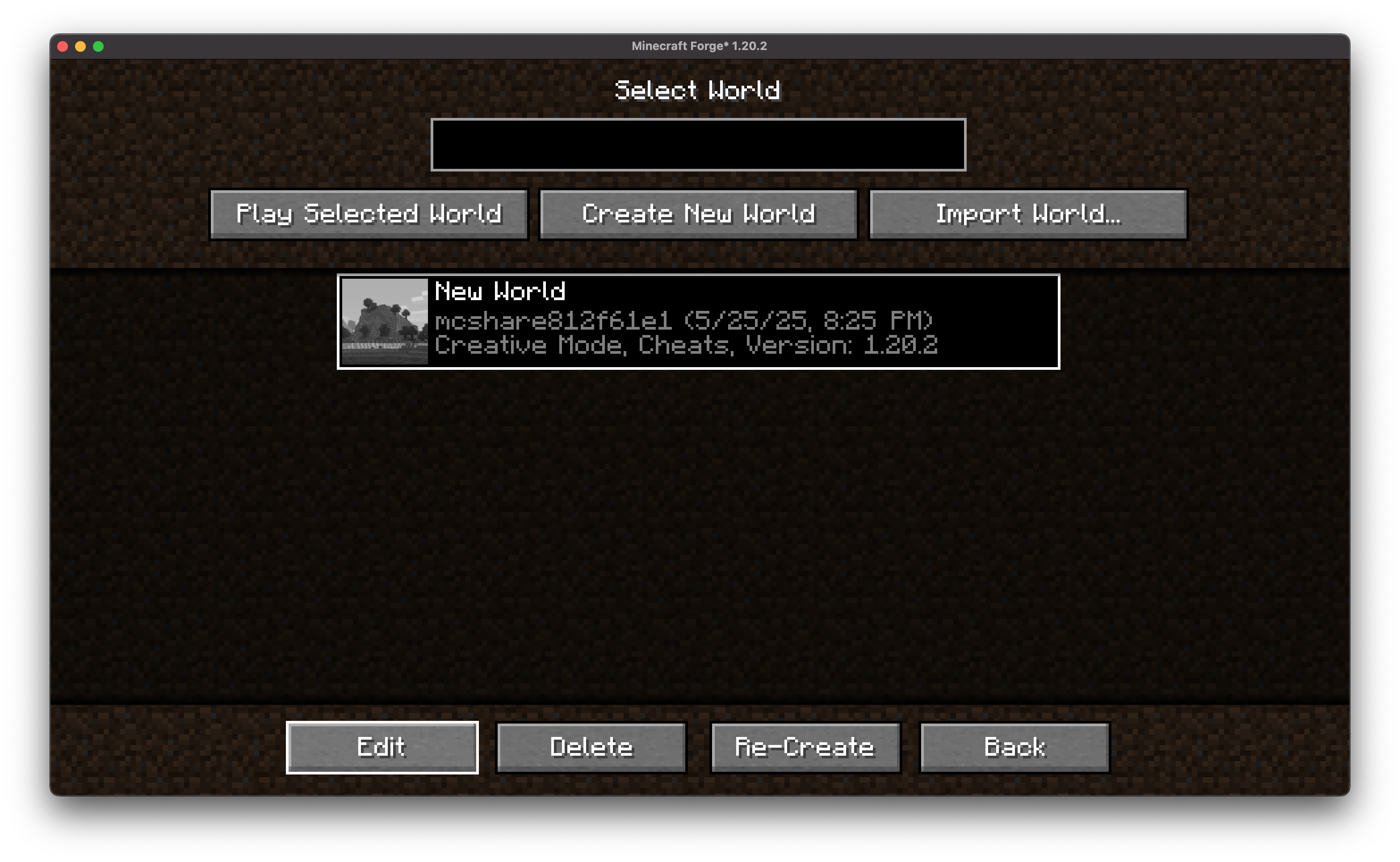
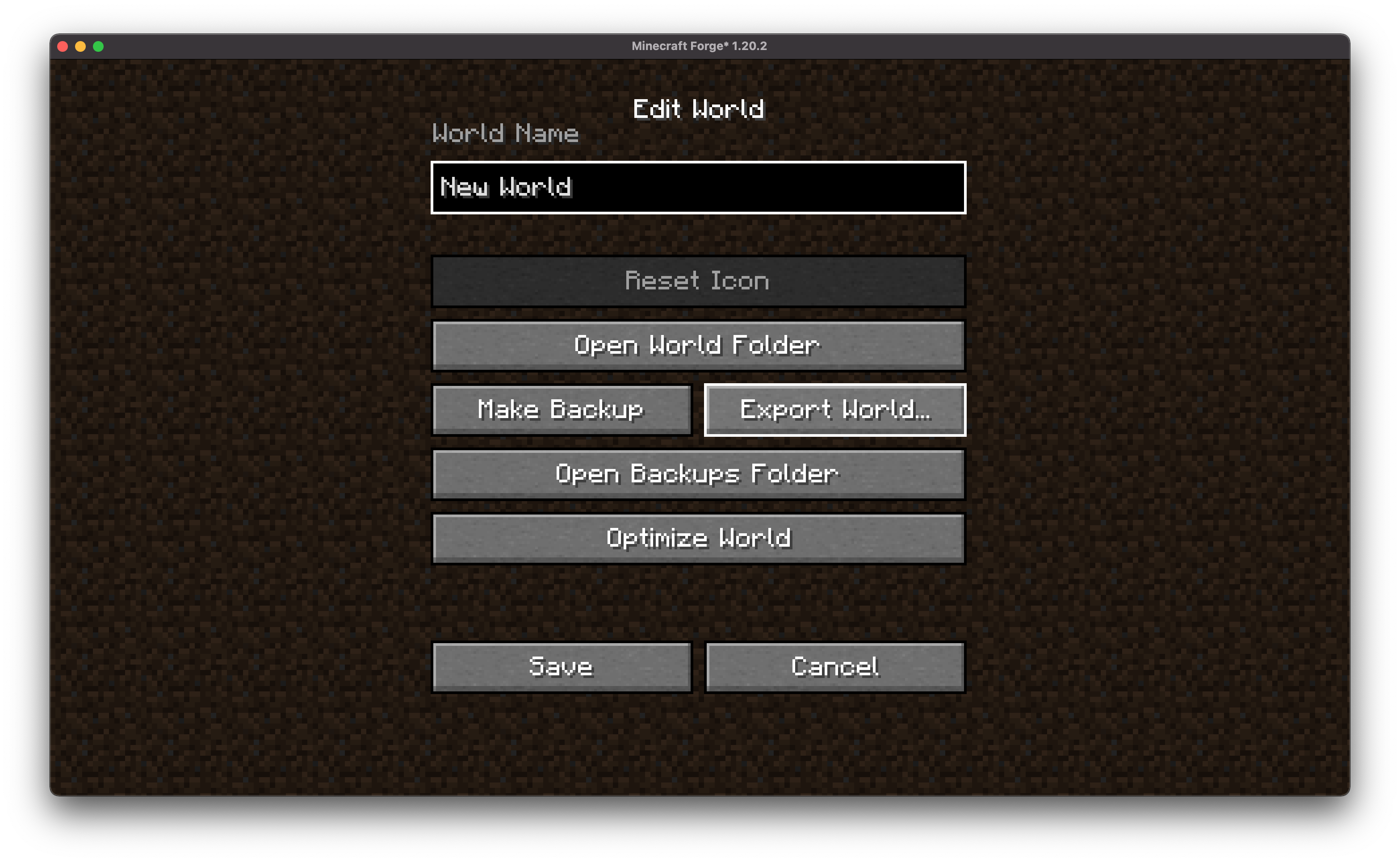
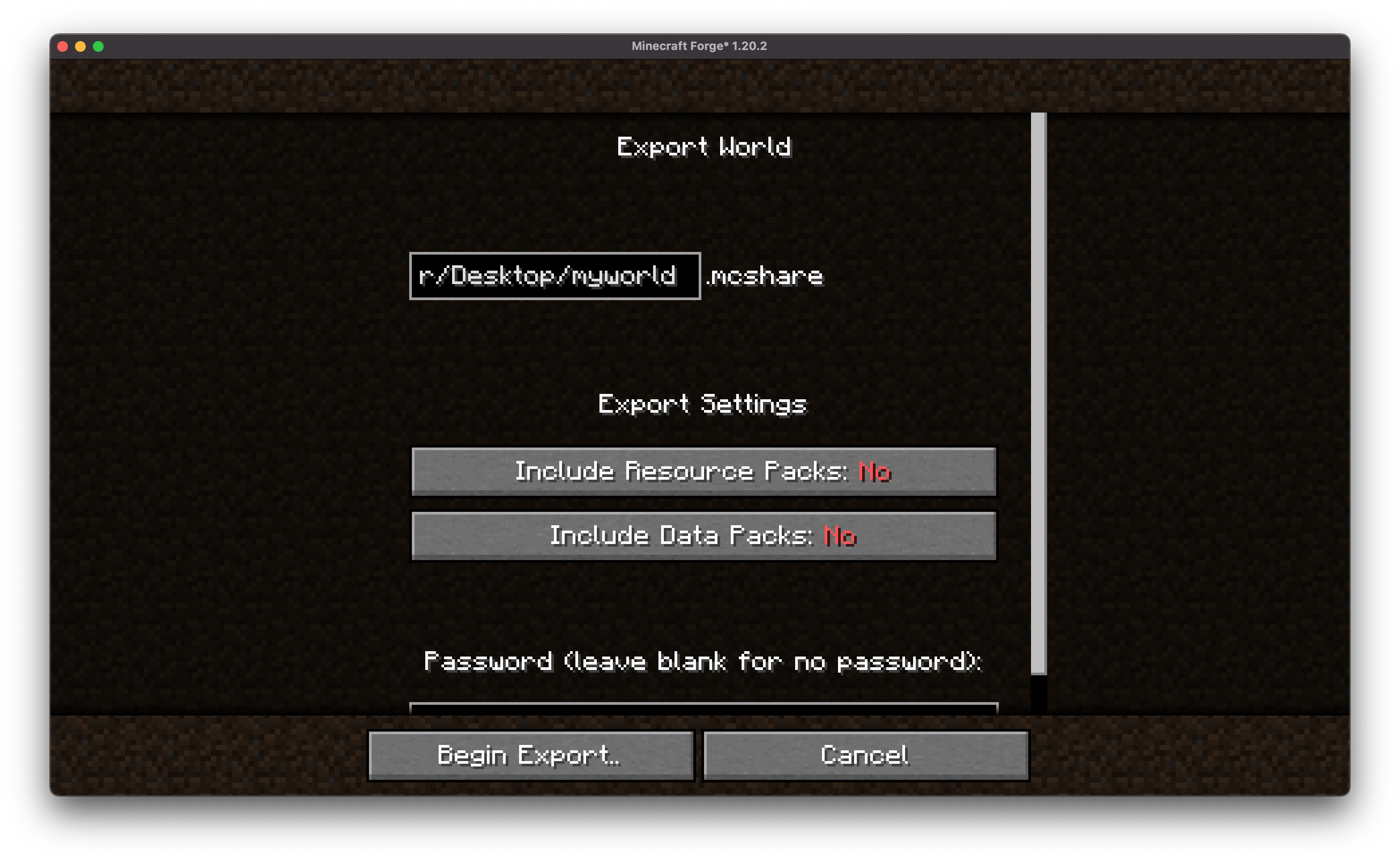
Choose encryption and data/resource pack options (optional).
Choose the path to the exported file
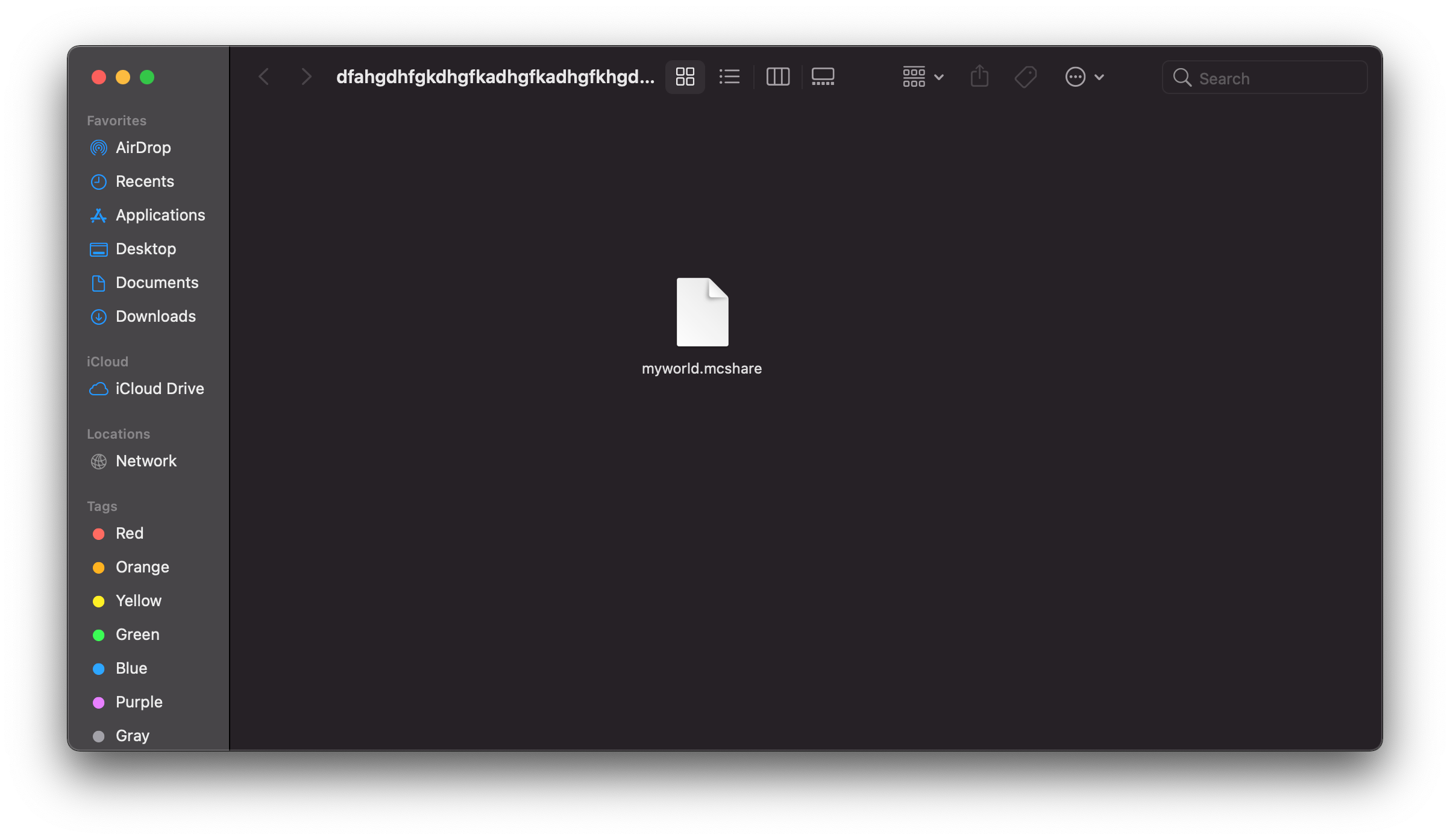
.mcshare file.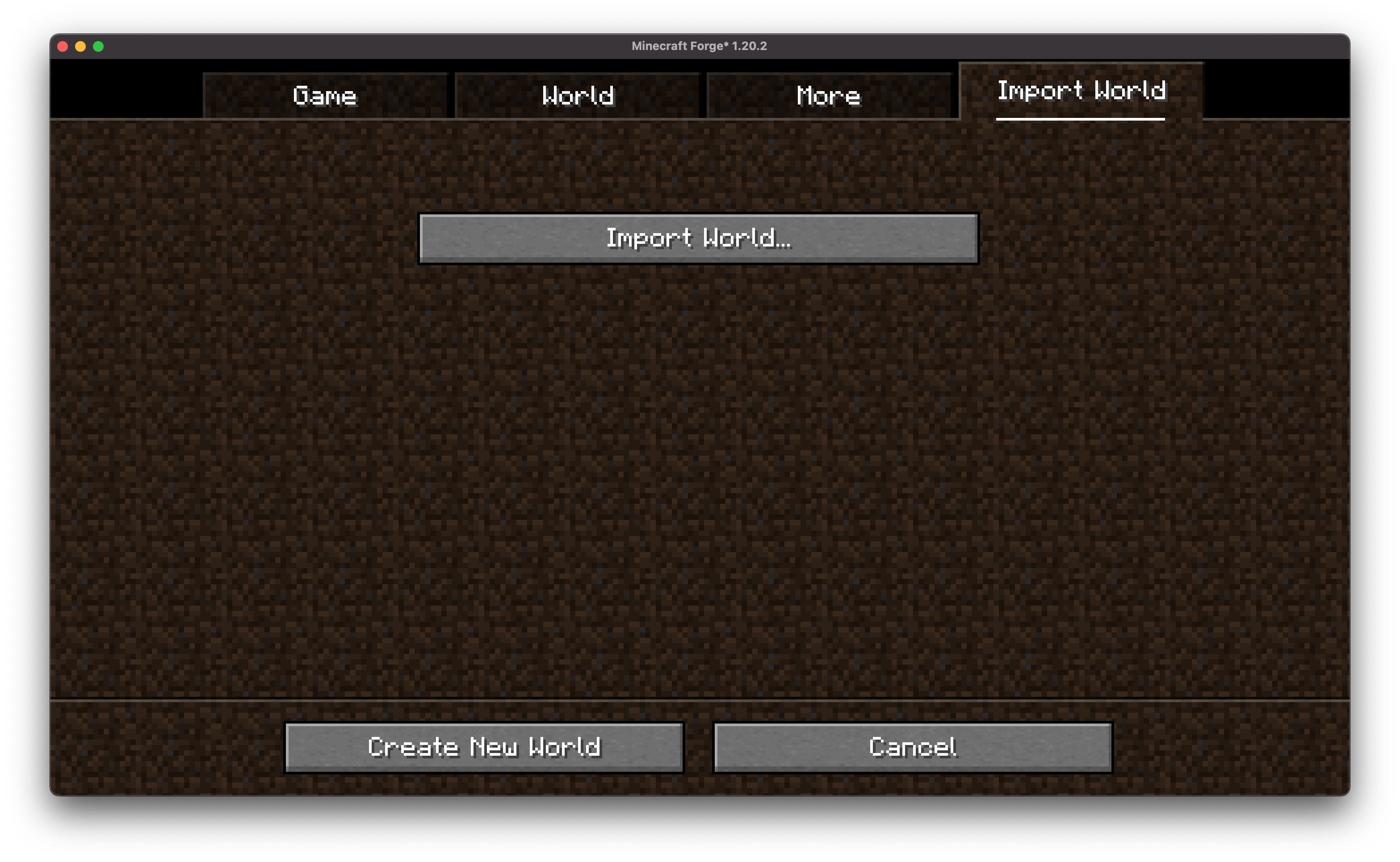
.mcshare file and click Import. .mcshare and .zip files can be dragged onto the window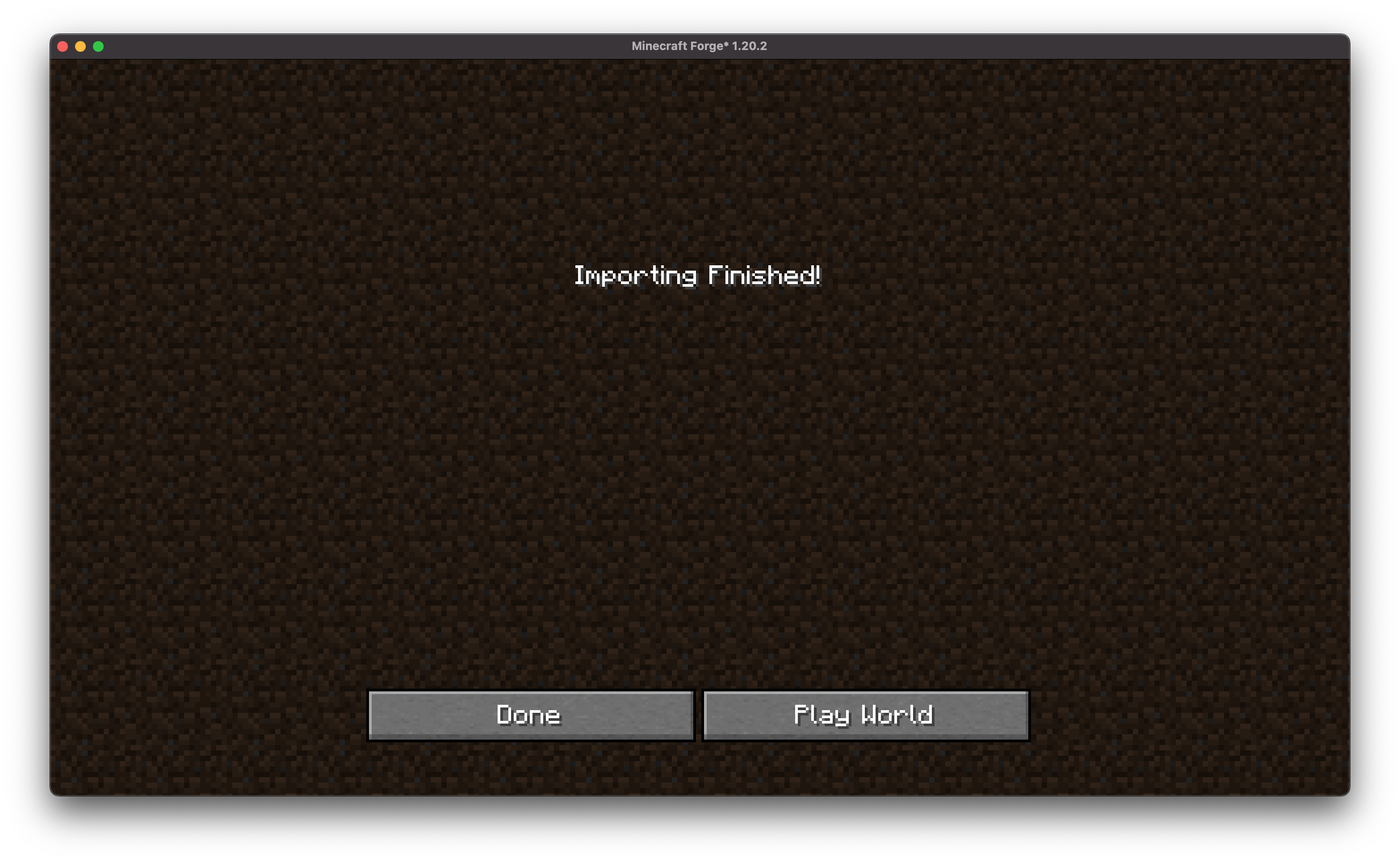
Optional password protection using AES-256 encryption.
Compatible with other MCShare installations for easy decrypting.
Warning: Forgotten passwords cannot be recovered!
Exported files use the .mcshare extension and include:
Compressed world data
Metadata (world name, creation date, author, version)
Optional encryption manifest
We encourage contributions! Don't hesitate to open issues or pull requests through our GitHub Repository. Your input helps us improve and evolve.
We welcome translations! If you're interested in translating this mod, please locate the localization files and submit a pull request. Your contributions help make the mod accessible to more users worldwide.
If you encounter any issues, please open an issue on the GitHub repository.
If you'd like to build this mod on your own machine, follow these steps.
Project description from CurseForge.
Pick your setup
Choose the version and loader you play, then open the matching release.
Showing the newest 12 of 15 game versions. Older files are in the list below.
Check the dependencies, then try the file in a copied instance before changing a world you care about.
Recent files
MCShare-neoforge-6.0.1.jar
7 Aug 2025
MCShare-forge-6.0.1-all.jar
7 Aug 2025
MCShare-fabric-6.0.1.jar
7 Aug 2025
MCShare-neoforge-7.0.0.jar
3 Aug 2025
MCShare-forge-7.0.0-all.jar
3 Aug 2025
MCShare-neoforge-6.0.0.jar
18 Jul 2025
MCShare-forge-6.0.0-all.jar
18 Jul 2025
MCShare-fabric-6.0.0.jar
18 Jul 2025
MCShare-neoforge-5.0.0.jar
17 Jul 2025
MCShare-forge-5.0.0-all.jar
17 Jul 2025
MCShare-fabric-5.0.0.jar
17 Jul 2025
MCShare-fabric-3.0.0.jar
16 Jul 2025
Looking for an older file? The official CurseForge project page is in Resources.
 mod
modMore Doors is a Fabric & Forge Mod which adds Over 50 New Doors & Trapdoors + Glass Doors
 mod
modAutomated RF-powered mining, energy generation, high-capacity storage, machine upgrades and resource automation.
 mod
modShows every player's health in real time above their nametag and in the TAB list (20❤). Supports absorption and extra hearts from other mods, turns gold above 20, and the heart beats when health is low.