Minecraft version
Back to mods 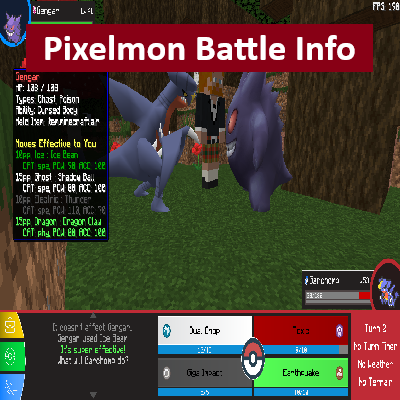
CurseForge · Minecraft mod
PM Battle Info
Displays important info in Pixelmon Battles
Choose a version Pick your version below, then grab the matching file.
Quick answer
Which PM Battle Info release should I use?
Latest stable file PMBattleInfo-1.3.0.jar
Game version 1.16, 1.16.5
Loader Forge
PM Battle Info PMBattleInfo-1.3.0.jar targets 1.16, 1.16.5 with Forge. The project page does not say whether this file belongs on the client, dedicated server, or both. No extra mods listed for this file.
Where it goes
Is PM Battle Info required on the client, server, or both?
The project page does not say whether this file belongs on the client, dedicated server, or both.
Client Source doesn’t say
Dedicated server Source doesn’t say
Loader for this release Forge
Required install it here Optional supported, not mandatory Not supported do not install here Source doesn’t say do not assume
The source does not explicitly classify this release as client-only or server-only.
What else does PM Battle Info PMBattleInfo-1.3.0.jar need?
PMBattleInfo-1.3.0.jar. Change the file and its required mods may change too.
This file does not list any required mods. Do not add a library just because a different file uses it.
This file does not list any required or optional mods.
Before you install it
Add PM Battle Info without breaking your instance.
Built for PM Battle Info PMBattleInfo-1.3.0.jar. Pick another file and the loader, install side or required mods may change.
- 01
Stick to this file
Use PMBattleInfo-1.3.0.jar. It targets 1.16, 1.16.5 with Forge; another release may have different loader, side or dependency requirements.
- 02
Bring the mods it needs
This file does not list any required mods. Do not add a library just because a different file uses it.
- 03
Put it on the correct side
The project page does not say whether this file belongs on the client, dedicated server, or both.
- 04
Pick the file you checked
Use the “Get this file” button beside PMBattleInfo-1.3.0.jar. It opens that exact file at the source.
About this project
What does PM Battle Info add?
PM Battle Info
Description
A quality of life (QoL) Pixelmon 9.1.7 sidemod that adds some UI changes to the Battle screen in Pixelmon. This includes a Tooltip displaying information about enemies and your own Pixelmon, removing nicknames, and showing the type effectiveness for your moves (1st enemy ONLY).
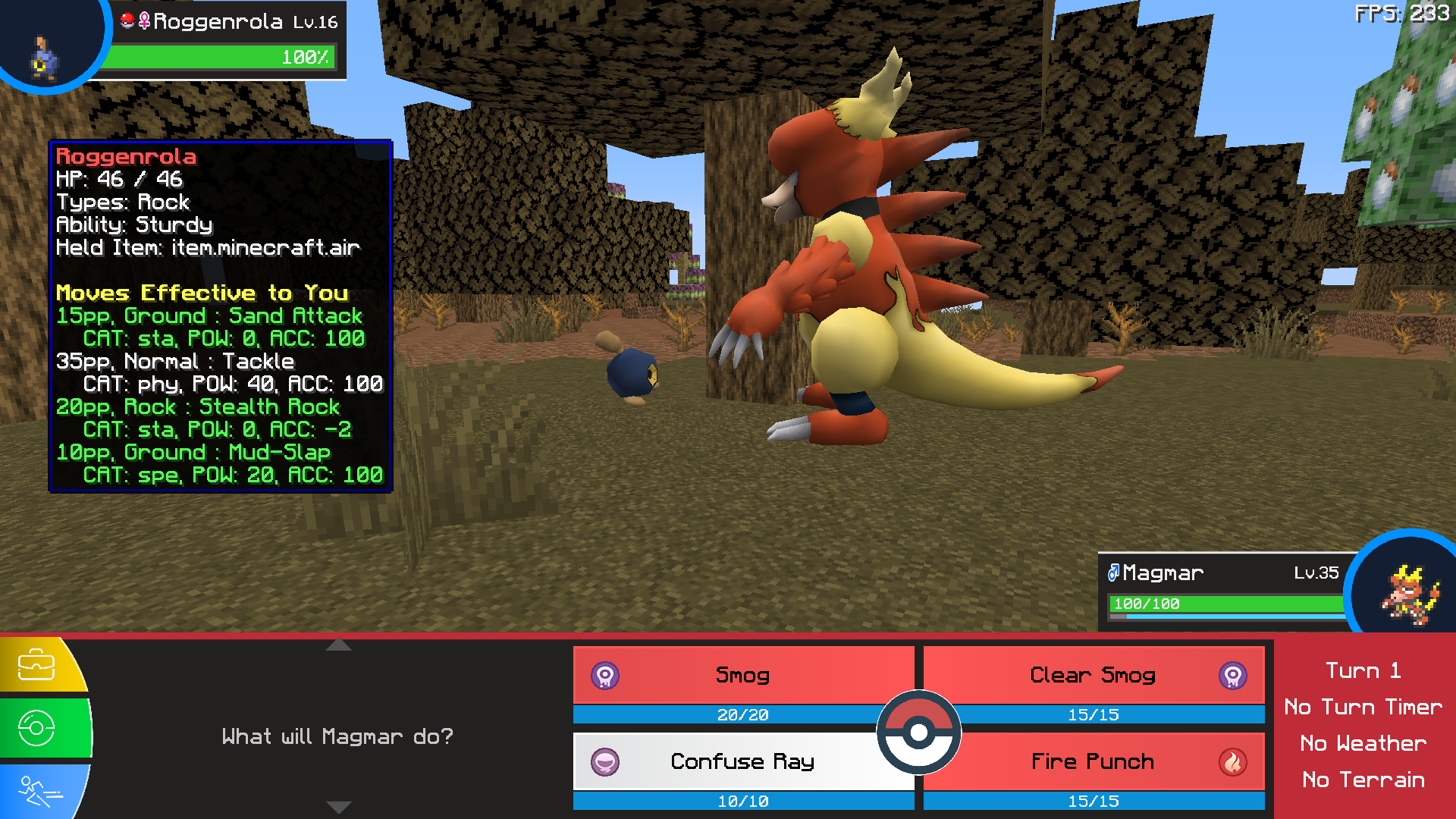
Information in the Tooltip about the enemy - like moveset, current exact HP, ability - is not discovered information, its just known while they are on screen, even from Turn 1.
This mod is intended to only be used client-side ONLY. Works in single-player and when connecting to (most) servers.
Note that its really, really buggy with different GUI Sizes, the scaling of Pixelmon UI elements and the position of their hitboxes being the most problematic.
Current Features
Every feature has a config to toggle it on and off.
- Remove nicknames from all Pixelmon while in Battle
- Tooltip that displays lots of information about any Pixelmon in the Battle (exact HP, Ability, Types, Held Item, Moveset) - Uses configurable keybinds now because the hitboxes are just so janky. Only works while in Battle
- 1, 2, 3, 4, 5 for Allies
- 6, 7, 8, 9, 0 for Enemies
- Information about the enemies and allies is just known to the client, like their whole moveset, ability, or held item even from Turn 1 - Configs to show or hide every important piece of information shown (Held Item, Ability, Moveset)
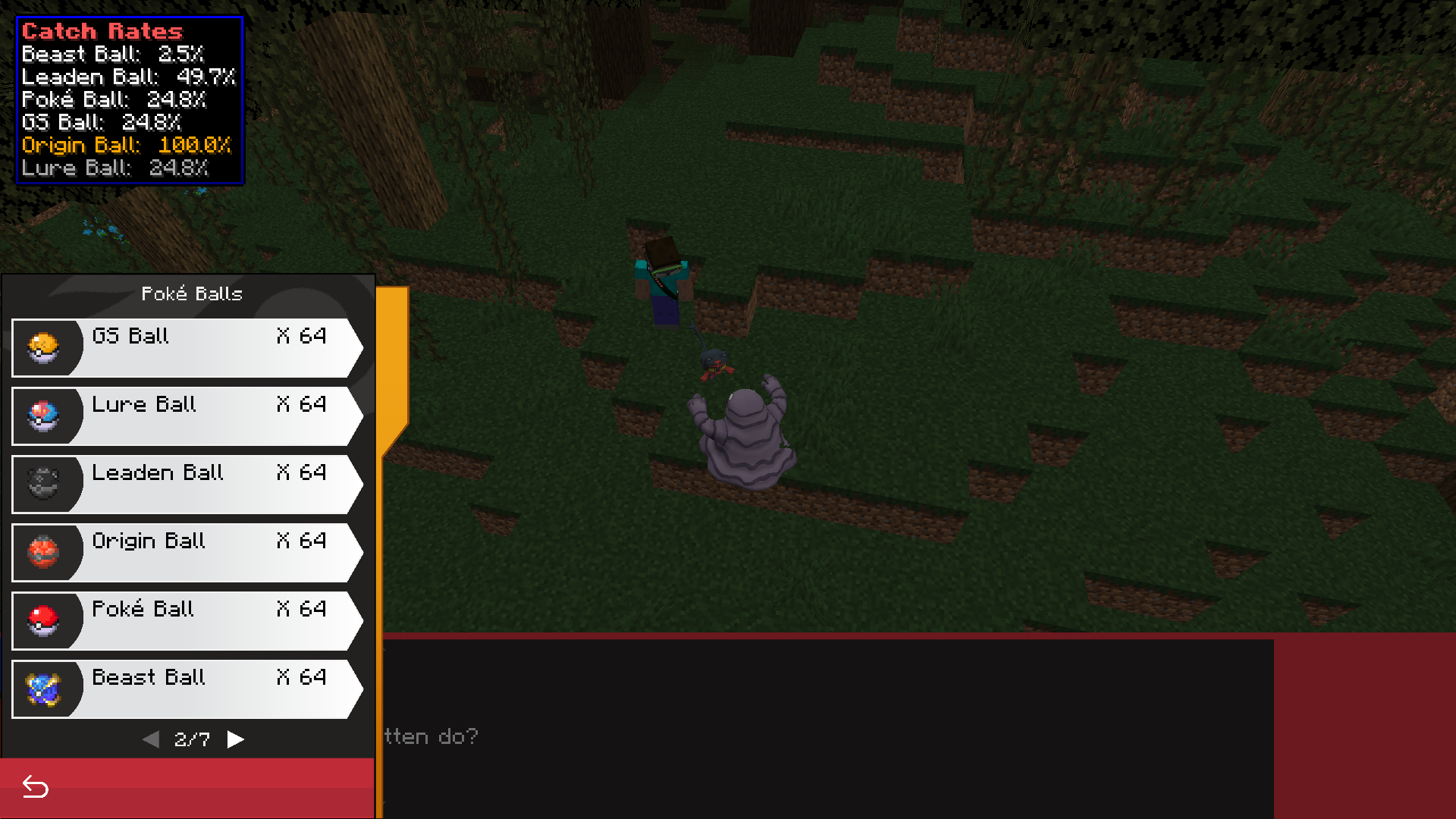
- View Pokeball Catch Chance while in Battle! ( NEW FEATURE! ) - Accounts for Gender, Species, Base Stat, and Level differences of your Pixelmon and the Enemy
- Accounts for Enemy Base Stats, Typing, Weight, and whether it's an Ultra Beast
- Accounts for status effects (paralyzed, burned, etc) applied to Enemy
- Does not work with every Pokeball: Dive, Dusk, Lure, Moon, Repeat, Safari DO NOT WORK
- Type Effectiveness shown when choosing your attack (only towards the first enemy for now)
Type Effectiveness Colors
Seen in Enemy Tooltip and on Move buttons
Immune = 0x = DARK_GRAY
Barely = 1/4x = DARK_RED
Not Very = 1/2x = RED
Normal = 1x = WHITE
Super = 2x = GREEN
Maximum = 4x = DARK_GREEN
Enemy Tooltip Example
Pokeball Catch Chance Display
Planned Features
- Battle Discovery - Log important information in the Tooltip about your enemy as you discover it. Trying to figure out how I'd want to manage and store data.
- Stat increase and reduction tracking - Investigating easier ways to make this doable. May have to just read the Battle Log. Not sure where to display.
- Post Raid Pokeball selection shows Pokeball name - Investigating
- Draggable Tooltips - May not be possible?
Project description from CurseForge.
Pick your setup
PM Battle Info by Minecraft version and loader
Choose the version and loader you play, then open the matching release.
Minecraft version
1.16
1 loader buildCheck the dependencies, then try the file in a copied instance before changing a world you care about.
Recent files
PM Battle Info versions and loaders
PMBattleInfo-1.3.0.jar
7 Oct 2023
Client Source doesn’t say Server Source doesn’t say Dependencies No extras listed Listed on Release listing
Check the 1.16.5 · Forge setup 1.161.16.5Forge release
PMBattleInfo-1.2.0.jar
28 Sept 2023
Client Source doesn’t say Server Source doesn’t say Dependencies No extras listed Listed on Release listing
Check the 1.16.5 · Forge setup 1.161.16.5Forge release
PMBattleInfo-1.1.0.jar
24 Sept 2023
Client Source doesn’t say Server Source doesn’t say Dependencies No extras listed Listed on Release listing
Check the 1.16.5 · Forge setup 1.16.5Forge release
Looking for an older file? The official CurseForge project page is in Resources.