Minecraft version
Back to mods 
CurseForge · Minecraft mod
Copper Bulbs
Adds the Copper Bulbs from Minecraft Live 2023
Choose a version Pick your version below, then grab the matching file.
Quick answer
Which Copper Bulbs release should I use?
Latest stable file Copper Bulb 1.0
Game version 1.20.1
Loader Forge
Copper Bulbs Copper Bulb 1.0 targets 1.20.1 with Forge. The project page does not say whether this file belongs on the client, dedicated server, or both. No extra mods listed for this file.
Where it goes
Is Copper Bulbs required on the client, server, or both?
The project page does not say whether this file belongs on the client, dedicated server, or both.
Client Source doesn’t say
Dedicated server Source doesn’t say
Loader for this release Forge
Required install it here Optional supported, not mandatory Not supported do not install here Source doesn’t say do not assume
The source does not explicitly classify this release as client-only or server-only.
What else does Copper Bulbs Copper Bulb 1.0 need?
Copper Bulb 1.0. Change the file and its required mods may change too.
This file does not list any required mods. Do not add a library just because a different file uses it.
This file does not list any required or optional mods.
Before you install it
Add Copper Bulbs without breaking your instance.
Built for Copper Bulbs Copper Bulb 1.0. Pick another file and the loader, install side or required mods may change.
- 01
Stick to this file
Use Copper Bulb 1.0. It targets 1.20.1 with Forge; another release may have different loader, side or dependency requirements.
- 02
Bring the mods it needs
This file does not list any required mods. Do not add a library just because a different file uses it.
- 03
Put it on the correct side
The project page does not say whether this file belongs on the client, dedicated server, or both.
- 04
Pick the file you checked
Use the “Get this file” button beside Copper Bulb 1.0. It opens that exact file at the source.
About this project
What does Copper Bulbs add?

By MinoBanana
For FORGE 1.21
There are 4 stages of oxidation, each with its own emitted light level
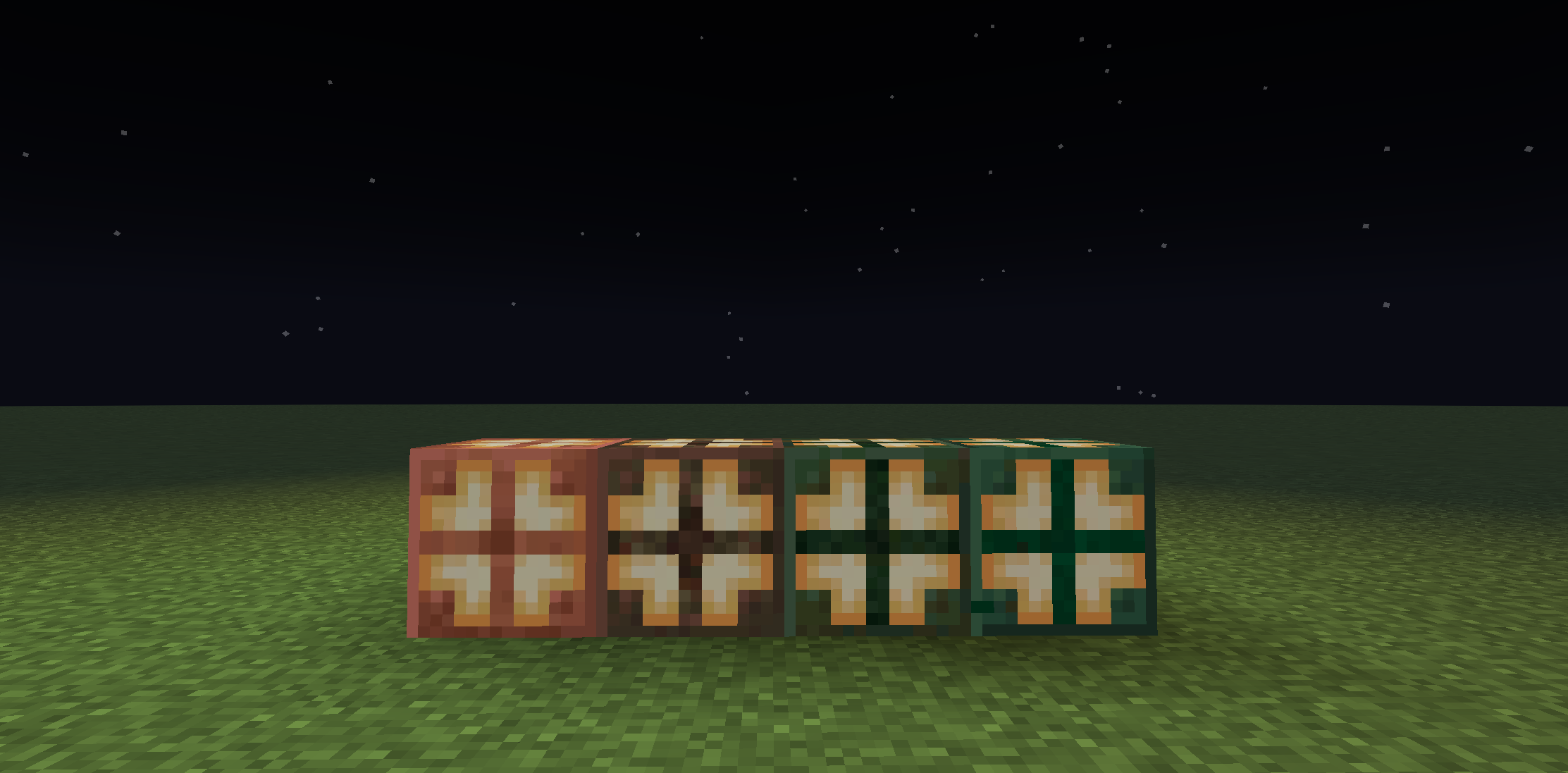
Each stage takes about 5 minutes, so a total of 15 minutes for a bulb to fully oxidize
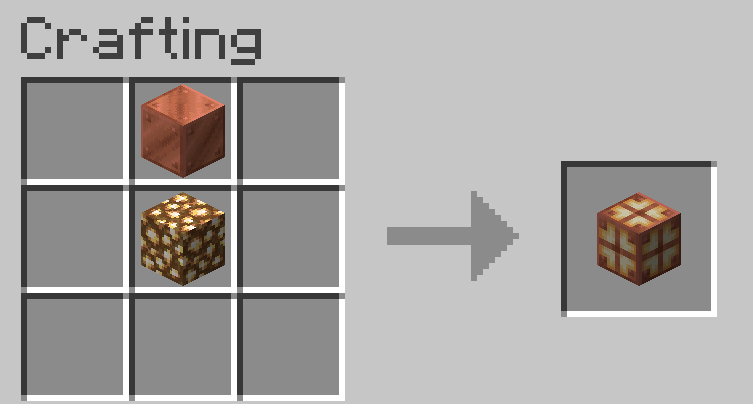
Copper Bulb Recipe:
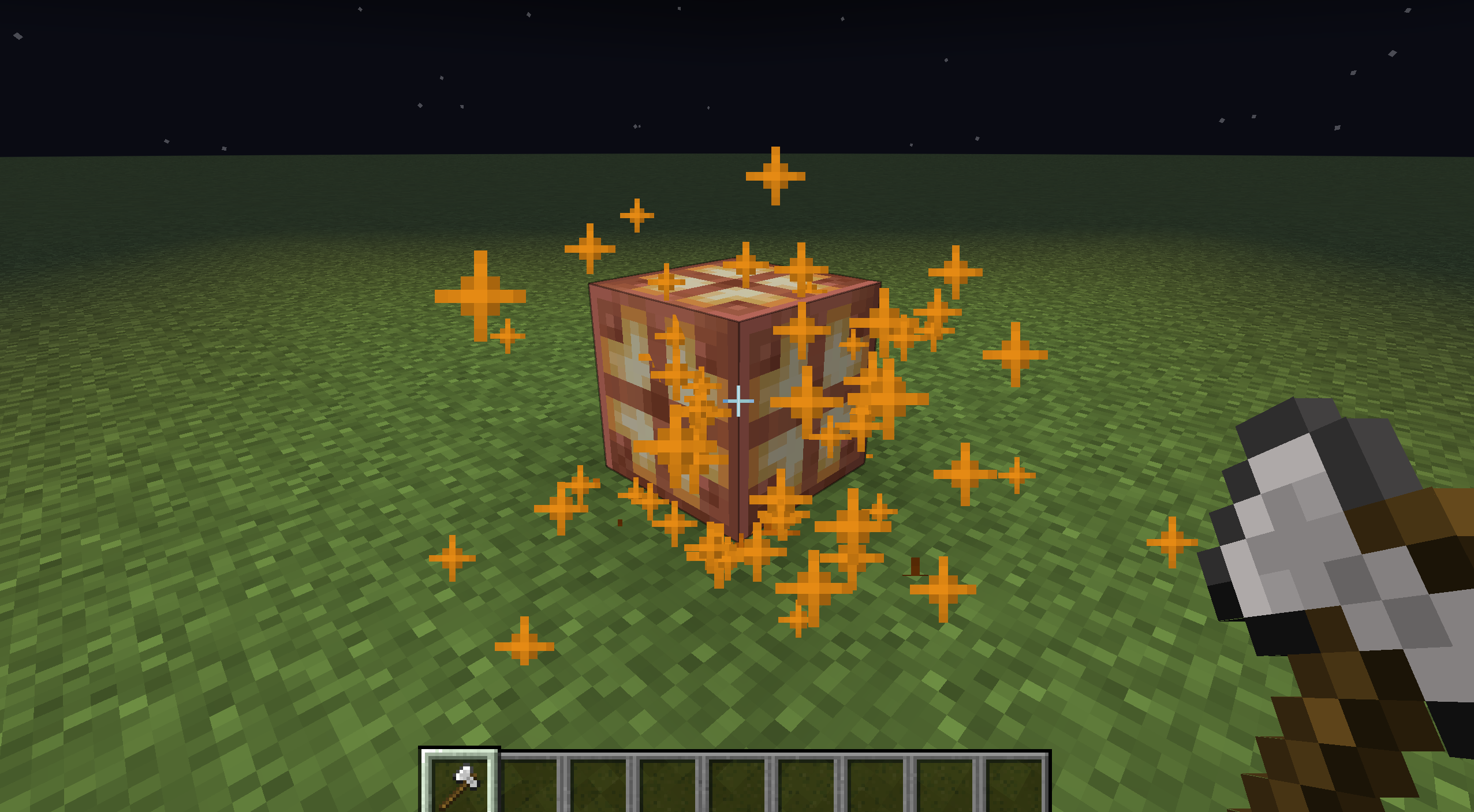
Mechanics:
Right click the bulb with an axe to return an oxidization stage
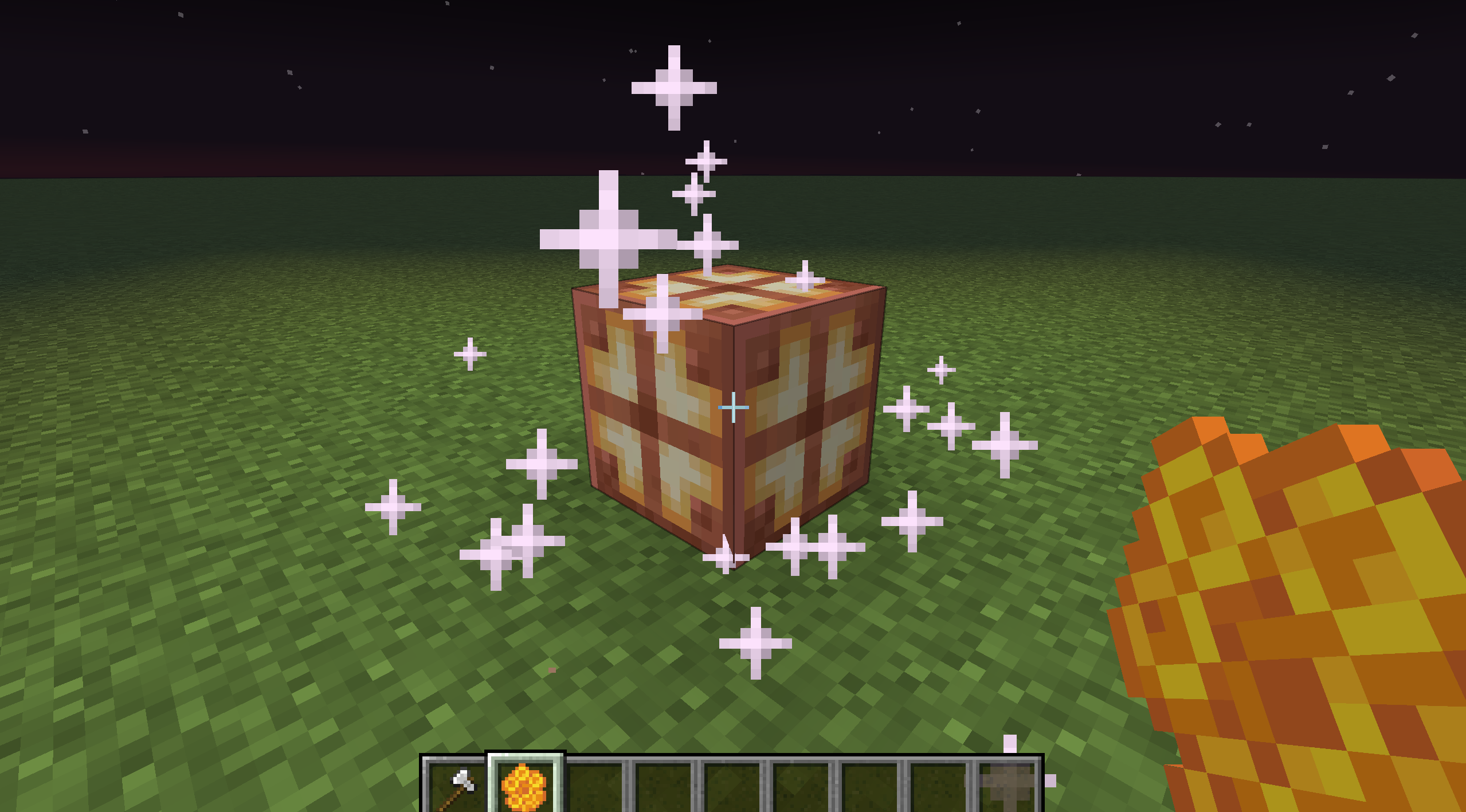
Right click the honey instead to wax the block and prevent it from oxidizing further
Thank You For Downloading

I've partnered with RocketNode Hosting! RocketNode provides top-tier server hosting worldwide, allowing you to set up your server with just a few clicks! Their intuitive dashboard makes server management a breeze, and you can even schedule automatic restarts without needing any coding knowledge. Use the code Mino to get 25% off your first month on any of their gaming servers. Get started here: https://rocketnode.com/mino
Project description from CurseForge.
Pick your setup
Copper Bulbs by Minecraft version and loader
Choose the version and loader you play, then open the matching release.
Check the dependencies, then try the file in a copied instance before changing a world you care about.
Recent files
Copper Bulbs versions and loaders
Copper Bulb 1.0
copper_bulb.jar
17 Oct 2023
Client Source doesn’t say Server Source doesn’t say Dependencies No extras listed Listed on Release listing
Check the 1.20.1 · Forge setup 1.20.1Forge release
Looking for an older file? The official CurseForge project page is in Resources.
 mod
mod CurseForge + Modrinth · Minecraft
Companions!
A mod that adds 10 new tamable creatures called companions!
 mod
mod CurseForge + Modrinth · Minecraft
Knight Lib
A library that serves as a bridge between mods.
 mod
mod CurseForge + Modrinth · Minecraft
Jauml
Jauml is a lightweight configuration library for Minecraft mods, designed to simplify JSON-based config management