Minecraft version
Back to mods 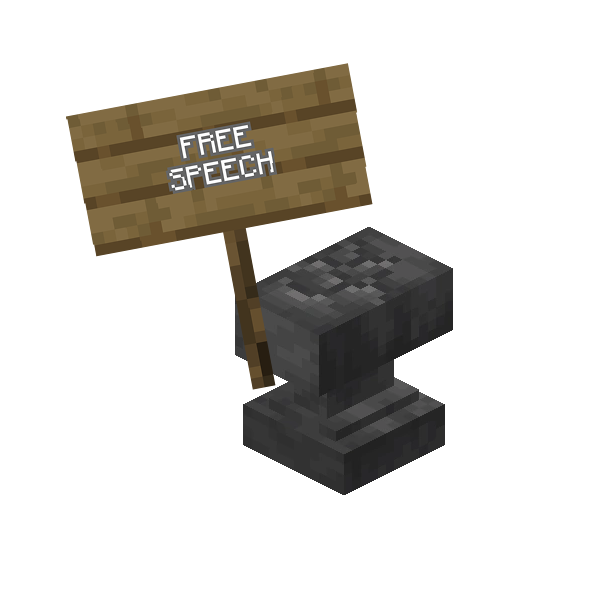
CurseForge · Minecraft mod
Utilitarian
A bunch of different functionality, neatly packaged in different modules that can be disabled and enabled depending on the users needs. Also has an angel block, snad, fluid hopper and a redstone clock.
Choose a version Pick your version below, then grab the matching file.
Quick answer
Which Utilitarian release should I use?
Latest stable file utilitarian-26.1.2-0.22.0.jar
Game version 26.1.2
Loader NeoForge
utilitarian-26.1.2-0.22.0.jar targets 26.1.2 with NeoForge. The project page does not say whether this file belongs on the client, dedicated server, or both. No extra mods listed for this file.
Where it goes
Is Utilitarian required on the client, server, or both?
The project page does not say whether this file belongs on the client, dedicated server, or both.
Client Source doesn’t say
Dedicated server Source doesn’t say
Loader for this release NeoForge
Required install it here Optional supported, not mandatory Not supported do not install here Source doesn’t say do not assume
The source does not explicitly classify this release as client-only or server-only.
What else does utilitarian-26.1.2-0.22.0.jar need?
utilitarian-26.1.2-0.22.0.jar. Change the file and its required mods may change too.
This file does not list any required mods. Do not add a library just because a different file uses it.
This file does not list any required or optional mods.
Before you install it
Add Utilitarian without breaking your instance.
Built for utilitarian-26.1.2-0.22.0.jar. Pick another file and the loader, install side or required mods may change.
- 01
Stick to this file
Use utilitarian-26.1.2-0.22.0.jar. It targets 26.1.2 with NeoForge; another release may have different loader, side or dependency requirements.
- 02
Bring the mods it needs
This file does not list any required mods. Do not add a library just because a different file uses it.
- 03
Put it on the correct side
The project page does not say whether this file belongs on the client, dedicated server, or both.
- 04
Pick the file you checked
Use the “Get this file” button beside utilitarian-26.1.2-0.22.0.jar. It opens that exact file at the source.
About this project
What does Utilitarian add?
Utilitarian is a mod containing a bunch of different functionality, neatly packaged in different modules that can be disabled and enabled depending on the users needs.
Vanilla modifications
Wind Charge air supply: When you use a wind charge under water your air is replenished
Crying Nether Portals: Crying obsidian can be used in portal frames
Nitwit conversion: Drop an anvil on a villager to turn it into a nitwit and give a nitwit a bookshelf to turn it into a regular villager
Colorful Hearts and Overloaded Armor Bar (26.1.2+)
No Soliciting
Stop wandering traders from spawning near your base or force them to spawn in a different location.
This module contains a No Soliciting Banner which prevents traders from spawning near it's location as well as a Restraining Order which when held in a players inventory will prevent traders in an area around the player
There are also Trader Carpets in all the colors of the Minecraft rainbow which forces any traders spawning near it's location to be moved to the carpet. It also comes in a trapped variety.
No Trampling (1.21+)
Farmland will no longer be trampled when stepping on it and pumpkins and melons won't turn farmland to dirt. There are tags to configure which crop blocks don't convert farmland to dirt and which entities can still trample.
Ding Dong Startup Sound (1.21+)
Plays a sound when the game has loaded
No Startup Messages Please
With this module enabled you can block certain chat messages from being displayed to the player.
There's a config where message parts can be added and any chat message containing that part will be stopped.
Hoe Planting
Plant seeds as you hoe the ground in the same action. Any seeds in your offhand or on your hotbar will be planted as soon as you till the soil.
Utility Blocks and Items
Angel Block: A block you can place mid air
TPS Meter: Outputs a redstone signal depending on the servers TPS
Well Behaved Dropper: Drops items straight down instead of all over the place
Snad: Sand that improves growth. Also comes in red and Soul Snad.
Drit and Grrass: They hurt when stepped on
Cursed Grrass: Spawns mobs just like your classic cursed earth
Redstone Clock: It's a redstone clock, turns on, turns off
Fluid Hopper: Takes in fluid from the top, sprays it out from the tip
Trowel (1.21+): Randomly places blocks from your hotbar weighted by the stack count
Tiny coal and charcoal that smelt just 1 item (1.21+)
Lapis lamp: Lights up an area without preventing spawning.
Inverted lamps: Redstone and Lapis lamps that don't need a redstone signal
Pillager Outpost Claim Block: When placed in an outpost it prevent pillagers from returning.
Better sleep
Disabled the two sleep error messages "too far away" and "there are monsters nearby"
Utility recipes
Lots of convenienceutility recipes has been added to make crafting easier and more consistent
Convenience recipes
There's a bunch of convenience recipes added. They can be found here https://github.com/JDKDigital/utilitarian/tree/dev-1.21.0/src/generated/resources/data/utilitarian/recipe/utility
Project description from CurseForge.
Pick your setup
Utilitarian by Minecraft version and loader
Choose the version and loader you play, then open the matching release.
Minecraft version
1.21.1
1 loader buildMinecraft version
1.21
1 loader buildMinecraft version
1.20.1
2 loader buildsCheck the dependencies, then try the file in a copied instance before changing a world you care about.
Recent files
Utilitarian versions and loaders
utilitarian-26.1.2-0.22.0.jar
8 Jun 2026
Client Source doesn’t say Server Source doesn’t say Dependencies No extras listed Listed on Release listing
Check the 26.1.2 · NeoForge setup NeoForge26.1.2 release
utilitarian-26.1.2-0.21.0.jar
5 Jun 2026
Client Source doesn’t say Server Source doesn’t say Dependencies No extras listed Listed on Release listing
Check the 26.1.2 · NeoForge setup NeoForge26.1.2 release
utilitarian-26.1.2-0.20.0.jar
26 May 2026
Client Source doesn’t say Server Source doesn’t say Dependencies No extras listed Listed on Release listing
Check the 26.1.2 · NeoForge setup NeoForge26.1.2 release
utilitarian-1.21.1-0.19.2.jar
23 Apr 2026
Client Source doesn’t say Server Source doesn’t say Dependencies No extras listed Listed on Release listing
Check the 1.21.1 · NeoForge setup 1.21.1NeoForge release
utilitarian-26.1.2-0.19.1.jar
16 Apr 2026
Client Source doesn’t say Server Source doesn’t say Dependencies No extras listed Listed on Release listing
Check the 26.1.2 · NeoForge setup NeoForge26.1.2 beta
utilitarian-1.21.1-0.19.1.jar
9 Apr 2026
Client Source doesn’t say Server Source doesn’t say Dependencies No extras listed Listed on Release listing
Check the 1.21.1 · NeoForge setup 1.21.1NeoForge release
utilitarian-1.21.1-0.19.0.jar
7 Apr 2026
Client Source doesn’t say Server Source doesn’t say Dependencies No extras listed Listed on Release listing
Check the 1.21.1 · NeoForge setup 1.21.1NeoForge release
utilitarian-1.21.1-0.18.2.jar
16 Mar 2026
Client Source doesn’t say Server Source doesn’t say Dependencies No extras listed Listed on Release listing
Check the 1.21.1 · NeoForge setup 1.21.1NeoForge release
utilitarian-1.21.1-0.18.1.jar
10 Feb 2026
Client Source doesn’t say Server Source doesn’t say Dependencies No extras listed Listed on Release listing
Check the 1.21.1 · NeoForge setup 1.21.1NeoForge release
utilitarian-1.21.1-0.18.0.jar
19 Jan 2026
Client Source doesn’t say Server Source doesn’t say Dependencies No extras listed Listed on Release listing
Check the 1.21.1 · NeoForge setup 1.21.1NeoForge release
utilitarian-1.21.1-0.17.1.jar
6 Dec 2025
Client Source doesn’t say Server Source doesn’t say Dependencies No extras listed Listed on Release listing
Check the 1.21.1 · NeoForge setup 1.21.1NeoForge release
utilitarian-1.21.1-0.17.0.jar
24 Nov 2025
Client Source doesn’t say Server Source doesn’t say Dependencies No extras listed Listed on Release listing
Check the 1.21.1 · NeoForge setup 1.21.1NeoForge release
Looking for an older file? The official CurseForge project page is in Resources.
 mod
mod CurseForge + Modrinth · Minecraft
LDLib
LDLib is a libarary mod for custom rendering, modular gui.
 mod
mod CurseForge + Modrinth · Minecraft
Anything but Fish
Reel in creepers, diamonds, and more! This fishing rod catches ANYTHING—except fish.
 mod
mod CurseForge + Modrinth · Minecraft
Sophisticated Item Actions
Highlight nearby inventories containing an item, and restock items from or deposit items to them directly from your inventory.