Minecraft version
Back to mods 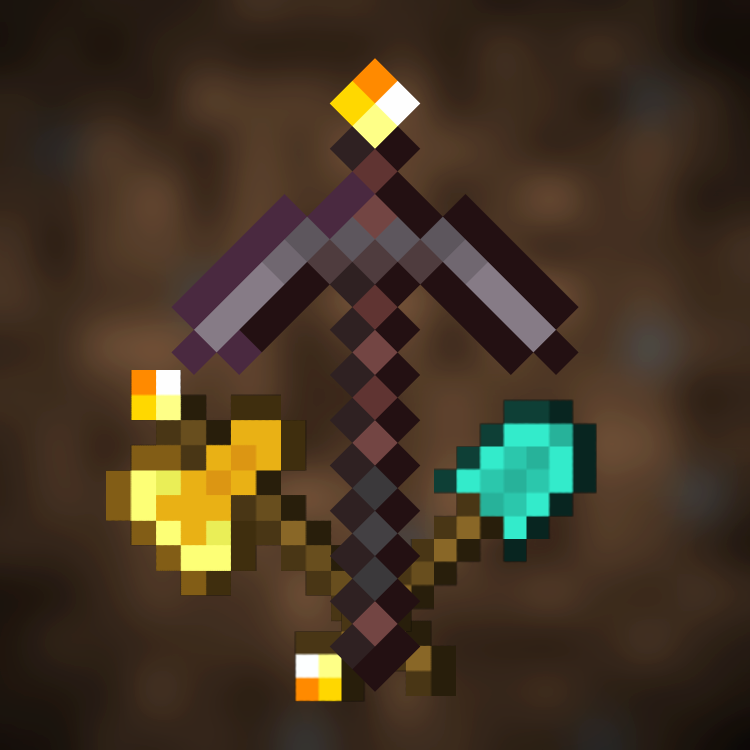
CurseForge · Minecraft mod
Glowing Tools
Adds glowing tools so you don't have to unequip your shield or use a fullbright mod to see while you're busy mining in caves! Works with shaders (tested with BSL and Complementary on Iris)! Requires LambDynamicLights!
Choose a version Pick your version below, then grab the matching file.
Quick answer
Which Glowing Tools release matches 1.20.2 Forge?
beta file Glowing Tools 1.4.2 for Forge 1.20.2
Game version 1.20.2
Loader Forge
Glowing Tools 1.4.2 for Forge 1.20.2 targets 1.20.2 with Forge. The project page does not say whether this file belongs on the client, dedicated server, or both. No extra mods listed for this file.
Where it goes
Is Glowing Tools required on the client, server, or both?
The project page does not say whether this file belongs on the client, dedicated server, or both.
Client Source doesn’t say
Dedicated server Source doesn’t say
Loader for this release Forge
Required install it here Optional supported, not mandatory Not supported do not install here Source doesn’t say do not assume
The source does not explicitly classify this release as client-only or server-only.
What else does Glowing Tools 1.4.2 for Forge 1.20.2 need?
Glowing Tools 1.4.2 for Forge 1.20.2 on 1.20.2 Forge. Every mod below is checked against that same setup.
This file does not list any required mods. Do not add a library just because a different file uses it.
This file does not list any required or optional mods.
Before you install it
Add Glowing Tools without breaking your instance.
Built for Glowing Tools 1.4.2 for Forge 1.20.2 on 1.20.2 Forge. Pick another file and the loader, install side or required mods may change.
- 01
Stick to this file
Use Glowing Tools 1.4.2 for Forge 1.20.2. It targets 1.20.2 with Forge; another release may have different loader, side or dependency requirements.
- 02
Bring the mods it needs
This file does not list any required mods. Do not add a library just because a different file uses it.
- 03
Put it on the correct side
The project page does not say whether this file belongs on the client, dedicated server, or both.
- 04
Pick the file you checked
Use the “Get this file” button beside Glowing Tools 1.4.2 for Forge 1.20.2. It opens that exact file at the source.
About this project
What does Glowing Tools add?
Glowing Tools
Adds glowing tools so you don't have to unequip your shield or use a fullbright mod to see while you're busy mining in caves! Works with shaders (tested with BSL and Complementary on Iris)!
Requires LambDynamicLights / DynamicLights Reforged!
Instructions
- Acquire any compatible tool (any vanilla tool)
- Craft a torch
- Combine the torch with the tool in the crafting grid to get a glowing tool (Bug: resets item data!)
- Glowing diamond tools can be upgraded to glowing netherite tools in the smithing table
- Durability, enchantments etc. work exactly as on their vanilla counterpart
- Hold the item to lighten up your environment
- Place a torch from your inventory by sneaking and right-clicking on a block
- Pick up a torch by sneak right-clicking on a torch using any tool (vanilla tools get turned into glowing tools)
Known Issues
- Durability, custom names and enchantments get reset on craft
- Custom names get reset when placing torches or picking them up
- Legacy items look like normal tools because of the durability bar. (Won't fix)
- Torches only placeable on solid blocks (expected behavior for now)
Translations
Currently translated:
- English (US)
- Lolcat
- Chinese (contributed by @oritong)
Help with translations would be very appreciated!
Requirements
Fabric
- Fabric Loader and API
- LambDynamicLights
Forge
- Forge
- DynamicLights Reforged
Gallery





Legacy Textures
There is a legacy resource pack included, if you prefer a rather subtle texture instead of a torch on the tool.



Project description from CurseForge.
Pick your setup
Glowing Tools by Minecraft version and loader
Choose the version and loader you play, then open the matching release.
Minecraft version
1.20.2
2 loader buildsMinecraft version
1.20.1
2 loader buildsMinecraft version
1.19.2
2 loader buildsCheck the dependencies, then try the file in a copied instance before changing a world you care about.
Recent files
Glowing Tools versions and loaders
Glowing Tools 1.4.2 for Forge 1.20.2
glowing_tools_forge-1.4.2+1.20.2-com.miluum.jar
6 Jan 2024
Client Source doesn’t say Server Source doesn’t say Dependencies No extras listed Listed on Release listing
Check the 1.20.2 · Forge setup 1.20.2Forge beta
Glowing Tools 1.4.1 for Forge 1.20.2
glowing_tools_forge-1.4.1+1.20.2-com.miluum.jar
27 Nov 2023
Client Source doesn’t say Server Source doesn’t say Dependencies 1 required · 1 unchecked Listed on Release listing
Check the 1.20.2 · Forge setup 1.20.2Forge beta
Looking for an older file? The official CurseForge project page is in Resources.