CC: Tweaked Needed by Computer Cartographer 1.0 Fabric
requiredMatching file found Matched file: cc-tweaked-1.20.1-fabric-1.113.1.jar
CurseForge · Minecraft mod
Adds a peripheral to ComputerCraft Tweaked that allows for interfacing with common mapping plugins (BlueMap, Dynmap, Pl3xMap, and Squaremap).
Quick answer
Computer Cartographer 1.0 Fabric targets 1.20.1, 1.20 with Fabric. The project page does not say whether this file belongs on the client, dedicated server, or both. All 3 required mods have matching files.
Where it goes
The project page does not say whether this file belongs on the client, dedicated server, or both.
The source does not explicitly classify this release as client-only or server-only.
Computer Cartographer 1.0 Fabric. Change the file and its required mods may change too.
Install CC: Tweaked, Fabric API, Architectury API first. We found matching files for this game-version and loader setup.
We only count dependency files that match this setup. A file for another loader does not fill the gap.
Before you install it
Built for Computer Cartographer 1.0 Fabric. Pick another file and the loader, install side or required mods may change.
Use Computer Cartographer 1.0 Fabric. It targets 1.20.1, 1.20 with Fabric; another release may have different loader, side or dependency requirements.
Install CC: Tweaked, Fabric API, Architectury API first. We found matching files for this game-version and loader setup.
The project page does not say whether this file belongs on the client, dedicated server, or both.
Use the “Get this file” button beside Computer Cartographer 1.0 Fabric. It opens that exact file at the source.
About this project
This Minecraft mod adds a peripheral to ComputerCraft Tweaked that allows for interfacing with common mapping plugins (BlueMap, Dynmap, Pl3xMap, and Squaremap).
Using the peripheral, you can dynamically draw POI (including custom icons), lines, circles, rectangles, and arbitrary polygon area markers to the mapping plugin of your choice.
You can create pathing previews using line markers, add real-time GPS pins for turtles on the move, or (if you have a mod with an entity sensor peripheral) put all the mobs in your area on the map.
See the wiki for usage details.
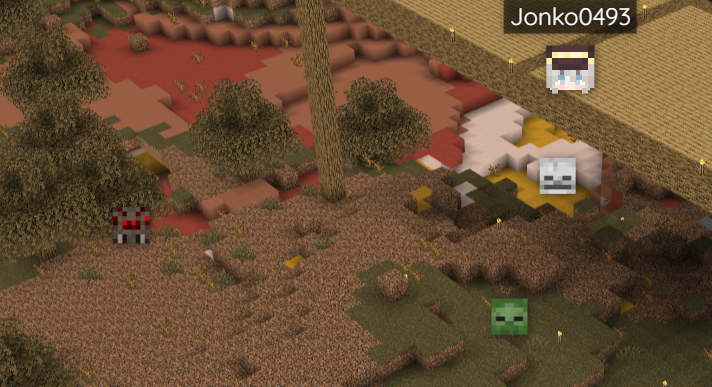
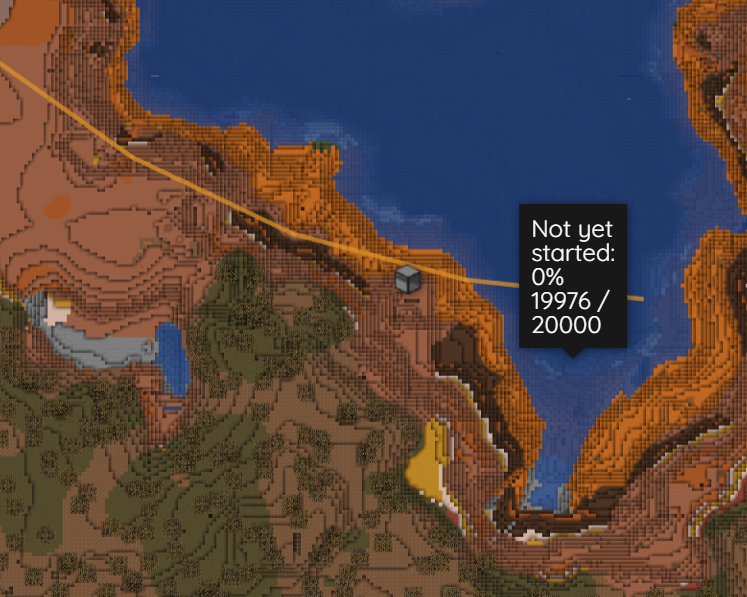
Project description from CurseForge.
Pick your setup
Choose the version and loader you play, then open the matching release.
Check the dependencies, then try the file in a copied instance before changing a world you care about.
Recent files
computer_cartographer-1.20.1-1.0-fabric.jar
21 Nov 2023
computer_cartographer-1.20.1-1.0-forge.jar
21 Nov 2023
Looking for an older file? The official CurseForge project page is in Resources.
 mod
Sick of wasting time with Minecraft’s slow launcher just to change your skin? Quick Skin lets you swap skins instantly even on “offline” servers and gives you access to every official Minecraft cape.
 mod
More red add-on for programmable logical redstone controllers
 mod
A Jojo's Bizarre Adventure mod that interprets the world and power system of the anime into the world of Minecraft. ( JJBA )