Just Enough Items (JEI) Optional for Basic Parts - A Flan's Mod Content Pack flansbasicparts-1.20.1-0.4.316.jar
optionalMatching file found Matched file: 15.75.0.242 for Fabric 1.20.1
CurseForge · Minecraft mod
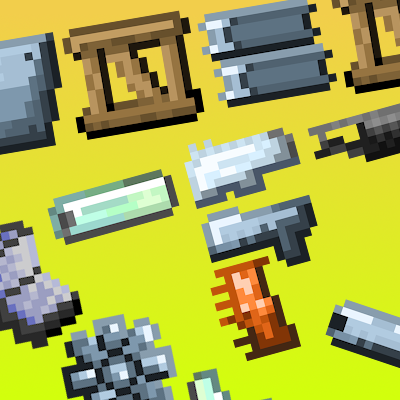
All the stocks, scopes, wings, engines and other stuff you need to make cool stuff in Flan's Mod
Quick answer
Basic Parts - A Flan's Mod Content Pack flansbasicparts-1.20.1-0.4.316.jar targets 1.20.1. The project page does not say whether this file belongs on the client, dedicated server, or both. No extra mods listed for this file.
Where it goes
The project page does not say whether this file belongs on the client, dedicated server, or both.
The source does not explicitly classify this release as client-only or server-only.
flansbasicparts-1.20.1-0.4.316.jar. Change the file and its required mods may change too.
This file does not list any required mods. Do not add a library just because a different file uses it.
2 extra mods were pulled in by other dependencies. Indented rows show who needs each one. We only count dependency files that match this setup. A file for another loader does not fill the gap.
Before you install it
Built for Basic Parts - A Flan's Mod Content Pack flansbasicparts-1.20.1-0.4.316.jar. Pick another file and the loader, install side or required mods may change.
Use flansbasicparts-1.20.1-0.4.316.jar. It targets 1.20.1; another release may have different loader, side or dependency requirements.
This file does not list any required mods. Do not add a library just because a different file uses it.
The project page does not say whether this file belongs on the client, dedicated server, or both.
Use the “Get this file” button beside flansbasicparts-1.20.1-0.4.316.jar. It opens that exact file at the source.
About this project

Basic Parts - A Flan's Mod Content Pack


An essential pack for the discerning crafter of Flan's Mod tech. Gain access to a wide variety of parts, from barrels and stocks to engines and armour plating.
Each part type has between 3 and 10 options, each made of a different material.
There are also a wide range of munitions, varying in size (pistol rounds to artillery shells) and in effects (armour piercing, explosive or incendiary for example).

The fabricator menus have a lot of sections, so let's dig in.

But how do you get Fiberglass, Polyester, PhanTex and more? That's where distillation comes in. To distill raw materials into advanced polymers, you will need to create a Distillation Cap and at least one Distillation Stack. Some distillation recipes will only need one layer, but some will require up to 3 layers to get every possible output.
Warning: If you run a distillation that has 3 outputs, but only provide one stack below the cap, you will miss out on the deeper fractional outputs. Fortunately, the distillation menu will let you know that this is the case


You can find two new metals by blasting Iron and Netherite


The precursor for distilling Fiberglass and Kevlar is Silicate, a mix of Sand and Clay

Wood is categorized into 3 broad types, one per tier. You can input logs or planks of the corresponding type

[Coming Soon]
Materials will provide stat modifiers and abilities to the weapons and vehicles you create


Project description from CurseForge.
Pick your setup
Choose the version and loader you play, then open the matching release.
Check the dependencies, then try the file in a copied instance before changing a world you care about.
Recent files
4 Mar 2025
20 Jan 2025
20 Jan 2025
20 Jun 2024
7 Mar 2024
6 Feb 2024
5 Feb 2024
5 Feb 2024
3 Feb 2024
1 Feb 2024
1 Feb 2024
1 Feb 2024
Looking for an older file? The official CurseForge project page is in Resources.
 mod
A challenge mod where you have to beat the game without hunger or health, using only experience. Experience now controls your health and hunger: running or taking damage consumes your experience. The main thing is to make sure it doesn't reach 0.
 mod
Meteors fall at night, and that's only the beginning: starmetal, the Astral Realm, bosses, a casino with star wishes, cars, rockets to three asteroid belts and the final Starfall Nexus.
 mod
Stop reading long tooltips mid-fight! ETag displays colorful enchantment initials in the 4 corners of your items and books—working standalone in Survival inventory and seamlessly inside JEI.