Minecraft version
Back to mods 
CurseForge · Minecraft mod
Minecards
Over 100 cards to collect and trade! Forge edition.
Choose a version Pick your version below, then grab the matching file.
Quick answer
Which Minecards release should I use?
Latest stable file Minecards [Forge] MC1.20.1 v1.1.0
Game version 1.20.1
Loader Forge
Minecards [Forge] MC1.20.1 v1.1.0 targets 1.20.1 with Forge. The project page does not say whether this file belongs on the client, dedicated server, or both. No extra mods listed for this file.
Where it goes
Is Minecards required on the client, server, or both?
The project page does not say whether this file belongs on the client, dedicated server, or both.
Client Source doesn’t say
Dedicated server Source doesn’t say
Loader for this release Forge
Required install it here Optional supported, not mandatory Not supported do not install here Source doesn’t say do not assume
The source does not explicitly classify this release as client-only or server-only.
What else does Minecards [Forge] MC1.20.1 v1.1.0 need?
Minecards [Forge] MC1.20.1 v1.1.0. Change the file and its required mods may change too.
This file does not list any required mods. Do not add a library just because a different file uses it.
This file does not list any required or optional mods.
Before you install it
Add Minecards without breaking your instance.
Built for Minecards [Forge] MC1.20.1 v1.1.0. Pick another file and the loader, install side or required mods may change.
- 01
Stick to this file
Use Minecards [Forge] MC1.20.1 v1.1.0. It targets 1.20.1 with Forge; another release may have different loader, side or dependency requirements.
- 02
Bring the mods it needs
This file does not list any required mods. Do not add a library just because a different file uses it.
- 03
Put it on the correct side
The project page does not say whether this file belongs on the client, dedicated server, or both.
- 04
Pick the file you checked
Use the “Get this file” button beside Minecards [Forge] MC1.20.1 v1.1.0. It opens that exact file at the source.
About this project
What does Minecards add?





📜 Features 📜
Minecards aims to add a variety of collectible cards based on Minecraft content.
🢂 Over 100 different cards across several themed sets to collect, with varying in-world methods of obtaining.
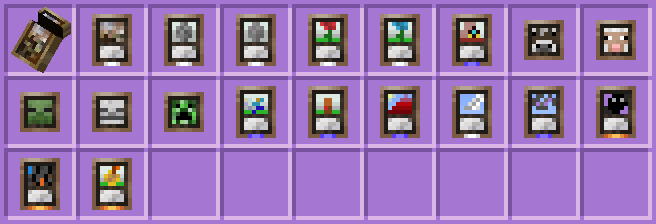
The Overworld set (25 cards) - Found from chest pools in the overworld
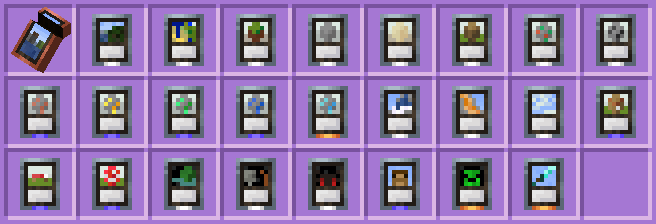
The Nether set (13 cards) - Found from chest pools in the nether
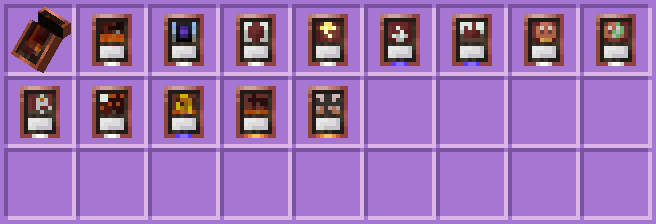
The End set (13 cards) - Found from chest pools in the end/stronghold
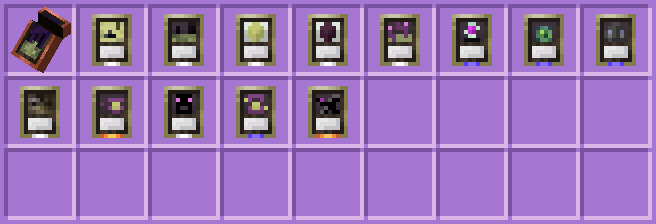
The Aquatic set (13 cards) - Found from fishing
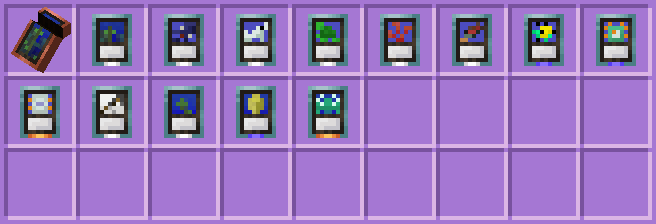
The Deep and Dark set (13 cards) - Found in underground chests (ancient city, mineshaft, etc.)
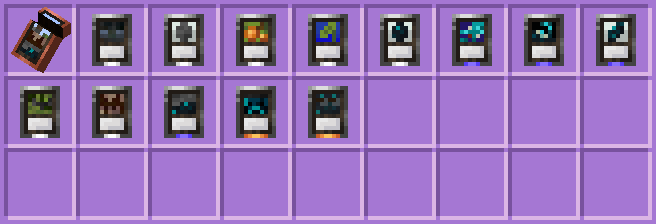
The Village and Pillage set (13 cards) - Found in villages and illager structures, and sold by the card collector villager.
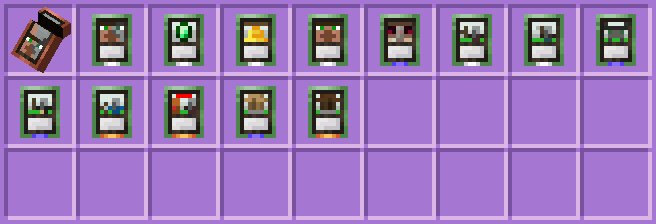
The Retro set (19 cards) - Found via archaeology, and rarely in most chests.
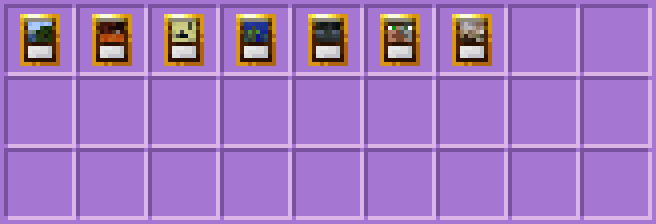
Golden cards - given as rewards for collecting a full set of cards.
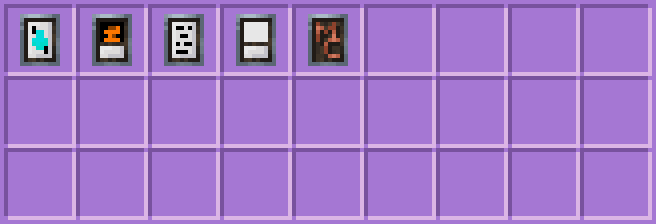
Other cards - a collection of random cards found from any card box.
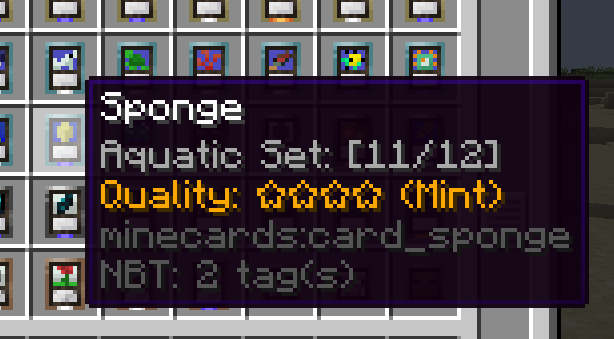
🢂 Cards can be found in varying condition qualities, and even exist in foil form!
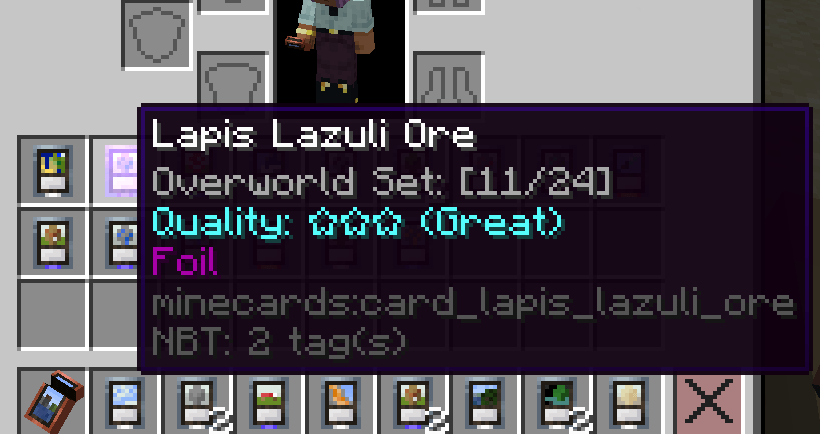
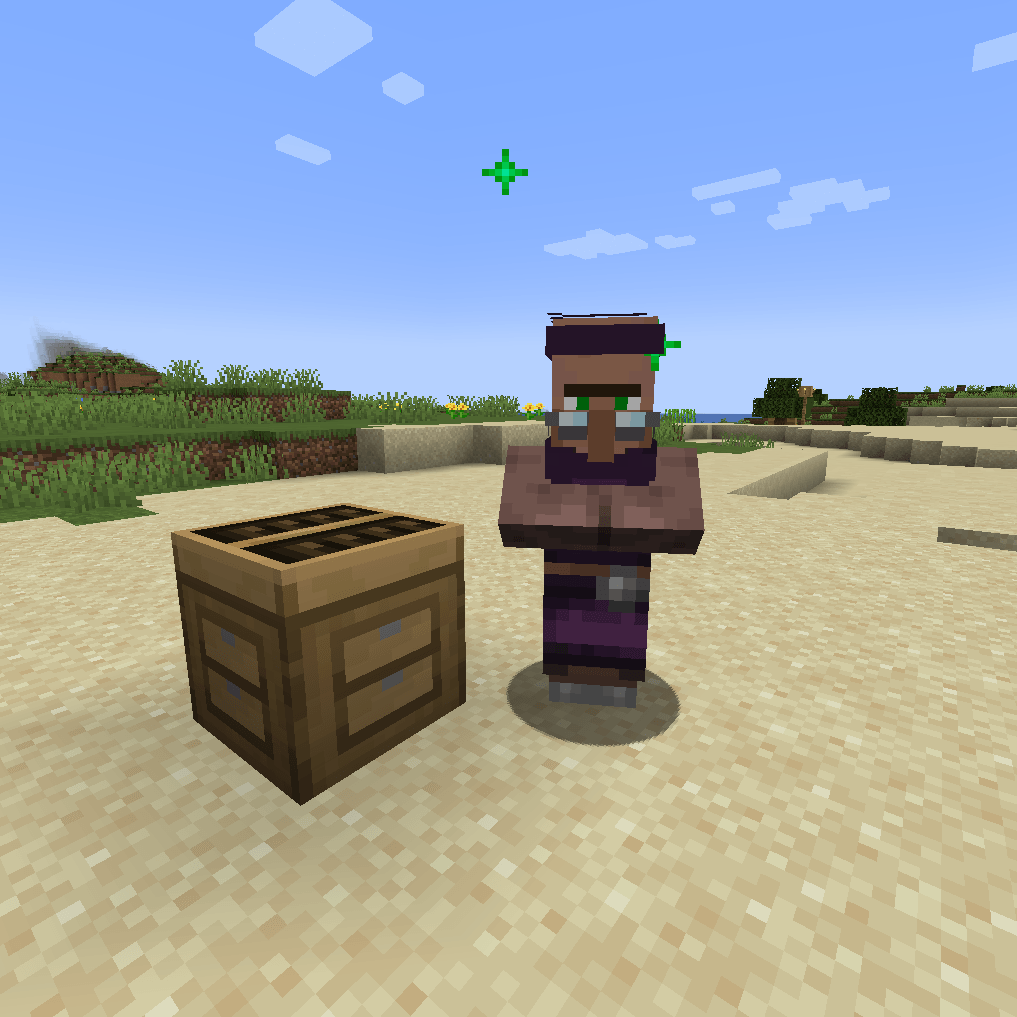
🢂 A new villager profession: the Card Collector! The Card Collector sells card packs. Its work station is the Card Collector's Bench.
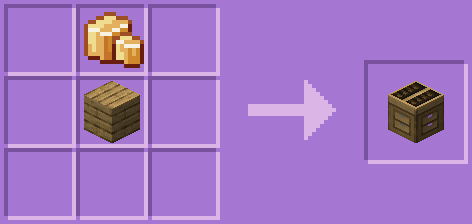
The Card Collector's Bench is crafted with one Deckite - an ore found in the overworld - and one plank.
The Card Collector's Bench can be placed and taken as a profession block by a villager:
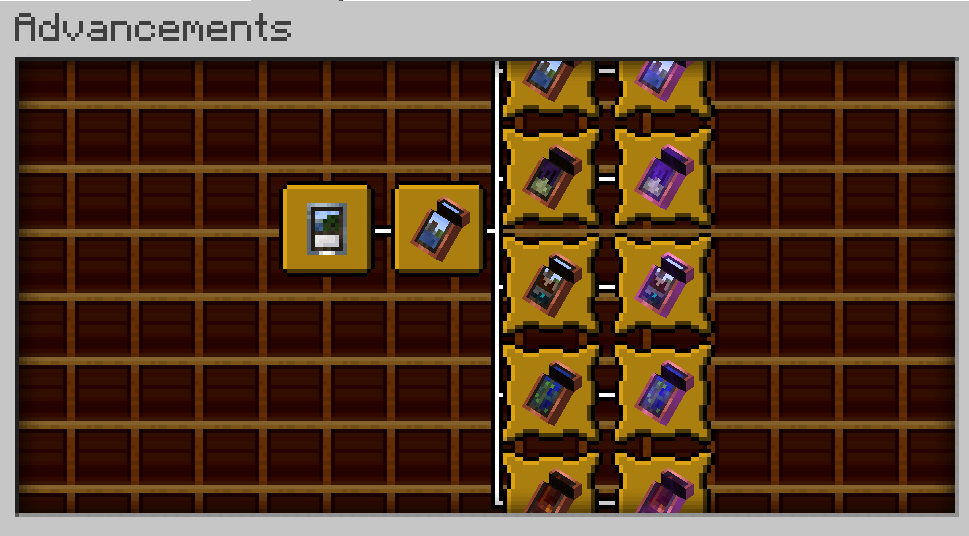
🢂 A few advancements to help you track your collection and grant rewards!
Gold cards are obtained by collecting every card in a set - in any quality or foil. Each one can only be obtained once per player. A foil gold card is available for collecting a full set in foil.
❓ Help, Bug Reporting and Info ❓
Ask for help and report bugs in the appropriate channels (help / report-bugs) in my Discord Server
The above description applies to the latest version of the mod. Some features may not be present or may be different in older versions.
See gallery for all images.
Project description from CurseForge.
Pick your setup
Minecards by Minecraft version and loader
Choose the version and loader you play, then open the matching release.
Check the dependencies, then try the file in a copied instance before changing a world you care about.
Recent files
Minecards versions and loaders
Minecards [Forge] MC1.20.1 v1.1.0
minecards-1.1.0_Forge_MC1.20.1.jar
18 Feb 2025
Client Source doesn’t say Server Source doesn’t say Dependencies No extras listed Listed on Release listing
Check the 1.20.1 · Forge setup 1.20.1Forge release
Minecards [Forge] MC1.20.1 v1.0.4
minecards-1.0.4_Forge_MC1.20.1-1.20.4.jar
2 Jun 2024
Client Source doesn’t say Server Source doesn’t say Dependencies No extras listed Listed on Release listing
Check the 1.20.1 · Forge setup 1.20.1Forge release
Minecards [Forge] MC1.20.1 v1.0.3
minecards-1.0.3_Forge_MC1.20.1-1.20.4.jar
26 May 2024
Client Source doesn’t say Server Source doesn’t say Dependencies No extras listed Listed on Release listing
Check the 1.20.1 · Forge setup 1.20.1Forge release
Minecards [Forge] MC1.20.1 v1.0.2
minecards-1.0.2_Forge_MC1.20.1-1.20.4.jar
19 Dec 2023
Client Source doesn’t say Server Source doesn’t say Dependencies No extras listed Listed on Release listing
Check the 1.20.1 · Forge setup 1.20.1Forge release
Minecards [Forge] MC1.20.1 v1.0.1
minecards-1.0.1_Forge_MC1.20.1.jar
9 Dec 2023
Client Source doesn’t say Server Source doesn’t say Dependencies No extras listed Listed on Release listing
Check the 1.20.1 · Forge setup 1.20.1Forge release
Minecards [Forge] MC1.20.1 v1.0.0
minecards-1.0.0_Forge_MC1.20.1.jar
3 Dec 2023
Client Source doesn’t say Server Source doesn’t say Dependencies No extras listed Listed on Release listing
Check the 1.20.1 · Forge setup 1.20.1Forge release
Looking for an older file? The official CurseForge project page is in Resources.
 mod
CurseForge · Minecraft
EpicFight-SovereignFall
Battle five multi-phase citadel bosses featuring dynamic Epic Fight combos, unique arenas, and signature relic weapons.
 mod
CurseForge · Minecraft
ZoneLevelUp
RPG progression with levels, races, classes, talents and quests for Minecraft 1.20.1 / Forge.
 mod
CurseForge · Minecraft
ZoneNPC
Create animated medieval NPCs with custom appearances, quests, shops and dialogues.