WTHIT Forge Edition Optional for Botania Editor BotaniaEditor-1.20.1-1.0.9
optionalMatching file found Matched file: [Forge, NeoForge 1.20.1] 8.21.1

CurseForge · Minecraft mod
A botania addon that allows to configure the mod
Quick answer
Botania Editor BotaniaEditor-1.20.1-1.0.9 targets 1.20.1 with NeoForge, Forge. The project page does not say whether it belongs on the client. The project page does not say whether it belongs on the dedicated server. All 3 required mods have matching files.
Where it goes
The project page does not say whether it belongs on the client. The project page does not say whether it belongs on the dedicated server.
The source does not explicitly classify this release as client-only or server-only.
BotaniaEditor-1.20.1-1.0.9. Change the file and its required mods may change too.
Install Botania, Curios API, Patchouli first. We found matching files for this game-version and loader setup. 6 come through another mod in the chain.
6 extra mods were pulled in by other dependencies. Indented rows show who needs each one. We only count dependency files that match this setup. A file for another loader does not fill the gap.
Before you install it
Built for Botania Editor BotaniaEditor-1.20.1-1.0.9. Pick another file and the loader, install side or required mods may change.
Use BotaniaEditor-1.20.1-1.0.9. It targets 1.20.1 with NeoForge, Forge; another release may have different loader, side or dependency requirements.
Install Botania, Curios API, Patchouli first. We found matching files for this game-version and loader setup. 6 come through another mod in the chain.
The project page does not say whether it belongs on the client. The project page does not say whether it belongs on the dedicated server.
Use the “Get this file” button beside BotaniaEditor-1.20.1-1.0.9. It opens that exact file at the source.
About this project
A botania addon that changes how some of Botania's features work to allow customization.
The mod's aim is to make it easy for modpack makers to tweak values, like how much mana a flower produces or consumes, to allow a much higher degree of freedom.
It also comes with a (configurable) jade and WTHIT addon, that shows some useful info in the tooltip.
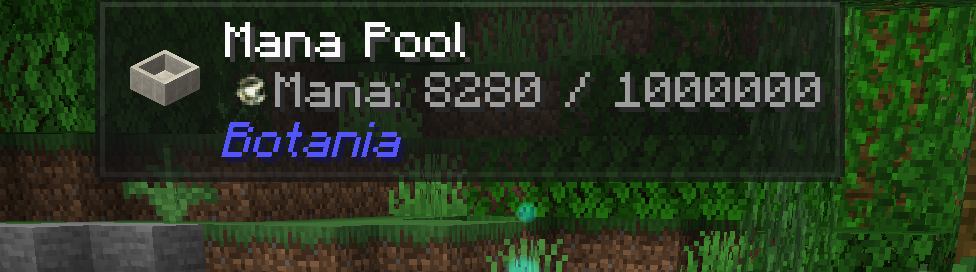
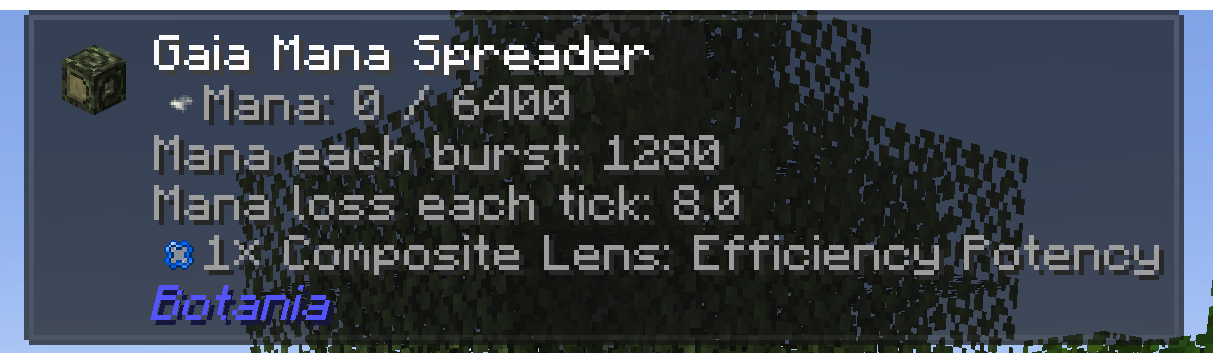
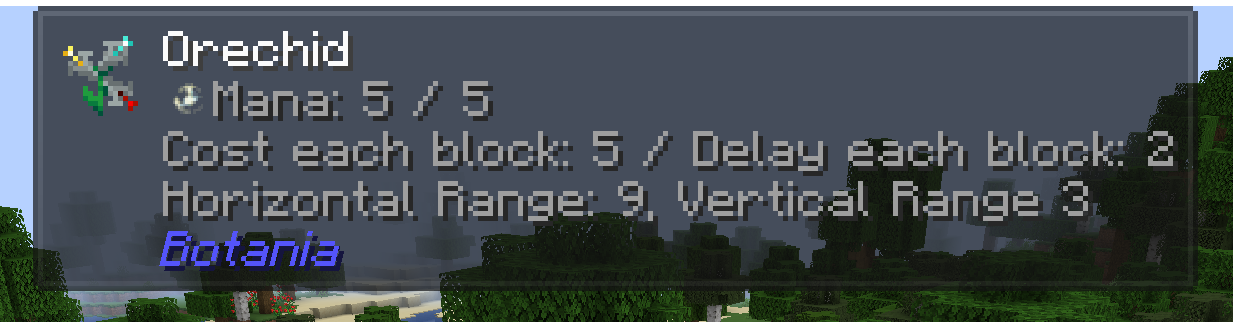
The config files are structured like this:
botania_editor-client.toml, found in the .minecraft folder, for the jade / wthit addon
various config files for specific features, found in the world folder under serverconfigs/botania_editor
For bugs or suggestion feel free to use github issues
(Credits to the Botania creator for all assets, including the logo which has been used as reference to make this mod's logo)
Project description from CurseForge.
Pick your setup
Choose the version and loader you play, then open the matching release.
Check the dependencies, then try the file in a copied instance before changing a world you care about.
Recent files
BotaniaEditor-1.20.1-1.0.9.jar
2 Oct 2024
BotaniaEditor-1.19.2-1.0.9.jar
2 Oct 2024
BotaniaEditor-1.19.2-1.0.8.1.jar
22 Sept 2024
BotaniaEditor-1.20.1-1.0.8.1.jar
18 Sept 2024
BotaniaEditor-1.20.1-1.0.8.jar
6 Aug 2024
BotaniaEditor-1.19.2-1.0.8.jar
6 Aug 2024
BotaniaEditor-1.20.1-1.0.7.1.jar
10 Jul 2024
BotaniaEditor-1.19.2-1.0.7.1.jar
10 Jul 2024
BotaniaEditor-1.20.1-1.0.7.jar
10 Jul 2024
BotaniaEditor-1.19.2-1.0.7.jar
10 Jul 2024
BotaniaEditor-1.20.1-1.0.0.jar
22 May 2024
BotaniaEditor-1.19.2-1.0.6.jar
22 May 2024
Looking for an older file? The official CurseForge project page is in Resources.
 mod
modAn addon for TerraFirmaCraft featuring new road and roof blocks.
 mod
modA specialized Origins addon for fans of Greek Mythology and Percy Jackson. Forge your destiny as a true demigod with unique powers inspired by the gods of Olympus.
 mod
modA story of reconciliation, told through a magitech mod about exploration and factory-building.