Minecraft version
Back to mods 
Modrinth · Minecraft mod
Combat Logger
Combat log Mod. Players get punished for logging out while in combat.
Choose a version Pick your version below, then grab the matching file.
Quick answer
Which Combat Logger release should I use?
Latest stable file 1.0.0
Game version 26.3
Loader Fabric
Combat Logger 1.0.0 targets 26.3 with Fabric. Do not install it on the client. It must be installed on the dedicated server. No extra mods listed for this file.
Where it goes
Is Combat Logger required on the client, server, or both?
Do not install it on the client. It must be installed on the dedicated server.
Client Not supported
Dedicated server Required
Loader for this release Fabric
Required install it here Optional supported, not mandatory Not supported do not install here Source doesn’t say do not assume
This file is marked server-only.
What else does Combat Logger 1.0.0 need?
1.0.0. Change the file and its required mods may change too.
This file does not list any required mods. Do not add a library just because a different file uses it.
This file does not list any required or optional mods.
Before you install it
Add Combat Logger without breaking your instance.
Built for Combat Logger 1.0.0. Pick another file and the loader, install side or required mods may change.
- 01
Stick to this file
Use 1.0.0. It targets 26.3 with Fabric; another release may have different loader, side or dependency requirements.
- 02
Bring the mods it needs
This file does not list any required mods. Do not add a library just because a different file uses it.
- 03
Put it on the correct side
Do not install it on the client. It must be installed on the dedicated server.
- 04
Pick the file you checked
Use the “Get this file” button beside 1.0.0. It opens that exact file at the source.
About this project
What does Combat Logger add?
Combat Log
Combat Log is a lightweight Fabric mod that adds configurable combat protection to your server. When a player is damaged, they are marked as being in combat for a set duration. During that time, selected commands can be blocked, and players who disconnect while still in combat can be punished according to your server settings.
🔧 How it works
Players enter combat after taking damage, and the combat state lasts for a configurable amount of time. While in combat, blocked commands are prevented, and players who leave the game during that window can be punished automatically based on your configuration.
✨ Features
/combatlog time <seconds>
– sets the combat duration
/combatlog status
– shows the current combat settings
/combatlog reload
– reloads the config from disk
/combatlog blockcommands on/off
– enables or disables command blocking during combat
/combatlog blockcommands list
– shows all blocked commands
/combatlog blockcommands add <command>
– adds a command to the blocked list
/combatlog blockcommands remove <command>
– removes a blocked command
/combatlog logoutpunish on/off
– enables or disables punishment on logout
/combatlog logoutpunish list
– shows all configured punishment commands
/combatlog logoutpunish add <command>
– adds a punishment command
/combatlog logoutpunish remove <command>
– removes a punishment command
/combatlog logoutpunish ifattacker on/off
– only punish if the player was the attacker
/combatlog markboth on/off
– mark both players as being in combat
⚙ Configurable
Combat duration
Command blocking during combat
Blocked command list
Logout punishment behavior
Punishment command list
Whether both players are marked in combat
Perfect for PvP servers, survival servers, and any community that wants stronger combat rules and better anti-abuse protection.
In Combat
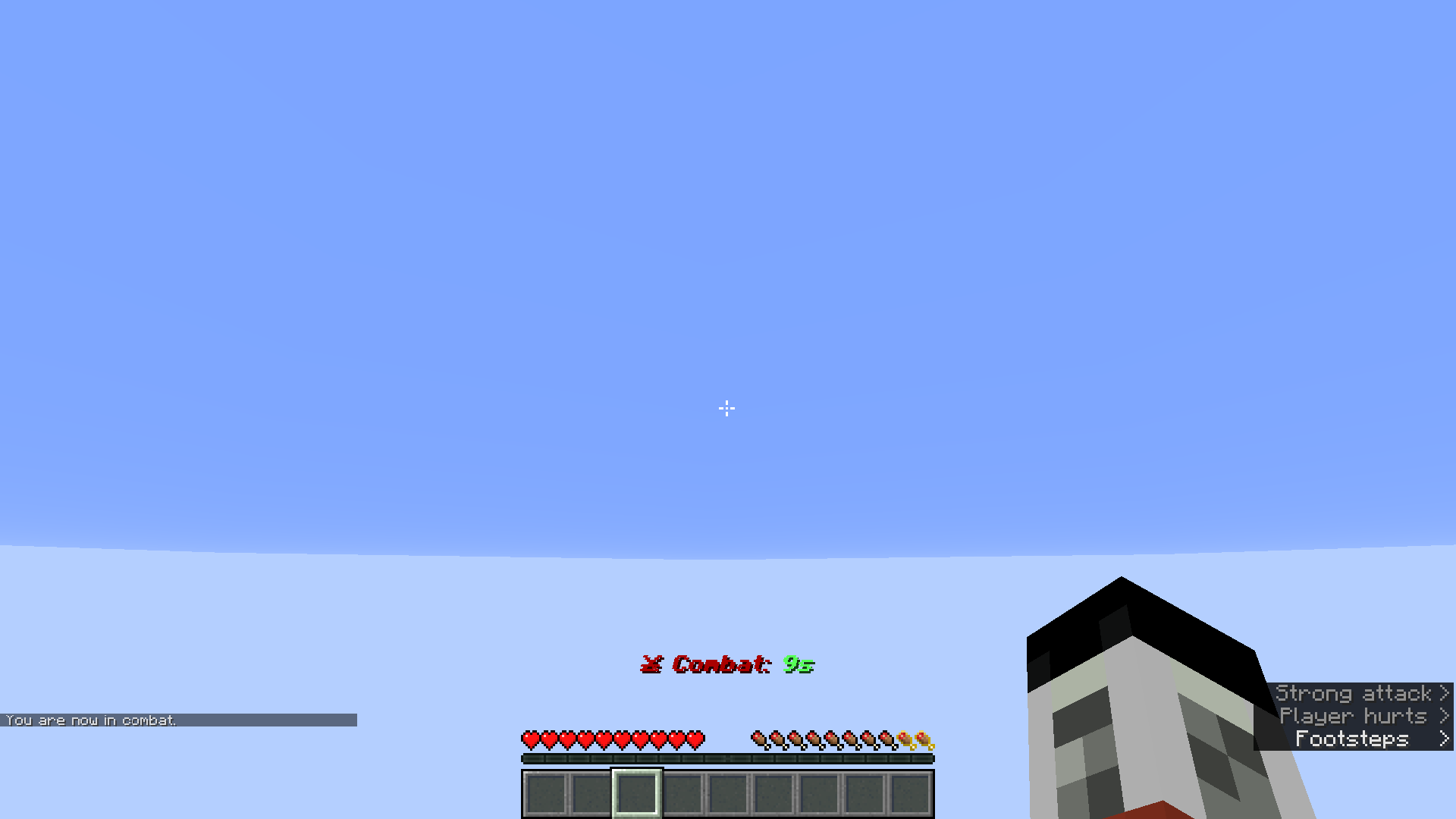
Punishment Message after logging in again

Punished Person after logging in.

Project description from Modrinth.
Pick your setup
Combat Logger by Minecraft version and loader
Choose the version and loader you play, then open the matching release.
Minecraft version
26.1.2
1 loader buildCheck the dependencies, then try the file in a copied instance before changing a world you care about.
Recent files
Combat Logger versions and loaders
1.0.0
combat-log-1.0.0.jar
31 Oct 2026
Client Not supported Server Required Dependencies No extras listed Listed on Release listing
Check the 26.3 · Fabric setup 26.3Fabric release
1.0.0
combat-log-1.0.0.jar
23 Jul 2026
Client Not supported Server Required Dependencies No extras listed Listed on Release listing
Check the 26.1.2 · Fabric setup 26.1.2Fabric release
Looking for an older file? The official Modrinth project page is in Resources.
 mod
CurseForge + Modrinth · Minecraft
Simple Tracking Compass
Simple Tracking Compass is a Minecraft mod that adds a Compass to the top-left corner of your screen which lets you track other players.
 mod
CurseForge + Modrinth · Minecraft
Animus
Putting more Magic in your Blood Magic.
 mod
CurseForge + Modrinth · Minecraft
Neo Vitae
Spill blood for power. Altars that consume life, sigils that bend the world, custom demons in an endless dungeon, sentient armor that drinks souls, a shield that pays your damage in essentia. Datapack-driven from the ground up.