Minecraft version
Back to mods 
CurseForge · Minecraft mod
PVP Flagging
Enables players to flag or unflag themselves for PVP. Admins can create PVP zones.
Choose a version Pick your version below, then grab the matching file.
Quick answer
Which PVP Flagging release should I use?
Latest stable file pvp_flagging-26.1.2-1.1.2.jar
Game version 26.1.2
Loader NeoForge
PVP Flagging pvp_flagging-26.1.2-1.1.2.jar targets 26.1.2 with NeoForge. The project page does not say whether it belongs on the client. The project page does not say whether it belongs on the dedicated server. No extra mods listed for this file.
Where it goes
Is PVP Flagging required on the client, server, or both?
The project page does not say whether it belongs on the client. The project page does not say whether it belongs on the dedicated server.
Client Source doesn’t say
Dedicated server Source doesn’t say
Loader for this release NeoForge
Required install it here Optional supported, not mandatory Not supported do not install here Source doesn’t say do not assume
The source does not explicitly classify this release as client-only or server-only.
What else does PVP Flagging pvp_flagging-26.1.2-1.1.2.jar need?
pvp_flagging-26.1.2-1.1.2.jar. Change the file and its required mods may change too.
This file does not list any required mods. Do not add a library just because a different file uses it.
This file does not list any required or optional mods.
Before you install it
Add PVP Flagging without breaking your instance.
Built for PVP Flagging pvp_flagging-26.1.2-1.1.2.jar. Pick another file and the loader, install side or required mods may change.
- 01
Stick to this file
Use pvp_flagging-26.1.2-1.1.2.jar. It targets 26.1.2 with NeoForge; another release may have different loader, side or dependency requirements.
- 02
Bring the mods it needs
This file does not list any required mods. Do not add a library just because a different file uses it.
- 03
Put it on the correct side
The project page does not say whether it belongs on the client. The project page does not say whether it belongs on the dedicated server.
- 04
Pick the file you checked
Use the “Get this file” button beside pvp_flagging-26.1.2-1.1.2.jar. It opens that exact file at the source.
About this project
What does PVP Flagging add?

Core Features
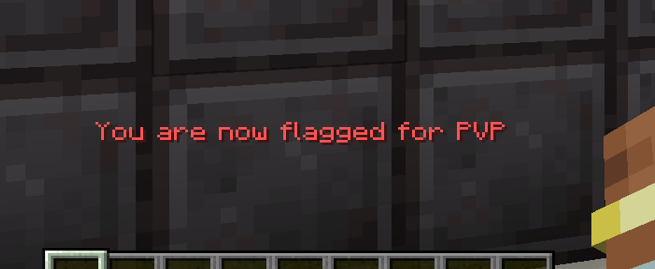
- Players can flag or unflag themselves to opt into PVP
- Both players must be flagged for PVP to occur
- Admins can create areas for PVP that will flag players when they enter the area (warning as you get close).
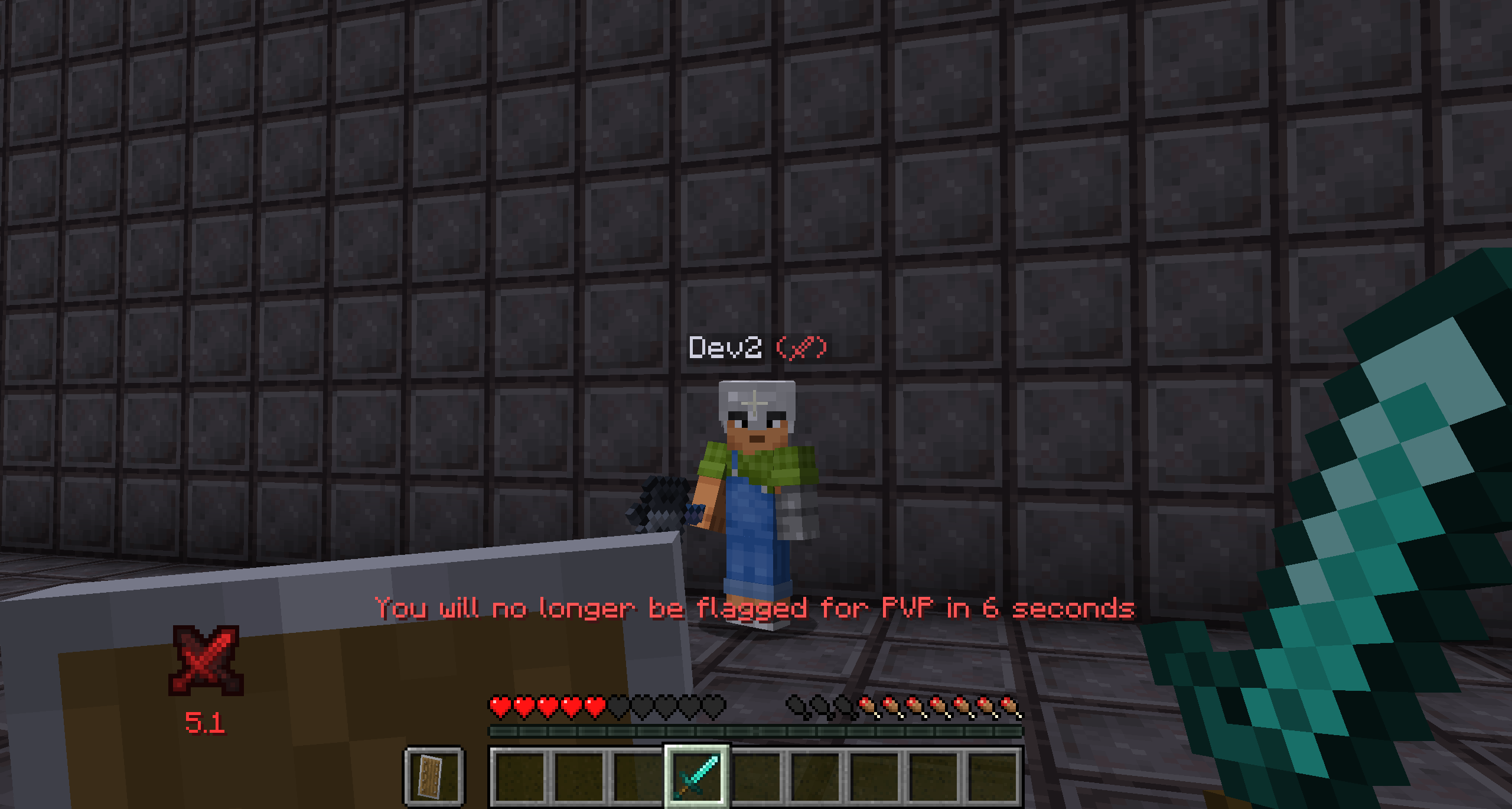
- Nametag overlay for visible PVP indicator
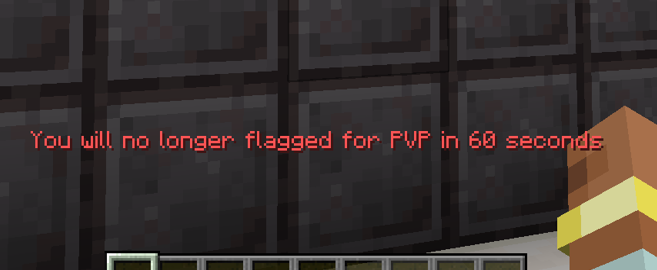
- Unflagging yourself is not instant. Will be unflagged in 15 seconds. This is configurable
- When waiting to be unflagged if you deliver or take player damage your unflag request will be cancelled.
- Logging out auto cancels your unflag request
- Honors Minecraft teams settings
Commands
- /pvpFlag to toggle, or /pvpFlag [on | off | status] sets your pvp state
- /pvpZone [add | remove | list] allow admins to define PVP zones and the size of the warning area around them.
Setup
- Set pvp=true in Minecraft's server.properties and pvp flagging will do the rest (this is the default)
- For single player open to lan worlds no setup is required
Config
- player_login_state = PRESERVE| FLAG | UNFLAG
- player_respawn_state = PRESERVE | FLAG | UNFLAG
- unflag_wait_time_ticks = 300
- pvp_zone_bounds_check_ticks = 20
Client Config
- hud_indicator_anchor = "BottomLeft"
- hud_indicator_x_offset = 0
- hud_indicator_y_offset = 0
- hud_indicator_enabled = true

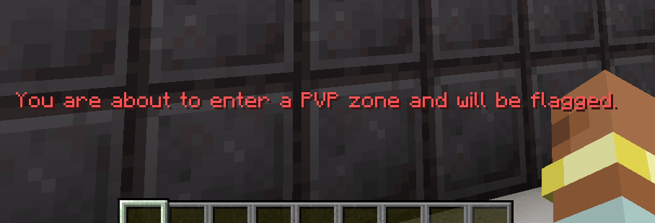


Project description from CurseForge.
Pick your setup
PVP Flagging by Minecraft version and loader
Choose the version and loader you play, then open the matching release.
Minecraft version
1.21.1
1 loader buildMinecraft version
1.21
1 loader buildMinecraft version
1.20.1
2 loader buildsCheck the dependencies, then try the file in a copied instance before changing a world you care about.
Recent files
PVP Flagging versions and loaders
pvp_flagging-26.1.2-1.1.2.jar
13 Jun 2026
Client Source doesn’t say Server Source doesn’t say Dependencies No extras listed Listed on Release listing
Check the 26.1.2 · NeoForge setup NeoForge26.1.2 release
pvp_flagging-1.21-1.1.2.jar
2 Nov 2025
Client Source doesn’t say Server Source doesn’t say Dependencies No extras listed Listed on Release listing
Check the 1.21.1 · NeoForge setup NeoForge1.21.1 release
pvp_flagging-1.20.1-1.1.2.jar
2 Nov 2025
Client Source doesn’t say Server Source doesn’t say Dependencies No extras listed Listed on Release listing
Check the 1.20.1 · Forge setup 1.20.1Forge release
pvp_flagging-1.21-1.1.1.jar
19 Sept 2025
Client Source doesn’t say Server Source doesn’t say Dependencies No extras listed Listed on Release listing
Check the 1.21.1 · NeoForge setup 1.21NeoForge1.21.1 release
pvp_flagging-1.20.1-1.1.0.jar
21 Oct 2024
Client Source doesn’t say Server Source doesn’t say Dependencies No extras listed Listed on Release listing
Check the 1.20.1 · NeoForge setup NeoForge1.20.1Forge release
pvp_flagging-1.21-1.1.0.jar
5 Oct 2024
Client Source doesn’t say Server Source doesn’t say Dependencies No extras listed Listed on Release listing
Check the 1.21.1 · NeoForge setup 1.21NeoForge1.21.1 release
pvp_flagging-1.20.1-1.0.0.jar
28 Jan 2024
Client Source doesn’t say Server Source doesn’t say Dependencies No extras listed Listed on Release listing
Check the 1.20.1 · NeoForge setup NeoForge1.20.1Forge release
Looking for an older file? The official CurseForge project page is in Resources.
 mod
mod CurseForge · Minecraft
Berry Immunity
Just a small mod that adds a command to make a player immune to berry bushes, just like foxes.
 mod
mod CurseForge · Minecraft
Simple Survival Utilities
A simple vanilla-style mod featuring Woodcutter, Ore Excavation, Auto Tool Swap, Chest Sorting, and Auto Eat.
 mod
mod CurseForge · Minecraft
WI Freecam
Allows you to move the camera without moving your character. As seen in Wurst.