Architectury API Needed by HexVR-1.5.2 [FABRIC 1.19.2]
requiredMatching file found Matched file: [Fabric 1.19.2] v6.6.92

CurseForge · Minecraft mod
Makes Hex casting in VR more intuitive
Quick answer
HexVR-1.5.2 [FABRIC 1.19.2] targets 1.19.2 with Fabric, Quilt. The project page does not say whether this file belongs on the client, dedicated server, or both. All 9 required mods have matching files.
Where it goes
The project page does not say whether this file belongs on the client, dedicated server, or both.
The source does not explicitly classify this release as client-only or server-only.
HexVR-1.5.2 [FABRIC 1.19.2] on 1.19.2 Fabric. Every mod below is checked against that same setup.
Install Architectury API, Hex Casting, Vivecraft, Fabric API and 5 more first. We found matching files for this game-version and loader setup. 6 come through another mod in the chain.
6 extra mods were pulled in by other dependencies. Indented rows show who needs each one. We only count dependency files that match this setup. A file for another loader does not fill the gap.
Before you install it
Built for HexVR-1.5.2 [FABRIC 1.19.2] on 1.19.2 Fabric. Pick another file and the loader, install side or required mods may change.
Use HexVR-1.5.2 [FABRIC 1.19.2]. It targets 1.19.2 with Fabric, Quilt; another release may have different loader, side or dependency requirements.
Install Architectury API, Hex Casting, Vivecraft, Fabric API and 5 more first. We found matching files for this game-version and loader setup. 6 come through another mod in the chain.
The project page does not say whether this file belongs on the client, dedicated server, or both.
Use the “Get this file” button beside HexVR-1.5.2 [FABRIC 1.19.2]. It opens that exact file at the source.
About this project
HexVR is a client-side addon to Hexcasting to make it better to use with Vivecraft which is a VR mod for Minecraft.
Project description from CurseForge.
Pick your setup
Choose the version and loader you play, then open the matching release.
Check the dependencies, then try the file in a copied instance before changing a world you care about.
Recent files
HexVR-1.5.2 [FABRIC 1.19.2].jar
14 Jun 2025
HexVR-1.5.1 [FABRIC 1.19.2].jar
11 Nov 2024
HexVR 1.5.0 [FABRIC].jar
17 Jul 2024
HexVR-1.4.0 [FABRIC].jar
12 Apr 2024
HexVR-1.3.0.jar
1 Mar 2024
HexVR-1.2.1.jar
28 Feb 2024
HexVR-1.2.0.jar
21 Feb 2024
HexVR-1.1.0.jar
19 Feb 2024
HexVR-1.0.0.jar
15 Feb 2024
Looking for an older file? The official CurseForge project page is in Resources.
 mod
Eliminates attack cooldown for rapid attacks
 mod
Breed faster Happy Ghasts, boost flight speed with Speed Potions or Snowballs, and inspect mount stats with a Book and Quill.
 mod
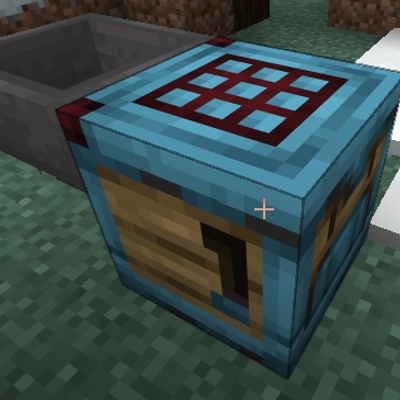
Smart Crafter is a lightweight, vanilla-friendly automation mod that upgrades the vanilla Crafter into a true set-and-forget auto-crafter—no redstone clocks required, and no more accidentally emptying your crafting template!