Fabric API Needed by Lockout Bingo lockoutbingo-fabric-3.1.jar
requiredMatching file found Matched file: [26.2] Fabric API 0.161.0+26.2
CurseForge · Minecraft mod
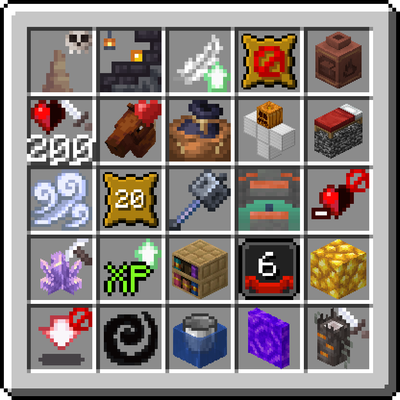
A bingo-based game for Minecraft
Quick answer
Lockout Bingo lockoutbingo-fabric-3.1.jar targets 26.2 with Fabric. The project page does not say whether this file belongs on the client, dedicated server, or both. All 1 required mods have matching files.
Where it goes
The project page does not say whether this file belongs on the client, dedicated server, or both.
The source does not explicitly classify this release as client-only or server-only.
lockoutbingo-fabric-3.1.jar. Change the file and its required mods may change too.
Install Fabric API first. We found matching files for this game-version and loader setup.
We only count dependency files that match this setup. A file for another loader does not fill the gap.
Before you install it
Built for Lockout Bingo lockoutbingo-fabric-3.1.jar. Pick another file and the loader, install side or required mods may change.
Use lockoutbingo-fabric-3.1.jar. It targets 26.2 with Fabric; another release may have different loader, side or dependency requirements.
Install Fabric API first. We found matching files for this game-version and loader setup.
The project page does not say whether this file belongs on the client, dedicated server, or both.
Use the “Get this file” button beside lockoutbingo-fabric-3.1.jar. It opens that exact file at the source.
About this project
Lockout: 2 teams race to finish 13 out of 25 goals. Once a goal is completed, the other team cannot complete the same goal.
Blackout: Everyone works together to complete all 25 goals. This gamemode excludes any opponent-based goals.
Blackout Versus: 2 teams race to finish all 25 goals. Both teams can complete the same goal, it's first to 25 to win.
Goal Rush: Start a game initially with 25 goals, but upon completion of a goal, another goal will take its place. Race against a timer or be the first to reach a certain score to end the game. This gamemode can be played individually, cooperatively, or competitively.
More game modes in upcoming updates!
For goals to be selected on the board, they must go through three phases. There are two exceptions however. The first exception is the Goal Rush gamemode, where goals only go through the first phase and ignore the rest of the phases. The second exception is if the setting enable_goal_filter is disabled, only the first phase happens.
Phase 1: Difficulty Selection. Based on the setting goal_difficulty_filter, the difficulty selection can be set to Easy, Normal, Hard, or Random. This setting determines which goals are most likely to be selected. The selection occurs by mapping each goal's difficulty (ranging from 0 to 25) to a weight using a normal distribution curve. At Easy, goals with difficulties between 0 and 9 are most likely to be selected; at Normal, goals with difficulties between 2 and 17 are most likely to be selected; at Hard, goals with difficulties between 12 and 25 are most likely to be selected; and at Random, all goals have an equal chance of being selected.
Phase 2: Goal Limits. As the 25 goals are being selected, there are certain limits that determines whether the goal is selected or not. Every goal falls under a goal category (Obtain, Wear Armor, Locate Biome, Kill Mod, etc.), and each category has a maximum number that can every appear on the board. If this maximum limit for a goal's category has been reach, the goal cannot be selected. The same applies for goals that require the Nether, the End, and other goals such as Obtain X Unique Items or Collect All Goals.
Phase 3: Goal Tags. Some goals require you to find a biome or a structure. Other goals require certain items or mobs from specific biomes. These goals will have certain Goal Tags attached to them, such as Locate Deep Dark, Locate Rabbit Spawning Biome, Locate Trail Ruins, etc. In order to select goals that are playable, they are only selected if their biome or structure is within a certain radius of blocks from 0, 0. The distance filtering depends on two settings: filter_distance and filter_distance_type. filter_distance determines the radius that the filter will check for biomes and structures and filter_distance_type determines how the filter will calculate that distance. filter_distance_type has two options: circular and square. circular uses Euclidean distance to check for valid locations and square uses Chebyshev distance to check for valid locations (essentially a square around 0, 0). For example, with a setting radius of 1000 set to a square distance type, the "Locate Ocean Monument" goal will only be on the board if an ocean monument is within -1000, -1000 to 1000, 1000.
If a goal passes all three phases, it is added to the goal board.
/lockoututil to access general commands./lockoututil reloadcache: searches the seed and saves the location of biomes and structures. This reduces the loading time at the start of a game.
/lockoututil goal award <id> <player>: awards a goal completion to the specified player (an id of 0 being the first goal and 24 being the last goal, left-to-right and top-down).
/lockoututil goal revoke <id>: revokes the specified goal from whoever completed it.
/lockoututil score add <team> <count>: adds points to the specified team (where 1 represents team 1 and 2 represents team 2). If count is not specified, 1 point is added to the specified team’s score.
/lockoututil score subtract <team> <count>: subtracts points from the specified team. If count is not specified, 1 point is subtracted from the specified team’s score.
/stopfreeze: stops the initial start countdown and unfreezes every player, starting the game immediately.
/blackout to access Blackout commands./blackout solo: starts a solo game of Blackout.
/blackout coop <team>: starts a cooperative team game of Blackout.
/blackout versus <player1> <player2>: starts a player vs. player game of Blackout.
/blackout teams <team1> <team2>: starts a team vs. team game of Blackout.
/goalrush to access Goal Rush commands./goalrush solo: starts a solo game of Goal Rush.
/goalrush coop <team>: starts a cooperative team game of Goal Rush.
/goalrush versus <player1> <player2>: starts a player vs. player game of Goal Rush.
/goalrush teams <team1> <team2>: starts a team vs. team game of Goal Rush.
/goalrush win_condition score <points>: view/change the Goal Rush win condition to a score with a set score.
/goalrush win_condition timer <seconds>: view/change the Goal Rush win condition to a timer with a set time limit.
/lockout to access Lockout commands./lockout versus <player1> <player2>: starts a player vs. player game of Lockout.
/lockout teams <team1> <team2>: starts a team vs. team game of Lockout.
/lockoutrule to change certain game rules./lockoutrule enable_goal_filter <T/F>: controls whether or not to filter goals based on goal limits, distance, and other filters. By default, set to true.
/lockoutrule filter_distance <range>: sets how far in blocks from (0, 0) to check for biomes and structures. By default, set to 1000.
/lockoutrule filter_distance_type <type>: sets how to calculate the distance (circular or square). Circular checks for biomes and structures within a circle with a radius of filter_distance centered at (0, 0). Square checks for biomes and structures within a square with a half-length and half-width of filter_distance centered at (0, 0). By default, set to square.
/lockoutrule freeze_time <seconds>: sets how long the start countdown should be at the beginning of a game where players are frozen, in seconds. By default, set to 30.
/lockoutrule goal_difficulty_filter <difficulty>: controls what kinds of goals are preferred (easy, normal, hard, or random). By default, set to normal.
/lockoutrule limit_debugging_info <T/F>: toggles how much information is shown on the server console about what is going on behind the scenes. By default, set to true.
/lockoutrule reset_inventory <T/F>: controls whether or not to reset every player's inventory before the start of each game. By default, set to true.
Need a server? Get 25% off your server using this link:

1.0 - Released May 31, 2024 (Lockout)
2.0 - Released May 12, 2025 (Blackout)
2.1 - Released October 12, 2025 (Blackout Versus)
3.0 - Released May 22, 2026 (Goal Rush)
3.1 - Released June 24, 2026 (Bonus Goals & Goal Tooltips)
Project description from CurseForge.
Pick your setup
Choose the version and loader you play, then open the matching release.
Check the dependencies, then try the file in a copied instance before changing a world you care about.
Recent files
26 Jun 2026
24 Jun 2026
12 Jun 2026
lockoutbingo-3.0.1.jar
8 Jun 2026
22 May 2026
19 Oct 2025
13 Oct 2025
12 May 2025
31 May 2024
Looking for an older file? The official CurseForge project page is in Resources.
 mod
Battlegrounds-style combo PvP: 4-hit M1 strings, uppercuts, air combos, blocks, perfect blocks, dashes and evasives, with made motions.
 mod
Dynamic, performance-friendly realistic trees: tall and tapered, chopped notch by notch, felled like the real thing. Resource pack ready.
 mod
Create visible, operator-controlled barriers that lock and protect restricted SMP areas until they are ready to open.