Mod Menu Needed by Auto Reauth auto-reauth-0.4.1-26.3.jar
requiredMatching file found Matched file: v21.0.0 for 26.3

CurseForge · Minecraft mod
Automatically re-authenticates your session when it expires, so you don't need to restart your game.
Quick answer
Auto Reauth auto-reauth-0.4.1-26.3.jar targets 26.3 with Fabric. The project page does not say whether this file belongs on the client, dedicated server, or both. 1 required mod needs a matching file.
Where it goes
The project page does not say whether this file belongs on the client, dedicated server, or both.
The source does not explicitly classify this release as client-only or server-only.
auto-reauth-0.4.1-26.3.jar. Change the file and its required mods may change too.
Install Mod Menu, Fabric API, Text Placeholder API first, but 1 required mod has no matching file for this setup. Do not mix loader builds to force a match. 1 comes through another mod in the chain.
1 extra mod was pulled in by another dependency. Indented rows show who needs each one. We only count dependency files that match this setup. A file for another loader does not fill the gap.
Before you install it
Built for Auto Reauth auto-reauth-0.4.1-26.3.jar. Pick another file and the loader, install side or required mods may change.
Use auto-reauth-0.4.1-26.3.jar. It targets 26.3 with Fabric; another release may have different loader, side or dependency requirements.
Install Mod Menu, Fabric API, Text Placeholder API first, but 1 required mod has no matching file for this setup. Do not mix loader builds to force a match. 1 comes through another mod in the chain.
The project page does not say whether this file belongs on the client, dedicated server, or both.
Use the “Get this file” button beside auto-reauth-0.4.1-26.3.jar. It opens that exact file at the source.
About this project


Requires: Fabric API and Mod Menu.
This is a mod that automatically re-authenticates your session when it expires. Without this mod, you need to restart your game every time your session expires (about every day).
After installing, you will need to sign in through auto reauth, so it can store your authentication tokens. To do this, open the mod config screen either through Mod Menu or by clicking the account status line on the multiplayer or realms screens. Here you can click "Login" to be redirected to the Microsoft login page, after signing in (if everything goes well) you will be redirected to a page that says "You can close this tab now", at this point your authentication tokens are stored, and you can close the tab. Now, anytime you open the multiplayer menu, auto reauth will check your session status, and re-authenticate if necessary. The tokens may expire after some time (like 90 days) so if you start having issues with the mod, try logging in.
Do note that using this mod will store your authentication tokens in your home folder (~/.auto-reauth/config.nbt). So just be careful about that.
Project description from CurseForge.
Pick your setup
Choose the version and loader you play, then open the matching release.
Showing the newest 12 of 19 game versions. Older files are in the list below.
Check the dependencies, then try the file in a copied instance before changing a world you care about.
Recent files
19 Oct 2026
25 Jun 2026
3 Jun 2026
3 Jun 2026
2 May 2026
28 Dec 2025
27 Dec 2025
27 Dec 2025
24 Oct 2025
20 Jul 2025
1 Jul 2025
25 Jun 2025
Looking for an older file? The official CurseForge project page is in Resources.
 mod
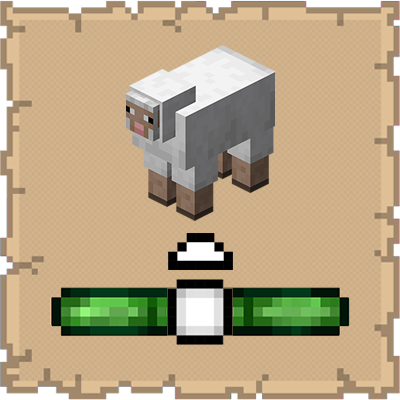
This mod ports the locator bar mechanic to the mobs.
 mod
Applied Kinetics's integration with Create
 mod
Cute Minions that farm, fish, chop trees and guard for you. They run on emeralds, carry the harvest to a chest, chatter in their own gibberish and nap at night. Plus a jetpack for you to fly!