Minecraft version
Back to mods 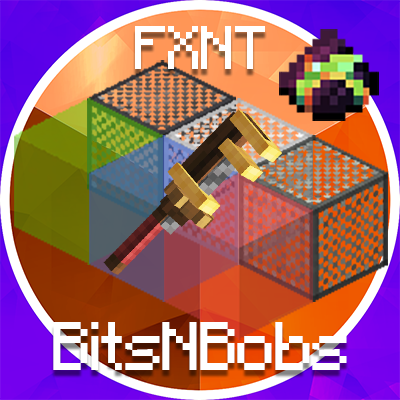
CurseForge · Minecraft mod
FXNT BitsNBobs
A few new blocks and some extra recipes for my favorite mod packs
Choose a version Pick your version below, then grab the matching file.
Quick answer
Which FXNT BitsNBobs release matches Fabric?
Best match for your filters BitsNBobs [FABRIC] 0.15 - 1.20.1
Game version 1.20.1
Loader Fabric
FXNT BitsNBobs BitsNBobs [FABRIC] 0.15 - 1.20.1 targets 1.20.1 with Fabric. The project page does not say whether this file belongs on the client, dedicated server, or both. No extra mods listed for this file.
Where it goes
Is FXNT BitsNBobs required on the client, server, or both?
The project page does not say whether this file belongs on the client, dedicated server, or both.
Client Source doesn’t say
Dedicated server Source doesn’t say
Loader for this release Fabric
Required install it here Optional supported, not mandatory Not supported do not install here Source doesn’t say do not assume
The source does not explicitly classify this release as client-only or server-only.
What else does FXNT BitsNBobs BitsNBobs [FABRIC] 0.15 - 1.20.1 need?
BitsNBobs [FABRIC] 0.15 - 1.20.1 on Fabric. Every mod below is checked against that same setup.
This file does not list any required mods. Do not add a library just because a different file uses it.
This file does not list any required or optional mods.
Before you install it
Add FXNT BitsNBobs without breaking your instance.
Built for FXNT BitsNBobs BitsNBobs [FABRIC] 0.15 - 1.20.1 on Fabric. Pick another file and the loader, install side or required mods may change.
- 01
Stick to this file
Use BitsNBobs [FABRIC] 0.15 - 1.20.1. It targets 1.20.1 with Fabric; another release may have different loader, side or dependency requirements.
- 02
Bring the mods it needs
This file does not list any required mods. Do not add a library just because a different file uses it.
- 03
Put it on the correct side
The project page does not say whether this file belongs on the client, dedicated server, or both.
- 04
Pick the file you checked
Use the “Get this file” button beside BitsNBobs [FABRIC] 0.15 - 1.20.1. It opens that exact file at the source.
About this project
What does FXNT BitsNBobs add?
This mod is from FoxyNoTail's FXNT Create Let's Play.
It features a handful of new blocks as well as a bunch of new recipes for the Create Mod.
All blocks are compatible with Framed Blocks and can be picked up with the Create Wrench.
Recipes and Netherite Dust require the Create Mod although those mods are not necessary for the other blocks.
Light Blocks & Glass Light Blocks
All 16 colors of Light Blocks and Glass Light Blocks.
Light Blocks are crafted from Glow Ink Sacs and Concrete
Glass Light Blocks are crafted from Glow Ink Sacs and Stained Glass
Grate BlocksIndustrial Iron, Iron and Andesite Grate Blocks crafted on the stone cutter
Iron PlatingLike the Industrial Iron Block from Create, but with an Iron Texture (Lighter than Industrial Iron)
Netherite DustCreate a Netherite factory by creating Netherite Dust from Obsidian Powder and Cinderr flour
Other Recipes
Calcite: Mix Diorite & Quartz Blocks with Lava
Tuff: Mix Andesite and Diorite with Lava
Lapis Lazuli: Mix Quartz and Blue Dye
Cobblestone: Create lag friendly cobblestone by mixing Lava and Water
Magma Blocks: Create Magma Blocks using a Create Mod Sequenced Assembly featuring Lava and Presses
Project description from CurseForge.
Pick your setup
FXNT BitsNBobs by Minecraft version and loader
Choose the version and loader you play, then open the matching release.
Check the dependencies, then try the file in a copied instance before changing a world you care about.
Recent files
FXNT BitsNBobs versions and loaders
BitsNBobs [FABRIC] 0.15 - 1.20.1
bitsnbobs-0.15-1.20.1-FABRIC+1.20.1.jar
30 Jun 2024
Client Source doesn’t say Server Source doesn’t say Dependencies No extras listed Listed on Release listing
Check the 1.20.1 · Fabric setup Fabric1.20.1 release
BitsNBobs [FABRIC] 0.4 - 1.20.1
bitsnbobs-0.4-1.20.1-FABRIC+1.20.1.jar
9 May 2024
Client Source doesn’t say Server Source doesn’t say Dependencies No extras listed Listed on Release listing
Check the 1.20.1 · Fabric setup Fabric1.20.1 release
BitsNBobs [FABRIC] 0.1 - 1.20.1
bitsnbobs-0.1-1.20.1-FABRIC.jar
8 Apr 2024
Client Source doesn’t say Server Source doesn’t say Dependencies No extras listed Listed on Release listing
Check the 1.20.1 · Fabric setup Fabric1.20.1 beta
Looking for an older file? The official CurseForge project page is in Resources.
 mod
CurseForge + Modrinth · Minecraft
TokorotenSlime
A core mod adding a few items and blocks, serving as the foundation for addons.
 mod
Modrinth · Minecraft
Ipla (item placer 2)
Place any item on any block side, up to 4 on one side
 mod
Modrinth · Minecraft
Colorful UI
Dye Minecraft interface in any color you like!