Create Needed by Create ReAutomated 0.3.2
requiredMatching file found Matched file: 6.0.10+mc1.21.1

Modrinth · Minecraft mod
Create ReAutomated adds nodes to extract resources from
Quick answer
Create ReAutomated 0.3.2 targets 1.21.1 with NeoForge. Installation on the client is optional. Installation on the dedicated server is optional. All 1 required mods have matching files.
Where it goes
Installation on the client is optional. Installation on the dedicated server is optional.
The source marks this as usable on both the client and server.
0.3.2. Change the file and its required mods may change too.
Install Create first. We found matching files for this game-version and loader setup.
We only count dependency files that match this setup. A file for another loader does not fill the gap.
Before you install it
Built for Create ReAutomated 0.3.2. Pick another file and the loader, install side or required mods may change.
Use 0.3.2. It targets 1.21.1 with NeoForge; another release may have different loader, side or dependency requirements.
Install Create first. We found matching files for this game-version and loader setup.
Installation on the client is optional. Installation on the dedicated server is optional.
Use the “Get this file” button beside 0.3.2. It opens that exact file at the source.
About this project
Port and rework of the original "Create Automated" mod by kotakotik22, updated to Minecraft 1.21.1 with NeoForge.
Create ReAutomated adds an alternative resource extraction system to traditional mining, designed to fit right into Create's automation workflow. What started years ago as a simple update, with kotakotik22's permission, has slowly turned into something fairly different from the original, while still keeping its spirit.

⚠️ Note: This is an initial release. Further balancing will likely be required, and some bugs may still occur.
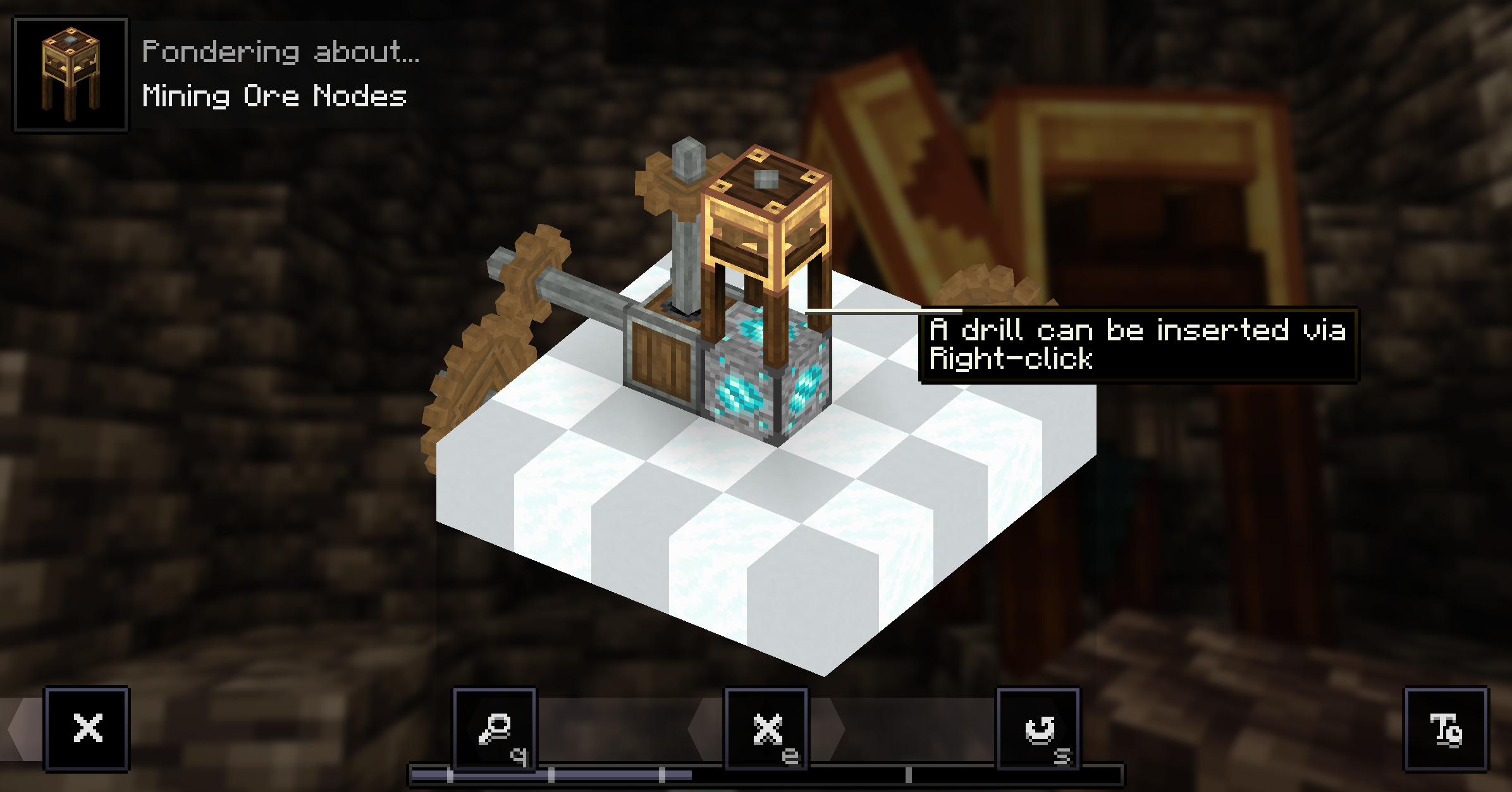
The general loop is straightforward: find a node, set up an Extractor with the right drill, feed it kinetic energy and collect Ore Bits until the node runs dry. Along the way you'll occasionally pick up Node Fragments, which open the door to stabilizing nodes, relocating them into dedicated extraction rooms, and eventually crafting Infinite Nodes for endgame setups.
You can learn how to use the Ore Extractor directly in-game through the ponder mechanic by holding W on it in JEI.
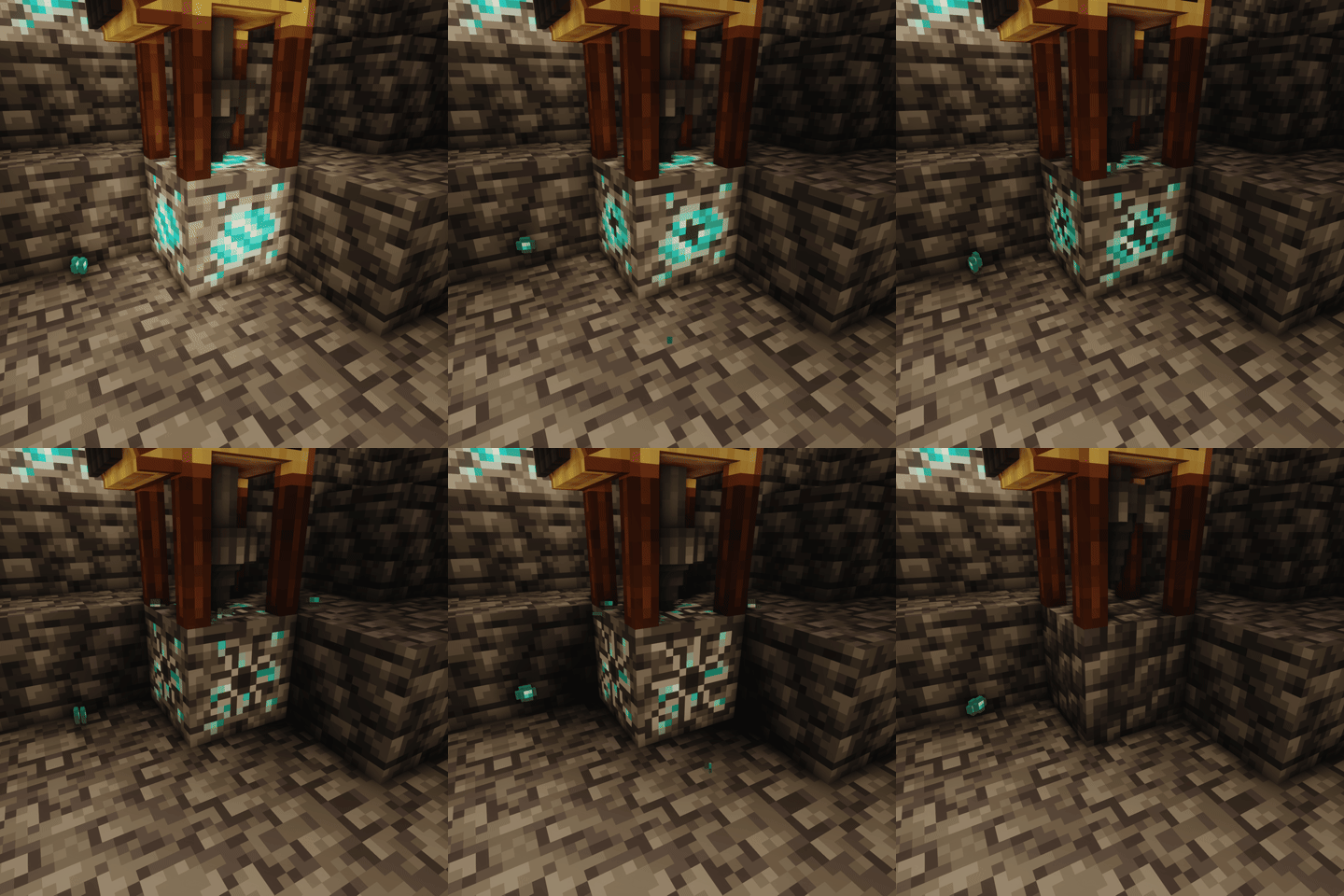
Nodes have a visual representation of the percentage of remaining resources.
In addition to the visual indicator, the light level emitted by the node also changes, the lower the emitted light, the fewer resources remain.
Supports JEI for recipe viewing.
Requires the kubejs_create addon. You can:
server_scripts):ServerEvents.recipes(event => {
// output drill nodes
event.recipes.createreautomated.extracting("5x diamond", "kubejs:drill", "kubejs:node")
.processingTime(25600)
.extractionQuantity(2)
.durabilityCost(5)
})
startup_scripts):StartupEvents.registry("block", event => {
event.create("test_node", "createreautomated:ore_node")
.copyPropertiesFrom("createreautomated:diamond_node") // (optional) copy properties from another node
.withCommonLoot() // uses the default ore node loot table
.yield(100) // max extractions before depletion
.baseStone("minecraft:cobblestone") // block left after depletion
})
startup_scripts):StartupEvents.registry("item", event => {
event.create("drill", "createreautomated:drill")
.withPartial("createreautomated:partial/diamond_drill") // render model
})
This mod is a port of Create Automated, originally developed by kotakotik22.
All credit for the original concept, design, and implementation goes to him.
If you're interested in the original project or want to learn more, you can check it out here
Special thanks to Facu for updating the mod icon ❤️

Project description from Modrinth.
Pick your setup
Choose the version and loader you play, then open the matching release.
Check the dependencies, then try the file in a copied instance before changing a world you care about.
Recent files
createreautomated-0.3.2-mc1.21.1-neoforge.jar
4 Aug 2026
createreautomated-0.3.1-mc1.21.1-neoforge.jar
4 Aug 2026
createreautomated-1.21.1-neoforge-0.3.0.jar
25 Jun 2026
createreautomated-1.21.1-neoforge-0.2.0.jar
14 May 2026
createreautomated-1.21.1-neoforge-0.1.1.jar
26 Apr 2026
createreautomated-1.21.1-neoforge-0.1.0.jar
17 Apr 2026
Looking for an older file? The official Modrinth project page is in Resources.
 mod
modAn addon for Create Aeronautics and VS2, Adds many useful blocks and items, aiming to improve the experience with minimal bloat.
 mod
modMod inspired by Skibidi toilet. Adds weapons, equipments of alliance, Decorative blocks and some useful features
 mod
modCasting Tools is an addon to casting that aims to provide tool and equipment modifying using casting