Minecraft version
Back to mods 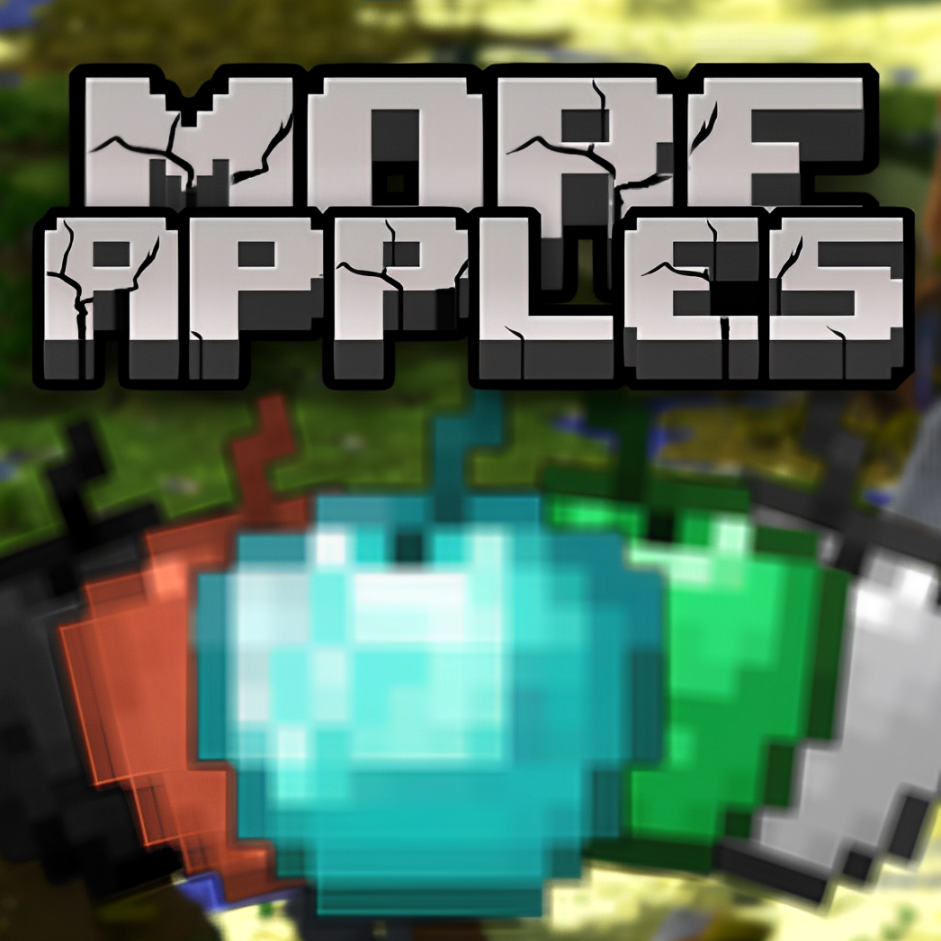
CurseForge · Minecraft mod
StarLight's More Apples
Adds better and worse variations of the "Golden Apple" into the game
Choose a version Pick your version below, then grab the matching file.
Quick answer
Which StarLight's More Apples release should I use?
Latest stable file More Apples Version 1.2
Game version 1.19.4
Loader Forge
StarLight's More Apples More Apples Version 1.2 targets 1.19.4 with Forge. The project page does not say whether this file belongs on the client, dedicated server, or both. No extra mods listed for this file.
Where it goes
Is StarLight's More Apples required on the client, server, or both?
The project page does not say whether this file belongs on the client, dedicated server, or both.
Client Source doesn’t say
Dedicated server Source doesn’t say
Loader for this release Forge
Required install it here Optional supported, not mandatory Not supported do not install here Source doesn’t say do not assume
The source does not explicitly classify this release as client-only or server-only.
What else does StarLight's More Apples More Apples Version 1.2 need?
More Apples Version 1.2. Change the file and its required mods may change too.
This file does not list any required mods. Do not add a library just because a different file uses it.
This file does not list any required or optional mods.
Before you install it
Add StarLight's More Apples without breaking your instance.
Built for StarLight's More Apples More Apples Version 1.2. Pick another file and the loader, install side or required mods may change.
- 01
Stick to this file
Use More Apples Version 1.2. It targets 1.19.4 with Forge; another release may have different loader, side or dependency requirements.
- 02
Bring the mods it needs
This file does not list any required mods. Do not add a library just because a different file uses it.
- 03
Put it on the correct side
The project page does not say whether this file belongs on the client, dedicated server, or both.
- 04
Pick the file you checked
Use the “Get this file” button beside More Apples Version 1.2. It opens that exact file at the source.
About this project
What does StarLight's More Apples add?
Each apple gives you different effects:
Coal Apple
Positive Effects:
Fire Resistance
(Chance of getting Speed and/or Regeneration)
Negative Effects:
(Chance of getting Nausea and/or Darkness)\
Copper Apple
Positive Effects:
Night Vision
(Chance of getting Strength and/or Water Breathing)
Iron Apple
Positive Effects:
Fire Resistance
Regeneration
Resistance
(Chance of getting Strength)
Emerald Apple
Positive Effects:
Absorption
Luck
Regeneration
Diamond Apple
Positive Effects:
Haste
Strength
Absorption
Regeneration
Resistance
(Chance of getting Luck and/or Speed)
I think it's kind of obvious how you craft everything...
If there are any bugs, or things you think I should tweak, please tell me.
Thank you for reading, and I hope you enjoy the mod.
Project description from CurseForge.
Pick your setup
StarLight's More Apples by Minecraft version and loader
Choose the version and loader you play, then open the matching release.
Minecraft version
1.19.4
1 loader buildCheck the dependencies, then try the file in a copied instance before changing a world you care about.
Recent files
StarLight's More Apples versions and loaders
More Apples Version 1.2
MoreApples Version 1.2.jar
27 Feb 2024
Client Source doesn’t say Server Source doesn’t say Dependencies No extras listed Listed on Release listing
Check the 1.19.4 · Forge setup 1.19.4Forge release
More Apples Version 1.1
MoreApples Version 1.1.jar
27 Feb 2024
Client Source doesn’t say Server Source doesn’t say Dependencies No extras listed Listed on Release listing
Check the 1.20.1 · Forge setup 1.20.1Forge release
Looking for an older file? The official CurseForge project page is in Resources.
 mod
CurseForge + Modrinth · Minecraft
Immersive Farming
Addon for immersive engineering focused on agriculture by adding new mechanics and blocks.
 mod
CurseForge · Minecraft
Toasty's Stardew Delight
Stardew Delight adds foods from Stardew Valley to Farmer's Delight!
 mod
CurseForge · Minecraft
Murim Login
Wuxia / murim cultivation: pick a side, join a sect, climb from realm 10 to immortal with qi, a skill hotbar, scroll-learned arts, flying swords, quests and bosses. Thai or English.