Applied Energistics 2 Needed by AE2 Import Export Card ae2insertexportcard-1.18.2-1.0.0.jar
requiredMatching file found Matched file: AE2 11.7.6 [FORGE]
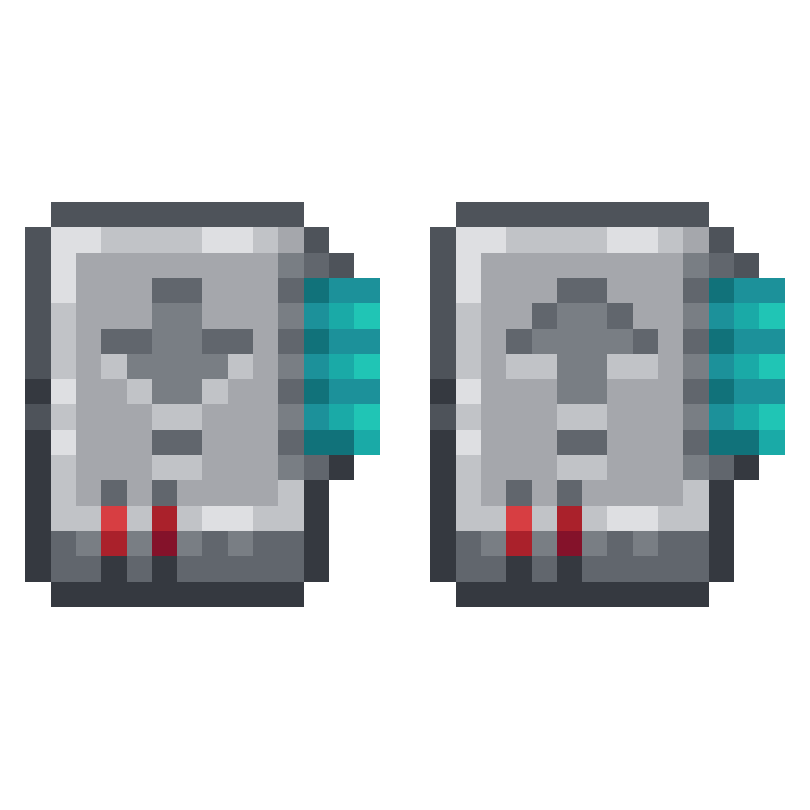
CurseForge · Minecraft mod
Adds an Import & Export & Block Picker Card for Applied Energistics 2
Quick answer
AE2 Import Export Card ae2insertexportcard-1.18.2-1.0.0.jar targets 1.18.2 with Forge. The project page does not say whether this file belongs on the client, dedicated server, or both. All 1 required mods have matching files.
Where it goes
The project page does not say whether this file belongs on the client, dedicated server, or both.
The source does not explicitly classify this release as client-only or server-only.
ae2insertexportcard-1.18.2-1.0.0.jar on 1.18.2 Forge. Every mod below is checked against that same setup.
Install Applied Energistics 2 first. We found matching files for this game-version and loader setup.
We only count dependency files that match this setup. A file for another loader does not fill the gap.
Before you install it
Built for AE2 Import Export Card ae2insertexportcard-1.18.2-1.0.0.jar on 1.18.2 Forge. Pick another file and the loader, install side or required mods may change.
Use ae2insertexportcard-1.18.2-1.0.0.jar. It targets 1.18.2 with Forge; another release may have different loader, side or dependency requirements.
Install Applied Energistics 2 first. We found matching files for this game-version and loader setup.
The project page does not say whether this file belongs on the client, dedicated server, or both.
Use the “Get this file” button beside ae2insertexportcard-1.18.2-1.0.0.jar. It opens that exact file at the source.
About this project
If you want to put this mod in your modpack, feel free to use it :)
This mod adds an Import & Export Card & Block Picker Card for Applied Energistics 2.
The Import Card takes items in specific slots of your inventory and dumps them into your ME system.
Open up your wireless terminal and add the import or export card in the slot on the right.
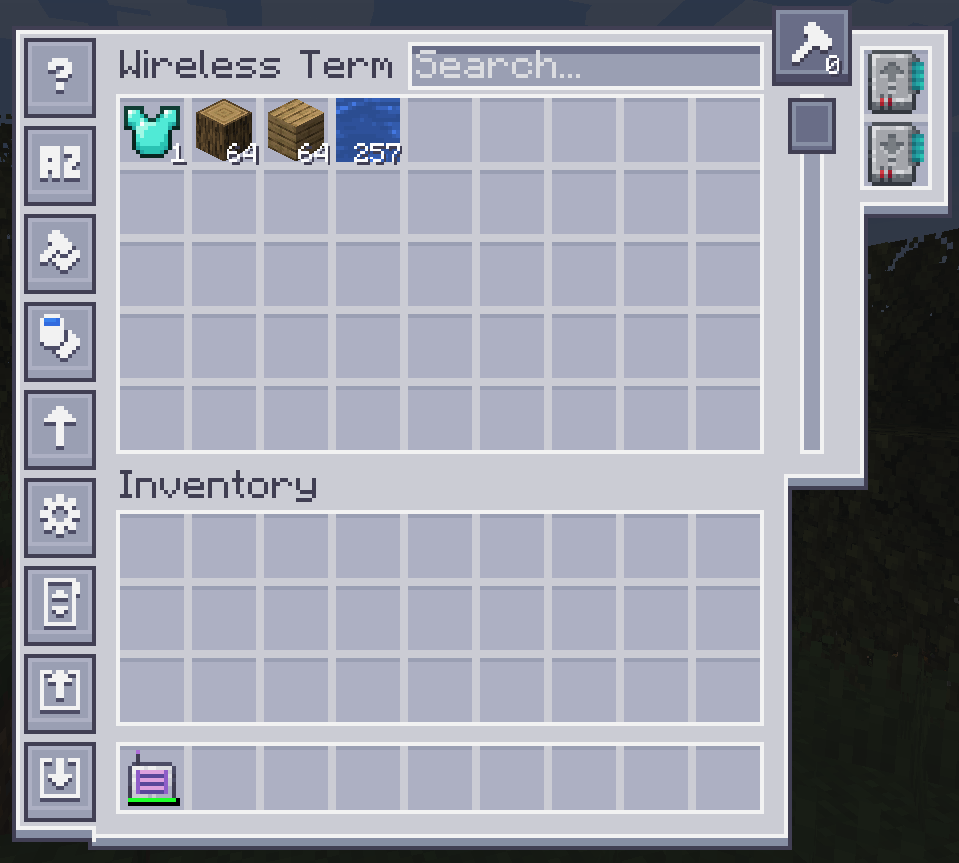
To configure it, click on one of the left side buttons.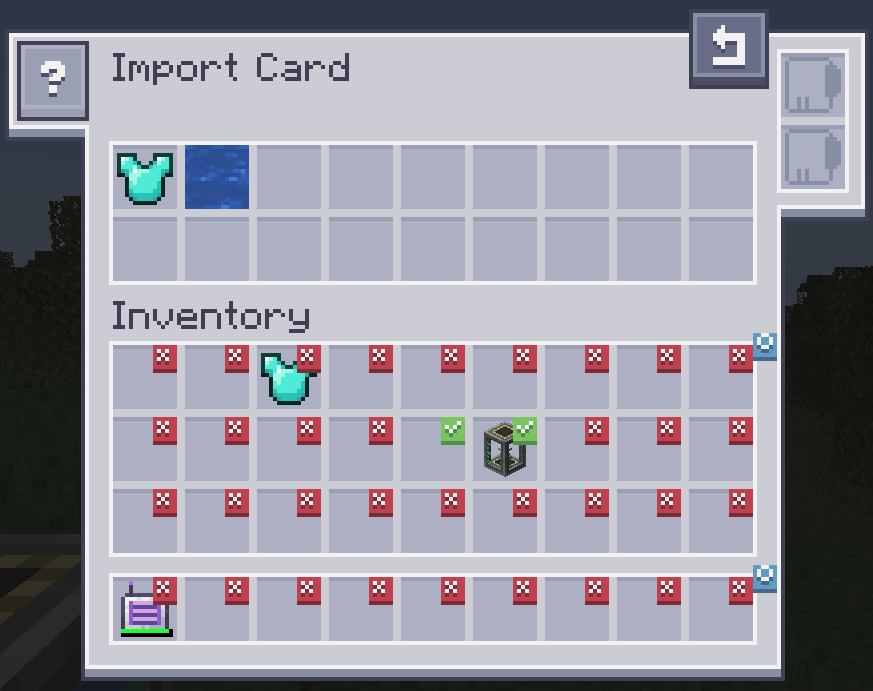
Clicking on slots makes a checkmark. Any item in the slot that has a checkmark will get imported to your ME system. Drag items from your inventory to the top to change the filter. Fuzzy card is supported. Changing the filter to blacklist requires an inverter card.
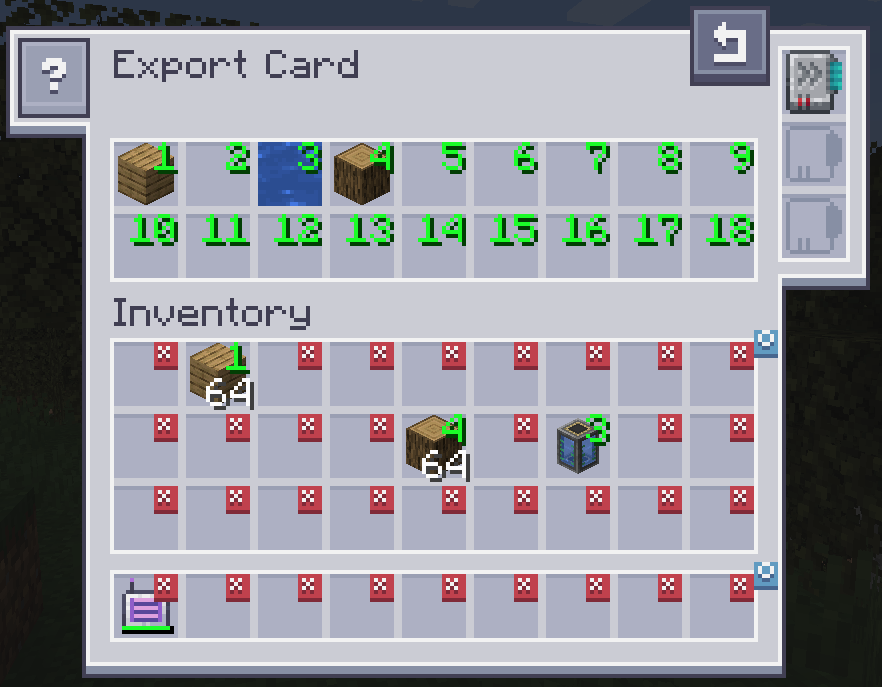 The Export Card works exactly the same but will pull items from your ME system into your inventory. To specify what items, drag the item from the inventory into one of the slots at the top and click on a slot in your inventory to change it to the desired number. Right clicking clears back to X. Fuzzy card is supported. Acceleration card improves the transfer speed from 1 to an entire stack of items. The crafting card is used to automatically request and craft items that are currently not available.
The Block Picker Card lets you extract the block you are currently looking at directly from your Network. Simply aim at a block and press the "Pick Block" keybind. If the matching block is available in your network, it will be extracted into your inventory. 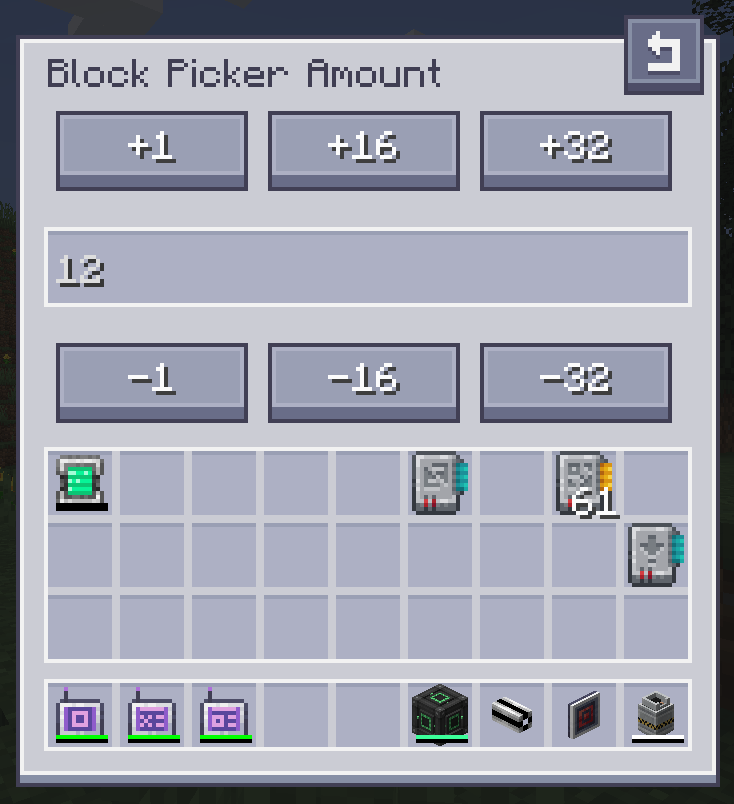
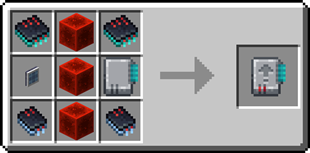
Import Card recipe:
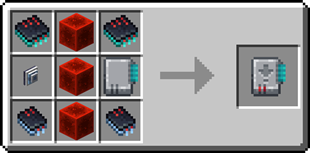
Export Card recipe:
Need a server? Get 20% off your first month by using promo code "ultra"

Project description from CurseForge.
Pick your setup
Choose the version and loader you play, then open the matching release.
Check the dependencies, then try the file in a copied instance before changing a world you care about.
Recent files
5 Apr 2026
Looking for an older file? The official CurseForge project page is in Resources.