Minecraft version
Back to mods 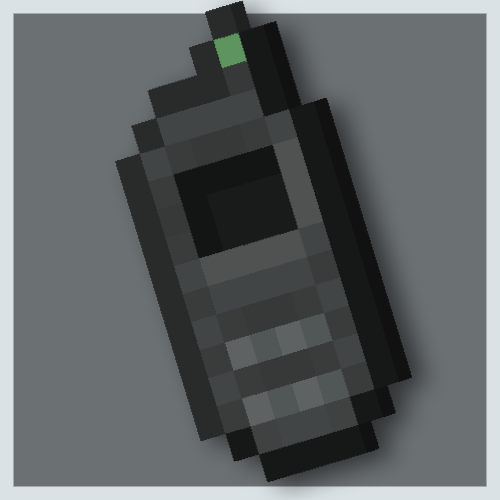
CurseForge · Minecraft mod
Teleporter Control
A control that teleports you to a marked location.
Choose a version Pick your version below, then grab the matching file.
Quick answer
Which Teleporter Control release should I use?
Latest stable file teleporter_control-1.0.0.jar
Game version 1.20.1
Loader Forge
Teleporter Control teleporter_control-1.0.0.jar targets 1.20.1 with Forge. The project page does not say whether this file belongs on the client, dedicated server, or both. No extra mods listed for this file.
Where it goes
Is Teleporter Control required on the client, server, or both?
The project page does not say whether this file belongs on the client, dedicated server, or both.
Client Source doesn’t say
Dedicated server Source doesn’t say
Loader for this release Forge
Required install it here Optional supported, not mandatory Not supported do not install here Source doesn’t say do not assume
The source does not explicitly classify this release as client-only or server-only.
What else does Teleporter Control teleporter_control-1.0.0.jar need?
teleporter_control-1.0.0.jar. Change the file and its required mods may change too.
This file does not list any required mods. Do not add a library just because a different file uses it.
This file does not list any required or optional mods.
Before you install it
Add Teleporter Control without breaking your instance.
Built for Teleporter Control teleporter_control-1.0.0.jar. Pick another file and the loader, install side or required mods may change.
- 01
Stick to this file
Use teleporter_control-1.0.0.jar. It targets 1.20.1 with Forge; another release may have different loader, side or dependency requirements.
- 02
Bring the mods it needs
This file does not list any required mods. Do not add a library just because a different file uses it.
- 03
Put it on the correct side
The project page does not say whether this file belongs on the client, dedicated server, or both.
- 04
Pick the file you checked
Use the “Get this file” button beside teleporter_control-1.0.0.jar. It opens that exact file at the source.
About this project
What does Teleporter Control add?

A teleporter control, basic and fun to use!
How to use?
- By holding the SHIFT key and clicking on a block, its current position will be PRINTED or MARKED
- If you have the Battery item in your inventory, you can use it, if you don't have a Battery in your inventory it will not work
- With a marked location, by clicking in the air with the right mouse button, you will teleport to the marked position, leaving you on cooldown
Not only is there a control that will teleport you, there are several new items and blocks for you to explore, if you have any doubts download and install the Just Enough Items MOD, this mod will give you the possibility to see the recipes from my mod
What is Teleportation?
The user is able to make their body simply disappear from the place where it is and reappear in a new desired location, performing a type of "instant movement". Generally, he can make this ability affect any type of matter and energy, being able to teleport not only himself, but also other individuals, objects and, in some cases, non-physical bodies. In combat, the user can combine their teleportation with different forms of attack and defense, creating a highly fast, precise and strategic fighting style.
There are several ways to make teleportation happen. Most users rely on making the atoms of a body travel from one place to another at a speed great enough for the act to be instantaneous. However, there are several other ways to produce the same effect: distorting the surrounding space-time to travel between dimensional gaps and "shorten the path", getting involved with elements and moving along with them, etc.
Note: Feats of speed and teleportation are different, those who teleport are not using speed, as while speed is a division of space and time, teleportation is instantaneous (not using time) and goes directly to the exit point (not taking up space in the path).
Project description from CurseForge.
Pick your setup
Teleporter Control by Minecraft version and loader
Choose the version and loader you play, then open the matching release.
Check the dependencies, then try the file in a copied instance before changing a world you care about.
Recent files
Teleporter Control versions and loaders
teleporter_control-1.0.0.jar
15 Mar 2024
Client Source doesn’t say Server Source doesn’t say Dependencies No extras listed Listed on Release listing
Check the 1.20.1 · Forge setup 1.20.1Forge release
Looking for an older file? The official CurseForge project page is in Resources.
 mod
CurseForge + Modrinth · Minecraft
Dungeon Train: A Lore-Rich Roguelite RPG Adventure
Adventure time inspired dungeon crawler on a train. Procedurally generated carriages on a infinite sable physics train. Rich narrative, with custom made mods for a completely unique experience.
 mod
CurseForge · Minecraft
EMC’s Ragdolls
This mod adds player and mob ragdolls to Minecraft
 mod
CurseForge · Minecraft
Chuying Proxy Play
Let strong chess engines (Pikafish / Stockfish / Rapfi) play Touhou Little Maid's board games for you.