Fabric API Needed by Kirin 1.22.0+26.2
requiredMatching file found Matched file: 0.157.0+26.2

Modrinth · Minecraft mod
GUI Library for help with making minecraft screens more easily
Quick answer
Kirin 1.22.0+26.2 targets 26.2 with Fabric, Quilt. It must be installed on the client. Do not install it on the dedicated server. All 1 required mods have matching files.
Where it goes
It must be installed on the client. Do not install it on the dedicated server.
This file is marked client-only.
1.22.0+26.2. Change the file and its required mods may change too.
Install Fabric API first. We found matching files for this game-version and loader setup.
We only count dependency files that match this setup. A file for another loader does not fill the gap.
Before you install it
Built for Kirin 1.22.0+26.2. Pick another file and the loader, install side or required mods may change.
Use 1.22.0+26.2. It targets 26.2 with Fabric, Quilt; another release may have different loader, side or dependency requirements.
Install Fabric API first. We found matching files for this game-version and loader setup.
It must be installed on the client. Do not install it on the dedicated server.
Use the “Get this file” button beside 1.22.0+26.2. It opens that exact file at the source.
About this project


Embedded common code used across several Mine Little Pony projects to create their GUIs.
This mod is a library and is usually embedded or installed as a dependency for other mods, so installing it on its own doesn't do anything.
It will occasionally get updates independent of other projects that depend on it, so whilst installing it separately is not recommended it is permitted if you're having issues that updating solves but the downstream project hasn't (or can't) be updated for whatever reason.
Kirin provides support for creating GUIs, and hooking into existing GUIs to add a variety of different controls: Buttons, Toggles, Cyclers, and scrolling containers that makes them both simpler and easier to configure, with more customisation options than the regular game's classes. It also provides an advanced configuration system for loading a config file in json format with support for live updates whilst the game is running.
For more on how to use it, I recommend checking out the projects source on github.
Project description from Modrinth.
Pick your setup
Choose the version and loader you play, then open the matching release.
Showing the newest 12 of 39 game versions. Older files are in the list below.
Check the dependencies, then try the file in a copied instance before changing a world you care about.
Recent files
kirin-1.22.0+26.2.jar
20 Jun 2026
kirin-1.22.0+26.1.jar
26 Mar 2026
kirin-1.21.5+1.21.11.jar
7 Jan 2026
kirin-1.21.4+1.21.11.jar
19 Nov 2025
kirin-1.21.4-beta.1+1.21.11.jar
16 Nov 2025
kirin-1.21.3+1.21.10.jar
15 Nov 2025
kirin-1.21.2+1.21.10.jar
31 Oct 2025
kirin-1.21.1+1.21.10.jar
12 Oct 2025
kirin-1.21.1+1.21.jar
24 Sept 2025
kirin-1.21.1+1.21.3.jar
1 Aug 2025
kirin-1.21.1+1.21.4.jar
1 Aug 2025
kirin-1.21.1+1.21.5.jar
1 Aug 2025
Looking for an older file? The official Modrinth project page is in Resources.
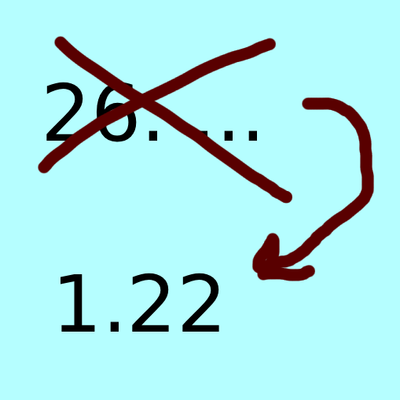 mod
modThis Projects changes the version name from 26.1 to 1.22 or your own choice. its for people which dont like the new version numbering system or want to make the version their own!
 mod
modNo more accidental typing when sleeping, you now have to open the chat menu before typing. Better sleep chatting :D
 mod
modFly a working TARDIS, explore Gallifrey, and build with Doctor Who tools and materials in Minecraft.

