Minecraft version
Back to mods 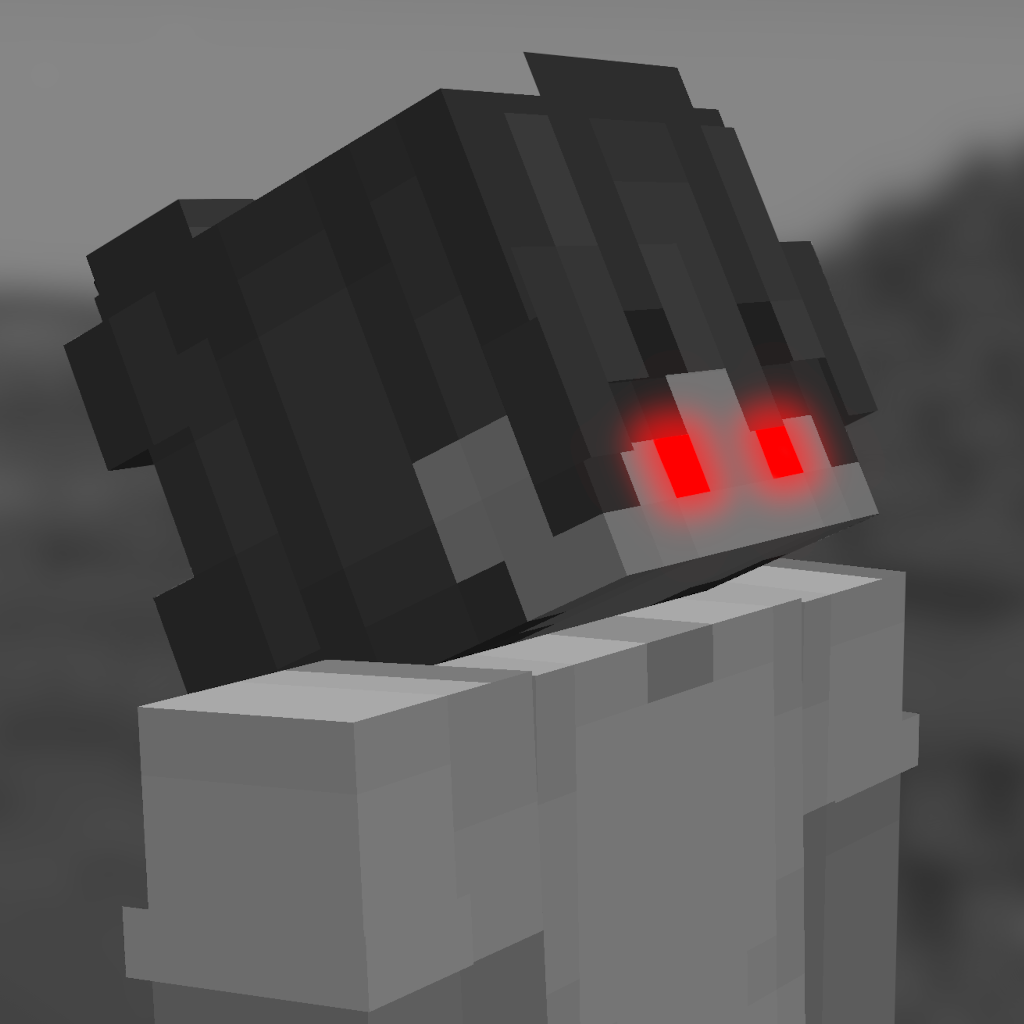
CurseForge · Minecraft mod
Glowing Eyes
Glowing Eyes is a Minecraft Mod to make your eyes glow, inspired by the Vampirism mod!
Choose a version Pick your version below, then grab the matching file.
Quick answer
Which Glowing Eyes release should I use?
Latest stable file glowingeyes-neoforge-1.21.11-2.1.3.jar
Game version 1.21.11
Loader NeoForge
Glowing Eyes glowingeyes-neoforge-1.21.11-2.1.3.jar targets 1.21.11 with NeoForge. The project page does not say whether this file belongs on the client, dedicated server, or both. No extra mods listed for this file.
Where it goes
Is Glowing Eyes required on the client, server, or both?
The project page does not say whether this file belongs on the client, dedicated server, or both.
Client Source doesn’t say
Dedicated server Source doesn’t say
Loader for this release NeoForge
Required install it here Optional supported, not mandatory Not supported do not install here Source doesn’t say do not assume
The source does not explicitly classify this release as client-only or server-only.
What else does Glowing Eyes glowingeyes-neoforge-1.21.11-2.1.3.jar need?
glowingeyes-neoforge-1.21.11-2.1.3.jar. Change the file and its required mods may change too.
This file does not list any required mods. Do not add a library just because a different file uses it.
This file does not list any required or optional mods.
Before you install it
Add Glowing Eyes without breaking your instance.
Built for Glowing Eyes glowingeyes-neoforge-1.21.11-2.1.3.jar. Pick another file and the loader, install side or required mods may change.
- 01
Stick to this file
Use glowingeyes-neoforge-1.21.11-2.1.3.jar. It targets 1.21.11 with NeoForge; another release may have different loader, side or dependency requirements.
- 02
Bring the mods it needs
This file does not list any required mods. Do not add a library just because a different file uses it.
- 03
Put it on the correct side
The project page does not say whether this file belongs on the client, dedicated server, or both.
- 04
Pick the file you checked
Use the “Get this file” button beside glowingeyes-neoforge-1.21.11-2.1.3.jar. It opens that exact file at the source.
About this project
What does Glowing Eyes add?
Glowing Eyes
Glowing Eyes is a Minecraft mod that lets you customize and make your character’s eyes glow! Inspired by the Vampirism mod, this mod adds a detailed eye editor with color selection, presets, and new customization options. Stand out in the dark with glowing eyes!
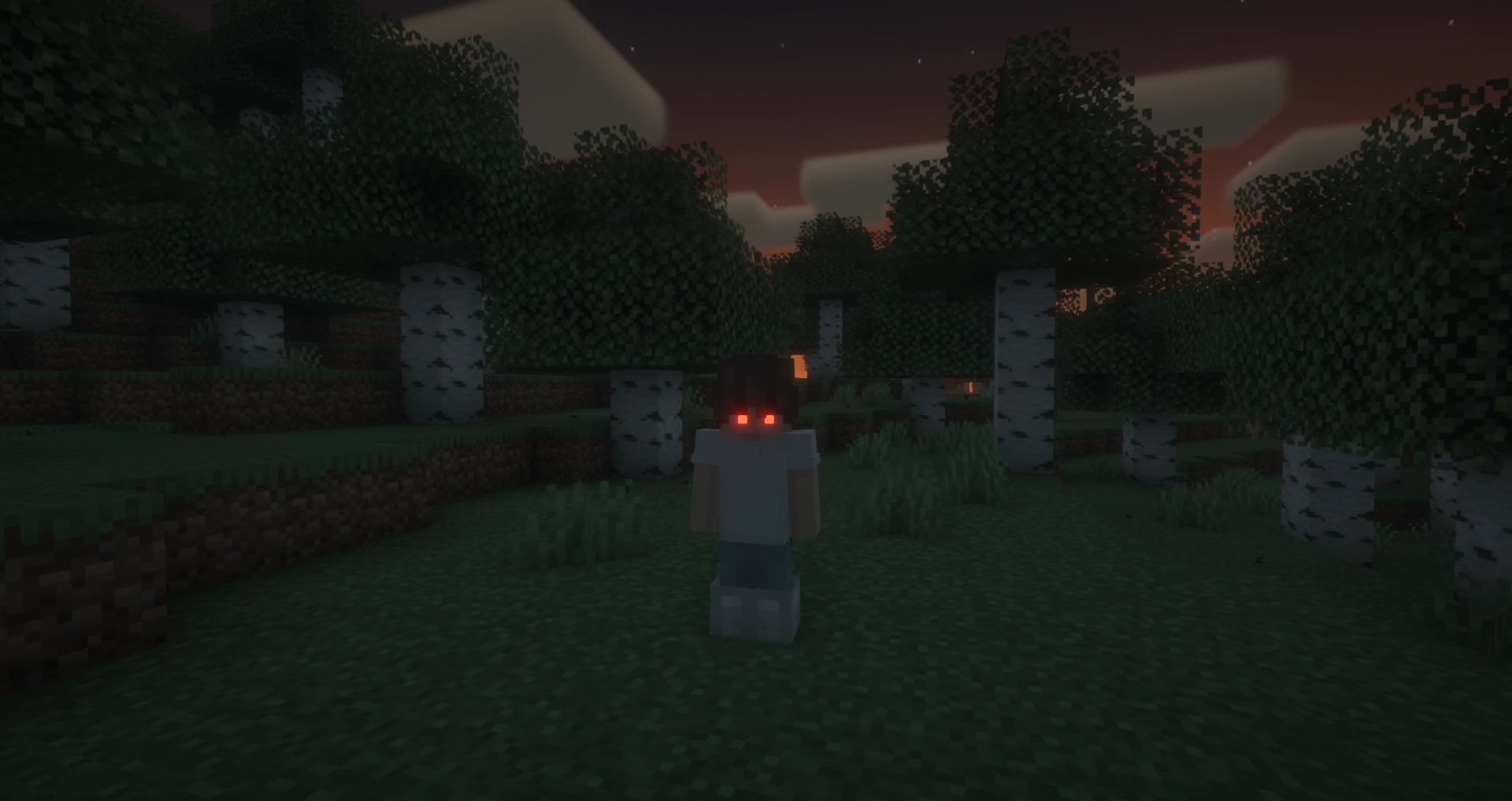
With Fresh Moves support!
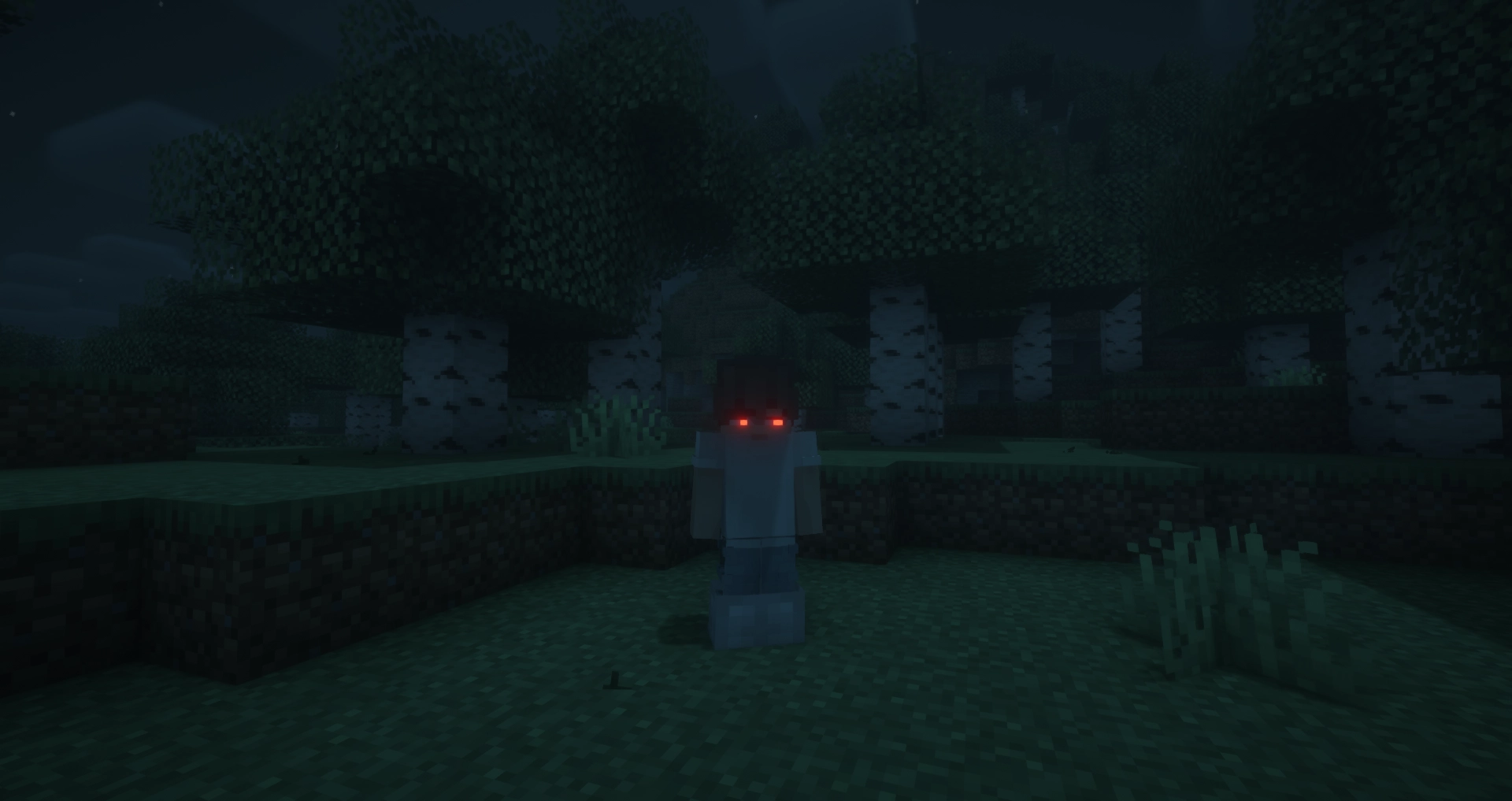
FAQ
Does this mod work in multiplayer?
Yes, however, the mod must be installed on both the server and the client for it to work properly. Players that do not have the mod can still play, but will not see the glowing eyes.
Why doesn’t the mod work / why don’t my eyes glow?
Most likely, you accidentally turned off your eyes. The default keybinding to toggle glowing eyes on and off is G. If that doesn’t fix the issue, please report a bug on the GitHub issues tab or in the Discord server.
Usage
General Usage
To access the eye editor, use the /eyes command or press the keybinding (H by default). This will open the customization menu, where you can tweak your glowing eyes.
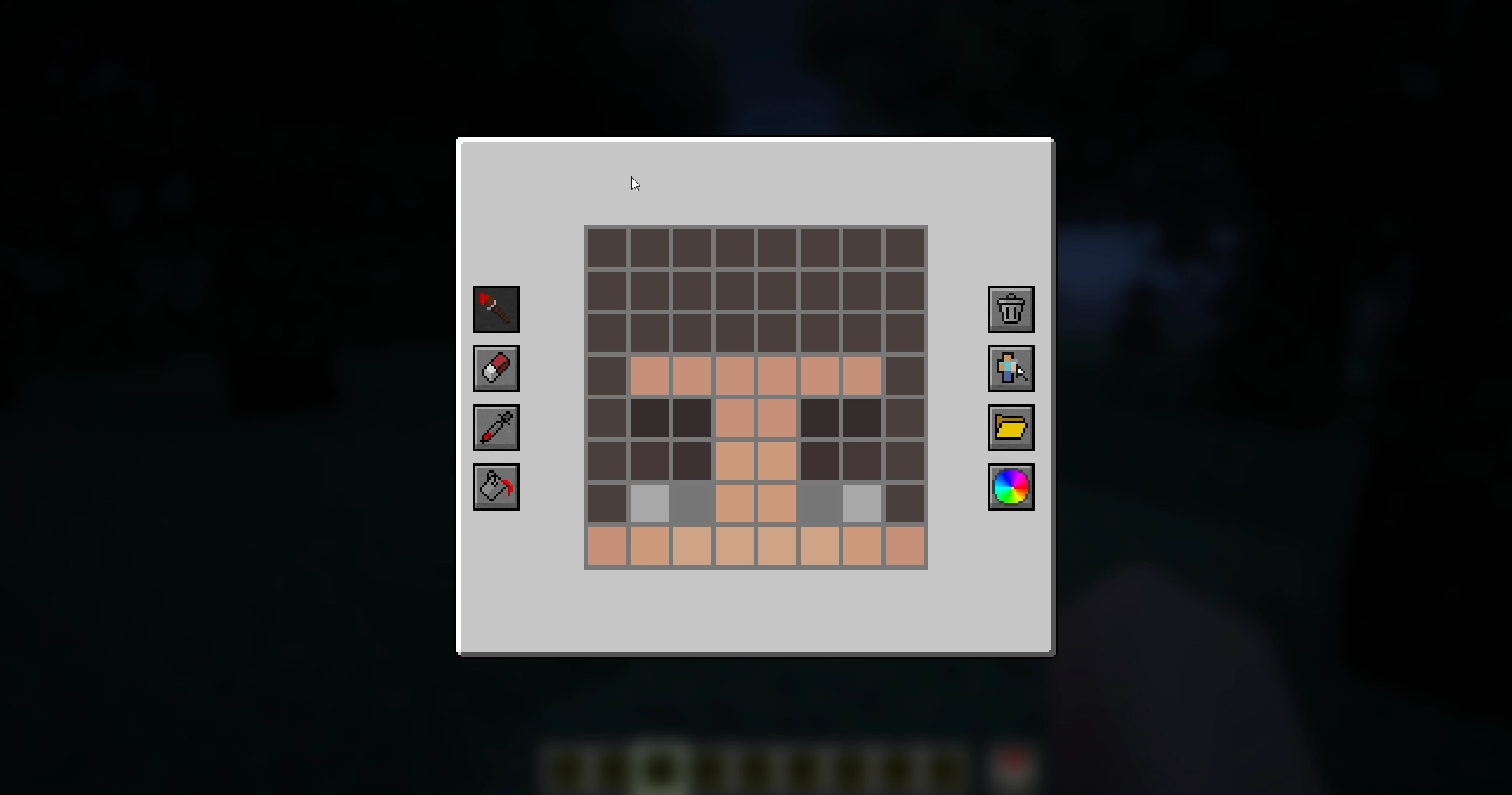
- Left side: Drawing, erasing and color picking tools to design your glowing eyes.
- Right side: Preset manager, color picker, and two additional buttons:
- Skin part selector: Choose which part of the skin you want to apply glowing eyes to.
- Reset button: Completely removes your current eyes, including other skin parts (but not presets).
Skin Parts
With the skin parts system, you are no longer limited to adding eyes only to the front of your character’s head. Now, you can apply glowing eyes anywhere on your head and head overlay!
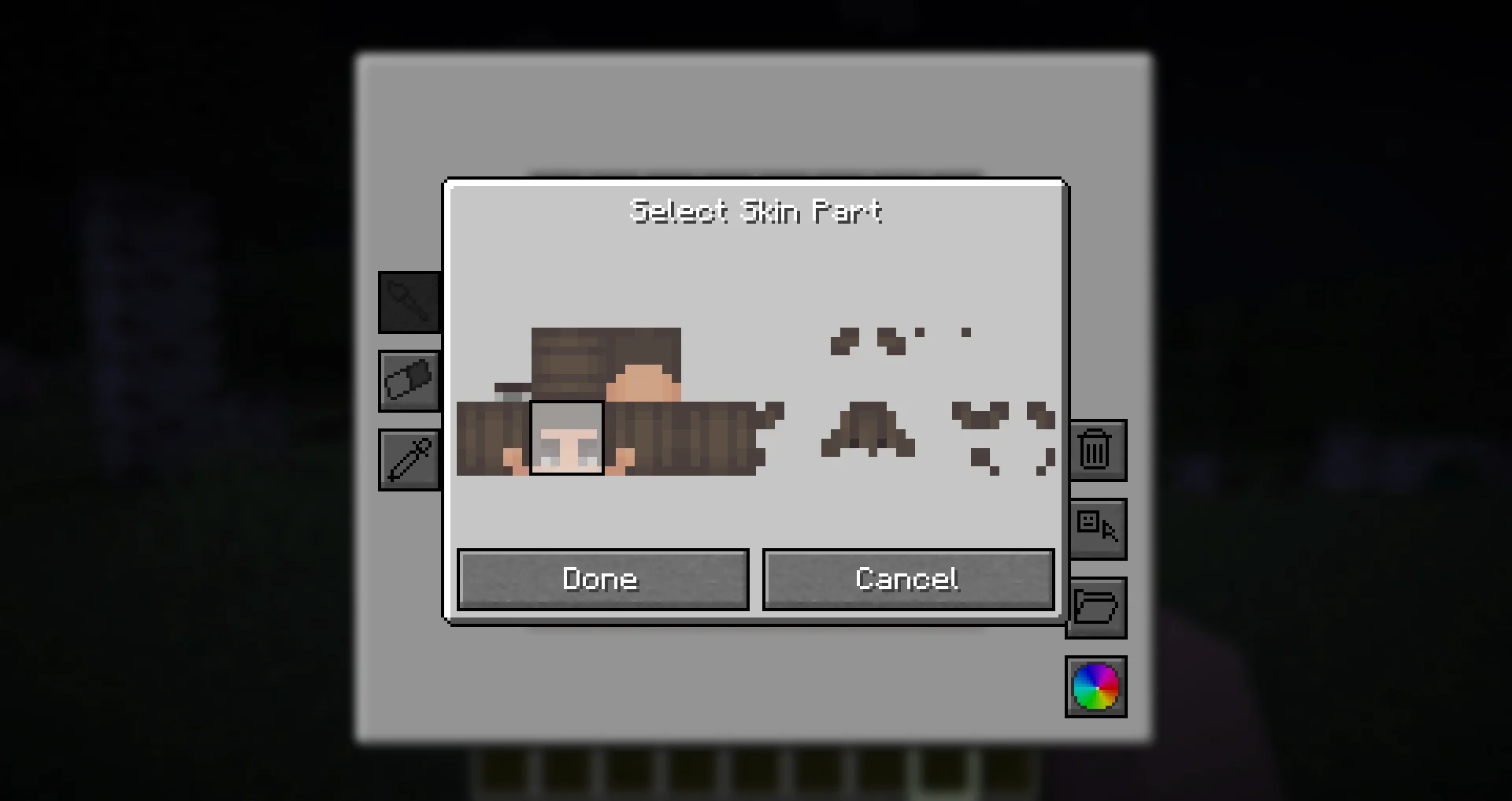
This feature allows for more creative and unique glowing eye designs, such as side or back-facing eyes!
Presets
Presets allow you to save and quickly switch between different glowing eye designs.
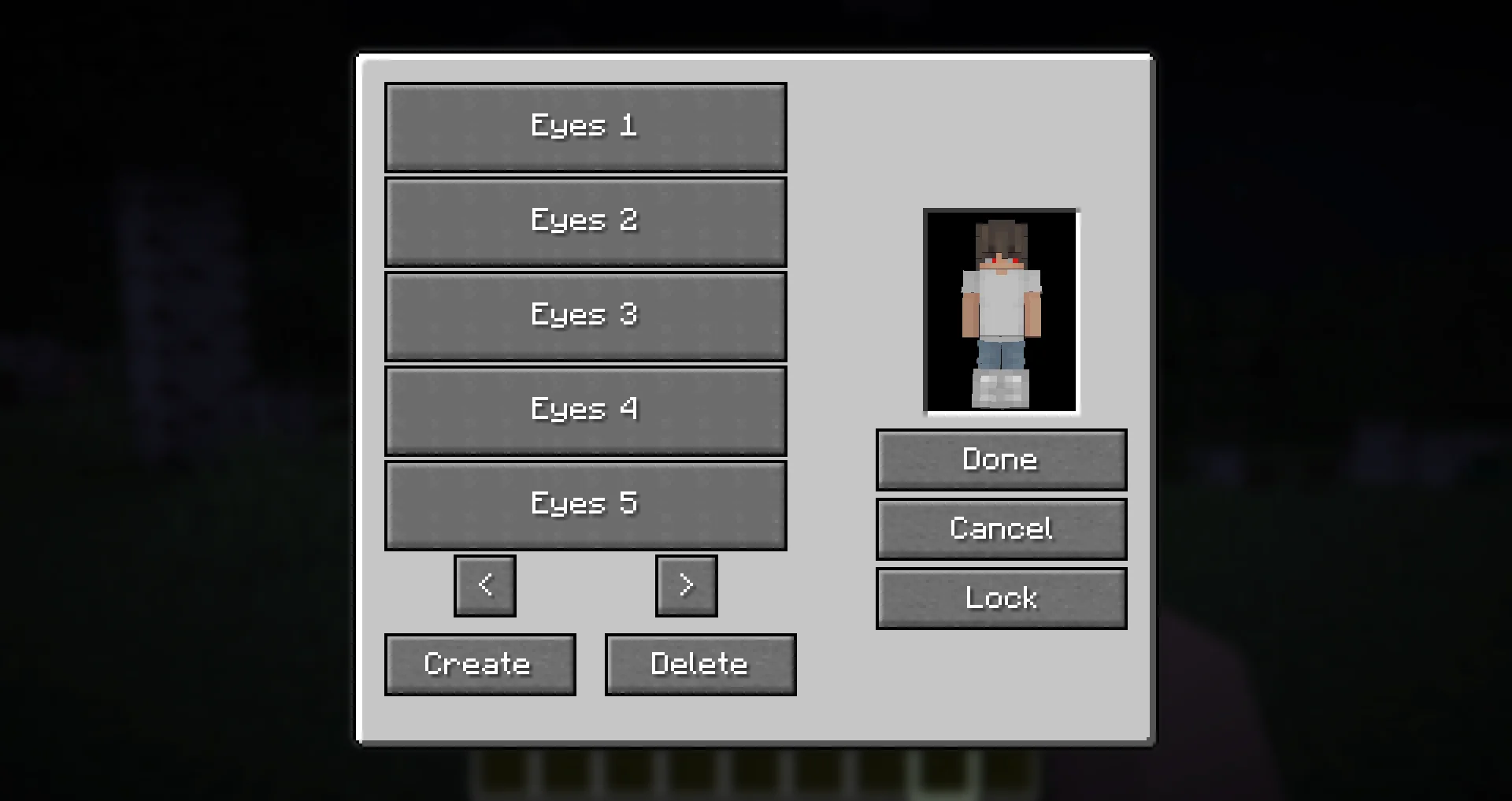
- The preset menu lets you create, save, and apply different presets.
- All presets are saved in the
presets.jsonfile in your Minecraft directory. - Easily experiment with different glowing eye styles without losing your designs!
Need Support?
If you need help, have a question, or just want to chat, join the Discord server. To report bugs or suggest features, please use the GitHub repository.
Thanks!
Big thanks to Olivo for helping with the editor GUI screen! If not him, this all would not be possible! Thanks to the Vampirism mod and its authors/contributors for the idea, inspiration, and some code, please check them out! Huge thanks to the Modded Minecraft Discord Server for their help with coding!
Project description from CurseForge.
Pick your setup
Glowing Eyes by Minecraft version and loader
Choose the version and loader you play, then open the matching release.
Minecraft version
1.21.10
3 loader buildsMinecraft version
1.21.9
3 loader buildsMinecraft version
1.21.8
3 loader buildsMinecraft version
1.21.7
3 loader buildsMinecraft version
1.21.6
3 loader buildsMinecraft version
1.21.5
3 loader buildsMinecraft version
1.21.4
3 loader buildsMinecraft version
1.21.3
3 loader buildsMinecraft version
1.21.2
3 loader buildsMinecraft version
1.21.1
3 loader buildsMinecraft version
1.21
3 loader buildsShowing the newest 12 of 23 game versions. Older files are in the list below.
Check the dependencies, then try the file in a copied instance before changing a world you care about.
Recent files
Glowing Eyes versions and loaders
glowingeyes-neoforge-1.21.11-2.1.3.jar
26 Jul 2026
Client Source doesn’t say Server Source doesn’t say Dependencies No extras listed Listed on Release listing
Check the 1.21.11 · NeoForge setup NeoForge1.21.11 release
glowingeyes-fabric-1.21.11-2.1.3.jar
26 Jul 2026
Client Source doesn’t say Server Source doesn’t say Dependencies 2 required · 2 unchecked Listed on Release listing
Check the 1.21.11 · Fabric setup FabricQuilt1.21.11 release
glowingeyes-neoforge-1.21.9-2.1.3.jar
2 Dec 2025
Client Source doesn’t say Server Source doesn’t say Dependencies No extras listed Listed on Release listing
Check the 1.21.10 · NeoForge setup NeoForge1.21.91.21.10 release
glowingeyes-fabric-1.21.9-2.1.3.jar
2 Dec 2025
Client Source doesn’t say Server Source doesn’t say Dependencies 2 required · 2 unchecked Listed on Release listing
Check the 1.21.10 · Fabric setup FabricQuilt1.21.91.21.10 release
glowingeyes-fabric-1.21.6-2.1.3.jar
2 Dec 2025
Client Source doesn’t say Server Source doesn’t say Dependencies 2 required · 2 unchecked Listed on Release listing
Check the 1.21.8 · Fabric setup Fabric1.21.81.21.61.21.7 release
glowingeyes-neoforge-1.21.6-2.1.3.jar
2 Dec 2025
Client Source doesn’t say Server Source doesn’t say Dependencies No extras listed Listed on Release listing
Check the 1.21.8 · NeoForge setup 1.21.81.21.61.21.7NeoForge release
glowingeyes-fabric-1.21.5-2.1.3.jar
2 Dec 2025
Client Source doesn’t say Server Source doesn’t say Dependencies 2 required · 2 unchecked Listed on Release listing
Check the 1.21.5 · Fabric setup Fabric1.21.5Quilt release
glowingeyes-neoforge-1.21.5-2.1.3.jar
2 Dec 2025
Client Source doesn’t say Server Source doesn’t say Dependencies No extras listed Listed on Release listing
Check the 1.21.5 · NeoForge setup 1.21.5NeoForge release
glowingeyes-neoforge-1.21.4-2.1.3.jar
2 Dec 2025
Client Source doesn’t say Server Source doesn’t say Dependencies No extras listed Listed on Release listing
Check the 1.21.4 · NeoForge setup 1.21.41.21.3NeoForge1.21.2 release
glowingeyes-fabric-1.21.4-2.1.3.jar
2 Dec 2025
Client Source doesn’t say Server Source doesn’t say Dependencies 2 required · 2 unchecked Listed on Release listing
Check the 1.21.4 · Fabric setup Fabric1.21.41.21.3Quilt release
glowingeyes-fabric-1.21.1-2.1.3.jar
2 Dec 2025
Client Source doesn’t say Server Source doesn’t say Dependencies 2 required · 2 unchecked Listed on Release listing
Check the 1.21.1 · Fabric setup 1.21Fabric1.21.1Quilt release
glowingeyes-neoforge-1.21.1-2.1.3.jar
2 Dec 2025
Client Source doesn’t say Server Source doesn’t say Dependencies No extras listed Listed on Release listing
Check the 1.21.1 · NeoForge setup 1.211.21.1NeoForge release
Looking for an older file? The official CurseForge project page is in Resources.
 mod
CurseForge · Minecraft
Legacy Crafting
Craft in the world: lay items on the ground or keep them in a workbench, and craft them over time.
 mod
CurseForge · Minecraft
Sift's Delight
Sift addon for Farmer's Delight
 mod
CurseForge · Minecraft
combat mode_Elemental(战斗模式)
A parry-and-bullet-time action combat overhaul with 7-element reactions, bottle resonance and monster stun gauges — all configurable.