Minecraft version
Back to mods 
Modrinth · Minecraft mod
RGB blocks
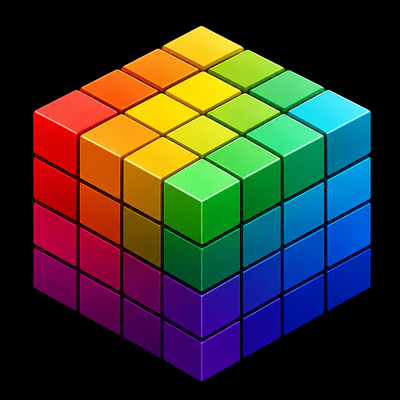
Massive RGB building block palette for Minecraft
Choose a version Pick your version below, then grab the matching file.
Quick answer
Which RGB blocks release should I use?
Latest stable file 1.3.1+mc1.20.1
Game version 1.20.1
Loader Forge
RGB blocks 1.3.1+mc1.20.1 targets 1.20.1 with Forge. Installation on the client is optional. Installation on the dedicated server is optional. No extra mods listed for this file.
Where it goes
Is RGB blocks required on the client, server, or both?
Installation on the client is optional. Installation on the dedicated server is optional.
Client Optional
Dedicated server Optional
Loader for this release Forge
Required install it here Optional supported, not mandatory Not supported do not install here Source doesn’t say do not assume
The source marks this as usable on both the client and server.
What else does RGB blocks 1.3.1+mc1.20.1 need?
1.3.1+mc1.20.1. Change the file and its required mods may change too.
This file does not list any required mods. Do not add a library just because a different file uses it.
This file does not list any required or optional mods.
Before you install it
Add RGB blocks without breaking your instance.
Built for RGB blocks 1.3.1+mc1.20.1. Pick another file and the loader, install side or required mods may change.
- 01
Stick to this file
Use 1.3.1+mc1.20.1. It targets 1.20.1 with Forge; another release may have different loader, side or dependency requirements.
- 02
Bring the mods it needs
This file does not list any required mods. Do not add a library just because a different file uses it.
- 03
Put it on the correct side
Installation on the client is optional. Installation on the dedicated server is optional.
- 04
Pick the file you checked
Use the “Get this file” button beside 1.3.1+mc1.20.1. It opens that exact file at the source.
About this project
What does RGB blocks add?
RGBBlocks
RGBBlocks is a structured RGB building palette mod for Minecraft
The mod adds over 16,600 carefully generated building colors with a focus on smooth gradients, pastel tones, neutral materials, and architectural usability.
Each color includes three block variants:
- Normal
- Glow
- Glass
RGBBlocks keeps its color palette as static full blocks rather than dynamically colored block entities. A separate RGB lighting layer provides colored illumination while preserving compatibility, stability, shader behavior, and mod interaction.
Features
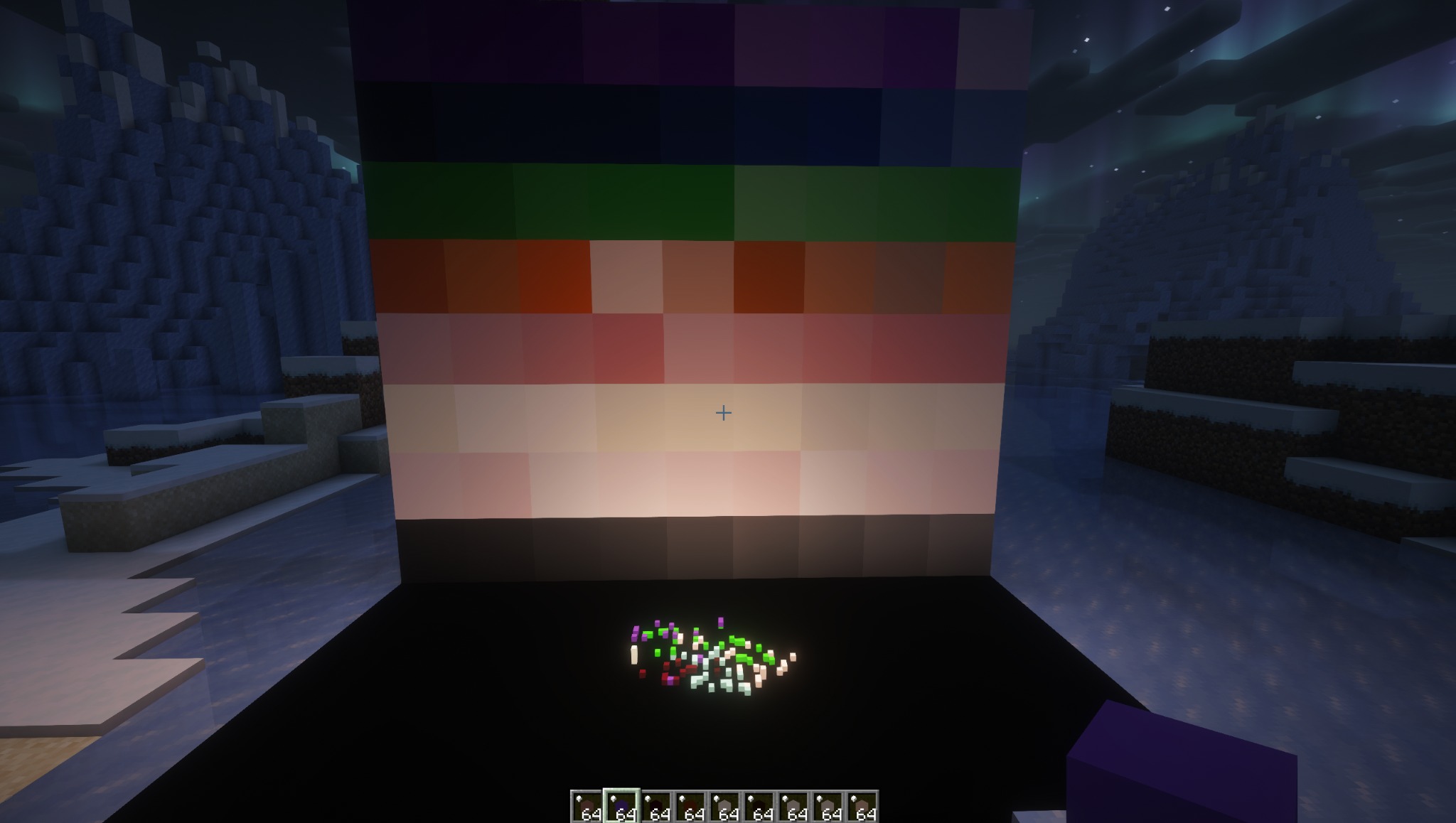
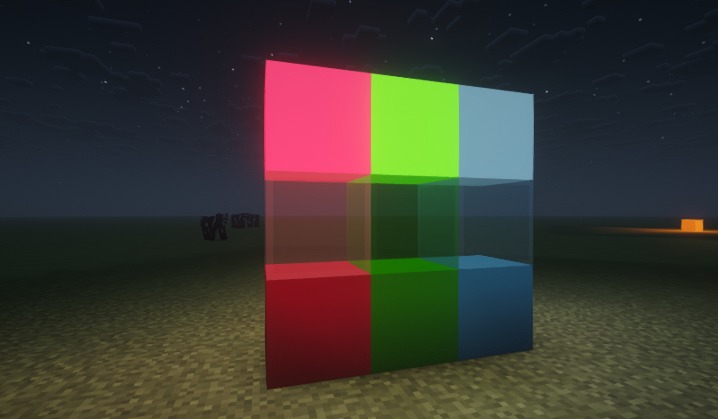
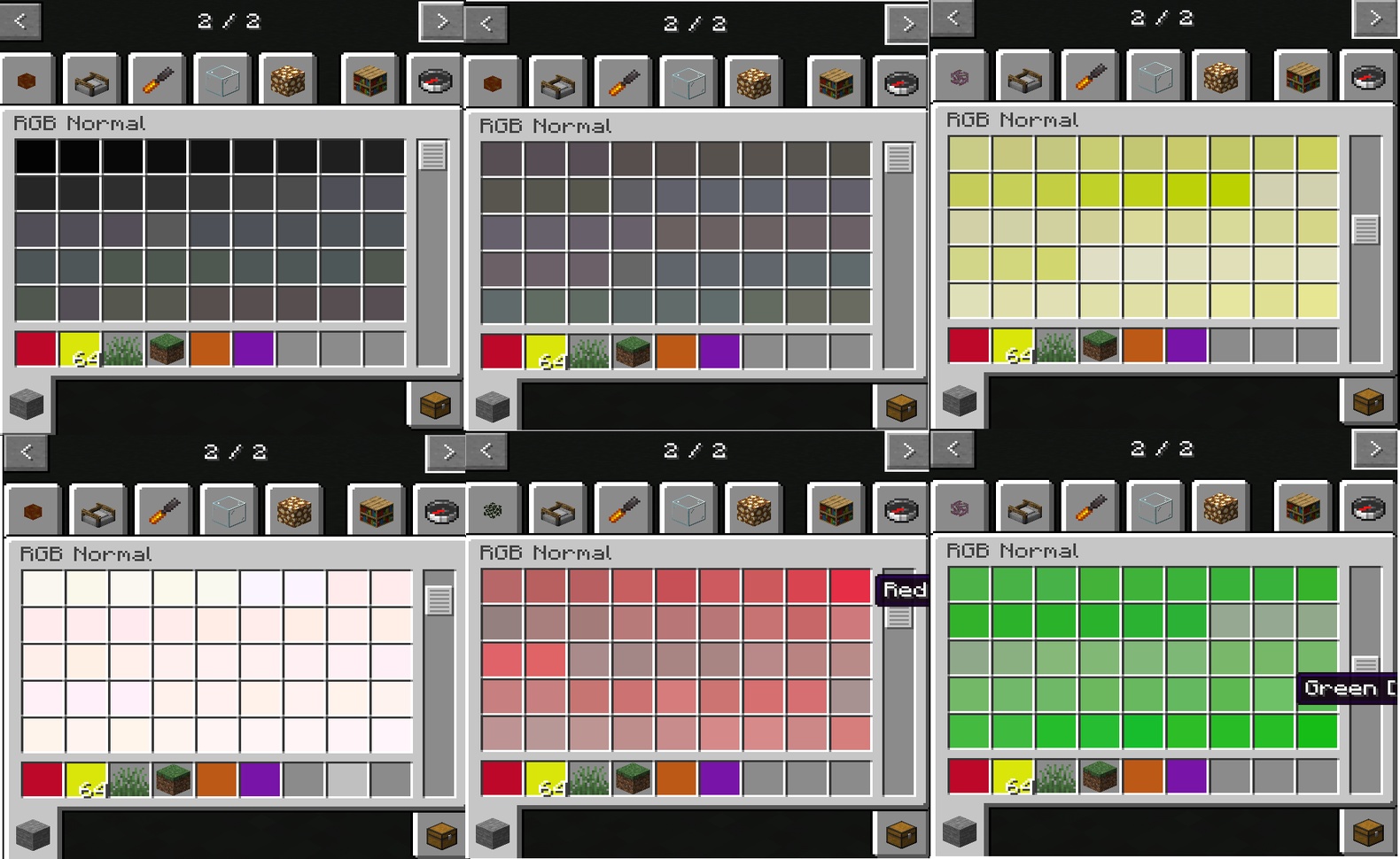
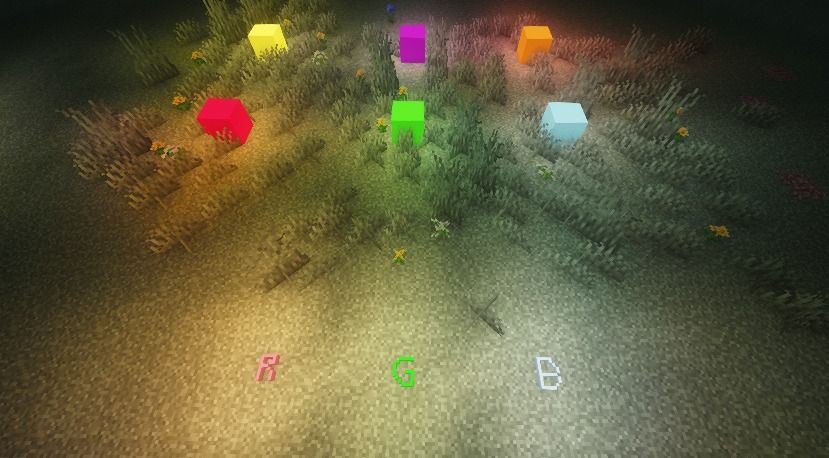
- Over 16,600 structured building colors
- Pastel and neutral optimized palette generation
- Smooth gradient-focused color organization
- Normal, Glow, and Glass variants
- Subtle RGB colored lighting(Glow variant)
- Lightweight static block architecture
- Designed for high compatibility
- Chisels & Bits friendly
RGB Lighting Modes
RGBBlocks supports two RGB lighting update modes:
MANUAL Mode is intended for large or lighting-intensive builds, reducing continuous RGB lighting recalculation during construction and allowing creators to apply accumulated changes at a chosen time.
- AUTO Mode updates RGB lighting automatically when RGB Glow blocks or Chisels & Bits Glow bits are placed, changed, or removed.
- MANUAL Mode records changed RGB light source positions without immediately rebuilding the RGB light field. Lighting is updated when a Bake is executed.
- The default mode is AUTO.
- The default Bake radius is 32 blocks.
- Bake radius can be configured from 4 to 256 blocks around the player.
- ALL Bake processes every recorded dirty position in the current dimension. It does not scan every block in the world.
- Changes made while a Bake is already running remain pending for the next Bake instead of extending the current operation.
- Dirty positions in unloaded chunks remain recorded and can be processed after those chunks are loaded.
Commands
Commands require operator or gamemaster permission.
/rgb auto- Enables automatic RGB lighting updates./rgb manual- Enables manual RGB lighting updates./rgb bake- Bakes RGB lighting using the currently selected scope./rgb setbake <4-256>- Sets a player-centered Bake radius./rgb setbake all- Selects all recorded dirty positions in the current dimension./rgb get- Displays the current RGB mode, Bake scope, and world ID./rgb bake get- Displays the same RGB runtime status.
RGB Tools
A new RGB Tools creative tab contains:
- RGB Light Switch - Right-click to toggle between AUTO and MANUAL modes.
- RGB Light Baker - Right-click to execute a Bake using the currently selected scope.
Lighting Persistence
The selected RGB mode and Bake scope are saved with the world and synchronized to connected players.
RGB light sections, full-block RGB source positions, Chisels & Bits RGB source data, and unbaked dirty positions are stored per world and dimension on the client. This allows baked RGB lighting and pending Manual changes to survive chunk unloading, reconnecting, and server restarts.
Compatibility
RGBBlocks is designed around standard full-block behavior to maximize compatibility with shaders, building tools, and other mods.
The mod has been tested in both singleplayer and multiplayer environments.
Recommended Usage
RGBBlocks works especially well for:
- Architectural builds
- Gradient detailing
- Modern and pastel builds
- Chisels & Bits creations
- Pixel art
- Builds requiring precise color expression
Tested Environment
RGBBlocks has been tested in the following environments.
NeoForge (Minecraft 26.1.2)
- NeoForge 26.1.2.41-beta
- Chisels & Bits 26.1.2.33
- Iris 1.10.9
- Sodium 0.8.11
Fabric (Minecraft 26.1.2)
- Fabric Loader (Minecraft 26.1.2)
- Fabric API 0.155.2+26.1.2
- Chisels & Bits 26.1.2.33
- Iris 1.10.9+26.1.1
- Sodium 0.8.12+26.1.2
NeoForge (Minecraft 1.21.1)
- NeoForge 21.1.265
- Chisels & Bits 21.1.32
- Iris 1.8.12
- Sodium 0.6.13
Forge (Minecraft 1.20.1)
- Forge 47.4.28
- Chisels & Bits 20.1.20
- Oculus 1.8.0
- Embeddium 0.3.31
Common
- Complementary Shaders
- Singleplayer
- Multiplayer
Design Philosophy
RGBBlocks focuses on stability, simplicity, and large-scale color availability. The palette remains based on predictable static full blocks, while RGB illumination is handled by a separate lighting layer with both automatic and manual-bake workflows.
The mod intentionally avoids dynamically colored block entities and per-block custom color rendering. This preserves broad compatibility with shaders, building tools, Chisels & Bits, and the Minecraft modding ecosystem.
Built for Minecraft NeoForge/Fabric/Forge.
Known Issue
-If a “Lost Connection” error occurs after updating RGB blocks while using Chisels & Bits, delete the clipboard .dat files inside:
.minecraft/chiselsandbits
Project description from Modrinth.
Pick your setup
RGB blocks by Minecraft version and loader
Choose the version and loader you play, then open the matching release.
Minecraft version
1.21.1
1 loader buildMinecraft version
1.20.1
1 loader buildCheck the dependencies, then try the file in a copied instance before changing a world you care about.
Recent files
RGB blocks versions and loaders
1.3.1+mc1.20.1
RGBBlocks-1.3.1-MC1.20.1-Forge.jar
24 Nov 2026
Client Optional Server Optional Dependencies No extras listed Listed on Release listing
Check the 1.20.1 · Forge setup 1.20.1Forge release
1.3.1+mc1.21.1
RGBBlocks-1.3.1-MC1.21.1-NeoForge.jar
24 Nov 2026
Client Optional Server Optional Dependencies No extras listed Listed on Release listing
Check the 1.21.1 · NeoForge setup 1.21.1NeoForge release
1.3.1F
RgbBlocksmod-26.1.2-1.3.1F.jar
2 Aug 2026
Client Optional Server Optional Dependencies No extras listed Listed on Release listing
Check the 26.1.2 · Fabric setup 26.1.2Fabric release
1.3.1
RgbBlocksmod-26.1.2-1.3.1.jar
13 Jul 2026
Client Optional Server Optional Dependencies No extras listed Listed on Release listing
Check the 26.1.2 · NeoForge setup 26.1.2NeoForge release
1.3.0
RgbBlocksmod-26.1.2-1.3.0.jar
13 Jul 2026
Client Optional Server Optional Dependencies No extras listed Listed on Release listing
Check the 26.1.2 · NeoForge setup 26.1.2NeoForge release
1.2.8
RgbBlocksmod-26.1.2-1.2.8.jar
5 Jul 2026
Client Optional Server Optional Dependencies No extras listed Listed on Release listing
Check the 26.1.2 · NeoForge setup 26.1.2NeoForge release
1.2.7
RgbBlocksmod-26.1.2-1.2.7.jar
8 Jun 2026
Client Optional Server Optional Dependencies No extras listed Listed on Release listing
Check the 26.1.2 · NeoForge setup 26.1.2NeoForge release
1.2.6
RgbBlocksmod-26.1.2-1.2.6.jar
24 May 2026
Client Optional Server Optional Dependencies No extras listed Listed on Release listing
Check the 26.1.2 · NeoForge setup 26.1.2NeoForge release
1.2.5
RgbBlocksmod-26.1.2-1.2.5.jar
23 May 2026
Client Optional Server Optional Dependencies No extras listed Listed on Release listing
Check the 26.1.2 · NeoForge setup 26.1.2NeoForge release
1.2.4
RgbBlocksmod-26.1.2-1.2.4.jar
22 May 2026
Client Optional Server Optional Dependencies No extras listed Listed on Release listing
Check the 26.1.2 · NeoForge setup 26.1.2NeoForge release
1.2.3
RgbBlocksmod-26.1.2-1.2.3.jar
21 May 2026
Client Optional Server Optional Dependencies No extras listed Listed on Release listing
Check the 26.1.2 · NeoForge setup 26.1.2NeoForge release
1.2.2
RgbBlocksmod-26.1.2-1.2.2.jar
18 May 2026
Client Optional Server Optional Dependencies No extras listed Listed on Release listing
Check the 26.1.2 · NeoForge setup 26.1.2NeoForge release
Looking for an older file? The official Modrinth project page is in Resources.
 mod
CurseForge · Minecraft
RGB Color Blocks
Massive RGB building block palette for Minecraft
 mod
GitHub · Minecraft
modpacks-ch-github-test
Disposable public fixture for testing the Modpacks.ch GitHub catalogue flow
 mod
Modrinth · Minecraft
Wizards of Lua
Unlock the Magic of Lua Scripting in Minecraft 🌟 WoL adds the /lua command, allowing you to cast spells and interact with the game using the Lua programming language.