Cloth Config API (Fabric/Forge/NeoForge) Needed by Music Notification [Fabric] MusicNotification 3.3.2 for 26.2
requiredMatching file found Matched file: [Fabric 26.2] v26.2.155

CurseForge · Minecraft mod
Configure visual notifications when music is played in-game
Quick answer
Music Notification [Fabric] MusicNotification 3.3.2 for 26.2 targets 26.2 with Fabric. The project page does not say whether this file belongs on the client, dedicated server, or both. All 2 required mods have matching files.
Where it goes
The project page does not say whether this file belongs on the client, dedicated server, or both.
The source does not explicitly classify this release as client-only or server-only.
[Fabric] MusicNotification 3.3.2 for 26.2. Change the file and its required mods may change too.
Install Cloth Config API (Fabric/Forge/NeoForge), Cloth Config API first. We found matching files for this game-version and loader setup. 3 come through another mod in the chain.
3 extra mods were pulled in by other dependencies. Indented rows show who needs each one. We only count dependency files that match this setup. A file for another loader does not fill the gap.
Before you install it
Built for Music Notification [Fabric] MusicNotification 3.3.2 for 26.2. Pick another file and the loader, install side or required mods may change.
Use [Fabric] MusicNotification 3.3.2 for 26.2. It targets 26.2 with Fabric; another release may have different loader, side or dependency requirements.
Install Cloth Config API (Fabric/Forge/NeoForge), Cloth Config API first. We found matching files for this game-version and loader setup. 3 come through another mod in the chain.
The project page does not say whether this file belongs on the client, dedicated server, or both.
Use the “Get this file” button beside [Fabric] MusicNotification 3.3.2 for 26.2. It opens that exact file at the source.
About this project
Music Notification
Adds a toast notification when music is played in the game with the track’s name, author, and album name.
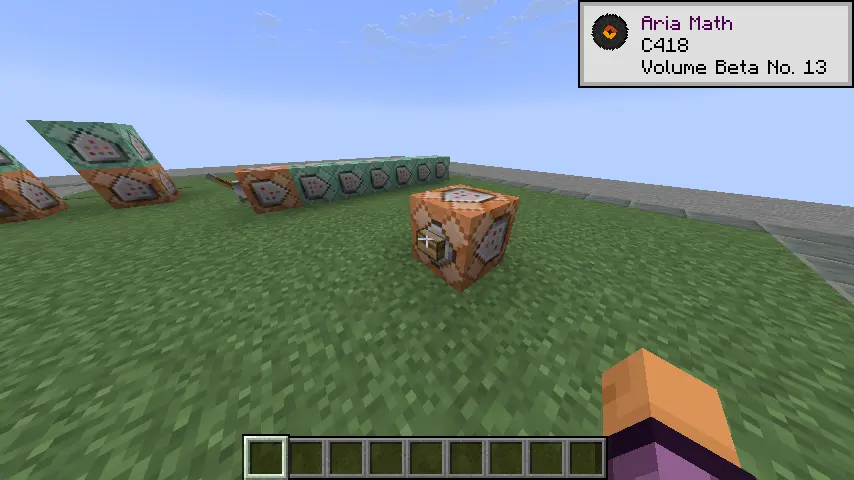 |
|---|
| Show album name": true |
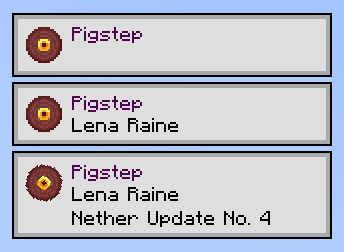 |
| Different Toast configuration |
 |
| Works with modded content (More Music Discs) |
 ) |
| Play any music anywhere at anytime using the Jukebox Menu |
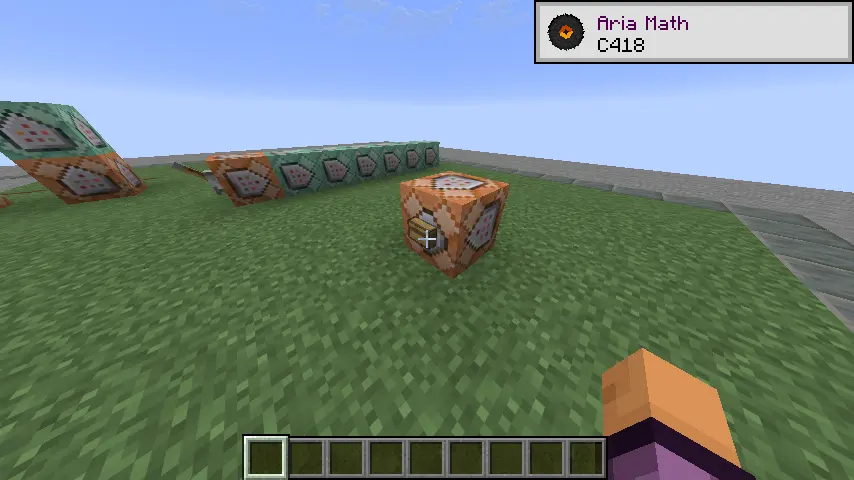 |
|---|
| Normal Toast |
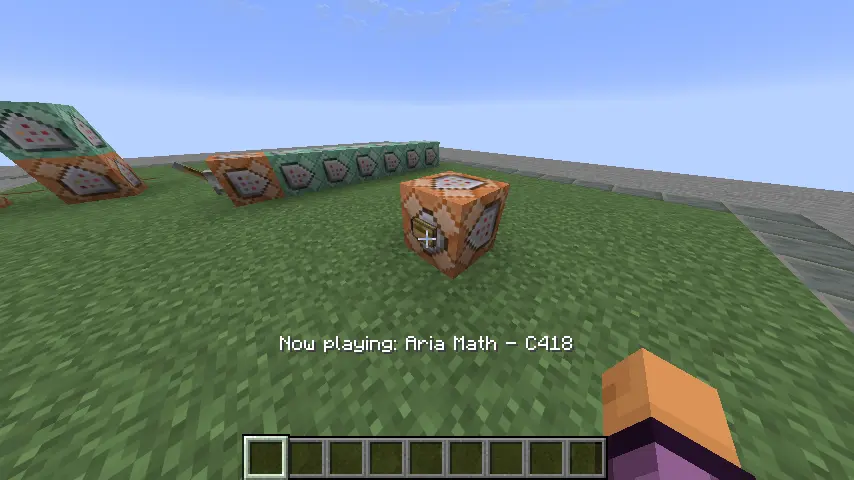 |
| Action Bar |
 |
| Compact |
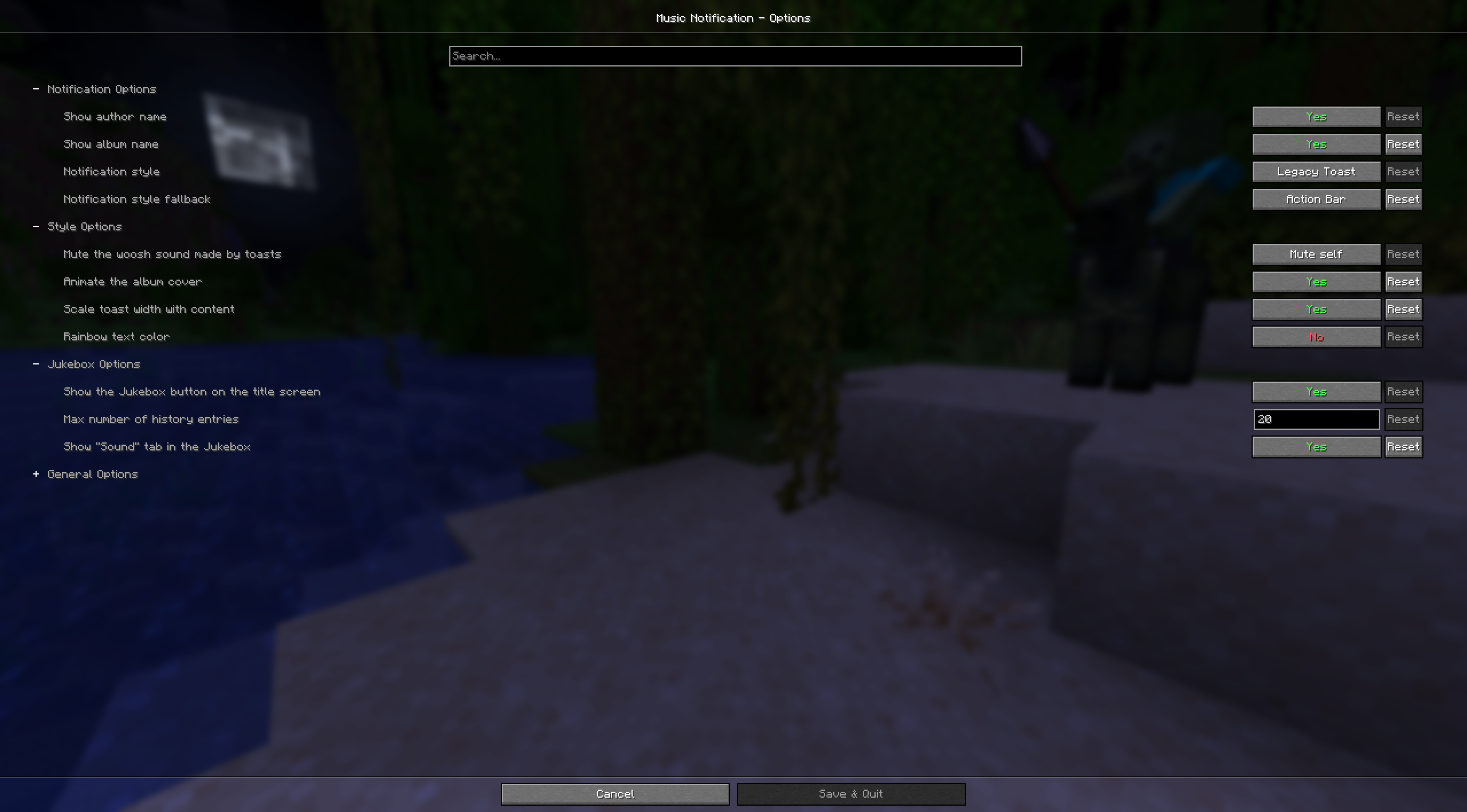
To add support for custom music or customize existing tracks you need to add a file named musics.json inside custom resource pack under the namespace musicnotification.
JSON Schema can be found here: DOCS.md
If you have any question, feel free to fill an issue.
Discs icon are made by carotteatomique
Mod icon was made by akairoo
Simplified Chinese translation by Chiloven945
Project description from CurseForge.
Pick your setup
Choose the version and loader you play, then open the matching release.
Showing the newest 12 of 23 game versions. Older files are in the list below.
Check the dependencies, then try the file in a copied instance before changing a world you care about.
Recent files
musicnotification-fabric-3.3.2+mc26.2.jar
19 Sept 2026
musicnotification-fabric-3.3.2+mc26.3.jar
19 Sept 2026
musicnotification-neoforge-3.3.2+mc26.3.jar
19 Sept 2026
musicnotification-fabric-3.3.1+mc1.21.1.jar
12 Aug 2026
musicnotification-neoforge-3.3.1+mc1.21.1.jar
12 Aug 2026
musicnotification-neoforge-3.3.0+mc26.1.jar
8 Aug 2026
musicnotification-neoforge-3.3.0+mc26.2.jar
8 Aug 2026
musicnotification-neoforge-3.3.0+mc1.21.11.jar
8 Aug 2026
musicnotification-neoforge-3.3.0+mc1.21.10.jar
8 Aug 2026
musicnotification-neoforge-3.3.0+mc1.21.8.jar
8 Aug 2026
musicnotification-neoforge-3.3.0+mc1.21.7.jar
8 Aug 2026
musicnotification-neoforge-3.3.0+mc1.21.4.jar
8 Aug 2026
Looking for an older file? The official CurseForge project page is in Resources.
 mod
modA simple client-side mod that fixes MC-260346 where custom music discs are cut off if they exceed the vanilla length.
 mod
modAdds wall blocks to each of vanilla's 12 wood types
 mod
modAdds 10 new blocks shapes to 95 blocks, giving hundreds of new building options