Minecraft version
Back to mods 
Modrinth · Minecraft mod
Kill Effects
Adds client sided kill effects and custom critical hit particles
Choose a version Pick your version below, then grab the matching file.
Quick answer
Which Kill Effects release matches 1.21.2?
Best match for your filters 1.15.0+1.21
Game version 1.21, 1.21.1, 1.21.10
Loader Fabric
Kill Effects 1.15.0+1.21 targets 1.21, 1.21.1, 1.21.10 with Fabric. It must be installed on the client. Do not install it on the dedicated server. No extra mods listed for this file.
Where it goes
Is Kill Effects required on the client, server, or both?
It must be installed on the client. Do not install it on the dedicated server.
Client Required
Dedicated server Not supported
Loader for this release Fabric
Required install it here Optional supported, not mandatory Not supported do not install here Source doesn’t say do not assume
This file is marked client-only.
What else does Kill Effects 1.15.0+1.21 need?
1.15.0+1.21 on 1.21.2. Every mod below is checked against that same setup.
This file does not list any required mods. Do not add a library just because a different file uses it.
This file does not list any required or optional mods.
Before you install it
Add Kill Effects without breaking your instance.
Built for Kill Effects 1.15.0+1.21 on 1.21.2. Pick another file and the loader, install side or required mods may change.
- 01
Stick to this file
Use 1.15.0+1.21. It targets 1.21, 1.21.1, 1.21.10 with Fabric; another release may have different loader, side or dependency requirements.
- 02
Bring the mods it needs
This file does not list any required mods. Do not add a library just because a different file uses it.
- 03
Put it on the correct side
It must be installed on the client. Do not install it on the dedicated server.
- 04
Pick the file you checked
Use the “Get this file” button beside 1.15.0+1.21. It opens that exact file at the source.
About this project
What does Kill Effects add?
KillFX
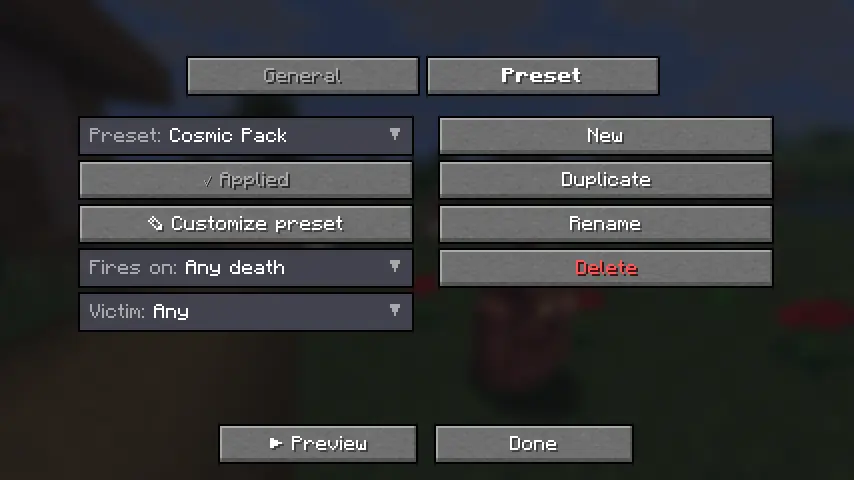
Fully client-side, ridiculously customizable kill effects for Minecraft.
Trigger real lightning, 3D skin-matched ghosts, custom PNG particles, fireworks, shockwaves, and more the instant something dies — plus fully customizable critical hit particles and hit sounds.
No server install. No packets. Works on any server.
Fabric • 1.21.4 • 1.21.10 • 1.21.11 • Java 21
What is KillFX?
KillFX is a fully client-side cosmetic mod that plays visual effects whenever an entity dies.
Everything is rendered locally on your client:
- No server installation required
- No packets sent
- No gameplay changes
- Safe to use on any multiplayer server
Rather than being a single effect, KillFX is a complete customization toolkit with editable presets, entity filters, custom particles, and sound effects.
Kill Effects
Create anything from simple kill flashes to over-the-top cinematic effects.
Included Effects
Real Lightning
- Spawns a client-side
minecraft:lightning_bolt - Uses vanilla lightning visuals and thunder
- No damage or fire
- Spawns a client-side
3D Ghosts
- Creates a translucent, skin-matched ghost of the victim
- Floats upward and fades away
Custom PNG Particles
- Import your own PNG images
- Render them as custom billboard particles
Additional Effects
- Fireworks
- Particle bursts
- Shockwaves
- Floating text
- And more
Advanced Customization
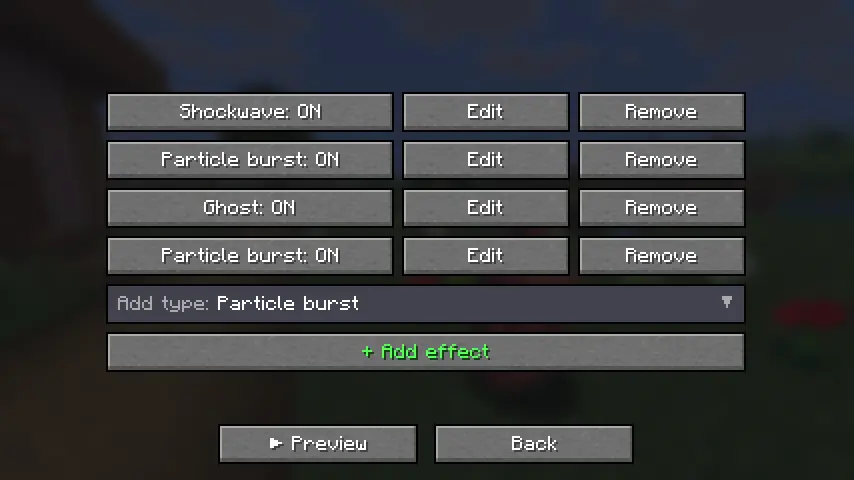
Every effect supports:
- Full RGB color control
- Size scaling
- Particle count
- Lifetime
- Motion settings
- Gravity
- Glow effects
- Trails
- Additive blending
Presets
Includes built-in presets such as:
- PvP
- Cosmic
- Fire
- Lightning
- Minimal
Or create your own from scratch.
Filters
Only trigger effects when:
- Players die
- Mobs die
- Specific entities die
- Custom conditions are met
Critical Hits
Replace Minecraft's vanilla crit particle with your own custom design.
Custom PNG Crit Particles
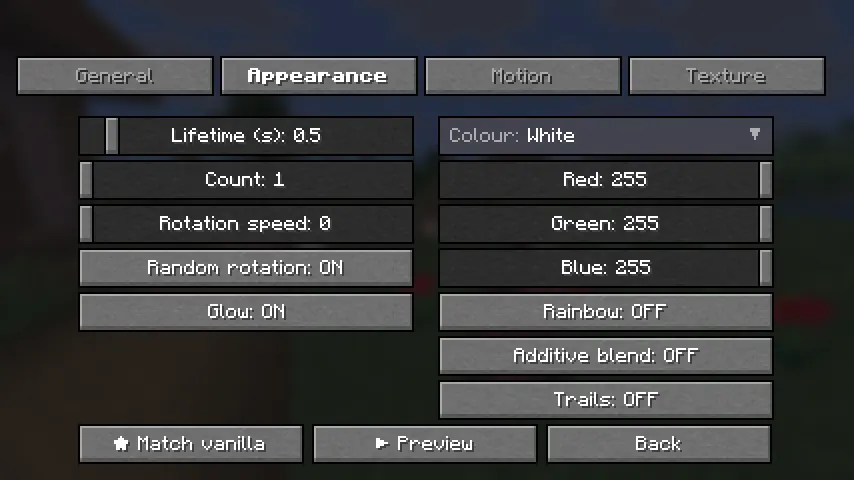
Import any PNG and customize:
- Size
- Opacity
- Particle count
- Rotation
- RGB colors
- Rainbow mode
- Additive blending
- Trails
- Gravity
- Spread
Includes a one-click "Match Vanilla" option.
Configuration Tabs
- Setup
- Appearance
- Motion
- Texture
Hit Sounds
Play a custom sound whenever you land a hit.
Features
- Choose from built-in sounds
- Import your own
.oggfiles - Volume control
- Pitch control
- Crit-only playback
- ▶ Sound preview button
Vanilla Sound Override
Mute Minecraft's default hit and crit sounds so your custom sound completely replaces them.
Share Your Setup
Export and import your entire configuration.
Includes:
- Global settings
- All presets
- Effect configurations
- Crit particle settings
- Sound settings
Configurations can be copied directly to the clipboard or saved to a file for easy sharing.
Quality & Compatibility
Built for Multiple Versions
Supports:
- Minecraft 1.21.4
- Minecraft 1.21.10
- Minecraft 1.21.11
All versions are built from a single source using proper production mappings.
Modern Codebase
- Java 21
- Fabric
- Mixins
- Tested before release
Easy Configuration
Access settings through:
- A dedicated keybind
- Mod Menu integration
Installation
Requirements
- Fabric Loader 0.16+
- Fabric API
Steps
- Install Fabric Loader and Fabric API for your Minecraft version.
- Download the matching
killfx-<version>+<mc>.jarfrom the latest release. - Place the file inside your
mods/folder. - Launch Minecraft.
Optional
Install Mod Menu for quick access from the Mods screen, or assign the KillFX keybind in Controls.
Create anything from subtle PvP effects to complete visual chaos — all client-side, all customizable, and compatible with any server.
Project description from Modrinth.
Pick your setup
Kill Effects by Minecraft version and loader
Choose the version and loader you play, then open the matching release.
Minecraft version
1.21.10
1 loader buildMinecraft version
1.21.9
1 loader buildMinecraft version
1.21.8
1 loader buildMinecraft version
1.21.7
1 loader buildMinecraft version
1.21.6
1 loader buildMinecraft version
1.21.5
1 loader buildMinecraft version
1.21.4
1 loader buildMinecraft version
1.21.3
1 loader buildMinecraft version
1.21.2
1 loader buildMinecraft version
1.21.1
1 loader buildMinecraft version
1.21
1 loader buildCheck the dependencies, then try the file in a copied instance before changing a world you care about.
Recent files
Kill Effects versions and loaders
1.15.0+1.21
killfx-1.15.0+1.21.jar
16 Jun 2026
Client Required Server Not supported Dependencies No extras listed Listed on Release listing
Check the 1.21.2 · Fabric setup 1.211.21.11.21.101.21.11 release
Looking for an older file? The official Modrinth project page is in Resources.
 mod
CurseForge + Modrinth · Minecraft
More Villagers : Re-employed
Adds more villagers with new professions and workstations. Port of the original More Villagers mod.
 mod
CurseForge + Modrinth · Minecraft
ShapeGen
Additional shapes for any block, including modded ones
 mod
CurseForge + Modrinth · Minecraft
Just Enough Backups (JEB)
Backup mod that keeps your worlds safe with automatic and manual backups, with an easy in-game UI to create, manage, and restore them.