Fabric API Needed by Click Opener Continued! 1.0.6+26.1
requiredMatching file found Matched file: 0.155.3+26.1.2
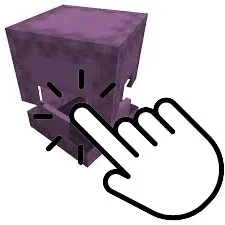
Modrinth · Minecraft mod
Use blocks like shulkers directly in your inventory!
Quick answer
Click Opener Continued! 1.0.6+26.1 targets 26.1, 26.1.1, 26.1.2 with Fabric. Do not install it on the client. It must be installed on the dedicated server. All 1 required mods have matching files.
Where it goes
Do not install it on the client. It must be installed on the dedicated server.
This file is marked server-only.
1.0.6+26.1 on 26.1.2. Every mod below is checked against that same setup.
Install Fabric API first. We found matching files for this game-version and loader setup.
We only count dependency files that match this setup. A file for another loader does not fill the gap.
Before you install it
Built for Click Opener Continued! 1.0.6+26.1 on 26.1.2. Pick another file and the loader, install side or required mods may change.
Use 1.0.6+26.1. It targets 26.1, 26.1.1, 26.1.2 with Fabric; another release may have different loader, side or dependency requirements.
Install Fabric API first. We found matching files for this game-version and loader setup.
Do not install it on the client. It must be installed on the dedicated server.
Use the “Get this file” button beside 1.0.6+26.1. It opens that exact file at the source.
About this project
Continuation of Click Opener Mod by Hoid2.
This mod allows you to open blocks in your inventory!
Keep blocks like shulkerboxes, enchanting tables, anvils and crafting tables with you for quick and easy access.
With this mod, shulkerboxes can become a vanilla-friendly version of backpacks.
The config allows for whitelisting and blacklisting of blocks. Keep in mind that none are whitelisted by default.
You can use commands to add to the whitelist. For a full list, refer to the wiki in the sidebar!
This is a fork of Click Opener Mod by Hoid2, created with permission by them.
As such, it inherits its MIT License.
Project description from Modrinth.
Pick your setup
Choose the version and loader you play, then open the matching release.
Showing the newest 12 of 17 game versions. Older files are in the list below.
Check the dependencies, then try the file in a copied instance before changing a world you care about.
Recent files
clickopener-1.0.6+26.1.jar
29 Mar 2026
Looking for an older file? The official Modrinth project page is in Resources.
 mod
Well-rounded client-side optimization mod. Extremely compatible Vulkan backend for 1.21.11-26.1.2. By Polyfrost, best with OneClient.
 mod
A technology NeoForge/Fabric mod with many machines.
 mod
5th Version of the QDC Quantum Dis-Assembly Craft mod. Focusing on QOL Usability and other Mods Compatibility.