Mod Menu Optional for Boosted Brightness 2.2.0
optionalMatching file found Matched file: 7.2.1

Modrinth · Minecraft mod
Set your brightness beyond default levels.
Quick answer
Boosted Brightness 2.2.0 targets 1.20, 1.20.1 with Fabric. It must be installed on the client. Do not install it on the dedicated server. 1 required mod needs a matching file.
Where it goes
It must be installed on the client. Do not install it on the dedicated server.
This file is marked client-only.
2.2.0. Change the file and its required mods may change too.
Install Fabric API first, but 1 required mod has no matching file for this setup. Do not mix loader builds to force a match.
We only count dependency files that match this setup. A file for another loader does not fill the gap.
Before you install it
Built for Boosted Brightness 2.2.0. Pick another file and the loader, install side or required mods may change.
Use 2.2.0. It targets 1.20, 1.20.1 with Fabric; another release may have different loader, side or dependency requirements.
Install Fabric API first, but 1 required mod has no matching file for this setup. Do not mix loader builds to force a match.
It must be installed on the client. Do not install it on the dedicated server.
Use the “Get this file” button beside 2.2.0. It opens that exact file at the source.
About this project
Boosted Brightness is a simple mod that allows you to set your brightness beyond default levels.
It makes use of Fabric (not Forge) and is compatible with Minecraft 1.19.
Modified brightness slider, extending brightness range to -150% to 1200%.

Up to 5 custom brightness levels accessible via Mod Menu.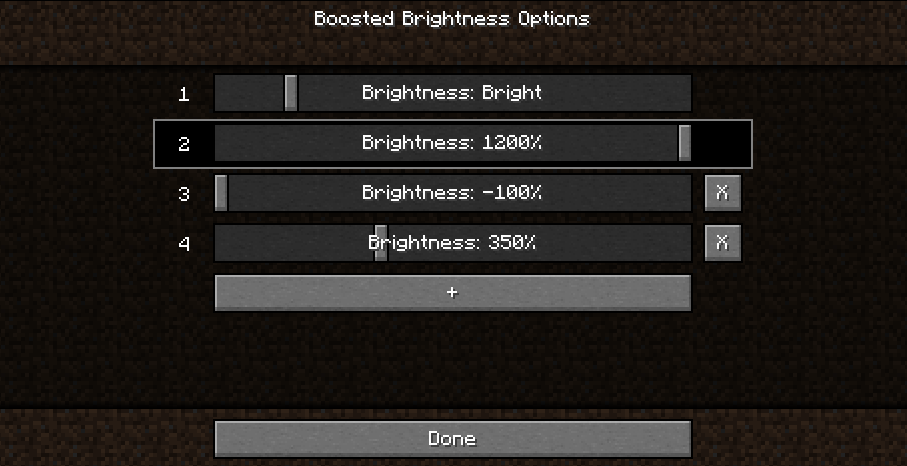
Keybinds to raise/lower brightness and switch to particular brightness levels in-game.
Cave brightness comparison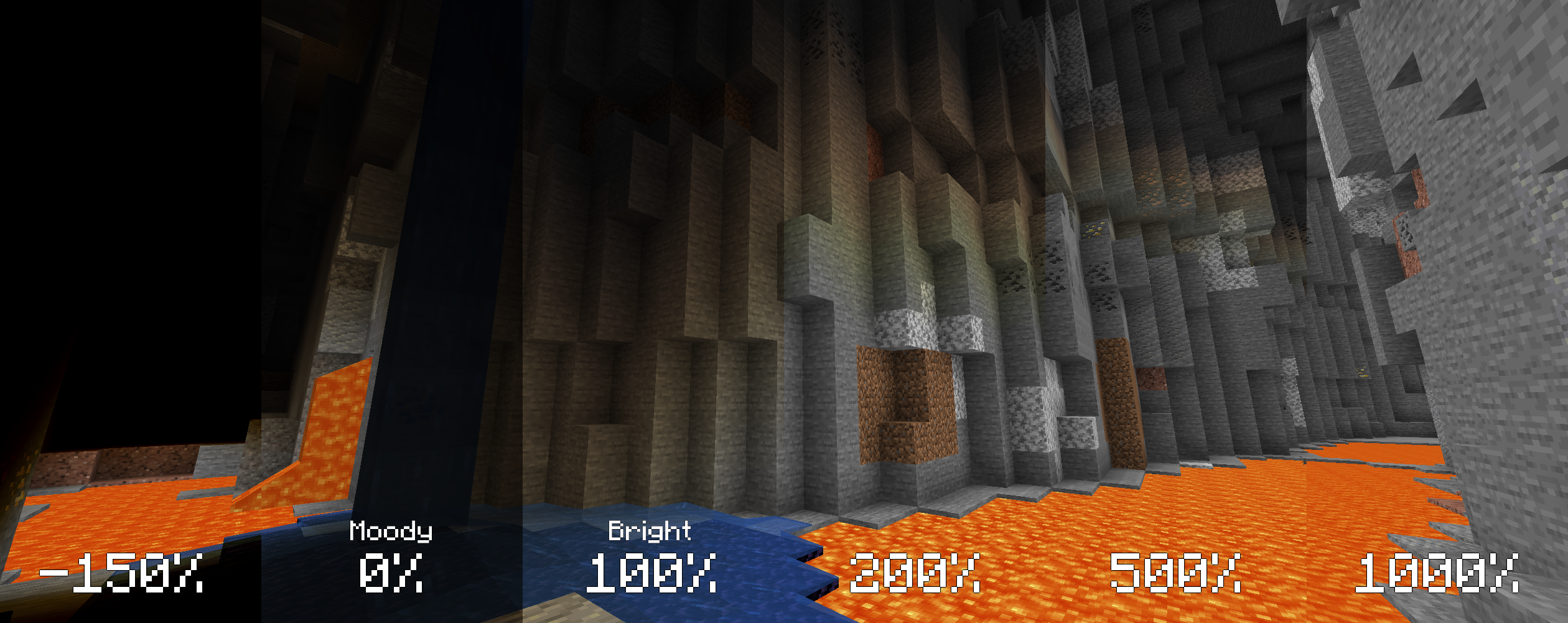
Nighttime brightness comparison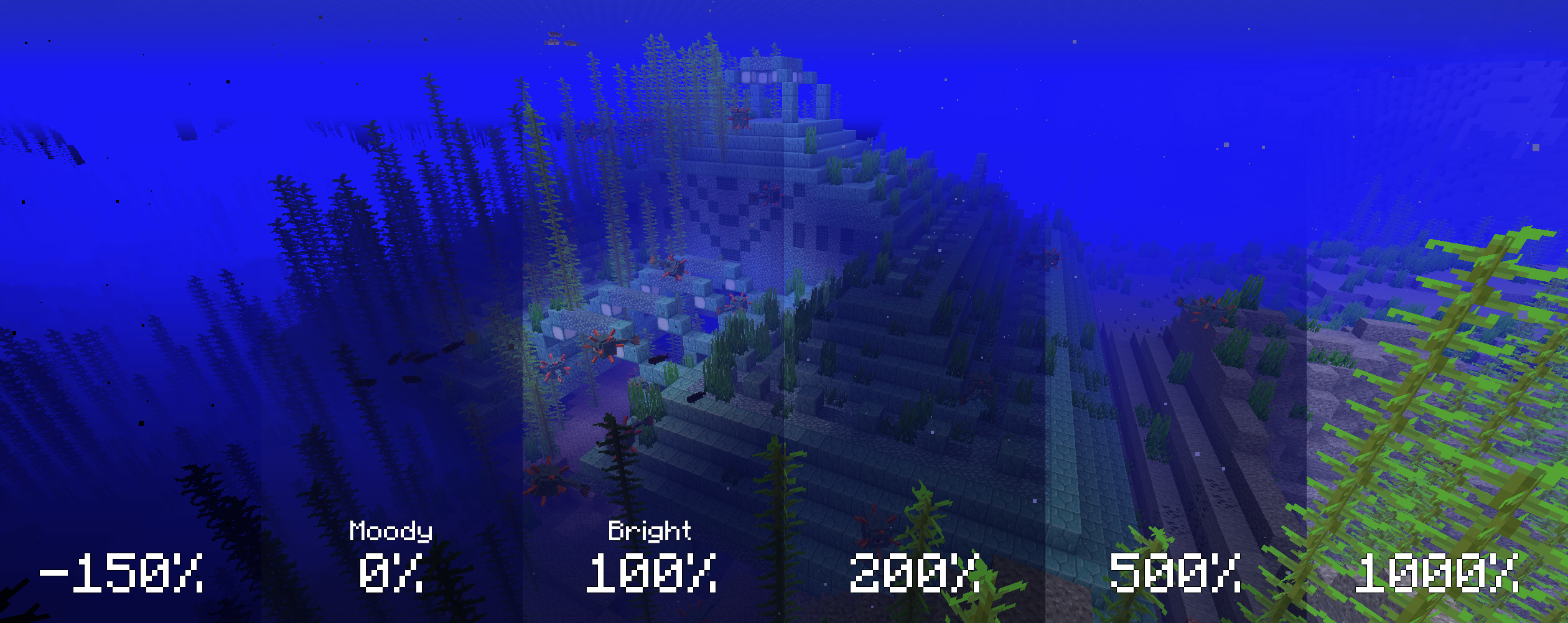
Works with Optifine and Sodium. Let me know if you find any compatibility issues.
MIT. Feel free to use this mod in any modpack.
Project description from Modrinth.
Pick your setup
Choose the version and loader you play, then open the matching release.
Check the dependencies, then try the file in a copied instance before changing a world you care about.
Recent files
boosted-brightness-2.2.0+1.20.1.jar
23 Jun 2023
boosted-brightness-2.1.3+1.19.3.jar
25 Jan 2023
boosted-brightness-2.1.2+1.19.jar
23 Jun 2022
boosted-brightness-2.1.1+1.18.2.jar
23 Jun 2022
boosted-brightness-2.1.0.jar
23 Jun 2022
boosted-brightness-2.0.0+1.16.5.jar
23 Jun 2022
Looking for an older file? The official Modrinth project page is in Resources.
 mod
modThis is a library mod for the Moogs Structure series
 mod
modSimple, portable vanilla machines
 mod
modA library mod for First Dark Development and HypherionSA's mods