Minecraft version
Back to mods 
Modrinth · Minecraft mod
Esquisse - Canvas
An Esquisse addon that adds an infinite canvas
Choose a version Pick your version below, then grab the matching file.
Quick answer
Which Esquisse - Canvas release should I use?
beta file 0.3.9
Game version 1.21.1
Loader NeoForge
Esquisse - Canvas 0.3.9 targets 1.21.1 with NeoForge. Installation on the client is optional. Installation on the dedicated server is optional. No extra mods listed for this file.
Where it goes
Is Esquisse - Canvas required on the client, server, or both?
Installation on the client is optional. Installation on the dedicated server is optional.
Client Optional
Dedicated server Optional
Loader for this release NeoForge
Required install it here Optional supported, not mandatory Not supported do not install here Source doesn’t say do not assume
The source marks this as usable on both the client and server.
What else does Esquisse - Canvas 0.3.9 need?
0.3.9. Change the file and its required mods may change too.
This file does not list any required mods. Do not add a library just because a different file uses it.
This file does not list any required or optional mods.
Before you install it
Add Esquisse - Canvas without breaking your instance.
Built for Esquisse - Canvas 0.3.9. Pick another file and the loader, install side or required mods may change.
- 01
Stick to this file
Use 0.3.9. It targets 1.21.1 with NeoForge; another release may have different loader, side or dependency requirements.
- 02
Bring the mods it needs
This file does not list any required mods. Do not add a library just because a different file uses it.
- 03
Put it on the correct side
Installation on the client is optional. Installation on the dedicated server is optional.
- 04
Pick the file you checked
Use the “Get this file” button beside 0.3.9. It opens that exact file at the source.
About this project
What does Esquisse - Canvas add?
An addon for the Esquisse mod, adding an infinitely scalable canvas. All of the base mod's tools work on the canvas, additionally you can use ripped out sketchbook pages as stickers on the canvas.
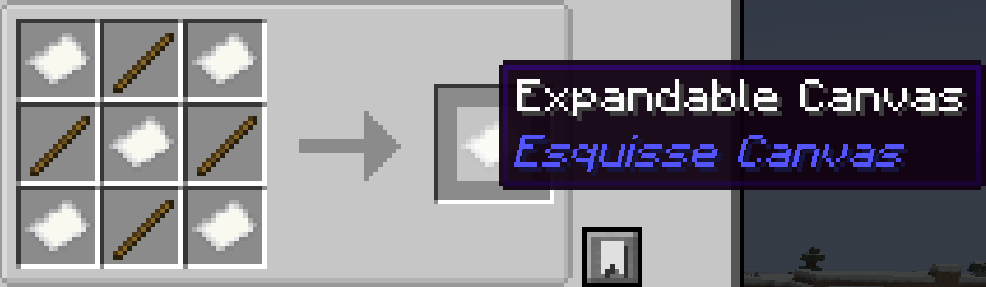
Current addon controls:
Canvas View
- Ctrl + mouse wheel on empty canvas: zoom canvas in/out
- Right-drag on empty canvas: pan/move around canvas
- Middle-drag: pan/move around canvas
- Space + left-drag: pan/move around canvas
Paper Squares
Left-click ghost square/adjacent expansion area: add a new paper square
Requires paper in inventory
Stickers
- Top-left sketched-page button: add a ripped sketchbook page as a sticker
- Right-click sticker: select and start dragging
- Right-drag selected sticker: move sticker
- Ctrl + mouse wheel while hovering a sticker: select and scale that sticker
- Ctrl + Shift + mouse wheel: scale currently selected sticker even if cursor is not over it
Screenshots:
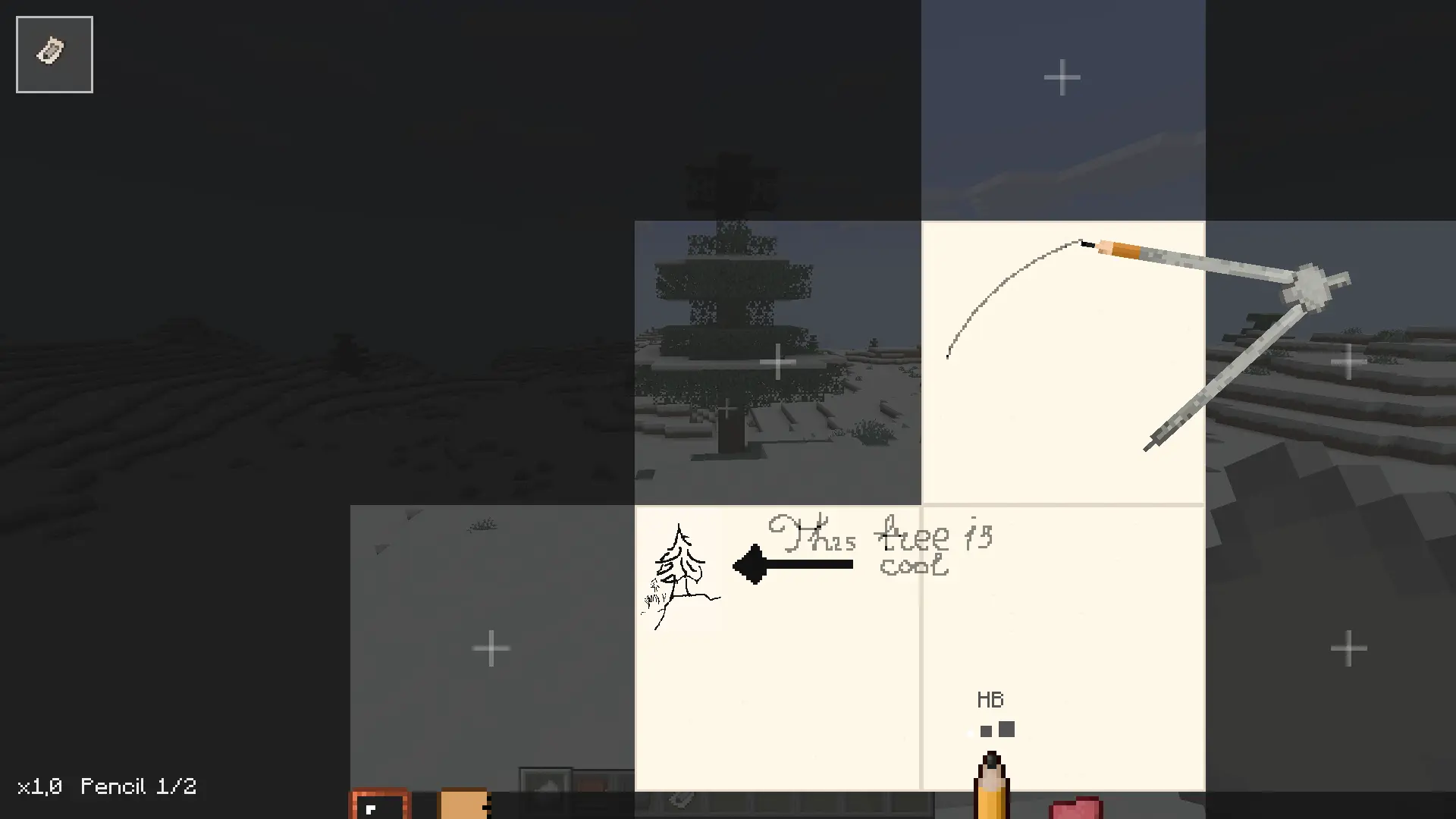
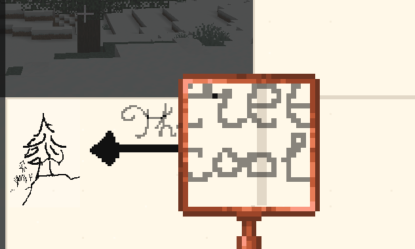
Project description from Modrinth.
Pick your setup
Esquisse - Canvas by Minecraft version and loader
Choose the version and loader you play, then open the matching release.
Check the dependencies, then try the file in a copied instance before changing a world you care about.
Recent files
Esquisse - Canvas versions and loaders
0.3.9
esquissecanvas-0.3.9.jar
18 Jun 2026
Client Optional Server Optional Dependencies No extras listed Listed on Release listing
Check the 1.21.1 · NeoForge setup 1.21.1NeoForge beta
0.3.2
esquissecanvas-0.3.2.jar
13 Jun 2026
Client Optional Server Optional Dependencies 1 required · 1 unchecked Listed on Release listing
Check the 1.21.1 · NeoForge setup 1.21.1NeoForge beta
0.3.1
esquissecanvas-0.3.1.jar
13 Jun 2026
Client Optional Server Optional Dependencies 1 required · 1 unchecked Listed on Release listing
Check the 1.21.1 · NeoForge setup 1.21.1NeoForge beta
Looking for an older file? The official Modrinth project page is in Resources.
 mod
CurseForge + Modrinth · Minecraft
RandoWand
A simple NeoForge 1.21.1 mod adding a block randomization wand to simplify building gradients and texturing in Minecraft. Feed blocks to the wand for random placement. Got ideas or feedback? Contact me on Discord: Toxic_bullet.
 mod
CurseForge + Modrinth · Minecraft
Insane's Survival Overhaul (aka IguanaTweaks Reborn)
Overhaul survival with many changes to existing mechanics. Weapon rebalance, enchanting rework, and much more
 mod
CurseForge + Modrinth · Minecraft
Dungeon Train: A Lore-Rich Roguelite RPG Adventure
Adventure time inspired dungeon crawler on a train. Procedurally generated carriages on a infinite sable physics train. Rich narrative, with custom made mods for a completely unique experience.