Minecraft version
Back to mods 
Modrinth · Minecraft mod
Red Discord Presence
Show to your Discord friends your fancy Minecraft status!
Choose a version Pick your version below, then grab the matching file.
Quick answer
Which Red Discord Presence release should I use?
Latest stable file 1.2.0
Game version 1.20.2
Loader Fabric
Red Discord Presence 1.2.0 targets 1.20.2 with Fabric. It must be installed on the client. Do not install it on the dedicated server. No extra mods listed for this file.
Where it goes
Is Red Discord Presence required on the client, server, or both?
It must be installed on the client. Do not install it on the dedicated server.
Client Required
Dedicated server Not supported
Loader for this release Fabric
Required install it here Optional supported, not mandatory Not supported do not install here Source doesn’t say do not assume
This file is marked client-only.
What else does Red Discord Presence 1.2.0 need?
1.2.0. Change the file and its required mods may change too.
This file does not list any required mods. Do not add a library just because a different file uses it.
This file does not list any required or optional mods.
Before you install it
Add Red Discord Presence without breaking your instance.
Built for Red Discord Presence 1.2.0. Pick another file and the loader, install side or required mods may change.
- 01
Stick to this file
Use 1.2.0. It targets 1.20.2 with Fabric; another release may have different loader, side or dependency requirements.
- 02
Bring the mods it needs
This file does not list any required mods. Do not add a library just because a different file uses it.
- 03
Put it on the correct side
It must be installed on the client. Do not install it on the dedicated server.
- 04
Pick the file you checked
Use the “Get this file” button beside 1.2.0. It opens that exact file at the source.
About this project
What does Red Discord Presence add?
Red Discord Presence
Show to your Discord friends your fancy Minecraft status!
Report Bug
·
Request Feature
Getting Started
Show to your Discord friends your fancy Minecraft status!

Usage
Simply install the mod like every other one, launch the game and here you go!
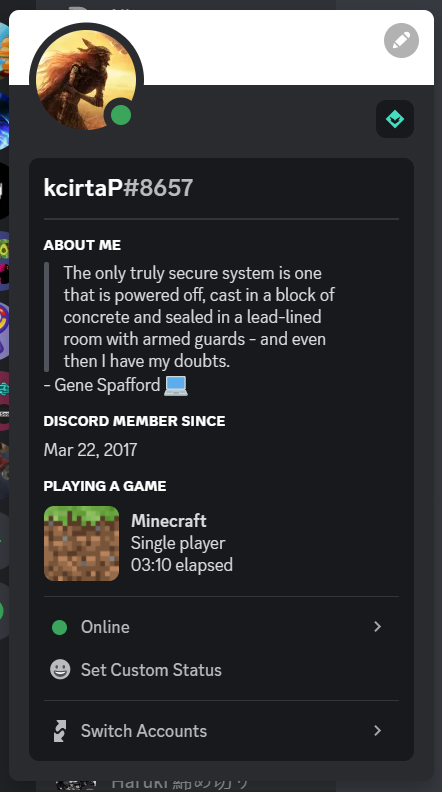
Make sure that your game status is visible on Discord.
Configuration
To edit the configuration edit config/red_discord_presence.json
(In order to save uou don't have to restart the game, just enter and exit a world or a server)
Custom app name
Create a new application on Discord developer portal and edt clientId inside the configuration (See the paragraph above)
Custom image
Open Discord developer portal and select your application, go inside Rich Presence menu
and click on Art Assets, click Add Image and upload an image. Once you have done go back
to the configuration (See the paragraph above) and change singleplayerImage with the image that you chose
when you uploaded the iamge
Contributing
Contributions are what make the open source community such an amazing place to learn, inspire, and create. Any contributions you make are greatly appreciated.
If you have a suggestion that would make this better, please fork the repo and create a pull request. You can also simply open an issue with the tag "enhancement".
Don't forget to give the project a star! Thanks again!
- Fork the Project
- Create your Feature Branch (
git checkout -b feature/AmazingFeature) - Commit your Changes (
git commit -m 'Add some AmazingFeature') - Push to the Branch (
git push origin feature/AmazingFeature) - Open a Pull Request
License
Distributed under the GPLv3 License. See LICENSE for more information.
Acknowledgments
- CDAGaming for creating a nice fork of DiscordIPC
Project description from Modrinth.
Pick your setup
Red Discord Presence by Minecraft version and loader
Choose the version and loader you play, then open the matching release.
Minecraft version
1.19.3
1 loader buildCheck the dependencies, then try the file in a copied instance before changing a world you care about.
Recent files
Red Discord Presence versions and loaders
1.2.0
red_discord_presence-1.2.0+1.20.2.jar
18 Nov 2023
Client Required Server Not supported Dependencies No extras listed Listed on Release listing
Check the 1.20.2 · Fabric setup 1.20.2Fabric release
1.2.0
red_discord_presence-1.2.0.jar
18 Nov 2023
Client Required Server Not supported Dependencies No extras listed Listed on Release listing
Check the 1.19.3 · Fabric setup 1.19.3Fabric release
1.1.0
red_discord_presence-1.1.0+1.19.3.jar
6 Feb 2023
Client Required Server Not supported Dependencies 1 required · 1 unchecked Listed on Release listing
Check the 1.19.3 · Fabric setup 1.19.3Fabric release
1.0.0
red_discord_presence-1.0.0.jar
16 Jan 2023
Client Required Server Not supported Dependencies 1 required · 1 unchecked Listed on Release listing
Check the 1.19.3 · Fabric setup 1.19.3Fabric release
Looking for an older file? The official Modrinth project page is in Resources.
 mod
Modrinth · Minecraft
SimplesorterR
A lightweight client-side mod for effortless inventory management in Minecraft.
 mod
Modrinth · Minecraft
Minecraft Authentication
Allow users to link their Minecraft accounts to various services and automatically whitelist them based on specified conditions
 mod
Modrinth · Minecraft
Cosmote's Philosopher's Stone
Adds an stone that lets you transmute items into other items. Just like ProjectE's Philosopher's Stone, but more fair.