Fabric API Needed by Always Multiplayer 26.2-pre-4-1.0.0-alpha.9
requiredMatching file found Matched file: 0.152.0+26.2

Modrinth · Minecraft mod
Lightweight mod that automatically publishes singleplayer worlds for online play. Allows your friends to join without always having to remember to enable multiplayer first.
Quick answer
Always Multiplayer 26.2-pre-4-1.0.0-alpha.9 targets 26.2-pre-4, 26.2-pre-5, 26.2-pre-6 with Fabric. Installation on the client is optional. Installation on the dedicated server is optional. All 1 required mods have matching files.
Where it goes
Installation on the client is optional. Installation on the dedicated server is optional.
The source marks this as usable on both the client and server.
26.2-pre-4-1.0.0-alpha.9 on 26.2-pre-6. Every mod below is checked against that same setup.
Install Fabric API first. We found matching files for this game-version and loader setup.
We only count dependency files that match this setup. A file for another loader does not fill the gap.
Before you install it
Built for Always Multiplayer 26.2-pre-4-1.0.0-alpha.9 on 26.2-pre-6. Pick another file and the loader, install side or required mods may change.
Use 26.2-pre-4-1.0.0-alpha.9. It targets 26.2-pre-4, 26.2-pre-5, 26.2-pre-6 with Fabric; another release may have different loader, side or dependency requirements.
Install Fabric API first. We found matching files for this game-version and loader setup.
Installation on the client is optional. Installation on the dedicated server is optional.
Use the “Get this file” button beside 26.2-pre-4-1.0.0-alpha.9. It opens that exact file at the source.
About this project
Global settings can be added in config/alwaysmultiplayer.json. These settings can also be found under the Minecraft main menu Options... -> Online... -> Always Multiplayer Config...
| Setting | Default | Description |
|---|---|---|
multiplayer |
LAN |
Set to LAN to open all singleplayer worlds to LAN by default (or to the internet with port forwarding or other mods). Turn OFF to stay in singleplayer by default. |
access |
FRIENDS |
Who can join your multiplayer worlds. FRIENDS: allow Minecraft friends (and whitelisted players). WHITELIST: only allow whitelisted players. OPEN: allow all connections. |
gamemode |
null (Auto) |
The default game mode for other players that join your worlds. Set null to follow the world setting, or set to SURVIVAL, CREATIVE, ADVENTURE, or SPECTATOR to assign a global default. |
commands |
null (Auto) |
The default commands for other players that join your worlds. Set null to follow the world setting, or set to true or false to assign a global default. |
port |
null (Auto) |
The default port number for LAN worlds only. Set null to auto assign a free port each time, or enter a number between 1024 and 65535. |
All the built in server commands are made available, including /ban /whitelist and /op. These commands create json files at the root of your profile folder (not specific to any world). I.e. the same location as your usercache.json. See example whitelist.json.
| Command | Description | Example | Operator Level |
|---|---|---|---|
| /whitelist | White-list a player to allow them to join when the Access setting is FRIENDS or WHITELIST. | /whitelist add Player123 |
3 (Admin) |
| /ban | Ban a player from joining any of your worlds. Also includes /ban-ip and /banlist. | /ban Player123 |
3 (Admin) |
| /pardon | Unbans a player so they can join all of your worlds. | /pardon Player123 |
3 (Admin) |
| /op | Makes a player a level 2 Operator (the same permissions that enabling 'Commands' gives by default). | /op Player123 |
3 (Admin) |
| /deop | Removes a players Operator permissions (unless 'Commands' are enabled for other players by default). | /deop Player123 |
3 (Admin) |
| /perf | Starts the performance profiler. | /perf start |
4 (Owner) |
| /save-all | Saves the world. Also includes /save-off and /save-on. | /save-all |
4 (Owner) |
| /stop | Stops the server and disconnects all players (alternatively use /unpublish). | /stop |
4 (Owner) |
P2P has been removed from the 26.2 update (for now), and with it the 'Online' multiplayer option for singleplayer worlds. While this does make it harder to connect with friends, it's still possible using the 'LAN' multiplayer option and some additional setup.
10.1.1.1:5555.Make sure to use whitelist or access restrictions if you want to prevent unexpected connections.
Project description from Modrinth.
Pick your setup
Choose the version and loader you play, then open the matching release.
Check the dependencies, then try the file in a copied instance before changing a world you care about.
Recent files
alwaysmultiplayer-fabric-26.2-pre-4-1.0.0-alpha.9.jar
5 Jun 2026
Looking for an older file? The official Modrinth project page is in Resources.
 mod
modMakes the GameRules UI screen collapsible by category. Tired of scrolling? Clean up your world settings.
 mod
modShows useful player stats like deaths, kills, playtime, position, and current dimension to everyone through a compact, configurable readout in the player list.
 mod
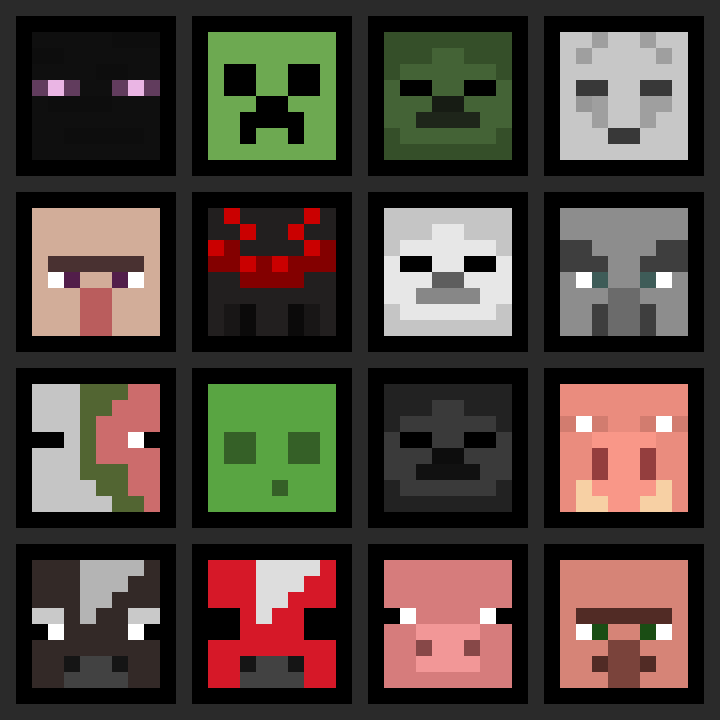
modAdds survival-friendly access to mob heads and player heads, using intentional hoe-based drops to avoid farm pollution and preserve vanilla progression.