Minecraft version
Back to mods 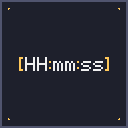
Modrinth · Minecraft mod
WhenChat
Prepends a [HH:mm:ss] timestamp to every received chat message — never lose track of when something was sent.
Choose a version Pick your version below, then grab the matching file.
Quick answer
Which WhenChat release should I use?
Latest stable file 1.0.4+forge-mc1.21.5
Game version 1.21.5
Loader Forge
WhenChat 1.0.4+forge-mc1.21.5 targets 1.21.5 with Forge. It must be installed on the client. Do not install it on the dedicated server. No extra mods listed for this file.
Where it goes
Is WhenChat required on the client, server, or both?
It must be installed on the client. Do not install it on the dedicated server.
Client Required
Dedicated server Not supported
Loader for this release Forge
Required install it here Optional supported, not mandatory Not supported do not install here Source doesn’t say do not assume
This file is marked client-only.
What else does WhenChat 1.0.4+forge-mc1.21.5 need?
1.0.4+forge-mc1.21.5. Change the file and its required mods may change too.
This file does not list any required mods. Do not add a library just because a different file uses it.
This file does not list any required or optional mods.
Before you install it
Add WhenChat without breaking your instance.
Built for WhenChat 1.0.4+forge-mc1.21.5. Pick another file and the loader, install side or required mods may change.
- 01
Stick to this file
Use 1.0.4+forge-mc1.21.5. It targets 1.21.5 with Forge; another release may have different loader, side or dependency requirements.
- 02
Bring the mods it needs
This file does not list any required mods. Do not add a library just because a different file uses it.
- 03
Put it on the correct side
It must be installed on the client. Do not install it on the dedicated server.
- 04
Pick the file you checked
Use the “Get this file” button beside 1.0.4+forge-mc1.21.5. It opens that exact file at the source.
About this project
What does WhenChat add?
WhenChat
WhenChat is a lightweight, client-side mod that automatically prepends a [HH:mm:ss] timestamp in front of every chat message you receive in Minecraft. Available for Fabric, NeoForge, and Forge.
Ever wondered exactly when that message in chat was sent? Whether you're on a busy multiplayer server, taking screenshots for proof, or just want a quiet reference for the time of day without opening the F3 debug menu — WhenChat has you covered.
Features
- Automatic timestamps — every incoming chat message is tagged with the current time in
[HH:mm:ss]format - Zero configuration — install, launch, done
- Client-side only — works on any server, vanilla or modded, no server-side install needed
- Multi-loader — Fabric, NeoForge, and Forge JARs available for every supported MC version
- Lightweight — a single mixin, no performance impact
- Subtle styling — timestamps are rendered in gray so they don't distract from the actual message
Example
Before:
<Steve> hey, are you online?
<Alex> sup
After:
[18:42:07] <Steve> hey, are you online?
[18:43:21] <Alex> sup
Supported Versions
| Loader | Minecraft versions |
|---|---|
| Fabric | 1.19, 1.19.1 – 1.19.4, 1.20 – 1.20.6, 1.21 – 1.21.11 (24 versions) |
| NeoForge | 1.20.6, 1.21, 1.21.1, 1.21.3, 1.21.4, 1.21.5, 1.21.8 |
| Forge | 1.20.6, 1.21, 1.21.1, 1.21.3, 1.21.4, 1.21.5 |
More MC versions and loaders coming soon!
Requirements
- Java 17 or newer (Java 21 for MC 1.20.5+ and 1.21.x)
- Fabric Loader 0.14.0+ for Fabric builds
- NeoForge 20.6+ for NeoForge builds
- Forge 50.0+ for Forge builds
Dependencies
- Fabric builds require Fabric API
- NeoForge and Forge builds have no external dependencies
Compatibility
WhenChat only modifies how incoming chat messages are displayed on your client. It does not send or intercept any data to or from the server, and is compatible with any server type (vanilla, Paper, Fabric, NeoForge, Forge, modded, etc.). No server-side install required.
Source & Issues
Open source under the MIT license. Source code, issue tracker, and contributions welcome:
👉 github.com/ErikEdits/WhenChat
If you enjoy the mod, consider leaving a thumbs up on Modrinth — it really helps!
Project description from Modrinth.
Pick your setup
WhenChat by Minecraft version and loader
Choose the version and loader you play, then open the matching release.
Minecraft version
1.21.10
1 loader buildMinecraft version
1.21.9
1 loader buildMinecraft version
1.21.8
2 loader buildsMinecraft version
1.21.7
1 loader buildMinecraft version
1.21.6
1 loader buildMinecraft version
1.21.5
3 loader buildsMinecraft version
1.21.4
3 loader buildsMinecraft version
1.21.3
3 loader buildsMinecraft version
1.21.2
1 loader buildMinecraft version
1.21.1
3 loader buildsMinecraft version
1.21
3 loader buildsShowing the newest 12 of 24 game versions. Older files are in the list below.
Check the dependencies, then try the file in a copied instance before changing a world you care about.
Recent files
WhenChat versions and loaders
1.0.4+forge-mc1.21.5
whenchat-forge-mc1.21.5.jar
7 Jun 2026
Client Required Server Not supported Dependencies No extras listed Listed on Release listing
Check the 1.21.5 · Forge setup 1.21.5Forge release
1.0.4+forge-mc1.21.4
whenchat-forge-mc1.21.4.jar
7 Jun 2026
Client Required Server Not supported Dependencies No extras listed Listed on Release listing
Check the 1.21.4 · Forge setup 1.21.4Forge release
1.0.4+forge-mc1.21.3
whenchat-forge-mc1.21.3.jar
7 Jun 2026
Client Required Server Not supported Dependencies No extras listed Listed on Release listing
Check the 1.21.3 · Forge setup 1.21.3Forge release
1.0.4+forge-mc1.21.1
whenchat-forge-mc1.21.1.jar
7 Jun 2026
Client Required Server Not supported Dependencies No extras listed Listed on Release listing
Check the 1.21.1 · Forge setup 1.21.1Forge release
1.0.4+forge-mc1.21
whenchat-forge-mc1.21.jar
7 Jun 2026
Client Required Server Not supported Dependencies No extras listed Listed on Release listing
Check the 1.21 · Forge setup 1.21Forge release
1.0.4+forge-mc1.20.6
whenchat-forge-mc1.20.6.jar
7 Jun 2026
Client Required Server Not supported Dependencies No extras listed Listed on Release listing
Check the 1.20.6 · Forge setup 1.20.6Forge release
1.0.4+neoforge-mc1.21.8
whenchat-neoforge-mc1.21.8.jar
7 Jun 2026
Client Required Server Not supported Dependencies No extras listed Listed on Release listing
Check the 1.21.8 · NeoForge setup 1.21.8NeoForge release
1.0.4+neoforge-mc1.21.5
whenchat-neoforge-mc1.21.5.jar
7 Jun 2026
Client Required Server Not supported Dependencies No extras listed Listed on Release listing
Check the 1.21.5 · NeoForge setup 1.21.5NeoForge release
1.0.4+neoforge-mc1.21.4
whenchat-neoforge-mc1.21.4.jar
7 Jun 2026
Client Required Server Not supported Dependencies No extras listed Listed on Release listing
Check the 1.21.4 · NeoForge setup 1.21.4NeoForge release
1.0.4+neoforge-mc1.21.3
whenchat-neoforge-mc1.21.3.jar
7 Jun 2026
Client Required Server Not supported Dependencies No extras listed Listed on Release listing
Check the 1.21.3 · NeoForge setup 1.21.3NeoForge release
1.0.4+neoforge-mc1.21.1
whenchat-neoforge-mc1.21.1.jar
7 Jun 2026
Client Required Server Not supported Dependencies No extras listed Listed on Release listing
Check the 1.21.1 · NeoForge setup 1.21.1NeoForge release
1.0.4+neoforge-mc1.21
whenchat-neoforge-mc1.21.jar
7 Jun 2026
Client Required Server Not supported Dependencies No extras listed Listed on Release listing
Check the 1.21 · NeoForge setup 1.21NeoForge release
Looking for an older file? The official Modrinth project page is in Resources.
 mod
Modrinth · Minecraft
Shader Patcher
Attempts to patch any Iris/Optifine shaderpack to add mod support
 mod
Modrinth · Minecraft
Better Render Distance
Improves render distance by making it perfectly spherical, culling diagonal chunk sections and entities for better performance.
 mod
Modrinth · Minecraft
Once Upon A Stroll
makes paths while you walk