Fabric API Needed by Music Control music_control-1.9.2+1.21.9.jar
requiredMatching file found Matched file: [1.21.9] Fabric API 0.134.1+1.21.9
CurseForge · Minecraft mod
Take control of Minecraft musics
Quick answer
Music Control music_control-1.9.2+1.21.9.jar targets 1.21.9 with Fabric. The project page does not say whether this file belongs on the client, dedicated server, or both. All 1 required mods have matching files.
Where it goes
The project page does not say whether this file belongs on the client, dedicated server, or both.
The source does not explicitly classify this release as client-only or server-only.
music_control-1.9.2+1.21.9.jar. Change the file and its required mods may change too.
Install Fabric API first. We found matching files for this game-version and loader setup.
We only count dependency files that match this setup. A file for another loader does not fill the gap.
Before you install it
Built for Music Control music_control-1.9.2+1.21.9.jar. Pick another file and the loader, install side or required mods may change.
Use music_control-1.9.2+1.21.9.jar. It targets 1.21.9 with Fabric; another release may have different loader, side or dependency requirements.
Install Fabric API first. We found matching files for this game-version and loader setup.
The project page does not say whether this file belongs on the client, dedicated server, or both.
Use the “Get this file” button beside music_control-1.9.2+1.21.9.jar. It opens that exact file at the source.
About this project


NO PORT TO FORGE PLANNED! (but feel free to port it by yourself and link it)
The mod is fully configurable to enable only changes that you like
This mod allows you to take full control of Minecraft music. If you ever felt like you had to wait too much time between music, or if you ever wanted to skip a music, this mod is made for you.
And it doesn't stop here! You can switch music player mode to play music as before, discs only, resource pack/modded music only, or any music of the game. You may also replay a music, display its name, and even change music volume directly with keybinds.
Last but not least, you can completely customize which music plays when with a new GUI. In this music panel, you can select any music or sound event to play it. You can also configure for each music, in which sound events it can be played, and vice versa. New events are added for each biomes, dimensions, and even some miscellaneous ones.
This is a short description, full description below.
Do I need it on my server? No. This mod is client side, so you shouldn't put it on your server
Can I include it in my modpack? Yes, you are free to include this mod into your modpack
For any other things: Feel free to share your experience, problems, enhancement ideas in the Discord server, or directly creating issues on the GitHub
Music panel: Open the music panel. M key
Previous/next music: Play the previous/next music. LEFT/RIGHT ARROW keys
Volume up/down: Increase/Decrease music category volume. UP/DOWN ARROW keys
Pause/resume music: Pause or resume music. RIGHT SHIFT key
Previous/next music category: Change the current music category and play a music from this category. PAGE UP/DOWN keys
Display music: Display the name of the music currently playing. RIGHT CTRL key
Loop: Enable/Disable loop over the same music. unassigned key
Note that you can change the keybinds at any moment in Minecraft control options.
If you want Minecraft to play other custom music, you can do this via resource packs. For this, nothing hard: just follow the instructions described there.
An example resourcepack can be found here.
Default music player mode is vanilla, which depends on events triggered by biome or location. You can change mode with keybinds and also configure the mod to be by default on another category when launching the game.
In the Play tab, you can select any music or sound event and it will be played when closing the panel. Sound events may contain several music, so selecting a sound event will randomly pick one in its list.
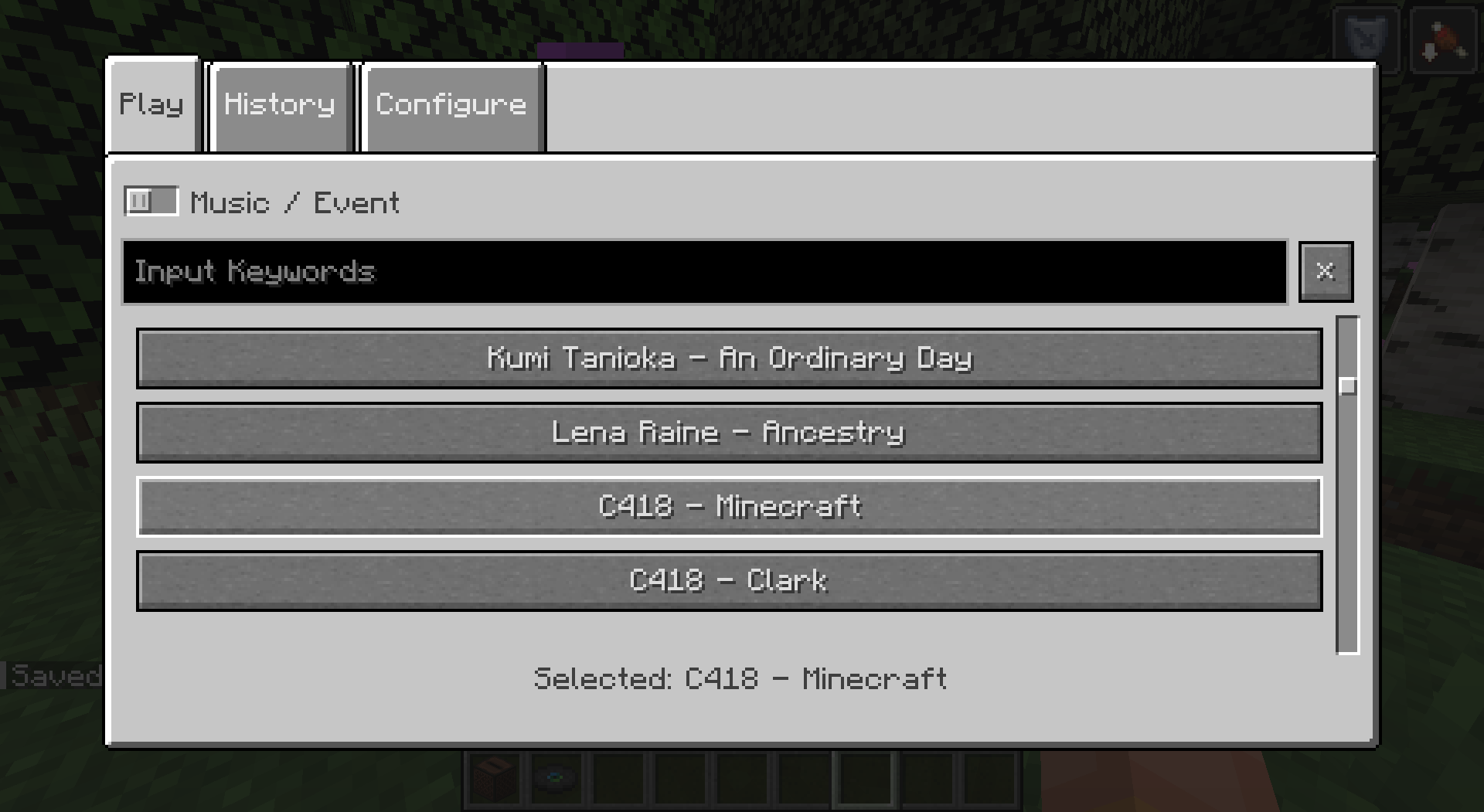
You can keep track of the last music that were played in this tab. Music in history won't be picked again randomly, unless every music of the current sound event are in, or if you select one manually. Number of music to be kept in history is configurable.
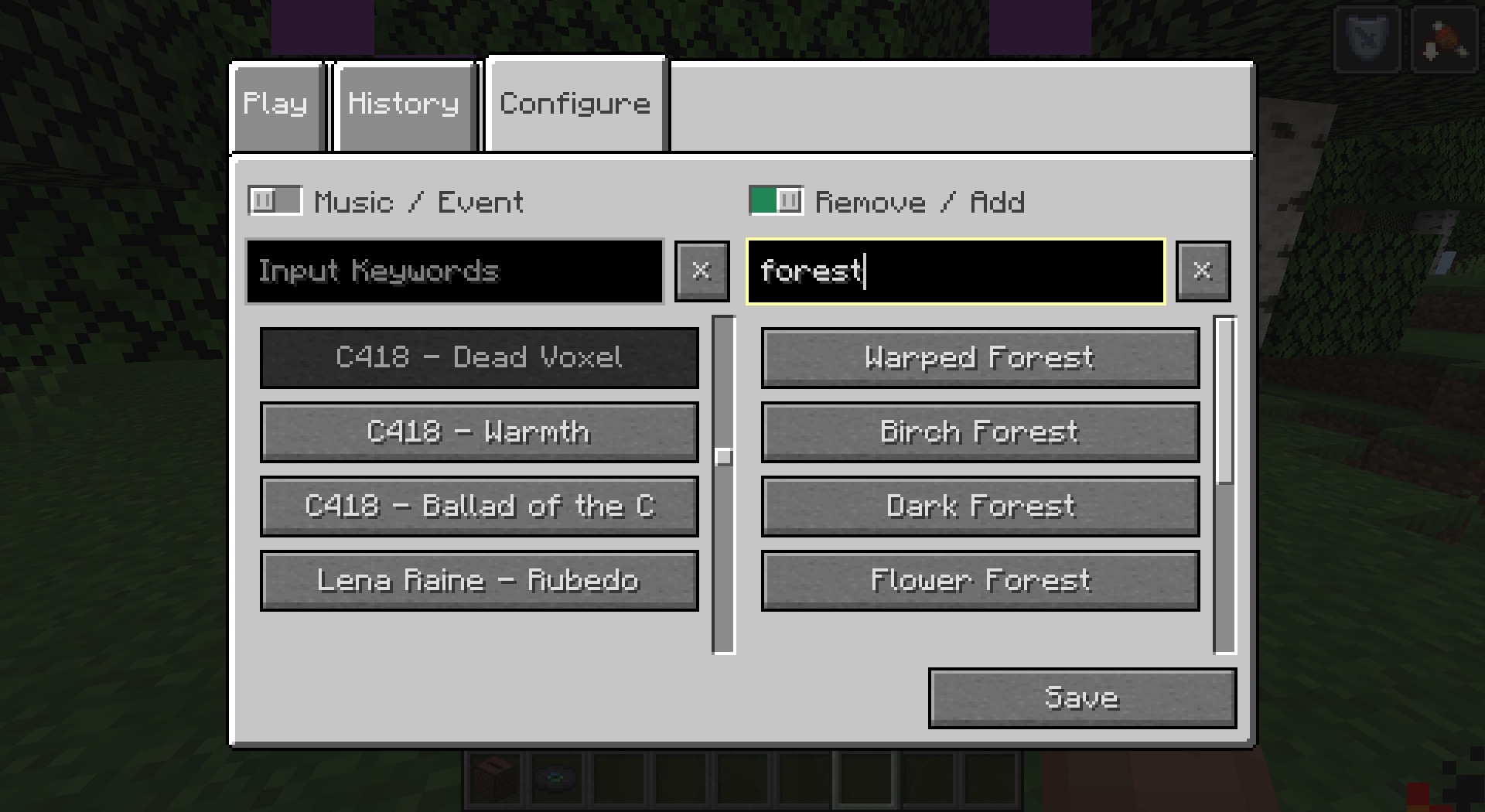
You can completely customize which music plays when. Indeed, you can configure for each music, in which sound events it can be played, or for each sound event, what music it can play. Once again, this includes any custom music/sound event added to the game. Sound events can also contain other sound event, to ease the configuration.
For your comfort, filters were added to navigate easily on the menu. Just fill in the text area to filter music/events containing what you typed in their name. Some special character allow you an even more advanced filtering (see the tooltip).
For more customization, I added new sound events for each biomes in the game. This includes biomes from the End dimension. By default, they remain empty but it's up to you to configure them how you like.
Dimension sound events were added to replace the common "Game" event that would play in the Overworld (and in the Nether if there was biomes without sound events). They have a specific behavior to replace the "Game" behavior. You can choose if you want them to play on fallback (similarly to default "Game" event, when a biome has no music), half the time, proportionnally to the number of music the dimension/biome event contain, or never (this allows biomes without music to not play music at all for a creepy atmosphere).
Miscellaneous sound events were also added for things like "Raining", "Thundering" or "Night" for example. They have a specific behavior as they can happen more often than the biome ones. You can choose if you want them to play always when they can, half the time, or proportionnally to the number of music the misc/biome event contain.
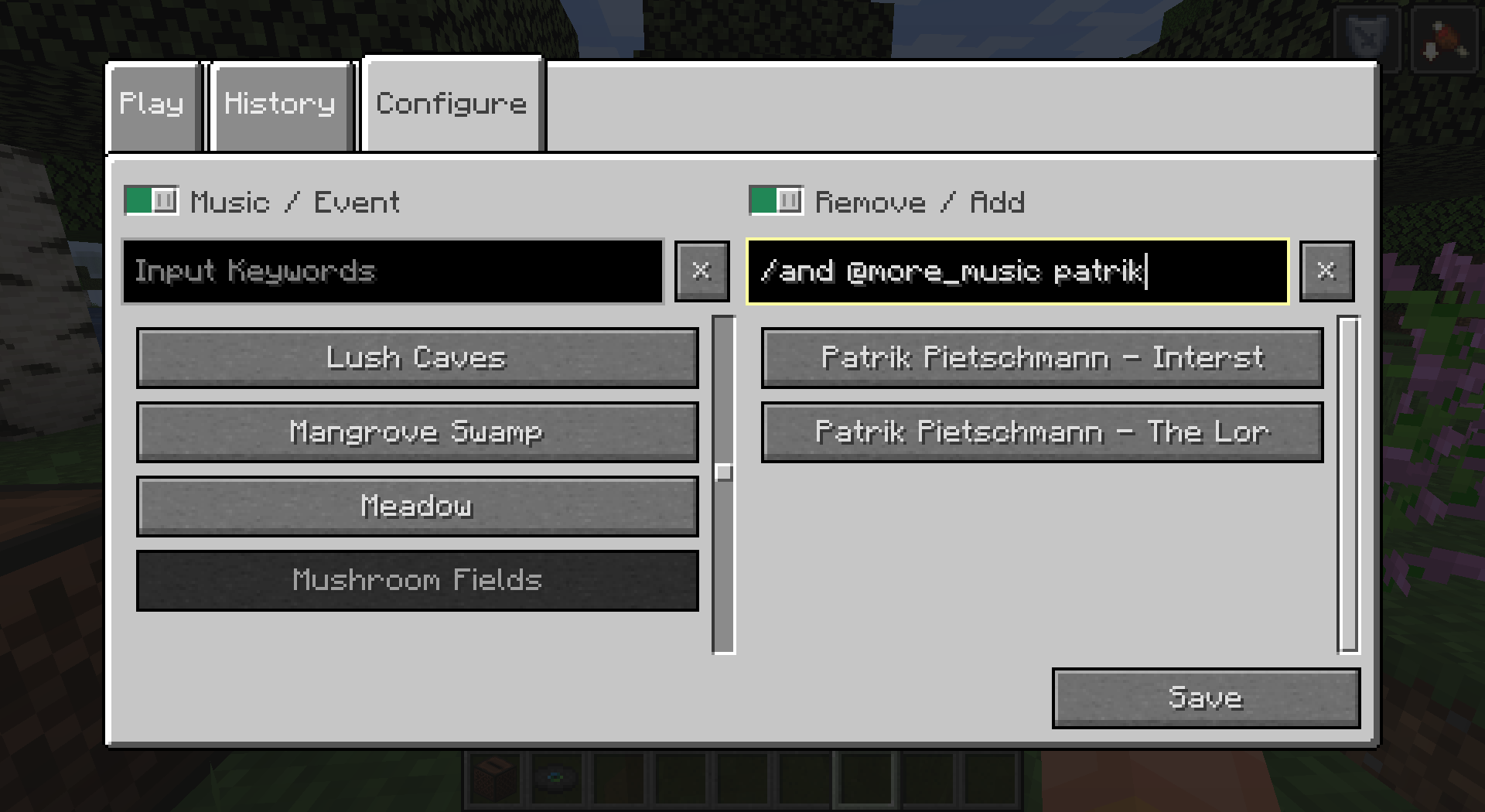
Fun bonus: music discs have their own sound event. This means you can add more than one music to a music disc, so it will play a random music when used.
Project description from CurseForge.
Pick your setup
Choose the version and loader you play, then open the matching release.
Showing the newest 12 of 26 game versions. Older files are in the list below.
Check the dependencies, then try the file in a copied instance before changing a world you care about.
Recent files
6 Oct 2025
29 Jun 2025
27 Apr 2025
23 Feb 2025
5 Feb 2025
22 Nov 2024
26 Jul 2024
8 Jul 2024
8 Jul 2024
8 Jul 2024
music_control-1.8.1+1.20.6.jar
15 May 2024
music_control-1.8.1+1.20.1.jar
15 May 2024
Looking for an older file? The official CurseForge project page is in Resources.
 mod
YM!BCM adds a scrollable and searchable mod list to the left side of your creative menu, with a favorite function.
 mod
Simply adds ancient statues of villagers to almost all biomes in the overworld.
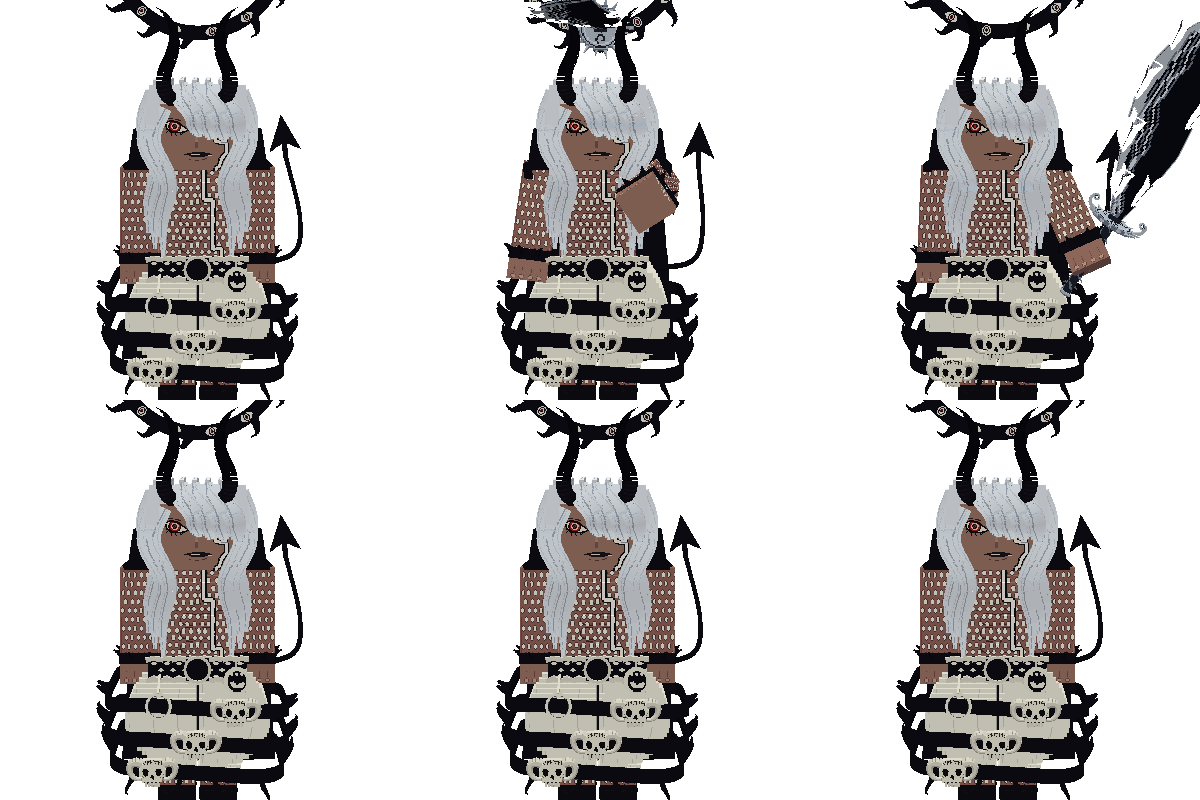 mod
New Era is a Forge 1.20.1 MinePiece expansion that adds powerful custom bosses, Devil Fruit transformations, advanced Haki, cinematic abilities, unique weapons, intelligent combat AI, and high-detail Blockbench models.
