Fabric API Needed by Dyed Item Frames 1.3+26.1.2
requiredMatching file found Matched file: 0.155.3+26.1.2

Modrinth · Minecraft mod
Adds a splash of colour to your displayed items!
Quick answer
Dyed Item Frames 1.3+26.1.2 targets 26.1.2 with Fabric. Installation on the client is optional. Installation on the dedicated server is optional. All 1 required mods have matching files.
Where it goes
Installation on the client is optional. Installation on the dedicated server is optional.
The source marks this as usable on both the client and server.
1.3+26.1.2. Change the file and its required mods may change too.
Install Fabric API first. We found matching files for this game-version and loader setup.
We only count dependency files that match this setup. A file for another loader does not fill the gap.
Before you install it
Built for Dyed Item Frames 1.3+26.1.2. Pick another file and the loader, install side or required mods may change.
Use 1.3+26.1.2. It targets 26.1.2 with Fabric; another release may have different loader, side or dependency requirements.
Install Fabric API first. We found matching files for this game-version and loader setup.
Installation on the client is optional. Installation on the dedicated server is optional.
Use the “Get this file” button beside 1.3+26.1.2. It opens that exact file at the source.
About this project
Add a splash of colour to your displayed items! Introducing the ability to dye both item frames and glow item frames, allowing you to customize your storage, decoration & shopfronts with vibrant hues and personalized flair.
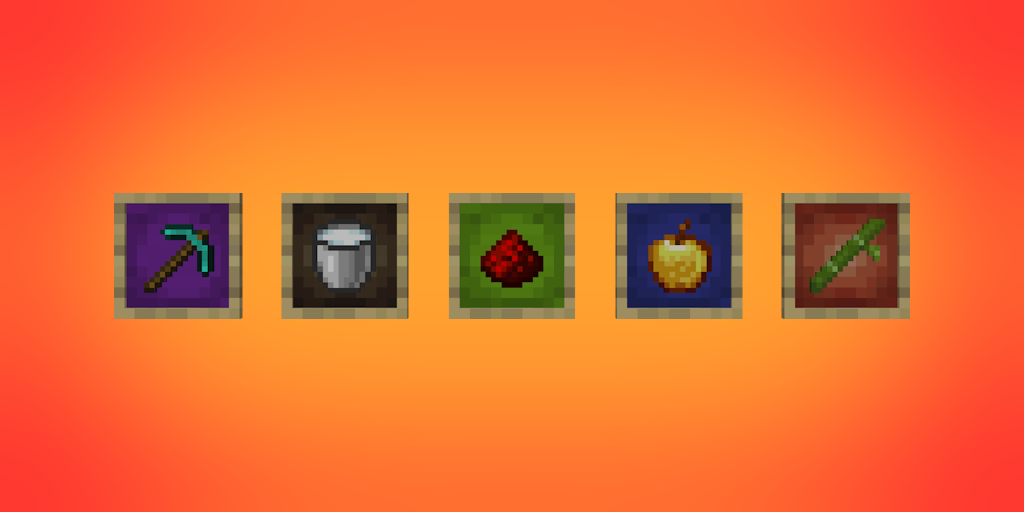
Project description from Modrinth.
Pick your setup
Choose the version and loader you play, then open the matching release.
Showing the newest 12 of 17 game versions. Older files are in the list below.
Check the dependencies, then try the file in a copied instance before changing a world you care about.
Recent files
dyed-item-frames-1.3+26.1.2.jar
29 Apr 2026
dyed-item-frames-1.3+1.21.11.jar
9 Dec 2025
dyed-item-frames-1.3+1.21.9.jar
30 Sept 2025
dyed-item-frames-1.3+1.21.5.jar
25 Mar 2025
dyed-item-frames-1.3+1.21.4.jar
23 Mar 2025
dyed-item-frames-1.2+1.21.4.jar
3 Dec 2024
dyed-item-frames-1.2+1.21.2.jar
22 Oct 2024
dyeditemframes-1.2+1.21.jar
23 Sept 2024
dyeditemframes-1.1+1.21.jar
13 Jun 2024
dyeditemframes-1.1+1.20.5.jar
23 Apr 2024
dyeditemframes-1.0+1.20.1.jar
17 Apr 2024
dyeditemframes-1.0+1.20.4.jar
22 Mar 2024
Looking for an older file? The official Modrinth project page is in Resources.
 mod
A suite of integration and compatibility patches for Thermoo-based mods (including Frostiful and Scorchful) and other mods
 mod
Ratlantean armor, 20 rat-themed Iron's spells, the Dutchwarden boss, an abyssal Ratlantis biome and rat-magic curios.
 mod
Ah, the Hardcore and new RPG Mechanics! Adds a LOT of new content, remakes vanilla difficult and mob's AI, and more