Minecraft version
Back to mods 
Modrinth · Minecraft mod
Inventory BlackList
This mod add a BlackList for the block you don't want to loot on the floor. You can leave them on the floor or detroy them instantly.
Choose a version Pick your version below, then grab the matching file.
Quick answer
Which Inventory BlackList release should I use?
Latest stable file 1.1.0
Game version 1.21.2, 1.21.3, 1.21.4
Loader Fabric
Inventory BlackList 1.1.0 targets 1.21.2, 1.21.3, 1.21.4 with Fabric. Installation on the client is optional. Installation on the dedicated server is optional. No extra mods listed for this file.
Where it goes
Is Inventory BlackList required on the client, server, or both?
Installation on the client is optional. Installation on the dedicated server is optional.
Client Optional
Dedicated server Optional
Loader for this release Fabric
Required install it here Optional supported, not mandatory Not supported do not install here Source doesn’t say do not assume
The source marks this as usable on both the client and server.
What else does Inventory BlackList 1.1.0 need?
1.1.0. Change the file and its required mods may change too.
This file does not list any required mods. Do not add a library just because a different file uses it.
This file does not list any required or optional mods.
Before you install it
Add Inventory BlackList without breaking your instance.
Built for Inventory BlackList 1.1.0. Pick another file and the loader, install side or required mods may change.
- 01
Stick to this file
Use 1.1.0. It targets 1.21.2, 1.21.3, 1.21.4 with Fabric; another release may have different loader, side or dependency requirements.
- 02
Bring the mods it needs
This file does not list any required mods. Do not add a library just because a different file uses it.
- 03
Put it on the correct side
Installation on the client is optional. Installation on the dedicated server is optional.
- 04
Pick the file you checked
Use the “Get this file” button beside 1.1.0. It opens that exact file at the source.
About this project
What does Inventory BlackList add?

Keep your inventory clean and stop game lag with this simple pickup filter.
Tired of picking up dirt, cobblestone, or rotten flesh while mining or farming mobs? Inventory BlackList fixes that. It's built for both players and server owners, letting you easily block items you don't want while keeping dropped items from lagging the server.
Features
- Easy Blacklist: Search and block items using a simple, vanilla-friendly menu.
- Two Modes:
- Leave on ground: Just stops you from picking the item up.
- Delete: Destroys the item as soon as you touch it.
- Anti-Lag Stacking: Too many items on the ground slowing down the server? When items are blocked and left on the ground, the mod groups identical items together within a 5-block radius. It even ignores the usual 64-item stack limit !
- Easy Access: Open the menu with a hotkey (Default:
B), or use the handy button right in your survival inventory.
How to Use
- Press
B(you can change this in Options > Controls) or click the Hopper icon in your inventory. - Use the search bar to find items.
- Click an item to block it (you'll see a red "X").
- Switch between Show All and My Blacklist to manage your items.
- Set your mode to either Delete or Leave on ground.

You need this mod on BOTH the client and the server.
- Singleplayer: Just put it in your
modsfolder. - Multiplayer: Put it on the Server (to handle the item stacking) AND on the players' Clients (so they can open the menu and choose their items).
Project description from Modrinth.
Pick your setup
Inventory BlackList by Minecraft version and loader
Choose the version and loader you play, then open the matching release.
Minecraft version
1.21.4
1 loader buildMinecraft version
1.21.3
1 loader buildMinecraft version
1.21.2
1 loader buildMinecraft version
1.21.1
2 loader buildsMinecraft version
1.21
2 loader buildsCheck the dependencies, then try the file in a copied instance before changing a world you care about.
Recent files
Inventory BlackList versions and loaders
1.1.0
wyvern-1.0.0.jar
3 Aug 2026
Client Optional Server Optional Dependencies No extras listed Listed on Release listing
Check the 1.21.5 · Fabric setup 1.21.21.21.31.21.41.21.5 release
1.0.1
wyvern-neoforge-1.21-1.0.0.jar
19 Jul 2026
Client Optional Server Optional Dependencies No extras listed Listed on Release listing
Check the 1.21.1 · NeoForge setup 1.211.21.1NeoForge release
1.0.0
wyvern-fabric-1.21-1.0.0.jar
19 Jul 2026
Client Optional Server Optional Dependencies 1 required · 1 unchecked Listed on Release listing
Check the 1.21.1 · Fabric setup 1.211.21.1Fabric release
Looking for an older file? The official Modrinth project page is in Resources.
 mod
mod CurseForge + Modrinth · Minecraft
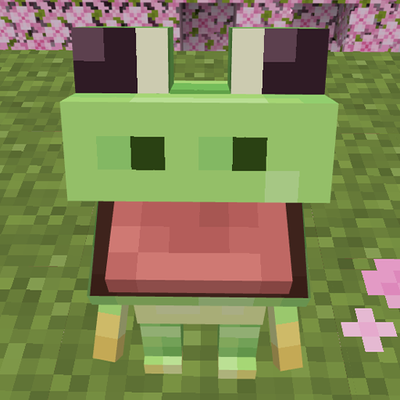
Froggy
Mod that adds Froggy screamer into the game.
 mod
mod CurseForge + Modrinth · Minecraft
Echoes of Antiquity
Echoes of Antiquity is a Minecraft mod inspired by Game Theory's exploration of Minecraft lore. It introduces ancient artifacts, specialized gear, and mechanics centered around the Void/the End, the Pillager's past and the "Ancient Builders"..
 mod
mod CurseForge + Modrinth · Minecraft
delta_force_skills
A Forge combat mod that adds tactical operator-style characters, active skills, gadgets, equipment, and character selection to Minecraft.