MossyLib Needed by Collision Fix 2.0.1+26.2+neoforge
requiredMatching file found Matched file: 1.6.0+26.2+neoforge

Modrinth · Minecraft mod
Client-side Mod which fixes client-side collisions checks to prevent you from pushing by other entities.
Quick answer
Collision Fix 2.0.1+26.2+neoforge targets 26.2 with NeoForge. It must be installed on the client. Do not install it on the dedicated server. All 1 required mods have matching files.
Where it goes
It must be installed on the client. Do not install it on the dedicated server.
This file is marked client-only.
2.0.1+26.2+neoforge on 26.2. Every mod below is checked against that same setup.
Install MossyLib first. We found matching files for this game-version and loader setup.
We only count dependency files that match this setup. A file for another loader does not fill the gap.
Before you install it
Built for Collision Fix 2.0.1+26.2+neoforge on 26.2. Pick another file and the loader, install side or required mods may change.
Use 2.0.1+26.2+neoforge. It targets 26.2 with NeoForge; another release may have different loader, side or dependency requirements.
Install MossyLib first. We found matching files for this game-version and loader setup.
It must be installed on the client. Do not install it on the dedicated server.
Use the “Get this file” button beside 2.0.1+26.2+neoforge. It opens that exact file at the source.
About this project

 [
 ](https://boosty.to/lopymine/donate)


Collision Fix which fixes client-side collisions checks to prevent you from pushing by other entities. Mobs simply won't be able to push you if they get too close. You can still be pushed with normal attacks, etc.

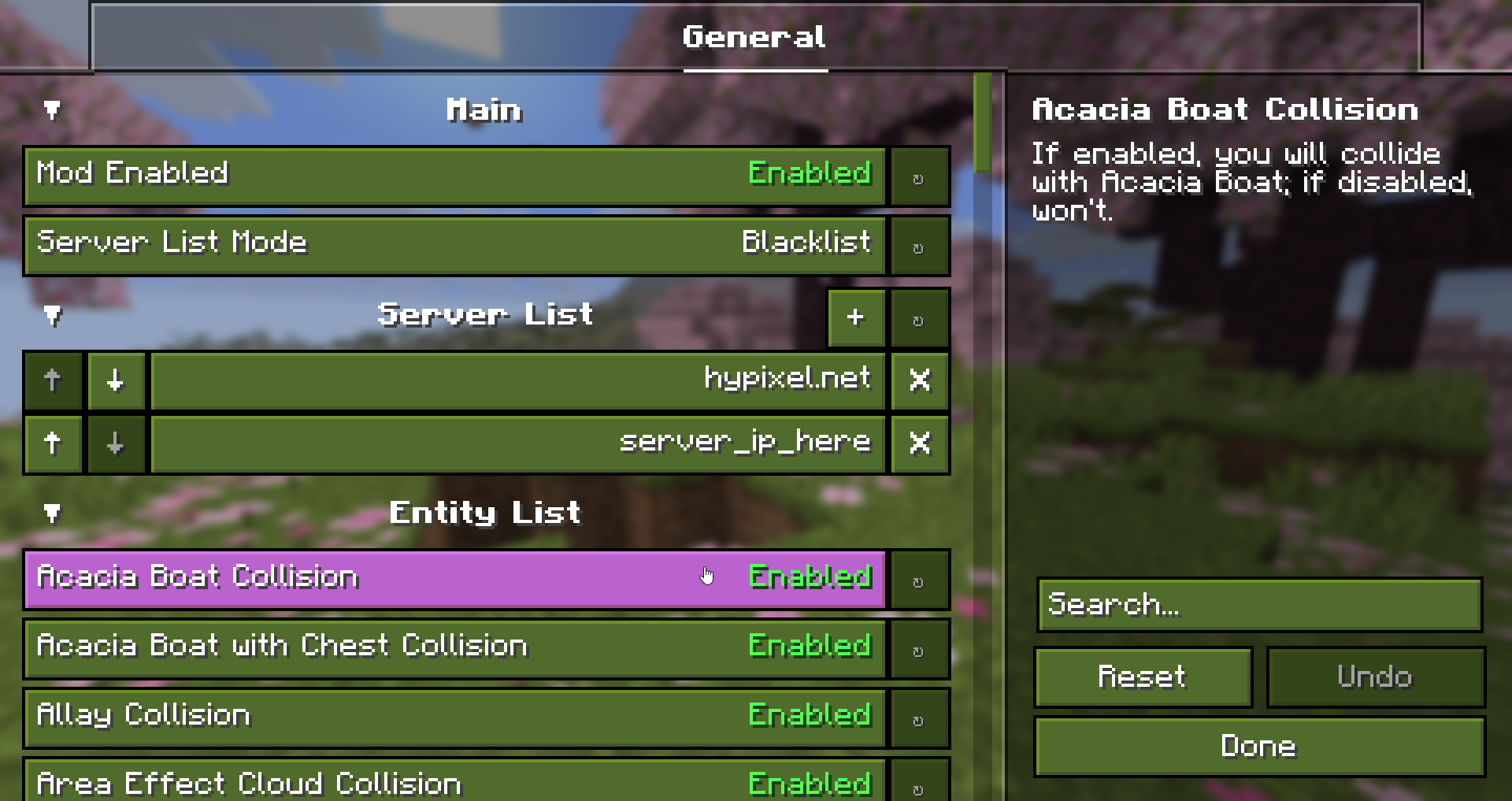
Starting with newer versions of the mod, you can choose which entities are able to push you. You can also enable this only on specific servers.
[ CorgiTaco ] Entity Collision FPS Fix - Modrinth
Project description from Modrinth.
Pick your setup
Choose the version and loader you play, then open the matching release.
Showing the newest 12 of 23 game versions. Older files are in the list below.
Check the dependencies, then try the file in a copied instance before changing a world you care about.
Recent files
CollisionFix-2.0.1+26.2+neoforge.jar
25 Jul 2026
CollisionFix-2.0.1+26.2+fabric.jar
25 Jul 2026
CollisionFix-2.0.0+26.1+neoforge.jar
8 Jun 2026
CollisionFix-2.0.0+26.1+fabric.jar
8 Jun 2026
Looking for an older file? The official Modrinth project page is in Resources.
 mod
Create easily NPCs with dialogs for your world or for your mods.
 mod
litematica-printer, following multiple revisions by Hana
 mod
Transform your chaotic inventory into organized perfection with InventoryWizard! 🧙♂️