Minecraft version
Back to mods 
CurseForge · Minecraft mod
Better menu buttons
A simple mod that lets you move (or remove) the buttons in the title and pause menu! Also supports custom buttons to quickly join servers or single player worlds
Choose a version Pick your version below, then grab the matching file.
Quick answer
Which Better menu buttons release matches 26.2 NeoForge?
Best match for your filters better-menu-buttons-1.1.0-neoforge-26.2.jar
Game version 26.2
Loader NeoForge
Better menu buttons better-menu-buttons-1.1.0-neoforge-26.2.jar targets 26.2 with NeoForge. The project page does not say whether this file belongs on the client, dedicated server, or both. No extra mods listed for this file.
Where it goes
Is Better menu buttons required on the client, server, or both?
The project page does not say whether this file belongs on the client, dedicated server, or both.
Client Source doesn’t say
Dedicated server Source doesn’t say
Loader for this release NeoForge
Required install it here Optional supported, not mandatory Not supported do not install here Source doesn’t say do not assume
The source does not explicitly classify this release as client-only or server-only.
What else does Better menu buttons better-menu-buttons-1.1.0-neoforge-26.2.jar need?
better-menu-buttons-1.1.0-neoforge-26.2.jar on 26.2 NeoForge. Every mod below is checked against that same setup.
This file does not list any required mods. Do not add a library just because a different file uses it.
This file does not list any required or optional mods.
Before you install it
Add Better menu buttons without breaking your instance.
Built for Better menu buttons better-menu-buttons-1.1.0-neoforge-26.2.jar on 26.2 NeoForge. Pick another file and the loader, install side or required mods may change.
- 01
Stick to this file
Use better-menu-buttons-1.1.0-neoforge-26.2.jar. It targets 26.2 with NeoForge; another release may have different loader, side or dependency requirements.
- 02
Bring the mods it needs
This file does not list any required mods. Do not add a library just because a different file uses it.
- 03
Put it on the correct side
The project page does not say whether this file belongs on the client, dedicated server, or both.
- 04
Pick the file you checked
Use the “Get this file” button beside better-menu-buttons-1.1.0-neoforge-26.2.jar. It opens that exact file at the source.
About this project
What does Better menu buttons add?
Simple mod that lets you easily change menu button layouts.
HOW TO OPEN THE CONFIG
You can start out by going to your options and clicking on the button in the top left. This will open the config screen. You can also add that button to the main or pause menu as a shortcut. It's also possible to fully hide that shortcut button. If you decided to hide it but you still want to be able to access the config you can either do that through mod menu or by using the command /bettermenubuttons or /bmb
In the config screen you will be able to select which menu to edit (Main menu, Pause menu or Options menu)
Main menu
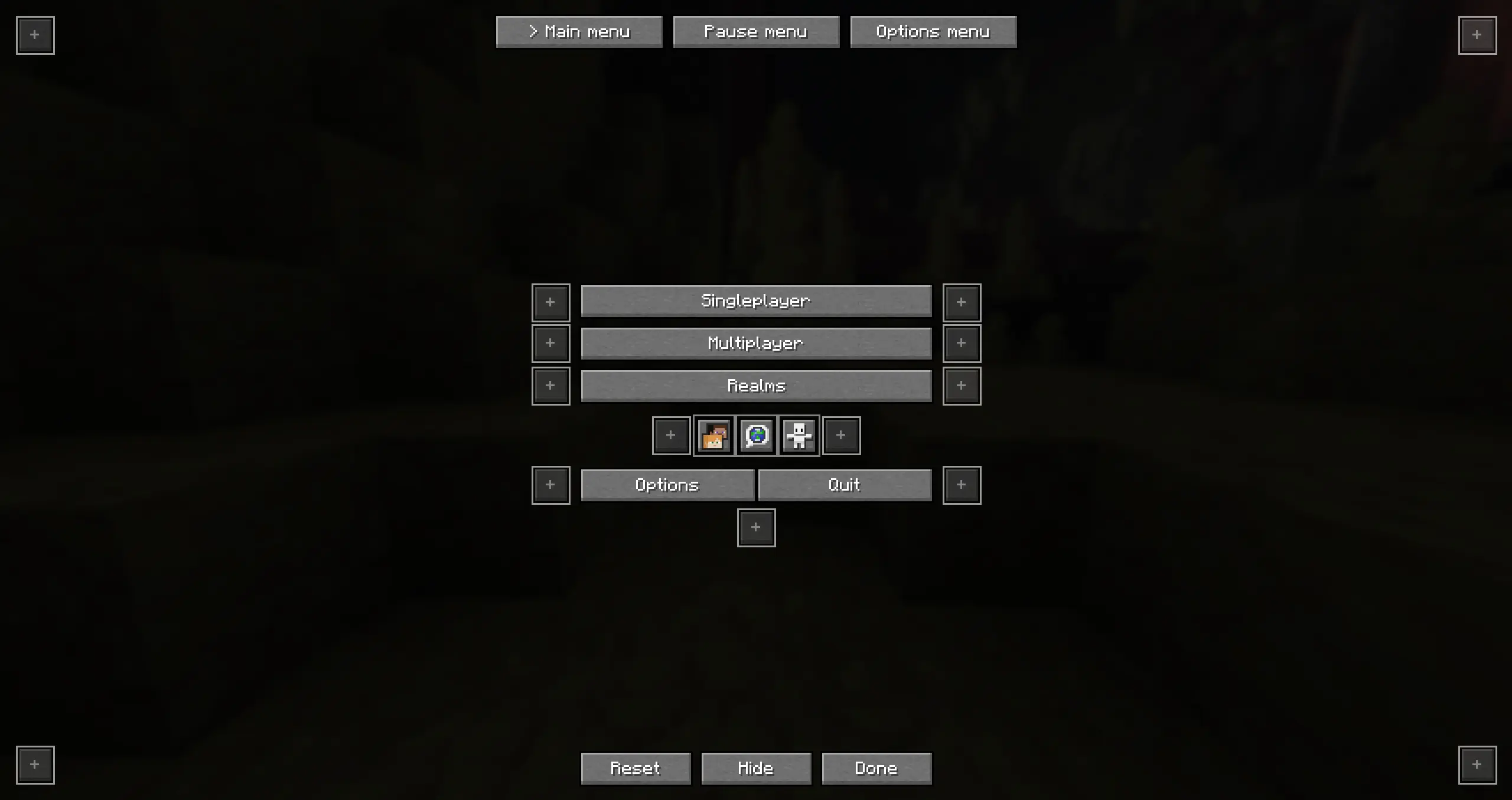
You can click any of the available positions, there you can select which button to move to this slot
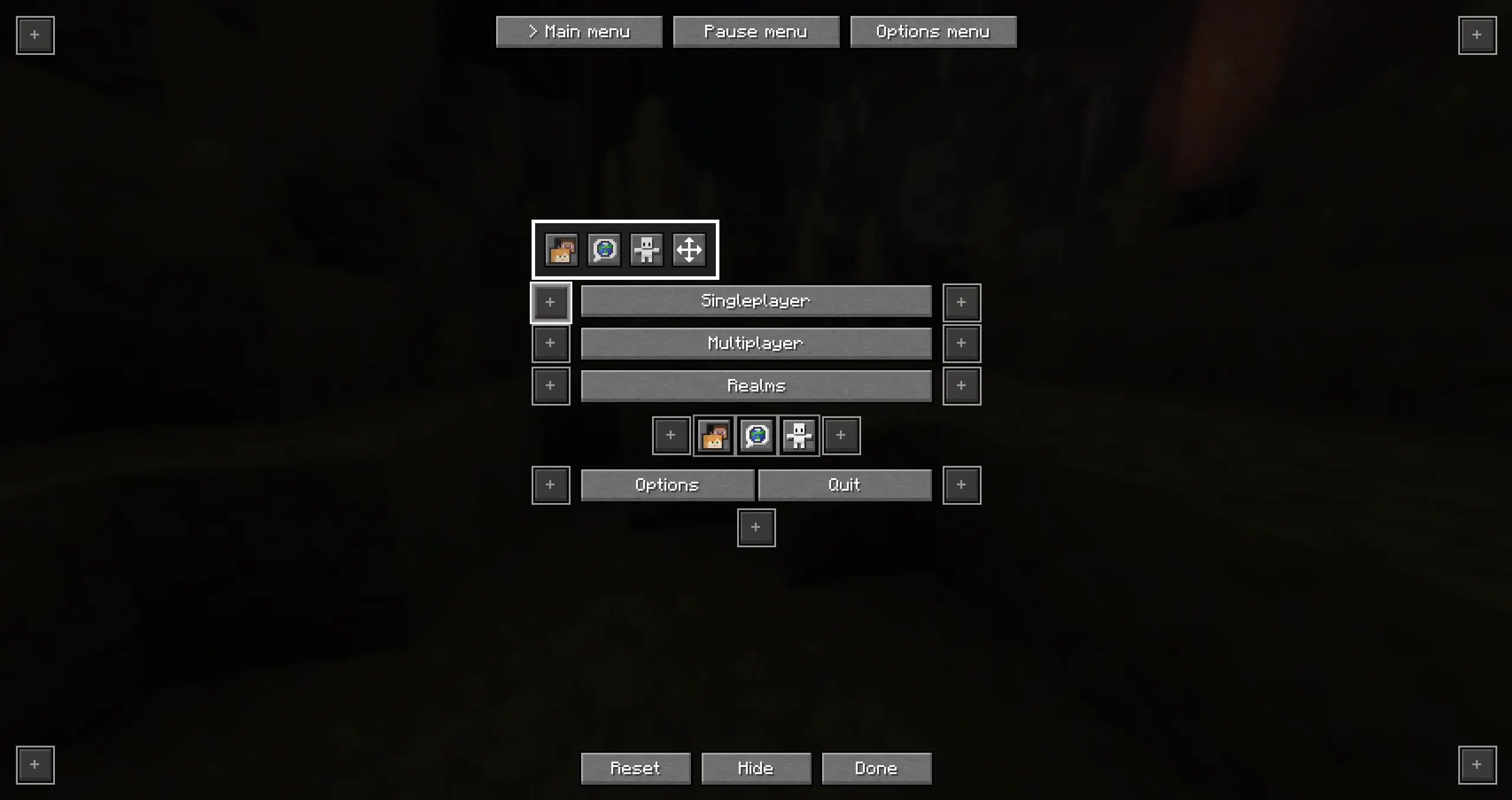
You can also click on "Hide" to hide any of the buttons
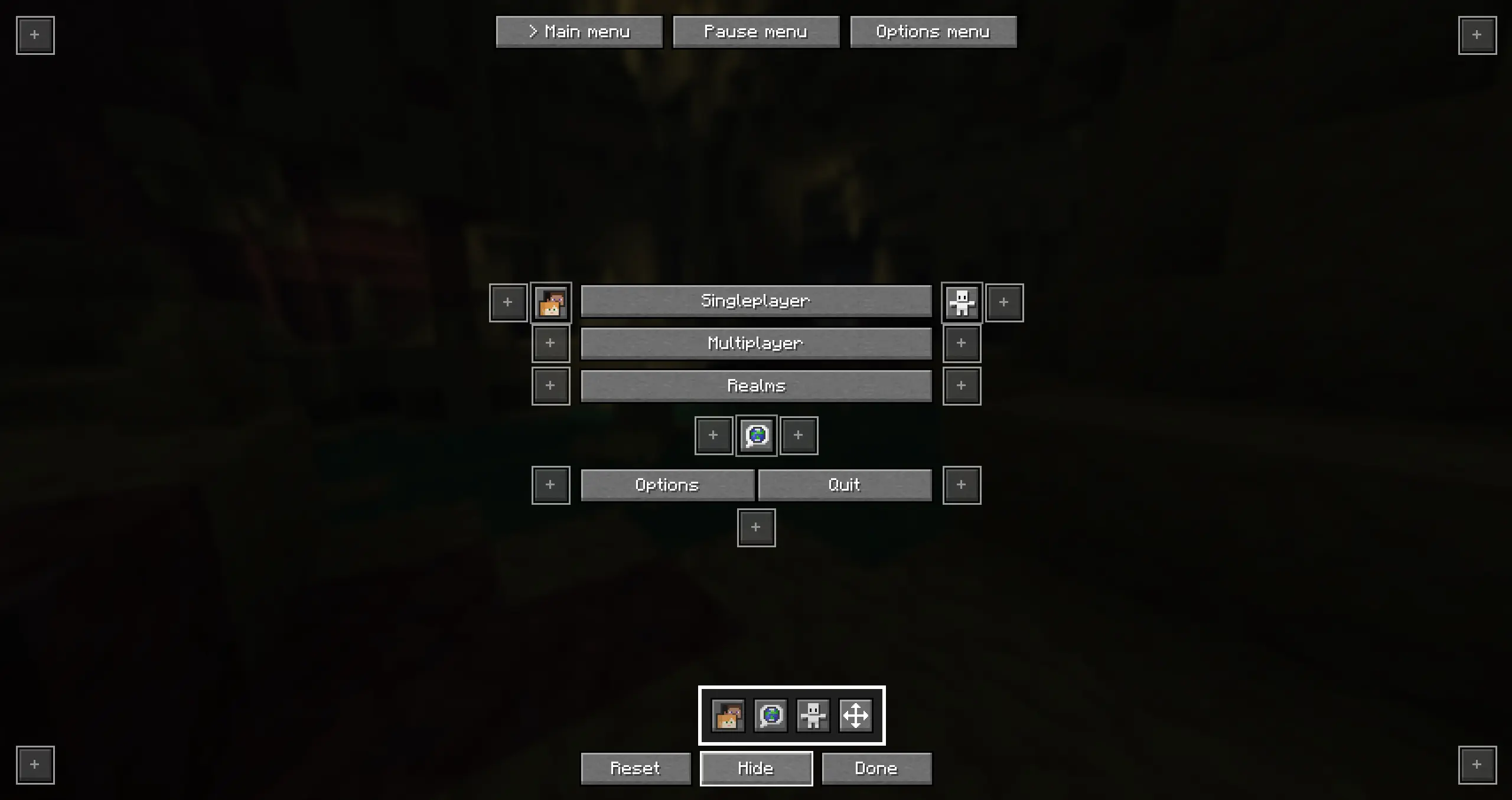
Pause menu
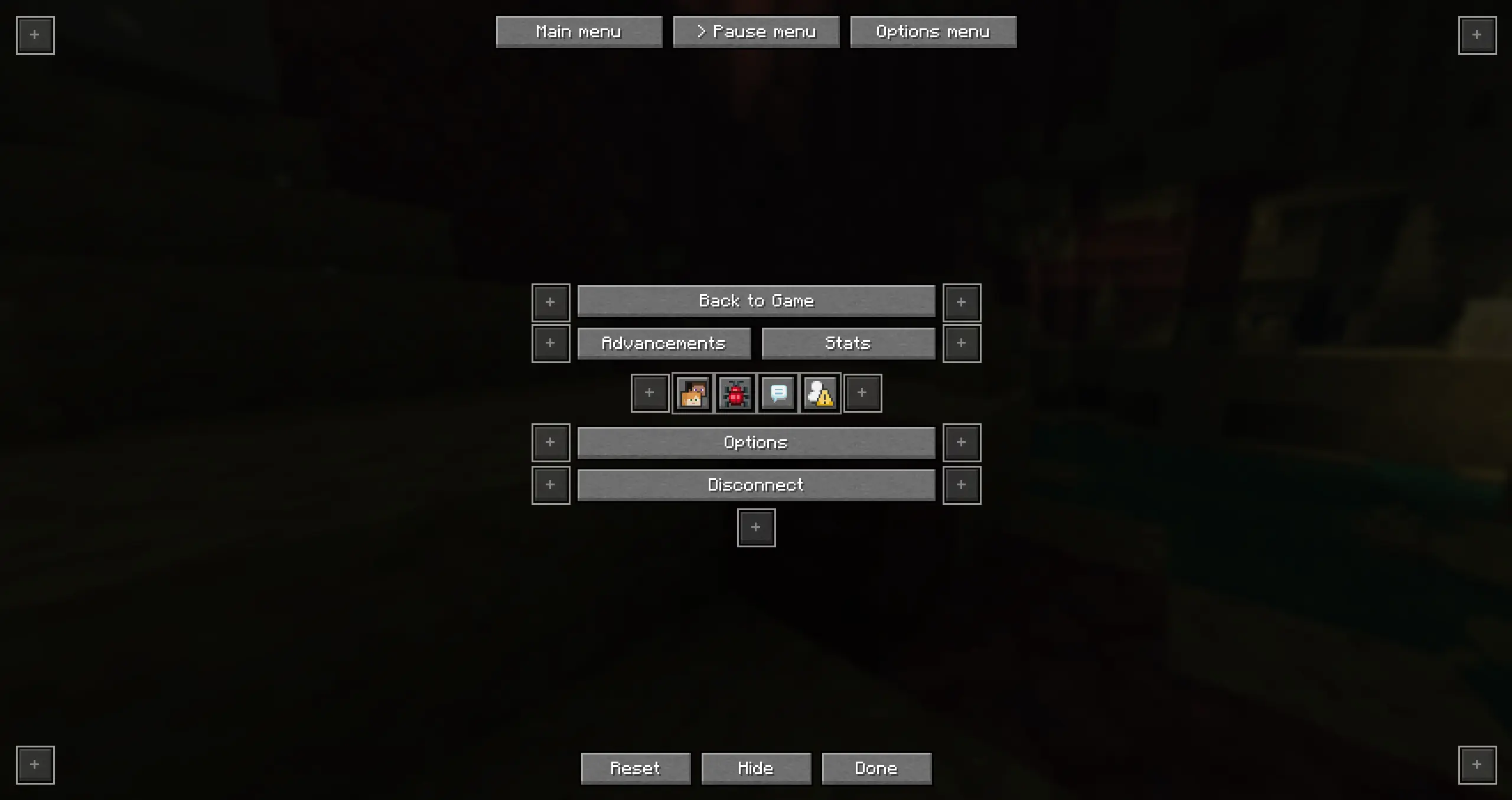
Options menu
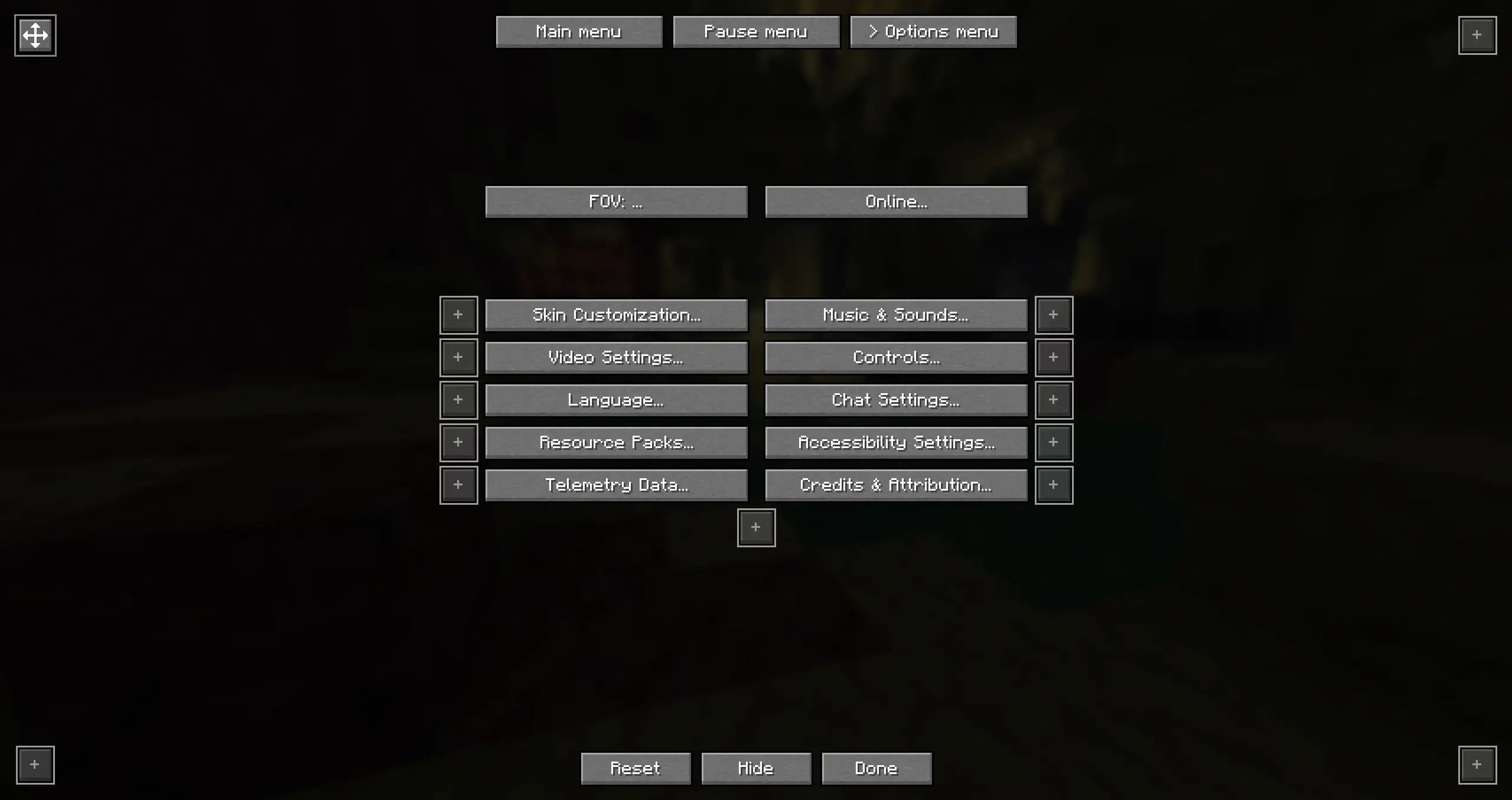
Custom buttons
Custom buttons let you quickly join a server or a single player world!
How to add a custom button:
- Add the server to your server list
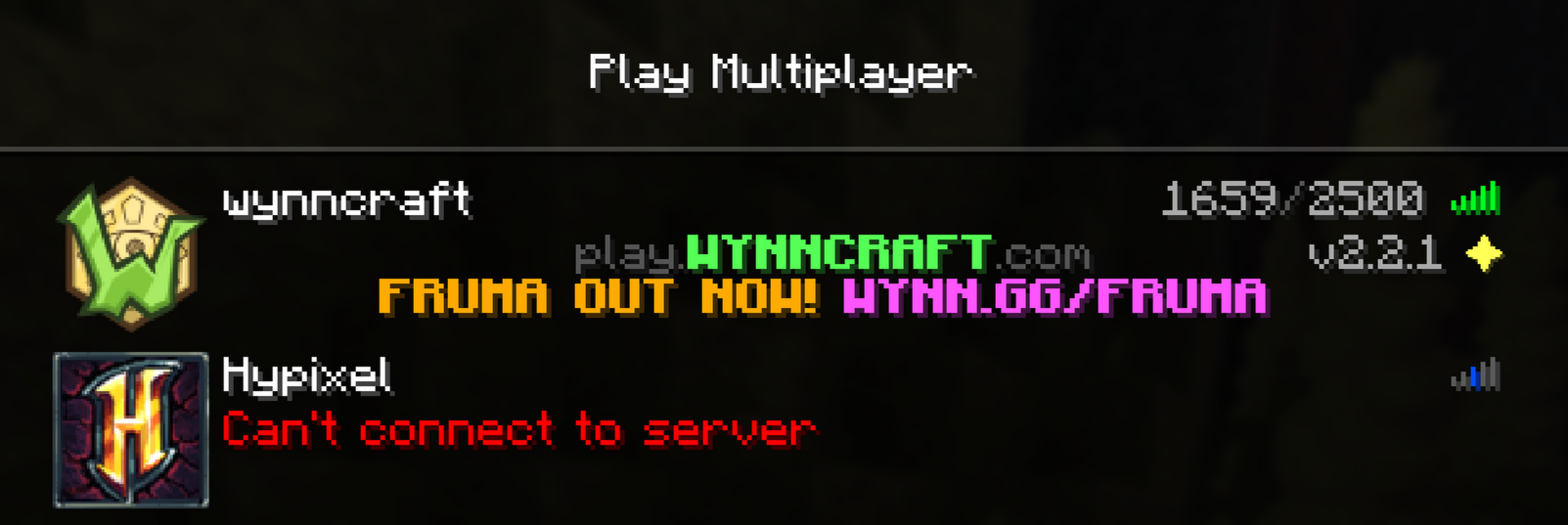
- Open the Better-menu-buttons config
- Click on "Add Server" or "Add World"
- Select the server or single player world you want
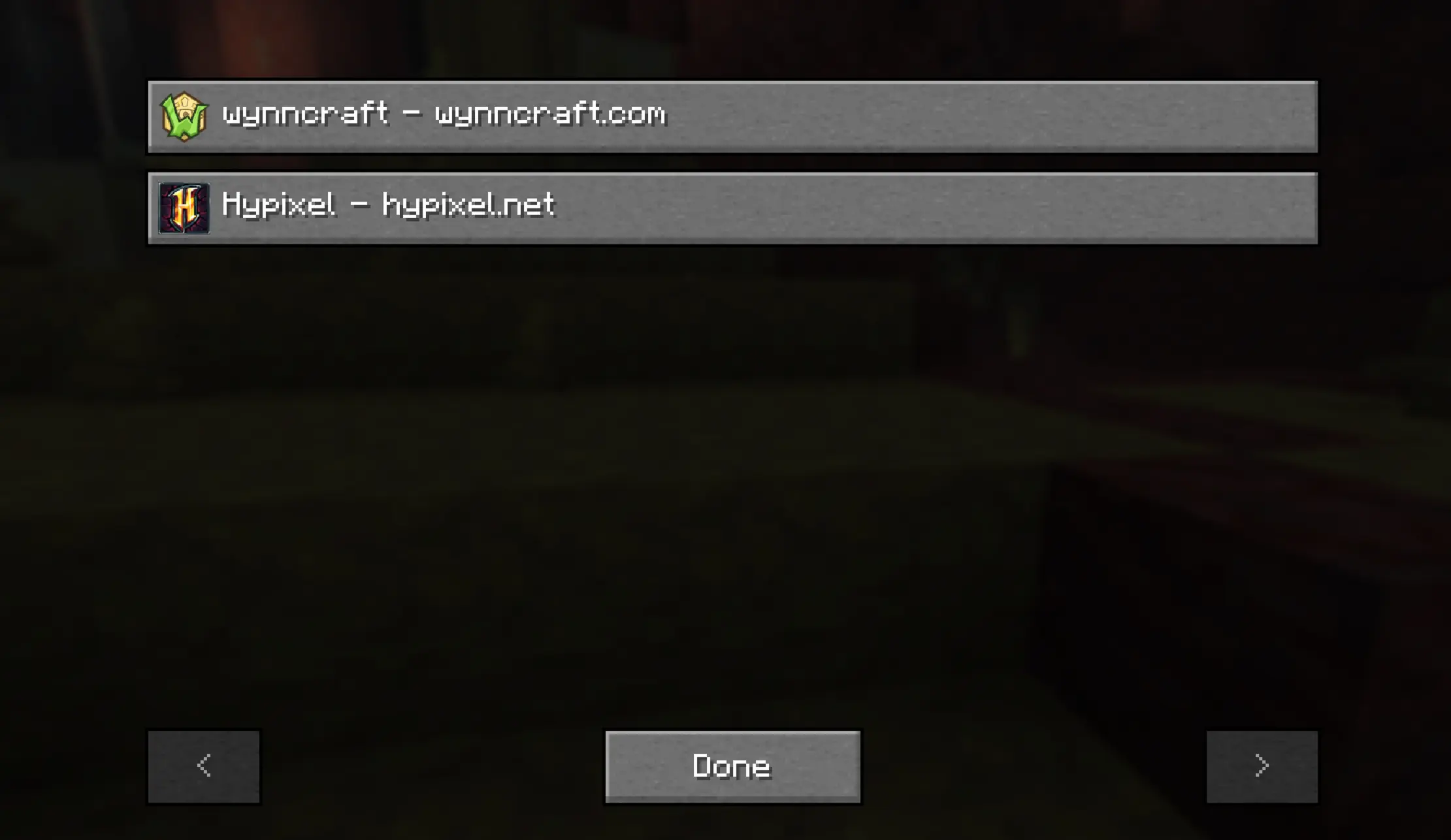
- Move the button wherever you want
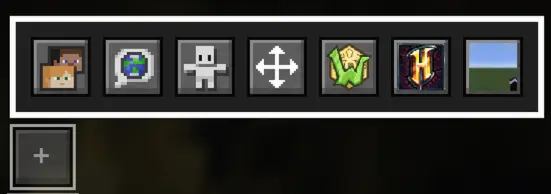
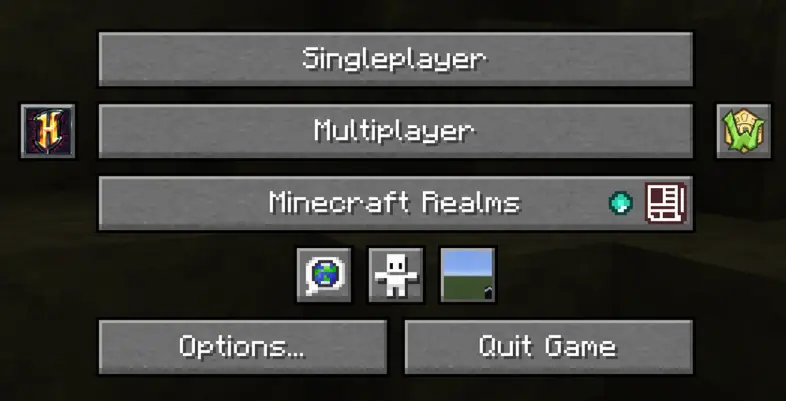
Mod menu support
If you are using mod menu the menu will automatically adapt. If youre using the icon setting in mod menu you can also move that!
Project description from CurseForge.
Pick your setup
Better menu buttons by Minecraft version and loader
Choose the version and loader you play, then open the matching release.
Minecraft version
26.3-snapshot-2
2 loader buildsMinecraft version
26.3-snapshot-1
2 loader buildsMinecraft version
26.2
4 loader buildsForge better-menu-buttons-1.1.0-forge-26.2.jar 2
stable files
· 2 total · 8 Jul 2026Fabric better-menu-buttons-1.1.0-fabric-26.2.jar 3
stable files
· 3 total · 8 Jul 2026Quilt better-menu-buttons-1.1.0-quilt-26.2.jar 2
stable files
· 2 total · 8 Jul 2026NeoForge better-menu-buttons-1.1.0-neoforge-26.2.jar 2
stable files
· 2 total · 8 Jul 2026
Check the dependencies, then try the file in a copied instance before changing a world you care about.
Recent files
Better menu buttons versions and loaders
better-menu-buttons-1.1.0-neoforge-26.2.jar
8 Jul 2026
Client Source doesn’t say Server Source doesn’t say Dependencies No extras listed Listed on Release listing
Check the 26.2 · NeoForge setup NeoForge26.2 release
better-menu-buttons-neoforge-1.0.1.jar
25 Jun 2026
Client Source doesn’t say Server Source doesn’t say Dependencies No extras listed Listed on Release listing
Check the 26.2 · NeoForge setup NeoForge26.2 release
Looking for an older file? The official CurseForge project page is in Resources.
 mod
CurseForge · Minecraft
Chalk Unofficial Fork
Chalk allows you to draw marks for easier navigation in caves or structures, or as decoration
 mod
CurseForge · Minecraft
Turbo for Distant Horizons
Distant Horizons addon: generates distant terrain from the world noise several times faster, with real trees and structures.
 mod
CurseForge · Minecraft
Ember's Questing
Powerful data driven questing mod using LDLib2 for maximum customizability