Minecraft version
Back to mods 
Modrinth · Minecraft mod
Map4Image
NeoForge mod for converting images to map art, heavily inspired by Image2Map.
Choose a version Pick your version below, then grab the matching file.
Quick answer
Which Map4Image release matches 1.21.2?
Best match for your filters 0.2.1
Game version 1.21.2, 1.21.3, 1.21.4
Loader NeoForge
Map4Image 0.2.1 targets 1.21.2, 1.21.3, 1.21.4 with NeoForge. Do not install it on the client. It must be installed on the dedicated server. No extra mods listed for this file.
Where it goes
Is Map4Image required on the client, server, or both?
Do not install it on the client. It must be installed on the dedicated server.
Client Not supported
Dedicated server Required
Loader for this release NeoForge
Required install it here Optional supported, not mandatory Not supported do not install here Source doesn’t say do not assume
This file is marked server-only.
What else does Map4Image 0.2.1 need?
0.2.1 on 1.21.2. Every mod below is checked against that same setup.
This file does not list any required mods. Do not add a library just because a different file uses it.
This file does not list any required or optional mods.
Before you install it
Add Map4Image without breaking your instance.
Built for Map4Image 0.2.1 on 1.21.2. Pick another file and the loader, install side or required mods may change.
- 01
Stick to this file
Use 0.2.1. It targets 1.21.2, 1.21.3, 1.21.4 with NeoForge; another release may have different loader, side or dependency requirements.
- 02
Bring the mods it needs
This file does not list any required mods. Do not add a library just because a different file uses it.
- 03
Put it on the correct side
Do not install it on the client. It must be installed on the dedicated server.
- 04
Pick the file you checked
Use the “Get this file” button beside 0.2.1. It opens that exact file at the source.
About this project
What does Map4Image add?
Map4Image is a NeoForge mod that allows you to convert images through links into minecraft map art. This mod was heavily inspired by Image2Map and serves as a NeoForge alternative to Image2Map. Currently the mod is in very early development and does not have the same level of features or polish Image2Map does. This mod is only required on server side and vanilla client players can use it.
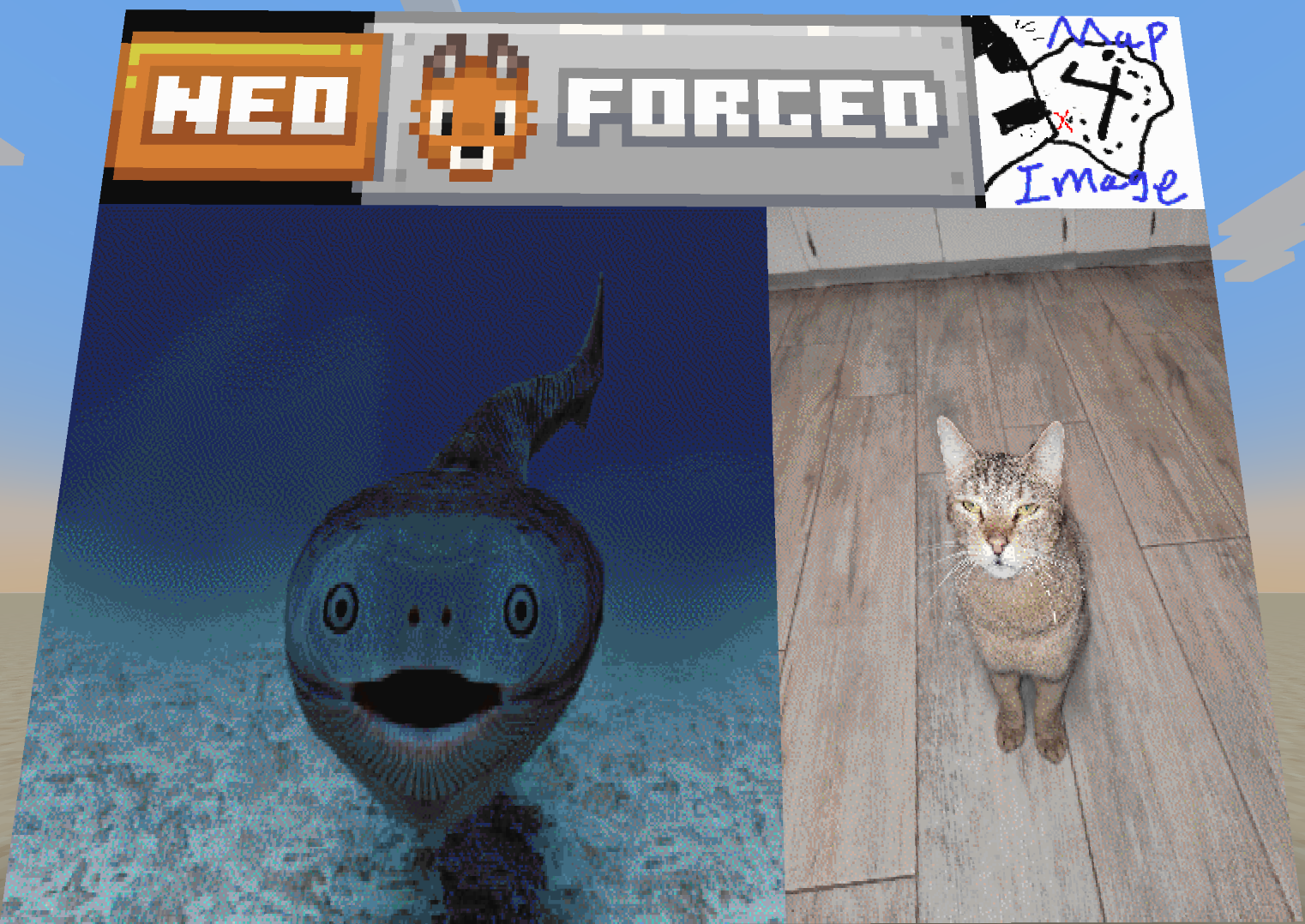
Map4Image has the following features:
- Ability to generate minecraft map art in game
- Place/break large map art automatically onto item frames
- When generating map art it is possible to specify source, dither type, and width/height.
How to use
Create Command
/map4image create <link> <dithertype> <width> <height>
The link must be a direct image link (as in a link ending with a image extension such as .png), keep in mind this link has to be surrounded with quotation marks aswell. For the dither type I would reccomend using floydsteinberg as it tends to have the most consistent results for quality, however if an image does not look good at first I would reccomend experimenting. Width and height are both in pixels, a minecraft map is only able to hold 128x128 pixels so going above these values will generate a "super map".
Super Map
A super map is map art generated by setting either width or height above 128 pixels. A super map will only display a 128x128 verison of the image generated but when placed in item frames it will place down all maps. To have a valid item frame setup you must place the "super map" in the top left of a grid of item frames with a tall enough height and wide enough width. Keep in mind that 128 pixels in either direction is one full map, so a 300x500 image would require 3 item frames by 4 item frames.
⚠️ Note for server admins ⚠️
Currently this mod has no way of rate limiting itself, while it does use a seperate thread for rendering it is still very easy to lag the server itself. At the current moment in time I would reccomend only using this mod with people you trust. I plan to add safer server support in the future.
Project description from Modrinth.
Pick your setup
Map4Image by Minecraft version and loader
Choose the version and loader you play, then open the matching release.
Minecraft version
1.21.4
1 loader buildMinecraft version
1.21.3
1 loader buildMinecraft version
1.21.2
1 loader buildMinecraft version
1.21.1
1 loader buildMinecraft version
1.21
1 loader buildMinecraft version
1.20.6
1 loader buildMinecraft version
1.20.5
1 loader buildCheck the dependencies, then try the file in a copied instance before changing a world you care about.
Recent files
Map4Image versions and loaders
0.2.1
map4image-0.2.1+1.21.2-1.21.5.jar
4 Apr 2026
Client Not supported Server Required Dependencies No extras listed Listed on Release listing
Check the 1.21.2 · NeoForge setup 1.21.21.21.31.21.41.21.5 release
0.2.0
map4image-0.2.0+1.21.2-1.21.5.jar
5 Oct 2025
Client Not supported Server Required Dependencies No extras listed Listed on Release listing
Check the 1.21.2 · NeoForge setup 1.21.21.21.31.21.41.21.5 release
0.1.2
map4image-0.1.2.jar
9 May 2025
Client Not supported Server Required Dependencies No extras listed Listed on Release listing
Check the 1.21.2 · NeoForge setup 1.21.21.21.31.21.41.21.5 beta
0.1.1
map4image-0.1.1.jar
6 May 2025
Client Not supported Server Required Dependencies No extras listed Listed on Release listing
Check the 1.21.2 · NeoForge setup 1.21.21.21.31.21.41.21.5 beta
0.1.0
map4image-0.1.0.jar
3 May 2025
Client Not supported Server Required Dependencies No extras listed Listed on Release listing
Check the 1.21.2 · NeoForge setup 1.21.21.21.31.21.41.21.5 beta
Looking for an older file? The official Modrinth project page is in Resources.
 mod
CurseForge + Modrinth · Minecraft
ShapeGen
Additional shapes for any block, including modded ones
 mod
CurseForge + Modrinth · Minecraft
Quick Skin
Sick of wasting time with Minecraft’s slow launcher just to change your skin? Quick Skin lets you swap skins instantly even on “offline” servers and gives you access to every official Minecraft cape.
 mod
Modrinth · Minecraft
Eslium
Simulates zero latency by predicting server actions